
Overview
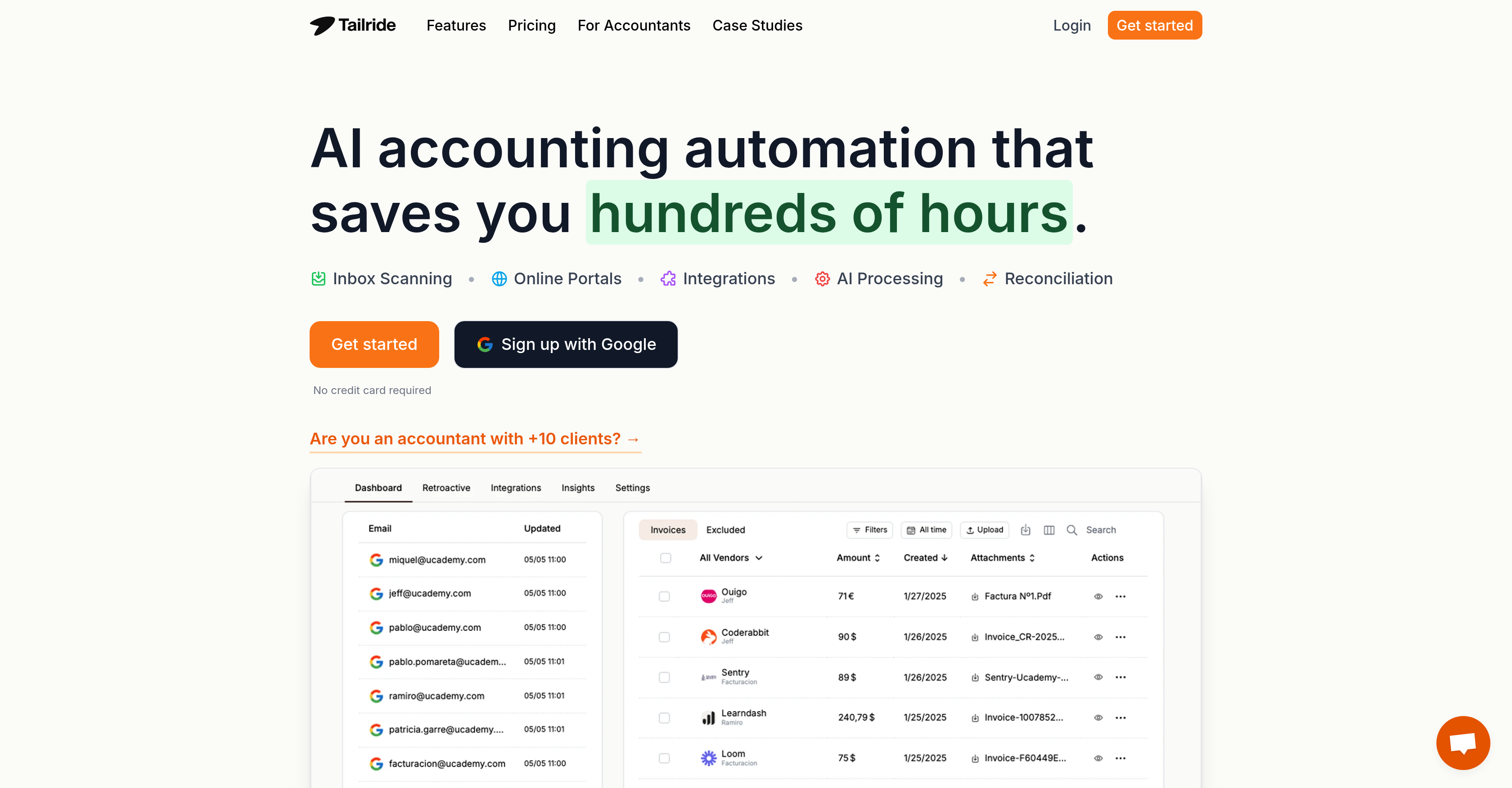
- Eliminate manual data entry with AI that automatically scans email inboxes and extracts invoices from PDFs, images, and email bodies
- Capture paper receipts instantly by snapping photos that automatically process and add to your digital invoice management dashboard
- Extract invoices from any website with one click using the Chrome extension for platforms like Amazon, Meta Ads, and Microsoft
- Automatically forward organized invoices to QuickBooks and Google Drive with custom rules tailored to your business workflow
- Consolidate all invoices and receipts from every source into a single dashboard for complete financial visibility and management
Pros & Cons
Pros
- Invoice and receipt processing
- Inbox Scanning functionality
- Online Portals for extraction
- Native email integration
- QuickBooks and Google Drive Integration
- Able to process paper receipts
- Invoice Management Dashboard
- Chrome Extension for website invoice extraction
- Custom Rules Setup for businesses
- Integrates with numerous email clients
- Backlogs past invoices
- Handles physical receipts via bots
- Integration with other accounting software
- Automates data entry
- Track expenses & invoices via dashboards
- Automatically forwards invoices
- No credit card required
- Integration with Telegram and WhatsApp
- Export invoices to QuickBooks, Xero, Business Central, Google Drive, Google Sheets
- Export data in XML DATEV format
- Currency conversion in reconciliation
- Bank statement converter
- Free plan available
- Individual invoice credits purchase
- Handles invoices in different formats (PDF, image etc.)
- Handles multiple currencies
- GDPR compliant
- Stripe payment integration
- Generates invoice templates
- Affiliate program
Cons
- Limited to email integration
- Dependent on Chrome Extension
- No API mentioned
- Not compatible with all accounting software
- Compliance not specified outside GDPR
- Limited to QuickBooks and Google Drive
- Telegram or WhatsApp required for receipt processing
- Invoice limit
- No specified data storage duration
- No specification for multi-language support
Reviews
Rate this tool
Loading reviews...
❓ Frequently Asked Questions
Tailride is an AI-powered automation software primarily aimed at invoice and receipt processing. It extracts invoices and receipts from different sources such as emails and websites, organizes them, and significantly reduces manual work. It provides Inbox Scanning and Online Portals, which enhance the speed and efficiency of the extraction process. Tailride tracks incoming invoices by connecting natively to email inboxes. It can process paper receipts by allowing users to take images and send them to a bot for processing. The application also integrates with QuickBooks and Google Drive, facilitating automatic organization and forwarding of invoices, among other features.
Tailride uses AI technology to automate the extraction and organization of invoices and receipts. This AI technology works at its core to seamlessly scan inboxes and online portals, pick up invoices and receipts from these sources, and organize them efficiently. The AI also comes into play while handling paper receipts by processing images of the physical receipts sent by users. Furthermore, Tailride's AI technology is pivotal in setting up custom rules according to specific business needs and in automating accounting tasks.
Yes, Tailride can indeed process paper receipts. This is made possible by a feature that allows users to snap pictures of physical receipts and send them to a bot. The AI technology then processes these images and adds them to the user's invoice management dashboard.
Tailride offers several integrations in its operations. It integrates with popular accounting software like QuickBooks allowing automatic organization and forwarding of invoices. It's also integrated with Google Drive to help keep track of and manage invoices more efficiently. Beyond these, Tailride also extends its capabilities by integrating with a variety of online portals and email inboxes. Invoices can be extracted from websites using its Chrome Extension executed via these integrations.
The Inbox Scanning feature in Tailride works by connecting natively to your email inboxes, where it monitors and keeps track of all incoming invoices. It handles invoices irrespective of their format, including PDF, image, email body or URL. In addition to this, you can set Tailride to retroactively search for past invoices in your inbox. This smart scanning capability provides a seamless experience for users, reducing the burden of manual invoice retrieval.
Yes, Tailride does indeed help manage invoices coming from email inboxes. Once Tailride connects natively to your email inbox, it monitors, tracks and keeps up-to-date with all incoming invoices. Irrespective of whether the invoice is in a PDF, an image, within the body of the email, or behind a URL, Tailride is equipped to handle it.
The Online Portals in Tailride are digital mechanisms that allow for rapid and efficient invoice extraction from different websites. Tailride users, with the use of these Online Portals, can fetch invoices from platforms like Amazon, Meta Ads, Adobe, Notion, Microsoft, ChatGPT and more, thus making the whole process more convenient.
The Chrome Extension feature of Tailride serves as a tool to extract invoices directly from websites. The use of this tool, combined with the Online Portals functionality, drastically reduces the time spent retrieving invoices manually from different websites. With just one click on the extension, all the invoices get transferred directly to the user’s dashboard.
Yes, Tailride helps in setting up custom rules according to the specific needs of a business. These rules can be leveraged to provide customized automation, taking into account the unique operational requirements of different businesses, thus making invoice and receipt processing more efficient and tailored to individual needs.
Tailride contributes to saving time in several ways. By automatically scanning inboxes and online portals for invoices and receipts, it eliminates the need for manual sifting through numerous emails and websites. Tailride’s automatic organization of extracted invoices negates the time-consuming task of invoice management. Its integration with accounting software further automates the process of forwarding invoices. Furthermore, the processing of paper receipts and the setup of custom rules to handle diverse business needs adds to the time-saving capabilities of the system.
Yes, Tailride integrates with both QuickBooks and Google Drive. These integrations enable automatic organization and forwarding of invoices. Google Drive is used to efficiently manage and track all invoices, while integration with QuickBooks further extends Tailride's capabilities into accounting software applications.
The invoice management dashboard on Tailride is a platform that enables users to keep track of, manage and process all their invoices and receipts. It includes invoices and receipts extracted from various sources like emails and websites, along with paper receipts that have been processed by the Tailride bot.
Yes, Tailride can extract invoices from websites. It provides an efficient means of doing so through its Chrome Extension, which enables one-click invoice extraction from various websites, transferring them directly to the user's dashboard.
Several organizations globally, including Ucademy, Showpass, Playtomic, Magier, Beretta, OG Company, Fontsninja, Kwan, and Tradinglab, use and trust Tailride for its powerful invoice and receipt processing capabilities.
Yes, Tailride aids in automating accounting tasks. It does this through integrations with popular accounting software like QuickBooks. This allows for automatic organization and forwarding of invoices, thus eliminating the need for manual work in these areas.
Tailride can handle invoices coming from a variety of sources. These can include both digital and physical forms such as emails, websites, and paper receipts. It monitors and keeps track of incoming invoices from the connected email inboxes. Users can also upload pictures of their physical receipts to the system for processing.
Tailride is highly efficient in extracting invoices. It achieves this through AI-driven automatic scanning of inboxes and online portals, combined with the ability to process images of paper receipts. This comprehensive approach ensures invoices from different sources are collected quickly and efficiently.
Tailride assists in organizing extracted data by automatically categorizing and organizing invoices once extracted. It leverages its native connection with email inboxes and integration with accounting software like QuickBooks and Google Drive for the organization of data, thus reducing the burden of manual data entry.
Tailride handles receipt processing using a distinctive approach where users can snap images of their physical receipts and send them for processing. These receipts are then processed and added to the user's invoice management dashboard, thus creating a comprehensive system for managing both invoices and receipts.
What makes Tailride unique as an AI-powered automation software is its offering of a range of functionalities from scanning inboxes and online portals for invoices and receipts, to processing images of paper receipts. It connects natively with email inboxes for real-time monitoring of incoming invoices. It also integrates with popular accounting software for automated forwarding and organization of invoices. The powerful combination of these features with AI delivers a system that dramatically reduces manual work, saves time and adapts to specific business needs via custom rules.
Pricing
Pricing model
Free Trial
Paid options from
$13/month
Billing frequency
Monthly
Refund policy
A refund can be requested within 3 days of payment.