

Outcast
Turn one podcast episode or video into a full week of social media content: import directly from YouTube, TikTok, Instagram, Facebook, Twitter, or Reddit and get clips, show notes, and ready-to-post social media posts.
Listing not yet reviewed by our editors · How we check
Overview
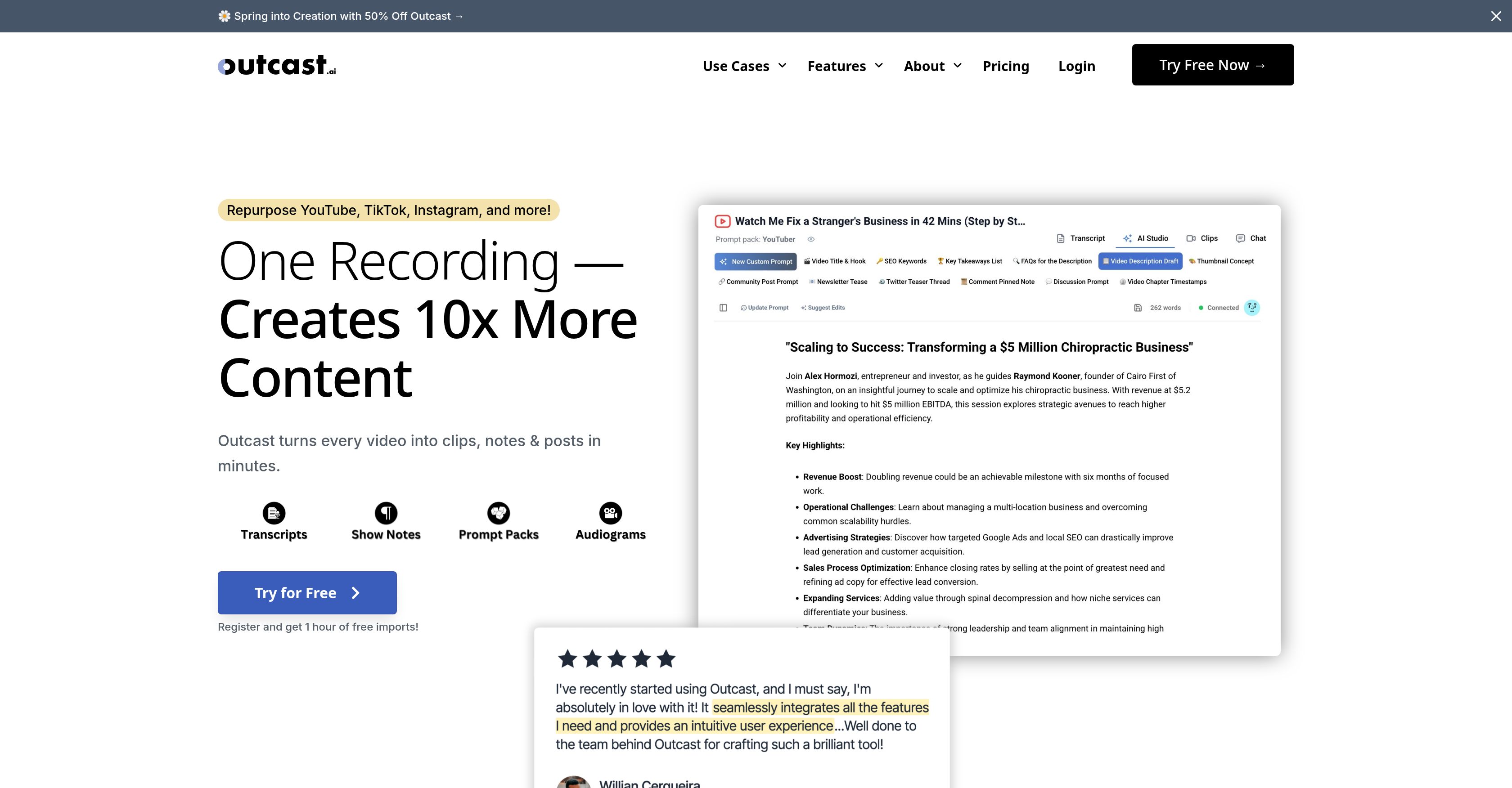
- Turn one podcast episode or video into a full week of social media content: import directly from YouTube, TikTok, Instagram, Facebook, Twitter, or Reddit and get clips, show notes, and ready-to-post social media posts.
- Publish short-form video clips without a video editor: Clip Studio adds captions, exports highlights in a few clicks, and resizes clips to each platform's format.
- Get a reliable written record of every conversation: studio-grade podcast transcription with automatic speaker attribution and timestamps keeps every quote accurate and easy to locate.
- Turn spoken content into long-form written assets: AI Studio's integrated AI Writer drafts blogs, newsletters, emails, and images inside each episode workspace.
- Keep a consistent publishing schedule without starting from a blank page: Prompt Packs apply ready-made content templates to a video in one run and generate every asset at once.
- Reuse your back catalog instead of re-listening to old episodes: the Episode Chatbot pulls ideas, quotes, and summaries from a single episode or your entire podcast library.
- Reach listeners and viewers beyond English-speaking markets: content repurposing works in 17 languages, including Spanish, French, German, Hindi, Japanese, Chinese, Korean, and Portuguese.
- Ship content faster as a team with no file handoffs: live collaboration lets editors, writers, and marketers edit and organize the same assets in real time.
- Test the full content marketing workflow before paying: sign up for an hour of free imports, plus a 7-day free trial with 60 minutes of uploads.
Pros & Cons
From the listing; not yet checked by our editors.
Pros
- Supports 17 languages
- Transcribes audio and video
- Creates social media posts
- Automates content repurposing
- Extracts ideas from content
- Creates video and audio clips
- Drafts blogs, emails, and images
- Generates content from user feedback
- Author-friendly
- Live collaboration for teams
- Real-time editing
- Digital asset organization
- Free 1-hour trial
- 60 minutes upload limit
- Wide platform support (YouTube, TikTok, etc.)
- Ready-made content templates
- Studio-grade transcriptions
- Speaker attributions in transcripts
- Timestamps in transcripts
- Episode-based content extraction
- Comprehensive content marketing automation
- Customizable clip creation
- Chat interface for content interaction
- Single-input-multiple-output content creation
- Creator and team collaboration tools
- Highly accurate transcription models
- Automated socials, articles, clips creation
- Audience growth through automation
- Ease of import (YouTube URL, File, RSS)
- Episode-based chatbot for content repurposing
- Developed from customer feedback
- Platform-specific clip sizes
- Branding in video subtitles
- Single feed for all audio-video content
- Real-time content creation with team
- Generates content and images from editor
- Real-time team collaboration and organization
Cons
- Limited Free Trial duration
- Limited Free Upload Time
- Time-Consuming User Feedback
- Limited import options
- Restricted clip export length
- Lack of Offline Functionality
- Limited Language Support
- No Mention of Security Features
- Lack of Customization Options
- No stated Pricing Plans
Alternatives to Outcast
Tools that share the most tags with Outcast.
- Wysper
Repurpose hours of audio into multiple content formats instantly using AI transcription that converts podcasts into blog posts, social media captions, and newsletters
Free trial · from $22/month
$22/month
Not yet checked
- Podsuite
Transform a single podcast episode into a full suite of publish-ready content, from editable transcripts to blog posts, using a structured upload-analyze-export workflow.
Paid · from $6.99/month
$6.99/month
Not yet checked
- Recast Studio
Get a full podcast marketing campaign from a single episode in minutes: automatic content repurposing turns each recording into video clips, show notes, blog posts, social media posts, and email drafts.
Free trial · from $17/year
$17/year
Not yet checked
- PodControl
Turn years of unheard recordings into a full social media content calendar without recording anything new: connect your podcast RSS feed or Google Drive folder once, and your entire episode archive is batch-processed in a single run.
Paid · from $7/month
$7/month
Not yet checked
- ZenMic - AI Podcast Generator
Repurpose existing content into podcasts effortlessly by converting blog posts and articles into engaging audio content using AI script generation
Paid · from $99/year
$99/year
Not yet checked
- Vibecasting
Launch a podcast from a single idea without writing or recording, using AI that researches your topic and generates the full script for free.
Free trial · from $12/month
$12/month
Not yet checked
Reviews
Rate this tool
Loading reviews...
Frequently asked questions
What is Outcast?
Outcast is an advanced tool powered by AI that optimizes and amplifies content creation. It primarily transforms podcasts and videos from various platforms into multiple content formats such as clips, notes, and social media posts.
How does Outcast convert podcasts into different content formats?
Outcast leverages AI methodologies to convert podcasts and videos into different content formats. When a user imports a podcast episode or video, Outcast breaks it down and repurposes it as clips, notes, and posts for social media.
Which social media platforms does Outcast support?
Outcast is compatible with various social media platforms including YouTube, TikTok, Instagram, Facebook, Twitter, and Reddit. It transforms content into platform-specific posts or clips to reach out to a diverse audience.
What is 'AI Studio' and 'Clip Studio' in Outcast?
'AI Studio' and 'Clip Studio' are among the key tools offered by Outcast. 'AI Studio' is an integrated AI Writer and editing tool for generating written contents and images, whereas 'Clip Studio' helps in creating and modifying video clip contents, including adding captions and exporting platform-specific sizes.
How does Outcast's Episode Chatbot work?
Outcast's 'Episode Chatbot' is a feature designed to extract ideas, quotes, and summaries from podcast episodes or videos. A user can interact with the chatbot to derive valuable information from either a single episode or an entire library.
Can I use Outcast for live collaboration with my team?
Yes, Outcast allows live collaboration for teams. This feature enables real-time editing and organization of assets, providing a seamless interface for team members to work on the same content together.
Do I get any free services when I register on Outcast?
When you register on Outcast, you get an hour of free imports. There is also a 7-day free trial available that includes 60 minutes of uploads.
What is the language support range of Outcast?
Outcast has an extensive language support, covering 17 languages. These include English, Spanish, French, German, Italian, Portuguese, Dutch, Hindi, Japanese, Chinese, Finnish, Korean, Polish, Russian, Turkish, Ukrainian, and Vietnamese.