

ToonBee AI | Video to Cartoon
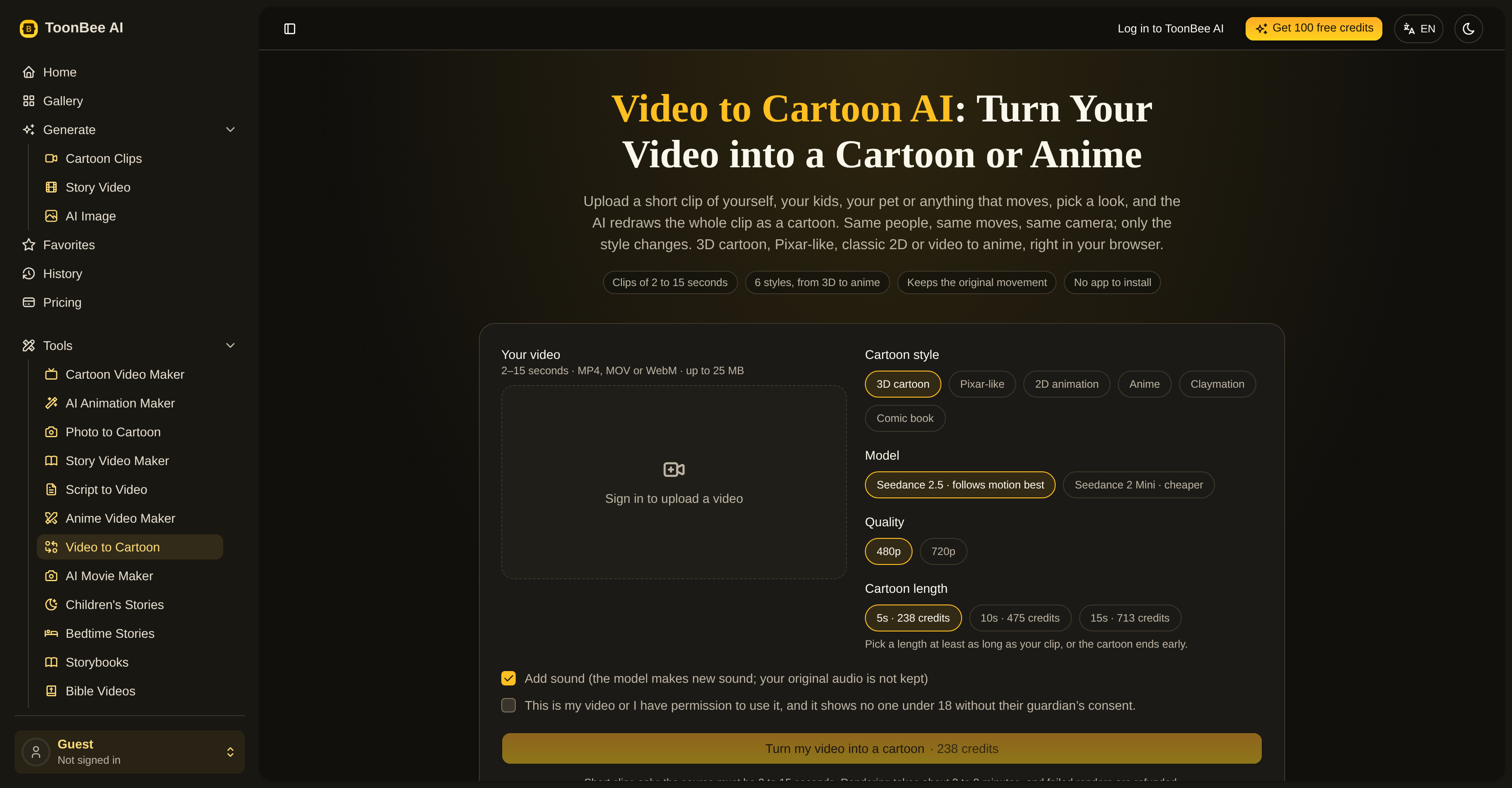
Get cartoon videos where every gesture, character, and action matches your original footage, because the Seedance AI video model uses your clip as a reference instead of guessing at the motion.
Listing not yet reviewed by our editors · How we check
Overview
- Get cartoon videos where every gesture, character, and action matches your original footage, because the Seedance AI video model uses your clip as a reference instead of guessing at the motion.
- Try several looks on one clip by converting your video to anime, 3D cartoon, Pixar-like, 2D animation, claymation, or comic book style, each with its own distinct look.
- Drop your cartoonized clip straight back into an edit or sync it to music, since the timeline, timing, and sequence of your video stay exactly as recorded.
- Upload footage in the format you already have, with no conversion step, because MP4, MOV, and WebM files are accepted directly.
- Choose the right output for the job, with a 480p render for fast concept checks and a 720p video for finished cartoon clips.
- Get a finished animated video in about 3 to 8 minutes, so you test a style idea and move on in a single session.
- Publish short-form content that stands out in a scrolling feed, with a video to cartoon converter built for 2 to 15 second clips.
- Show a concept as moving animation for storyboards and pitches by filming a rough version of the scene and turning it into an animated cartoon in your chosen style.
- Turn family moments and personal videos into cartoon keepsakes, with Pixar-like expressive characters, warm cinematic lighting, and rich textures applied to your real footage.
Pros & Cons
From the listing; not yet checked by our editors.
Pros
- Supports various video formats
- Unique 'Seedance' functionality
- Cartoon styles variety
- Suitable for varying users
- Supports 2-15 second videos
- Transforms while retaining original movements
- Utilizes reference video clips
- Enables novel short-form content
- Helps in storyboard creation
- Helps in pitch development
- Option to add sound
- Offers different cartoon quality
- Offers different cartoon length
- Refunds for failed renders
- Turns video into anime
- Doesn't require app installation
- Creates soft cinematic lighting
- Achieves various animation looks
- Transforms selfies into 3D
- Maintains original clip timing
- Generates new sound for cartoon
- Cost depends on output not input
- Turns real footage into cartoon
- Renders a new cartoon video
- New accounts receive 100 free credits
Cons
- Limited video length
- Original audio not kept
- Slow rendering time
- Doesn't support long videos
- Faces aren't perfectly matched
- Small details can change
- Limited model options
- Quality options cost more
- Credits needed for operation
- Underage usage restrictions
Alternatives to ToonBee AI | Video to Cartoon
Tools that share the most tags with ToonBee AI | Video to Cartoon.
- FaceShapeDetector
Get a precise, personalized face shape analysis that goes beyond generic labels with our unique Face Shape Blend™, revealing your exact proportions like 80% Oval + 20% Heart.
Freemium · from $6.99
$6.99
Not yet checked
- Transition
Follow a training plan that automatically adjusts to your daily schedule and recovery metrics, ensuring you stay on track even when life gets busy
Paid · from $19/month
$19/month
Not yet checked
- Mixboard
Turn scattered thoughts into mature, actionable concepts by visualizing and manipulating them on an interactive AI concepting board.
Not listed
Not listed
Not yet checked
- NVIDIA Earth-2
Make strategic decisions with confidence using precise, AI-driven weather predictions that mitigate operational risks across aviation, agriculture, and marine sectors.
Not listed
Not listed
Not yet checked
- OCR | z.AI
Instantly digitize printed documents and scanned PDFs without manual typing, using AI-powered optical character recognition.
Not listed
Not listed
Not yet checked
- Engain
Turn Reddit into a repeatable organic traffic channel instead of a gamble by finding and engaging in high-intent discussions that already rank on Google or where users are actively seeking solutions.
Freemium · from $79/month
$79/month
Not yet checked
Reviews
Rate this tool
Loading reviews...
Frequently asked questions
What is ToonBee AI?
ToonBee AI is an advanced digital platform that employs artificial intelligence to transform short video clips into a variety of cartoon styles.
What are the different cartoon styles offered by ToonBee AI?
ToonBee AI offers several cartoon styles, including 3D cartoon, Pixar-like, 2D animation, anime, claymation, and comic book.
What is 'Seedance' technology in ToonBee AI?
'Seedance' in ToonBee AI is an AI-backed video model that uses the reference video clip to ensure the cartoon animation closely mimics the original in terms of movements, characters, and timing.
How does ToonBee AI handle different video formats?
ToonBee AI supports a variety of video formats such as MP4, MOV, and WebM.
How long can a video be to use ToonBee AI?
To use ToonBee AI, a video must be between 2 to 15 seconds in length.
How does ToonBee AI maintain the original movements and actions in transformed videos?
ToonBee AI redraws and transforms videos into chosen cartoon styles whilst precisely retaining the original movements and actions, thanks to its AI and 'Seedance' technology.
Can I use ToonBee AI for my family moments?
Yes, individuals can use ToonBee AI to cartoonize personal or family moments.
Is ToonBee AI suitable for content creators?
Yes, content creators can utilize ToonBee AI as a novel approach for their short-form content.