
Overview
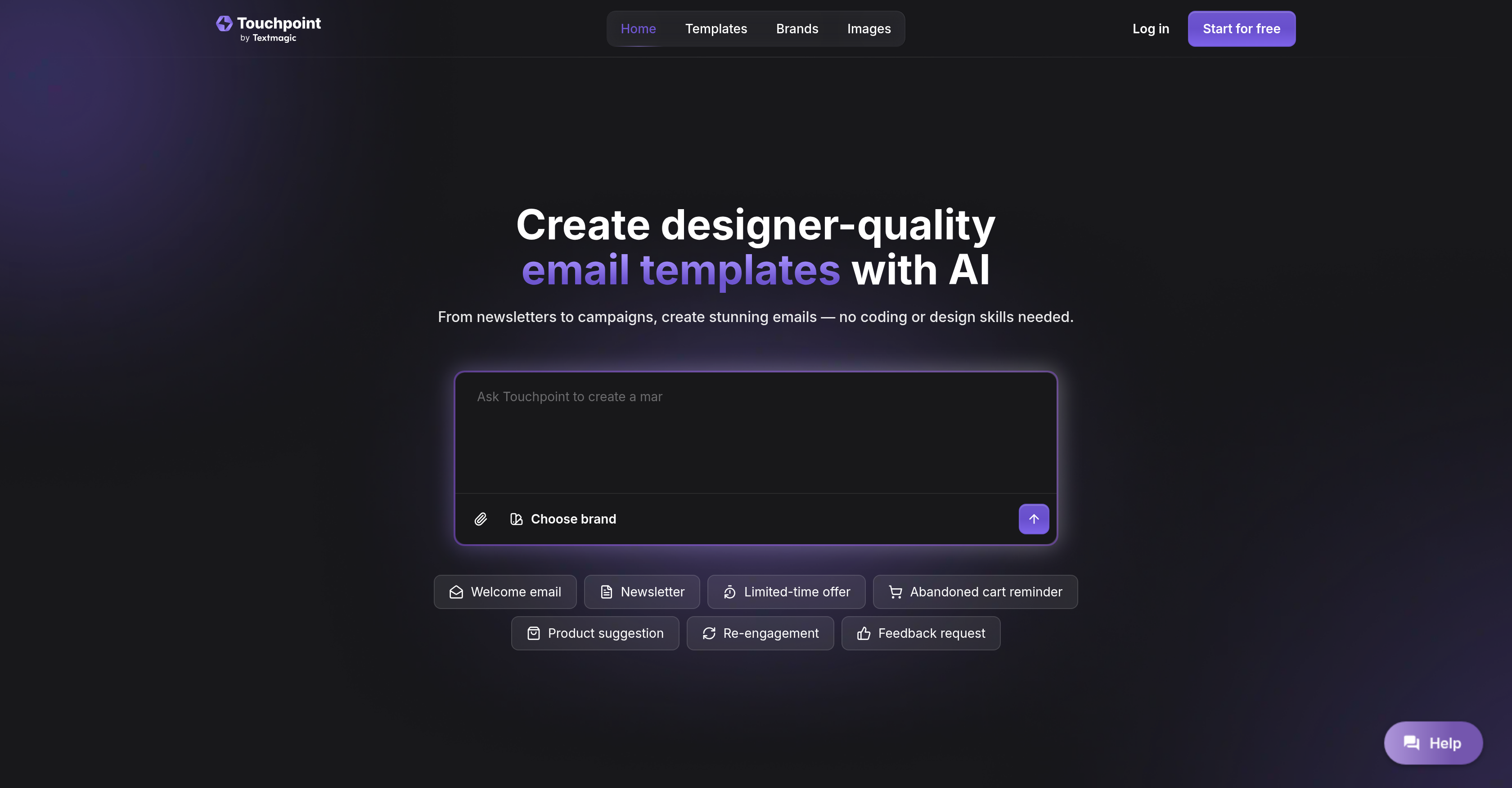
- Launch professional email campaigns in minutes instead of hours using AI chat that transforms your ideas into polished templates
- Maintain perfect brand consistency across all emails with automatic extraction of your logo and colors from any linked website
- Create responsive templates that display perfectly on any device without technical skills through intuitive visual editing
- Recover lost sales with targeted abandoned cart reminders and product suggestion emails using purpose-built prompts
- Export finished templates directly to your email marketing platform with one-click integration to Textmagic for immediate sending
- Customize every detail of your layout and copy without coding, with HTML access available for advanced design control
Pros & Cons
Pros
- Designer-quality email templates
- No coding needed
- Template creation from scratch
- Supports various email types
- Automatic brand asset extraction
- Customizable email templates
- Integrates with TextMagic
- Real-time email monitoring
- Pre-built prompts
- Ensures brand consistency
- No-Code Editing
- HTML refinement option
- Fast template generation
- Creative control
- Security of user data
- Responsive design
- Automates email designing
- Prevents brand mismatch
- Responsive design
- Various campaign design types
- Abandoned cart reminders
- Product suggestion emails
- Advanced feature set
- Design without design skills
- Copy editing without code
- Exportation to TextMagic
- Prompting ideas for creativity
- Professional email deliverability
- Assisted email creation
- Ideas transformation to templates
- Quick delivery of emails
- Logo and colors extraction
- Global email delivery
- Tweaked layouts and visuals
- Extraction from linked websites
- User friendly tool
- Ready-made prompts to start
- Clean HTML email templates
- Login works in TextMagic
- Start for free option
- No stress email creation
- Variety of pre-set prompts
- Clean user interface
- Stimulates design ideas
- Promotes design automation
- Seamless brand fit guarantee
- Guided email building process
Cons
- Limited to TextMagic integration
- No multi-language support
- No direct email sending
- Limited to automatic branding
- No real-time collaboration
- No mobile app version
- Must link website for branding
- Limited premade prompts
- Advanced users required for HTML editing
- No user interface customization
Reviews
Rate this tool
Loading reviews...
❓ Frequently Asked Questions
Touchpoint Email Template Builder is an artificial intelligence-powered tool. It allows users to create responsive, high-quality email templates without the need for any coding or design skills. Users interact with the AI to start creating an email template from scratch in just moments. It is a product by Textmagic.
Touchpoint allows users to create a variety of email types. Users can easily create newsletters, product launch campaigns, abandoned cart reminders, and more. The tool allows you to easily customize and refine your email templates. This makes it convenient to create different types of emails as per your specific needs.
Touchpoint provides an advanced feature set enabling users to customize and refine their email templates without any coding. Users can edit the text, swap visuals, adjust the layout with just simple clicks. Furthermore, advanced users are also given the option to refine the HTML for full creative control.
The artificial intelligence feature in Touchpoint operates by enabling the users to create professional-grade email templates by just chatting with the AI. Users can start from a blank page and the AI assists in transforming that into a polished email template within seconds.
Yes, you can link your website with Touchpoint for the automatic extraction of brand assets. Touchpoint automatically pulls your logo, colors, and other brand assets from your website to ensure that every email created looks authentically yours.
No, you don't need any coding or design skills to use Touchpoint. The AI-powered tool enables you to create high-quality, professional emails from scratch without the need for coding or design expertise.
Touchpoint ensures the security of your data but doesn't specify the exact methods it uses to do so.
Touchpoint integrates with Textmagic in a seamless way. Once you create your email template in Touchpoint, you can move your finished template into Textmagic with just one click. From there you can send emails to your audience and also monitor the results in real time.
Touchpoint offers pre-made prompts to jump-start your creativity. These include prompts for various types of emails like product launch, Black Friday sale, webinar invitation, personal follow-up, thank you note, newsletter, event invitation, cart abandonment reminder, recruitment email, and more.
Touchpoint Email Template Builder assists with email campaign launches by making it easy to create professional emails for product launches. It allows users to generate bold headlines and send them out via Textmagic. It also provides real-time monitoring of the campaign.
Yes, you can easily create abandoned cart reminder emails with Touchpoint. You can recover lost sales with timely reminders and tailored product suggestions which are facilitated by this tool.
Yes, Touchpoint does offer real-time monitoring of email campaigns. Once the email template is exported to Textmagic and sent out, you can monitor the results in real time.
Yes, Touchpoint has the ability to automatically extract your brand's logos and colors. You only need to link your website, and Touchpoint will pull your logo, colors, and other brand assets.
You can start creating an email template with Touchpoint by simply chatting with the AI. It will help transform a blank page into a professional email template in just moments.
With Touchpoint, you can create a variety of email templates. This includes templates for newsletters, product launch campaigns, abandoned cart reminders, re-engagement emails, feedback requests, and more.
Yes, the email templates created using Touchpoint are responsive. They can adjust to different screen sizes and devices, leading to a great user experience on every platform.
Indeed, you can create product launch campaign emails using Touchpoint. You can announce new products with bold headlines that highlight key features.
Data security is a priority for Touchpoint. However, the precise methods used to ensure data security are not explicitly stated.
Yes, you can certainly use Touchpoint to send newsletters. You can create customized and stylish newsletters to keep your audience engaged with regular updates and stories.
Yes, you can use Touchpoint to generate creative prompts for your emails. It provides ready-made prompts to inspire your creativity, ensuring you are never left with a blank page.
The AI in Touchpoint uses chat-based interaction to assist users in creating their email templates from scratch. It streamlines the process by providing automated assistance and eliminating the need for any technical expertise in coding or design. This technology is designed to understand user input and respond accordingly to create polished email templates in seconds.
Yes, Touchpoint allows the creation of diverse email templates including, but not limited to, newsletters, product launch campaigns, abandoned cart reminders, and even product suggestions. The platform is flexible and accommodates a variety of email types to suit multiple marketing needs.
Touchpoint Email Template Builder enables automatic branding by allowing users to link their website to it. Once the link is established, Touchpoint uses its AI system to automatically extract brand assets such as logos, colors, and other identifiable elements of the user's online presence. This function ensures that all emails generated preserve the brand's identity and look.
The email templates generated by Touchpoint are significantly customizable. Users are provided with complete control to edit copy, swap visuals, and adjust layouts with clicks, not code. Plus, advanced users also have the opportunity to fine-tune HTML for even more creative control.
Touchpoint provides advanced features which include automatic extraction of brand assets from linked websites, designer-quality email templates creation, prompts for creativity stimulation, and capabilities for customizing email templates through simple clicks. Additionally, it allows refinement of email templates' HTML.
Touchpoint offers seamless integration with Textmagic, its parent platform, for delivering emails. Users can simply create their email templates on Touchpoint and with a single click export them to TextMagic for distribution and real-time result monitoring.
Touchpoint provides a variety of ready-made prompts to spark user creativity. Some prompts include product launch, Black Friday sale, webinar invitation, personal follow-up, thank you notes, newsletters, event invitations, cart abandonment, and recruitment email.
Yes, Touchpoint ensures user data security, ensuring that all user information and data handled is securely stored and effectively protected.
No, users do not need any previous coding or design skills to utilize Touchpoint. Its AI-powered system is designed to simplify the process, enabling users to design professional email templates by just chatting with the AI.
The chat with AI feature in Touchpoint works as a guide during template creation. Upon receiving user inputs through a conversational interface, it transforms those ideas into completed email templates instantly. It's an intuitive way of interacting with the platform and ensures anyone, even those without technical skills, can create beautiful emails.
Yes, on Touchpoint, there is an option to refine the HTML of your email templates. This is aimed at advanced users who want to have full creative control and are comfortable with editing in HTML format, thereby giving them the capacity to further customize their emails.
Transferring your completed email templates from Touchpoint to TextMagic is simple. After users finish creating their templates in Touchpoint, they can export them to Textmagic with just one click, ready to send out to an audience.
Touchpoint promotes creative control by allowing users to make multiple adjustments to their email templates with simple clicks and no coding. They can edit the copy, swap visuals, and adjust their layouts. For those that wish to have complete control over their designs, they can directly refine the HTML of their templates.
Yes, Touchpoint can definitely be used to create professional emails for product launches. In fact, it provides ready-made prompts specifically for product launches to help stimulate creativity and expedite the process.
Touchpoint provides a seamless brand fit for your email templates by allowing you to link your website and automatically extracting your logo, colors, and brand assets, ensuring that every email you create is authentically yours.
Touchpoint assists with the design of newsletters or campaigns by providing an AI-powered platform that transforms user ideas into polished email templates. It also provides pre-made prompts for such creations to further stimulate ideas and accelerate the creation process.
Touchpoint provides user support through its AI-driven chat interface which guides the users through the process of creating email templates. Furthermore, it provides pre-made prompts to assist users in getting started on their creative process.
Touchpoint provides features aimed at creating effective abandoned cart reminders and product suggestion emails. Users can take advantage of the ready-made prompts for these specific purposes to create personalized, impactful emails that help recover lost sales or highlight recommended products.
Yes, Touchpoint helps expedite the process of creating email templates by allowing users to chat with AI, which takes inputs and transforms them into polished email templates within seconds. The pre-made prompts provided can also stimulate creativity and fast-track the creation process.
Pricing
Pricing model
Free Trial
Paid options from
$20/month
Billing frequency
Monthly