TranslateBook.com
Overview
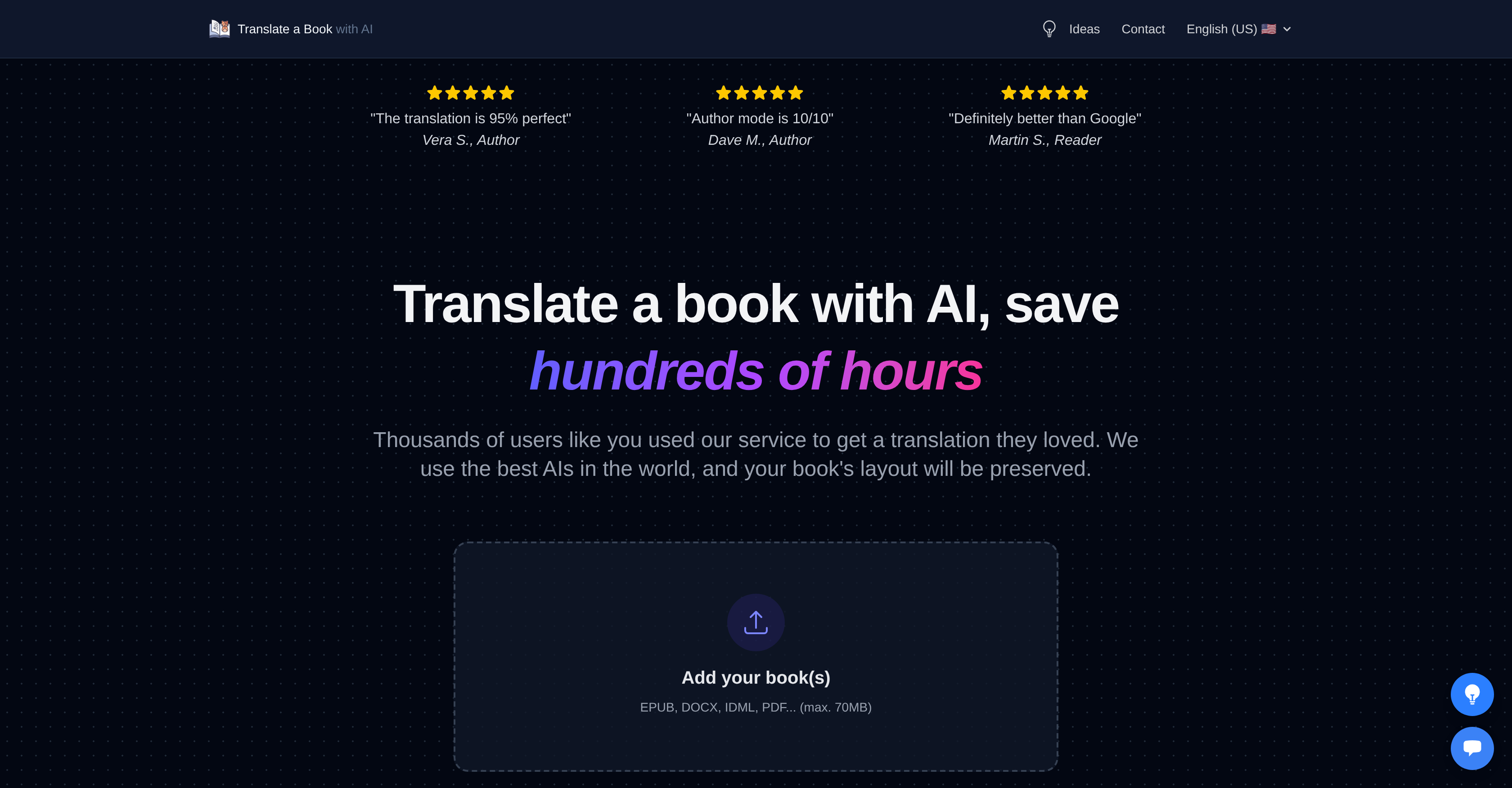
- Publish your translated book faster by preserving original layouts, images, and formatting across PDF, EPUB, DOCX, and professional formats like InDesign IDML
- Ensure translation accuracy for your specific genre and style by adding custom instructions and reference texts to guide the AI
- Evaluate translation quality risk-free with a free preview of your book's beginning before committing to the full project
- Choose the right balance of speed and quality with three dedicated modes, from a quick draft to a publish-ready translation requiring minimal proofreading
- Protect your unpublished manuscript with automatic file deletion after 30 days and a guarantee that your content is never used to train AI models
- Translate complex books with nuanced context preserved, as the AI analyzes the entire text to maintain consistency and authorial voice
- Get an instant, exact cost quote by simply uploading your book file, with clear pricing tiers for different quality and speed needs
Pros & Cons
Pros
- Multitude of language support
- Preserves original book layout
- Compatible with various formats
- Supports professional writing formats
- Provides free translation preview
- Guarantees user privacy
- Offers different translation modes
- Preserves context and nuances
- Allows custom translation instructions
- Offers auto-generated translation guide
- Handles complex PDF files
- Highly rated by authors, publishers, and readers
- Supports diverse file formats such as EPUB, DOCX
- 30-day data retention policy
- High-quality translation output
- Supports large file size (up to 70MB)
- Versatile in handling professional writing software formats
- Offers real-time progress on file analysis and uploading
- 4.4 star rating on Trustpilot
- Provides consistent translations across book
- Affordable pricing for translation services
- FAQs section for troubleshooting and knowledgebase
- Ensures translation quality and consistency with translation guide
- Automatic file deletion for privacy
- Preservation of original formatting including images, titles, and links
- Supports popular ebook formats like EPUB, MOBI, AZW3
- Supports common office document formats like DOCX, PPTX
Cons
- Max file size 70MB
- No support for PDF layout
- Analysing PDFs takes longer
- No real-time support
- No subscription option
- No guaranteed refunds
Reviews
Rate this tool
Loading reviews...
❓ Frequently Asked Questions
Book Translator supports a multitude of languages from around the world. The exact number isn't specified, but it includes English (US), Bengali, Chinese (Simplified), Danish, Dutch, English (US), Filipino (Tagalog), Finnish, French (France), German, Greek, Gujarati, Hindi, Indonesian, Italian, Japanese, Korean, Marathi, Norwegian, Polish, Portuguese (Portugal), Punjabi, Russian, Sinhalese, Spanish (Spain), Swedish, Tamil, Thai, Turkish, and Ukrainian.
Book Translator supports various file formats including PDF, DOCX, EPUB, and professional writing software formats such as InDesign IDML and Final Draft FDX.
Book Translator guarantees privacy. User files are deleted from the server after 30 days, and no AI learning process involves user content.
The maximum file size that can be uploaded for translation on Book Translator is 70MB.
Standard Mode on Book Translator is for draft translations. Pro Mode provides quality translations in minutes. Author Mode provides in-depth translations with minimal proofreading requirements.
As per the user reviews and information on their website, the translations provided by Book Translator are highly accurate. They preserve the context and nuances of the original text.
Yes, Book Translator maintains the original layout of the book, including images, titles, bold text, and links.
The translation time on Book Translator typically ranges from a few minutes to a few hours depending on the length of the document and the translation mode chosen.
Yes, Book Translator provides a free preview of the translated beginning of the book to ensure customer satisfaction.
If a file exceeds the maximum size of 70MB, Book Translator provides a tip to compress the file. A link to a free online tool for PDF compression is suggested.
Files uploaded to Book Translator are automatically deleted from their server after 30 days.
Yes, Book Translator can handle translations for professional writing software formats such as InDesign IDML and Final Draft FDX.
No, the AI learning process on Book Translator does not involve user content. This is part of the privacy measures they have in place.
Book Translator is reportedly well-regarded by authors, publishers, and readers who have used it to translate their books efficiently, suggesting a positive success rate. Specific figures or percentages of success rate are not mentioned.
The website does not provide specific information on how Book Translator handles translations of image-based or illustrated content.
Yes, Book Translator supports translations on PDF documents. However, because PDFs require text extraction, the final layout may change.
Book Translator uses advanced artificial intelligence technology for translation. The specifics of the AI models or technologies aren't explicitly mentioned but it's indicated to be a cutting-edge system that understands and preserves the nuances of text.
Yes, Book Translator handles translations of ebooks especially well, supporting popular formats like EPUB.
To get a quote for a translation job on Book Translator, users are asked to upload their book. This provides an instant exact quote.
The cost of translation on Book Translator depends on the length, structure of your book, and the chosen translation mode. Users should upload their books to get an exact quote. As a general range, Author Mode usually costs from 50€ to 300€, Pro Mode from 15€ to 50€, and Standard Mode from 5€ to 20€.
Book Translator supports a multitude of international languages. Some of them include English (US), Bengali, Chinese (Simplified), Danish, Dutch, Filipino (Tagalog), Finnish, French (France), German, Greek, Gujarati, Hindi, Indonesian, Italian, Japanese, Korean, Marathi, Norwegian, Polish, Portuguese (Portugal), Punjabi, Russian, Sinhalese, Spanish (Spain), Swedish, Tamil, Thai, Turkish, and Ukrainian.
Yes, Book Translator maintains the original layout of your book. It translates text while preserving the book's layout, including elements such as images, titles, bold text, and links.
Book Translator supports various file formats including PDF, DOCX, EPUB, and professional writing software formats like InDesign IDML and Final Draft FDX.
Yes, Book Translator provides a free preview of the translated beginning of the book to ensure satisfaction. This allows users an opportunity to evaluate the results specific to their document before deciding to translate the entire book.
Book Translator prioritizes user privacy. Your files are automatically deleted from the server after 30 days. Notably, no AI learning process involves user content allowing data to remain uncompromised.
Book Translator offers three modes for different translation needs: 'Standard Mode' is for draft translations, 'Pro Mode' provides high quality translations in minutes, and 'Author Mode' is meant for in-depth translations with minimal proofreading requirements.
Book Translator is adept at handling text within book files. If the book contains images, as long as they are part of a supported format like InDesign .idml, the layout is preserved. For scanned PDFs, the service extracts the text from images for translation but the final layout might change. Without further information, it's unsure how it handles isolated image files or pictures with embedded text.
Yes, Book Translator offers flexibility for users to give custom instructions or reference texts for the auto-generated translation guide. This allows an enhanced control over the translation style, tone and direction, leading to a more personalised translation.
Yes, Book Translator translates not only the text but also preserves the context and nuances of the original book. It employs advanced artificial intelligence technology to achieve this, adding significant depth to the quality of the translations.
Book Translator ensures formatting preservation in various file formats by using advanced artificial intelligence technology. This technology translates your book, retaining crucial elements like images, titles, bold text, and links, regardless of the original file formats. It supports PDF, DOCX, EPUB, InDesign IDML, Final Draft FDX, and more. However, the process for PDFs is a bit different and may cause some layout changes due to the rigid structure of PDF files.
The time Book Translator takes to translate your book depends on the mode chosen. 'Standard Mode' and 'Pro Mode' most books are translated in less than 20 minutes. 'Author Mode' involves a more analytical process and takes between 3 to 12 hours to translate a book.
Book Translator allows files of a maximum size of 70MB. If the file exceeds this size, users are advised to try again with a smaller file.
Book Translator handles PDF files by extracting the text from the file, translating it, and then rebuilding it. Due to the fixed layout of PDF files, the final translated file's layout may undergo some changes. However, Book Translator uses an advanced PDF analyzer and gives user ample previews to foresee the final outlook.
No, Book Translator ensures that no AI learning process involves user content. The service prioritises user privacy, not using user content for training AI models.
Yes, Book Translator offers an auto-generated translation guide to enhance the quality and consistency of your translation. The AI first conducts a thorough analysis of your book to produce this guide.
Book Translator has been posited by users as a tool that provides precise translations while maintaining formatting, context, and overall quality of translations across languages. The platform's translation quality has been well-regarded by authors, publishers, and readers who have utilized it for their translation needs. Users mention that it is better than other auto-translation services and the translated results are almost perfect with few errors.
The different translation modes in Book Translator impact translation quality by focusing on different needs. 'Standard Mode' is recommended for a first draft or when perfect consistency doesn't matter much. 'Pro Mode' delivers high quality translations in minutes. 'Author Mode', however, provides the best result in terms of fluency and consistency across the book, enabling better translation choices, fluid translations and fine control.
Book Translator handles document conversion efficiently thanks to its support for various file formats, from popular ones like PDF, DOCX, or EPUB to professional writing software formats like InDesign IDML and Final Draft FDX. This capability is key in ensuring translated documents maintain their original format, including images, titles, bold text and links.
The most significant features of Book Translator are its capability to preserve original format and layout, its diverse language support, the free preview of the translated work, multilingual support, data privacy, and the different modes such as Standard, Pro, and Author catering to varied user needs.
Book Translator produces high-quality translations that many authors have found suitable for publishing. However, users are recommended to proofread the translation before publishing to ensure it's error-free and that the AI didn't miss any nuances. The service delivers translations that preserve context and nuance, making it credible for publishing use, particularly when used in 'Author Mode'.
Pricing
Pricing model
Paid
Paid options from
$2
Billing frequency
One-time