

Overview
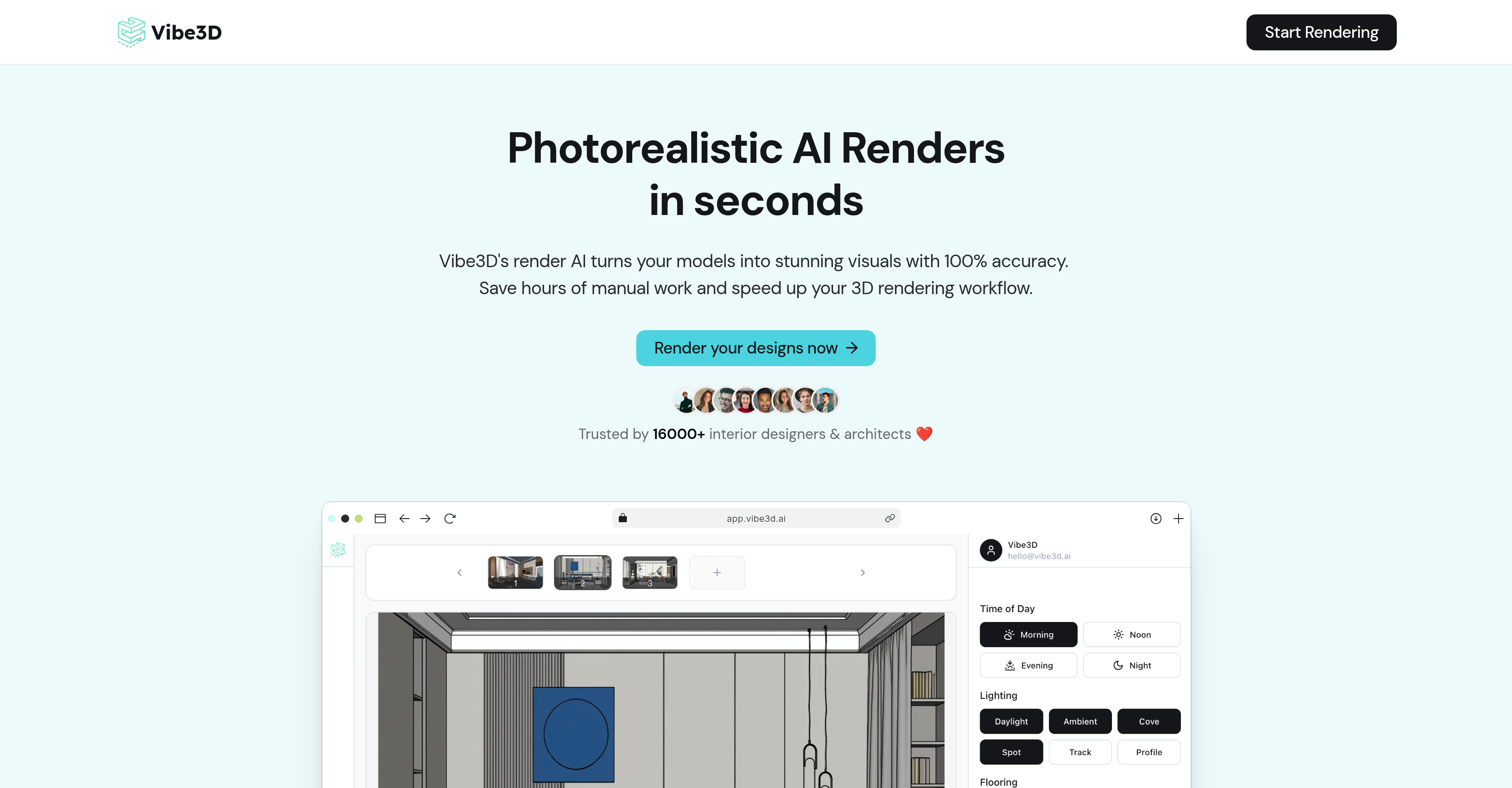
- Deliver client-ready photorealistic 3D renders in minutes, not hours, by automating the manual rendering process with AI
- Maintain perfect accuracy in every render by preserving all original geometry, materials, and textures from your SketchUp, Revit, or 3ds Max model
- Effortlessly achieve the desired scene mood with context-based smart prompt suggestions that guide your render settings
- Make quick revisions without starting over by editing renders through simple text commentary for a faster feedback loop
- Handle the most complex architectural structures and textures confidently, with detail preserved for ultra-realistic output
Pros & Cons
Pros
- High-quality visuals output
- Quick transformation of sketches
- Improves 3D rendering workflow
- Minimizes manual work
- Complements various design tools
- Directly imports scenes
- Offers Smart Prompt Suggestions
- Maintains original geometry, materials, textures
- Facilitates quick edits
- Handles complex textures and structures
- Detailed output
- Accelerates feedback loop
- Revolutionized process of 3D rendering
- Compatibility with SketchUp, 3ds Max, Revit, Archicad, Rhino
- Context-based rendering recommendations
- Processes user model for high accuracy renders
- Built for efficient rendering process
- Allows for simple commentary-based alterations
- Enhances tool's feedback responsiveness
- Improved turnaround times
- Produces accurate renders
- Handles complex structures beautifully
- Doesn't compromise on detail
- Drastically improved feedback loop
- Affords quick iteration capability
- Smart preview for version comparison
- Easy export of best version
- Ideal for large studios
- Ideal for individual professionals
- Ideal for students
- Flexible pricing
- No monthly commitments
- Ensures productivity for professional designers
- Handles multiple projects for design studios
- Removes technical barriers for students
- Transforms 3D models into 4K renders
- Online-based without hardware requirements
- Processes CAD elevations to 3D renders
- Interior design render capacity
- Architectural rendering capacity
- Maintains original scene structure
- Allows for natural-language prompts
- Built for CAD to 3D renders
- Intended for house elevation designs
- Ideal for floor plan renders
- Ideal for master plan visualizations
- Delivers high-fidelity photorealistic results
- Requires less manual setup
- Preserves camera positions
Cons
- Limited manual configuration
- Edits via comments only
- No offline usage
- Possible accuracy compromise
- Limited software compatibility
- Restricted to specific models
- May not handle complex textures
Reviews
Rate this tool
Loading reviews...
❓ Frequently Asked Questions
Vibe3D's primary function is to transform models into high-quality visuals with impressive accuracy. It does this by on their website, refining the models into photorealistic 3D renders.
Vibe3D serves as a robust tool for interior designers and architects by quickly and efficiently transforming their sketches into photorealistic 3D renders. This transformation not only improves their speed of work but also minimizes the manual labor involved.
Vibe3D improves the speed of the 3D rendering workflow by drastically reducing the manual work required. It automates the process of rendering, transforming sketches into detailed 3D renders in a quicker, more efficient manner.
Yes, Vibe3D allows users to import their scenes directly from various design platforms such as SketchUp, 3ds Max, Revit, Archicad, Rhino, and more. This integration offers a smooth and efficient rendering process.
'Smart Prompt Suggestions' in Vibe3D provides contextual suggestions based on your scene, enabling effortless rendering. This feature is designed to help users navigate the rendering process more efficiently.
Yes, Vibe3D allows easy and quick edits to your 3D renders. This feature ensures that you can make adjustments and improvements to your work without having to start from scratch.
Vibe3D handles complex textures and structures by maintaining all geometry, materials, and textures unchanged in the rendering process. This ensures that even the complicated textures and structures are impressively rendered without any compromise on detail.
Vibe3D's 3D renders are incredibly accurate. The software maintains all geometry, materials, and textures from your original model, providing ultra-realistic results.
Yes, Vibe3D can transform your sketches into photorealistic 3D renders. The software is engineered to change the models into high-quality visuals accurately, providing spectacular results.
Vibe3D offers quality assurance in 3D rendering by handling complex textures and structures without any compromise on detail. Its AI technology delivers high-quality 3D renders that maintain all geometry, materials, and textures unchanged, ensuring accurate and ultra-realistic results.
Yes, Vibe3D preserves all original geometry, materials, and textures in its renders. This means that all the properties of the original model are maintained, resulting in highly accurate and ultra-realistic 3D renders.
The rendering process in Vibe3D involves importing your designs, setting the configs, adding scene-specific instructions if needed, and hitting render. Additionally, Vibe3D offers the ability to make quick edits and compare different versions before downloading the best one.
Yes, Vibe3D is capable of rendering ultra-realistic results. It maintains all geometry, materials, and textures from your original model, making the end result exceptionally accurate and real.
Vibe3D integrates seamlessly with current design tools like SketchUp and 3ds Max by allowing users to import their scenes directly from these platforms. This compatibility improves the speed and efficiency of the 3D rendering workflow.
Yes, Vibe3D's AI technology is known for handling detailed and complex structures impressively. It delivers high-quality results, handling all structures, even complex textures, without any compromise on detail.
Vibe3D can transform your sketches into 3D renders in a rapid manner. The exact speed is not specified on their website, but it is identified as a prominent feature of the platform which drastically improves the speed of 3D rendering workflow.
Vibe3D's texture handling capability works by maintaining all textures unchanged in the rendering process. This ensures that the renders maintain the integrity of the original model, providing ultra-realistic results.
Vibe3D's AI technology has a considerable impact on the speed, efficiency, and quality of 3D rendering. The technology minimizes manual work, drastically improves the speed of 3D rendering workflow, and provides impressive detail and accuracy in the renders.
Yes, Vibe3D can complement various design tools in 3D rendering workflow. It is designed to integrate directly with various platforms, including SketchUp, 3ds Max, Revit, Archicad, and Rhino, allowing users to import their scenes for an efficient and seamless rendering process.
Vibe3D's AI technology can revolutionize the process of 3D rendering by notably improving the speed, efficiency, and quality. With its ability to drastically reduce manual work, accurately handle complex structures and textures, and render ultra-realistic results, Vibe3D transforms the 3D rendering workflow.
Vibe3D is primarily used for transforming models into high-quality visuals with noteworthy accuracy. It is extensively used by interior designers and architects to efficiently convert their sketches into photorealistic 3D renders.
Vibe3D is compatible with several design tools such as SketchUp, 3ds Max, Revit, Archicad, and Rhino. It allows users to directly import their scenes from these platforms.
The 'Smart Prompt Suggestions' is a unique feature of Vibe3D that provides context-based recommendations to aid in effortless rendering. These suggestions guide the users to generate their desired results with just a few clicks.
Yes, Vibe3D enables users to make quick edits to their 3D renders. This feature allows for iterations and responsiveness to feedback, enhancing the user experience and improving the final render.
Vibe3D has a strong reputation for handling complex structures and textures impressively without compromising on details. It maintains all geometry, materials, textures intact, thus delivering detailed and ultra-realistic 3D renders.
In rendering, Vibe3D maintains all the original aspects of the model like the geometry, materials, and textures unchanged which ensures ultra-realistic results.
Yes, users can import their scenes directly from SketchUp, 3ds Max, Revit, Archicad, Rhino, and other compatible platforms to Vibe3D without any hassle.
Vibe3D has revolutionized the 3D rendering workflow by drastically reducing manual work, providing contextual suggestions for rendering, ensuring quick edits to 3D renders and maintaining detailed outputs even with complex structures and textures.
Vibe3D produces highly accurate 3D renders, maintaining the originality of your models in terms of geometry, materials, and textures. The result is photorealistic and ensures remarkable quality.
Vibe3D is known for significantly speeding up the 3D rendering process, thereby improving the workflow efficiency and resulting in high-quality visuals in less time.
Yes, you can use Vibe3D to transform your sketches into photorealistic 3D renders. It serves as a reliable assistant for professionals to quickly transform sketches into highly accurate 3D visuals.
No, Vibe3D is designed to complement a wide array of design tools. Alongside SketchUp, it is also compatible with 3ds Max, Revit, Archicad, Rhino, and various other platforms.
While Vibe3D is indeed an excellent tool for architects and interior designers, its functionality and features also make it useful for 3D visualizers, product designers, and a variety of other creative professionals and students.
'Smart Prompt Suggestions' offered by Vibe3D are context-based recommendations that encourage simpler rendering. They guide the user in generating the desired results quickly and effortlessly.
When you use Vibe3D, you can expect high-quality, photorealistic 3D renders created from your sketches or models that maintain the original textures, geometry, and materials.
With Vibe3D, making changes to your 3D renders is easy. You simply add commentary about what you want to alter, facilitating faster edits and better responsiveness to feedback.
Vibe3D's ability to handle complex structures refers to its capability to manage intricate designs or complicated architectural elements, maintaining all geometrical details and textures without compromising the final detail in the 3D render.
Yes, Vibe3D's capability to allow quick edits and iterative alterations significantly improves the feedback loop in the editing process. It enables a quicker turnaround of high-quality, detailed 3D renders.
Vibe3D is known for its attention to detail in retaining all the elements of the original model in its renders, including the intricate structures and complex textures, ensuring impressive detail in the final output.
The primary user of Vibe3D in the industry are interior designers and architects. But it is also used by 3D visualizers, product designers, students, and other creative professionals involved in visual rendering work.
Pricing
Pricing model
Paid
Paid options from
$19/month
Billing frequency
Monthly
Related Videos
sketchup exterior model render in a quick time / vibe 3d ai
Sketchup Gurus•123 views•Nov 22, 2025









