
Vicaro
Fill open roles without new headcount: assign autonomous AI agents as virtual employees for executive assistance, sales development, lead enrichment, accounts payable, recruiting, customer support, compliance, or any custom role, each managed as an individual.
Listing not yet reviewed by our editors · How we check
Overview
- Fill open roles without new headcount: assign autonomous AI agents as virtual employees for executive assistance, sales development, lead enrichment, accounts payable, recruiting, customer support, compliance, or any custom role, each managed as an individual.
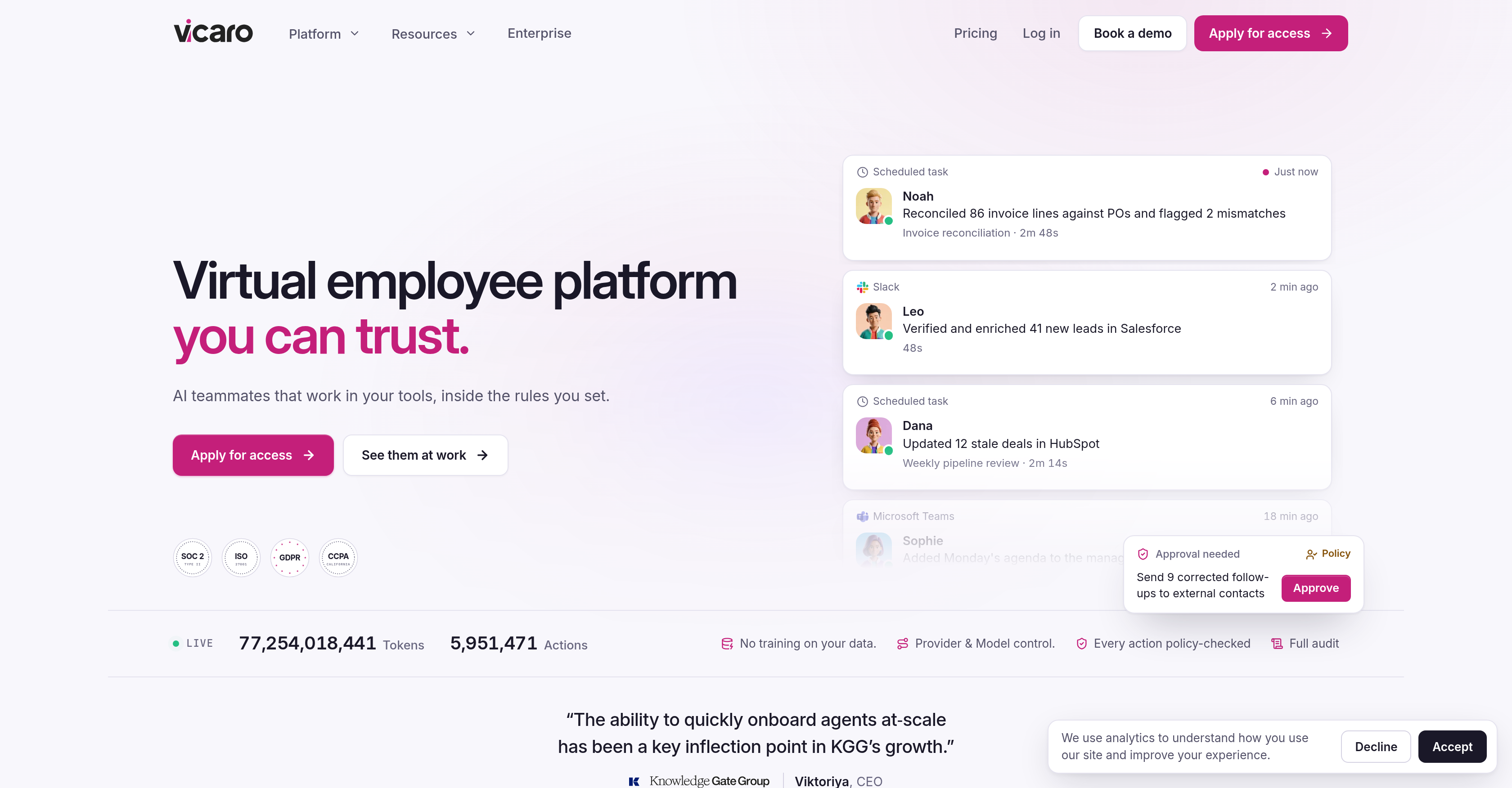
- Finish real business workflows end to end: agents read renewal terms in Salesforce, draft and share quotes in Slack, match invoice lines against purchase orders, flag discrepancies, and refresh stale HubSpot deals through thousands of integrations, internal APIs, and MCP servers.
- Keep work moving without repeating yourself: each agent retains its identity, memory, and context across Slack, Microsoft Teams, email, phone, and Zoom or Google Meet meetings.
- Run recurring operations on autopilot: scheduled tasks, code execution, document and file access, and voice delivery produce briefings, record updates, and SharePoint edits on a set cadence.
- Keep humans accountable for high-stakes decisions: every agent reports to a named human manager, and sensitive actions pause for approval or denial before proceeding.
- Enforce company-wide AI governance: execution policies allow, warn, require approval for, or block actions, restrict communication to approved people and channels, and prevent individual agents from loosening organization-wide rules.
- Shut down attacks hidden in untrusted content: prompt-injection protection scans messages and tool results, feeding risk signals into policies that block suspicious content or require review.
- Stop runaway work instantly: a kill switch halts a running task, and pausing an agent prevents new messages and scheduled work from starting.
- Pass audits with verifiable evidence: tamper-evident, chained, and signed logs capture agent actions, policy decisions, and configuration changes, with export and retention up to 10 years.
- Limit access exposure: separate agent identities and credentials keep agent permissions distinct from employee accounts.
- Keep proprietary data out of model training: training on customer data stays off unless your organization explicitly opts in.
- Control which AI models touch your data: approve model providers, pin models to specific capabilities, inspect data flows and subprocessors, disable providers, or bring your own model-provider credentials.
- Meet data residency and security requirements: deploy a dedicated data plane in your own AWS or Google Cloud account and region, with private networking and encryption keys you control.
- Prevent budget overruns: per-agent and per-task spend caps, usage tracking, and automatic stops at configured limits keep AI agent costs predictable.
- Prove ROI before scaling: launch a single-agent pilot on the no-commitment On-Demand plan at $2.00 per credit, then grow to dozens of agents on month-to-month plans with lower per-credit rates.
Pros & Cons
From the listing; not yet checked by our editors.
Pros
- Cross-application multi-step task execution
- Salesforce-to-Slack quote workflows
- Invoice-to-purchase-order reconciliation
- Browser-verified Salesforce lead enrichment
- HubSpot stale-deal refreshes
- SharePoint edits with Teams follow-up
- Opportunity-change voice briefings
- Scheduled task execution
- Built-in code execution
- Voice-delivered briefings
- Task records show tools used
- Human approval before sensitive actions
- Action-level allow/warn/approve/block policies
- Prompt-injection scanning of messages and results
- Risk signals feed action policies
- Stop running tasks on demand
- Pause future scheduled work
- Named manager for every agent
- Separate agent identities and credentials
- Per-agent communication restrictions
- Organization rules override agent rules
- Tamper-evident action and policy logs
- Exportable audit records
- Customer-data training off by default
- Approved provider selection
- Models pinned per capability
- Provider disable controls
- Subprocessor and data-flow inspection
- Per-agent and scheduled-task spend caps
- Work stops at configured limits
- Customer-owned provider credentials
- Dedicated isolated data environments
- Independently revocable tenant access
- Deployment in customer cloud accounts
- Customer-selected AWS or Google region
- Private networking and customer-held keys
- Custom role creation
- Long-term task memory
- Subagent task delegation
- Smart model routing
- Stored context for briefings
- Approved people and channel restrictions
- Guardrails cover integration changes
- Guardrails cover policy changes
Cons
- Requires connected workplace applications
- Sensitive actions may require approval
- Organization rules override agent rules
- Only approved model providers allowed
- BYOC limited to AWS/GCP
- Spend caps can halt work
- Agent communication can be restricted
- Scheduled work can be paused
Alternatives to Vicaro
Tools that share the most tags with Vicaro.
- Sayora
Never lose a job opportunity to an unanswered call, because Sayora answers every missed call in a cordial British voice and captures the caller's name, address, and purpose.
Free trial · from $66/month
$66/month
Not yet checked
- Futuro AI
Close more sales automatically with an AI voice agent that sounds human and follows your exact sales scripts via VoiceAlive™ technology.
Free trial · from $200/month
$200/month
Not yet checked
- AgentClara
Capture every client call and booking around the clock with a 24/7 AI receptionist that never misses a lead
Free trial · from $132/month
$132/month
Not yet checked
- ThunderPhone
Eliminate misheard names, addresses, and tricky spellings on every call with voice AI built around 99.4% Big Bench Audio accuracy — the top score on the Artificial Analysis leaderboard
Free trial · from $0.02/unit
$0.02/unit
Not yet checked
- Peeta
Stop losing track of commitments in endless WhatsApp threads—Peeta's AI group chat coordination identifies tasks and plans directly from your conversations with family and friends, turning casual messages into structured, actionable plans.
Free
Not listed
Not yet checked
- ReadyToTalk
Never lose another customer to a missed call with an AI receptionist that answers every incoming call autonomously, 24/7, in under 2 seconds.
Free trial · from $39/month
$39/month
Not yet checked
Reviews
Rate this tool
Loading reviews...
Frequently asked questions
What kinds of work can Vicaro agents handle across our business tools?
Vicaro agents can handle multi-step work such as executive assistance, sales and lead enrichment, invoice reconciliation, revenue operations, recruiting, customer support, compliance, and engineering. They can read and update business records, verify information, draft and share content, flag discrepancies, prepare briefings, and perform scheduled tasks across connected tools.
How do I create a Vicaro agent for a role that isn’t listed?
Vicaro says you can create any role, even one not listed. Assign the agent a role and a human manager, then configure its tools and rules.
Which apps and business systems can Vicaro connect to?
Vicaro supports thousands of integrations, internal APIs, and MCP servers. Examples include Slack, Salesforce, Google Drive, Notion, GitHub, and Jira; agents can also work through Microsoft Teams, email, phone, and Zoom, Google Meet, and Teams meetings.
Can Vicaro agents carry context and memory across Slack, Teams, email, and meetings?
Yes. Vicaro says the same agent keeps its identity, memory, and policies across Slack, Teams, email, phone, and meetings, carrying context between conversations.
How does Vicaro require human approval for sensitive actions?
Administrators can set policies to require approval for particular actions. The agent can wait for a human to approve or deny sensitive work before proceeding, and each agent has a named human manager.
Can administrators use Vicaro policies to block specific actions or communications?
Yes. Policies can allow, warn about, require approval for, or block actions. Communication can also be restricted to approved people and channels, and organization-wide rules cannot be loosened by individual agents.
How does Vicaro protect agents from prompt injection in messages and tool results?
Vicaro scans untrusted messages and tool results for prompt-injection risks. Risk signals can be used in policies to block suspicious content or require approval.
Can I stop a running Vicaro task or pause an agent’s future work?
Yes. A user can stop a running task, and administrators can pause an agent to prevent new messages and scheduled work from starting.