
Viral Video AI
Remake a viral trend in your own style without saving or re-uploading the clip: paste a public TikTok, YouTube or Instagram video link, preview it as a reference and describe your take to generate a brand-new short video.
Listing not yet reviewed by our editors · How we check
Overview
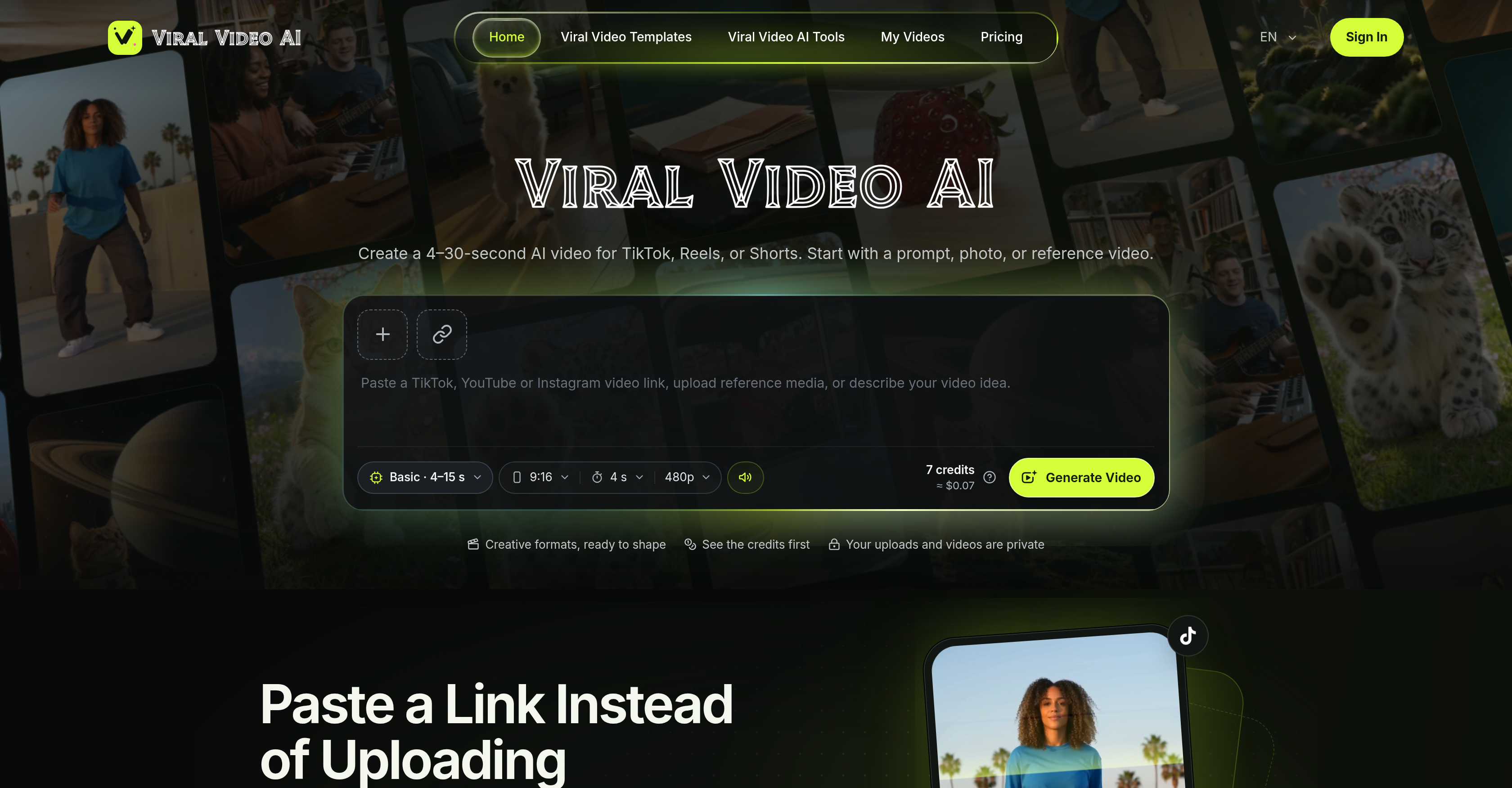
- Remake a viral trend in your own style without saving or re-uploading the clip: paste a public TikTok, YouTube or Instagram video link, preview it as a reference and describe your take to generate a brand-new short video.
- Jump on trending formats in minutes with just one photo: pick a trending template, add your image and adjust the editable starting brief on supported templates.
- Go from idea to finished clip with no footage on hand: text-to-video generation turns a written prompt into a short video without any photo or reference video.
- Keep your products, faces and brand visuals consistent across a clip: add up to 9 photos on Basic or Standard, up to 30 on Pro, plus one MP4 or MOV reference video.
- Stay on budget for every short-form video: a live credit estimate appears before you generate and updates as you change settings or media, with one example at 7 credits (about $0.07).
- Publish in the right format for each feed: choose portrait for TikTok, Reels and Shorts, or landscape or square, with 4–15 second clips at 480p or 720p on Basic and up to 30 seconds at 1080p on Pro.
- Get a clean audio track ready for your own licensed music: switch off native audio to generate a silent video, then add a soundtrack in your editor after download.
- Create drafts and test concepts without exposing unreleased content: uploads and generated videos stay private.
- Approve every clip before it goes live: play the result in the creation area or My Videos, check motion, lettering and audio, then download it as an MP4 ready to upload to TikTok, Instagram Reels or YouTube Shorts.
Pros & Cons
From the listing; not yet checked by our editors.
Pros
- Uploads and videos are private by default.
- See the credit cost before generating.
- Start with your own photo and a trending template.
- Use public TikTok, YouTube, and Instagram links as video references.
Cons
- Basic clips are limited to 15 seconds.
- Link imports depend on source availability and media limits.
- One reference video per generation.
- Google sign-in and purchased credits are required for generation.
Alternatives to Viral Video AI
Tools that share the most tags with Viral Video AI.
- Fotor AI Kiss
Create viral social media content instantly by transforming any portrait into engaging kissing videos for platforms like TikTok and Instagram
Freemium · from $3.33/month
$3.33/month
Not yet checked
- ASMR-AI.art
Launch your ASMR channel without expensive mics or a studio by generating professional videos from simple text prompts.
Paid · from $19.90
$19.90
Not yet checked
- AI Kissing Video Generator
Transform static portrait photos into fluid, romantic kissing animations using deep learning models trained specifically on romantic interactions
Free trial · from $9.90/month
$9.90/month
Not yet checked
- AI-ASMR.co
Launch viral ASMR content in minutes using pre-built templates for cutting fruits, whispering, and other proven formats without writing prompts
Free trial · from $7.92/month
$7.92/month
Not yet checked
- ASMR.so
Transform unique ideas into distinct ASMR videos by specifying sound descriptors and ambient requirements for truly personalized results
Paid · from $9.90
$9.90
Not yet checked
- AI Facefy | AI Kissing Video Generator
Transform static photos into a realistic romantic keepsake with advanced video animation technology
Freemium · from $7.99/month
$7.99/month
Not yet checked
Reviews
Rate this tool
Loading reviews...
Frequently asked questions
How do I create my first video with Viral Video AI?
In Viral Video AI, choose a template or describe an idea, then add any photo or reference video you want to use. Set the model, duration, resolution, aspect ratio, and audio options; review the displayed credit cost and select Generate Video. Sign in if prompted, then play and review the result before downloading.
Can Viral Video AI generate a video from just a text prompt?
Yes. Viral Video AI can generate a short video from a written idea or prompt without a photo or reference video.
How many photos and reference videos can I add to Viral Video AI?
You can add up to 9 photos with Basic or Standard, or up to 30 with Pro, plus one reference video.
Can I paste a TikTok, YouTube, or Instagram link into Viral Video AI?
Yes. Viral Video AI accepts public TikTok, YouTube, and Instagram video links. You can preview a linked video as a reference and describe a new take without downloading and re-uploading it.
Does Viral Video AI edit my reference video or generate a new one?
It generates a new video guided by your reference; it does not edit the source video.
Which aspect ratios, durations, and resolutions does Viral Video AI support?
Basic supports 4–15 seconds at 480p or 720p. Pro supports 4–30 seconds and adds 1080p. Portrait, landscape, and square aspect ratios are available where applicable; a single image without a video uses an adaptive ratio.
Why does Viral Video AI switch to Pro for videos longer than 15 seconds?
Viral Video AI automatically selects Pro for requested videos longer than 15 seconds. The site does not state a further reason.
Can I turn off native audio in Viral Video AI?
Yes. Turning native audio off requests a silent video.