

Overview
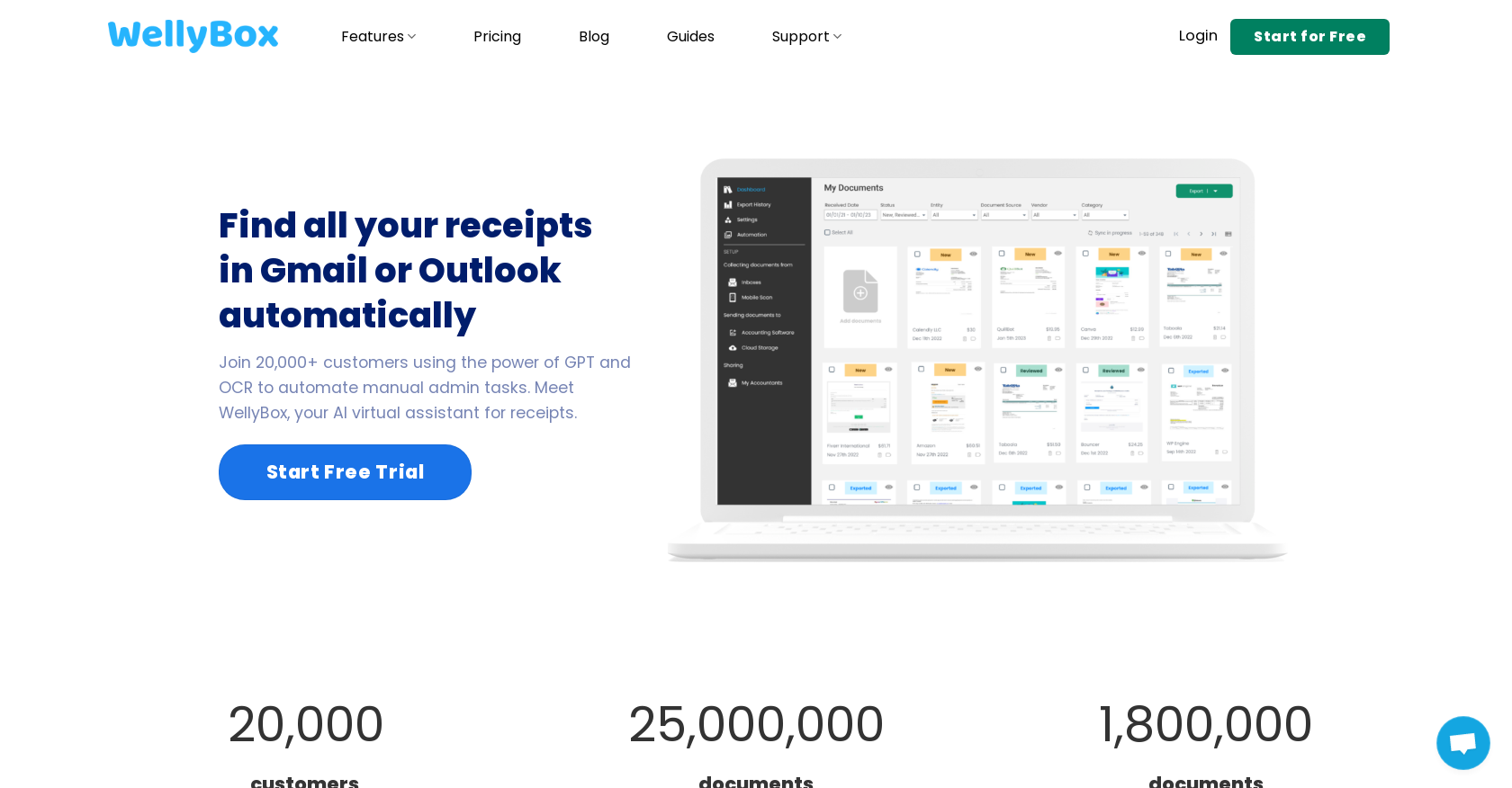
- Automatically find and download every receipt from your Gmail or Outlook inbox with AI-powered email scanning
- Eliminate manual data entry with AI that reads and categorizes receipts by vendor, date, and amount using OCR technology
- Create audit-ready records instantly by downloading all receipts into a single, organized zip file in seconds
- Sync expense data directly to QuickBooks for seamless accounting integration and tax preparation
- Capture paper receipts anywhere using the mobile scanner or convenient WhatsApp integration
- Maintain perfect receipt organization across devices with automatic sync to Google Drive and Dropbox
- Generate comprehensive expense reports automatically by having all receipts and bills categorized in one place
- Send all financial documents to your accountant at once directly from the dashboard with the Receipt Keeper feature
Pros & Cons
Pros
- Streamlines receipt management
- Scans paper receipts
- Auto-downloads email receipts
- Syncs receipts with accounting apps
- Provides a receipt scanner app
- Expense tracker software
- Expense report software
- Expense management software
- Receipt organizer software
- Receipt keeper app
- Receipt tracker app
- Integrates with Dropbox and Google Drive
- QuickBooks integration
- Receipts downloadable as zip file
- Uses GPT and OCR automation
- Deep learning-based engine
- Processes 25 million+ documents
- Processes 1.8 million documents monthly
- Stress-free receipt tracking
- Helpful for tax audits
- Allows to print receipts
- Auto-sorts Gmail or Outlook receipts
- Instant access to business receipts
- Manages invoices and bills
- Secure receipt scanning via WhatsApp
- Accountant access capabilities
- Send all documents to accountant
- Suitable for 27 countries
- Multi-functional platform
- Data accessible from dashboard
- Comprehensive features list
- User-friendly design
- Streamlines back-office tasks
- Over 20,000 users
Cons
- Limited storage integration options
- Only QuickBooks integration
- No offline mode
- Requires view access to inbox
- Might struggle with non-English receipts
- WhatsApp dependent for scanning
- No multi-user support mentioned
- No auto categorization of receipts
- No specified data protection policy
- Lack of deep link navigation
Reviews
Rate this tool
Loading reviews...
❓ Frequently Asked Questions
WellyBox offers a broad spectrum of functionalities designed to streamline and manage receipt handling for businesses. It provides a receipt scanner app, receipt organizer software, expense tracker software, expense report software, and expense management software. The tool allows for the scanning of paper receipts, auto-downloads of receipts and invoices from email inboxes, and the synchronization of these documents with accounting apps. It also integrates with major cloud storage solutions such as Google Drive and Dropbox, allowing for easy storage and syncing of receipts.
WellyBox utilizes GPT and OCR technology to automate manual administrative tasks. Its deep learning-based engine plays a significant role in processing documents leveraging these technologies. The GPT (Generative Pretrained Transformer) helps in understanding and processing language-based data in receipts, while OCR (Optical Character Recognition) helps in digitizing the text from scanned or paper receipts for further processing and analysis.
To scan paper receipts, users can use WellyBox's receipt scanner app. The tool also supports scanning receipts via a mobile device, integrated with WhatsApp. This provides a secure and convenient way to scan and upload paper receipts.
Yes, WellyBox has the capability to auto-download receipts and invoices from a user's email inbox. It can seamlessly find all your receipts in Gmail and Outlook, removing the need for manual searching and saving valuable time.
WellyBox sets itself apart from other receipt management tools through its effective use of AI technology like GPT and OCR. It has processed over 25 million documents to date. The tool also integrates seamlessly with accounting apps and popular cloud storage solutions, allowing for efficient storage and handling of receipts. Other unique features include the option to download all receipts into a zip file and its compatibility with WhatsApp for mobile receipt scanning.
WellyBox is capable of processing approximately 1.8 million documents each month.
WellyBox supports integrations with popular cloud storage solutions such as Dropbox and Google Drive, which makes it easier for users to store their receipts and sync them across devices. It also offers integration with QuickBooks to aid in expense tracking and accounting tasks.
To aid in preparing for tax audits, WellyBox ensures that all receipts are conveniently downloadable into a zip file within seconds and are kept organized in one place, which significantly reduces the potential for losing important documents.
Yes, utilizing the WellyBox tool, users can download all their receipts into a single zip file within seconds. This ensures that all receipts are organized and accessible at once.
WellyBox integrates with top cloud storage solutions including Dropbox and Google Drive. This allows users to easily store, access, and sync their receipts across different platforms.
The Receipt Keeper feature in WellyBox enables users to manage all of their receipts, invoices and bills in one place. It also allows for sending all these documents to an accountant at once, directly from the WellyBox dashboard.
Yes, WellyBox offers a receipt scanner app. This allows for the quick and easy scanning of paper receipts, conveniently digitizing them for further use.
WellyBox facilitates managing and tracking expenses through its expense tracker software. Businesses can automatically pull in receipts and bills, categorize them, and track expenses in real-time. This helps in maintaining an accurate record of all transactions and aids in financial planning and management.
WellyBox enjoys the trust of over 20,000 customers across 27 countries for their receipt management.
Yes, WellyBox offers a free trial giving potential users an opportunity to explore and understand the functionalities and benefits of the tool.
Within WellyBox, users have the option to share, print, or save their documents. This provides flexibility in accessing and utilising receipt data.
WellyBox primarily benefits small businesses, self-employed individuals, freelancers, and anyone needing to keep track of expenses and manage receipts effectively. Its easy-to-use interface, automation features, and integrations make receipt handling, expense tracking, and tax preparation much simpler tasks.
WellyBox classifies and organizes receipts by leveraging AI-driven analysis. It uses OCR technology to understand the components of the receipt, and classifies and organizes the data based on various factors such as the vendor, date, price, and more.
Yes, WellyBox has a built-in expense report feature. It can pull in receipts and bills automatically, categorize them, and allow users to generate comprehensive expense reports. This helps businesses in tracking their expenses more effectively and aids in the audit preparation process.
Pricing
Pricing model
Free Trial
Paid options from
$9/month
Billing frequency
Monthly
Related Videos
WellyBox - The Best Receipt App for Businesses
WellyBox•4.8K views•Apr 9, 2024


