

Whenever
Reply to every contact form lead within minutes: one flow logs the lead in Google Sheets, sends an automated Gmail acknowledgment, and alerts the right rep in Slack.
Listing not yet reviewed by our editors · How we check
Overview
- Reply to every contact form lead within minutes: one flow logs the lead in Google Sheets, sends an automated Gmail acknowledgment, and alerts the right rep in Slack.
- Get an organized inbox where important messages surface first: email automation sorts incoming mail by sender, subject, or content.
- Pay only for the work that runs: pricing is per run, so costs track actual automation volume instead of a flat subscription.
- Catch large expense claims before they slip through: scheduled flows log claims from forms like Typeform into Google Sheets and send Slack approval alerts when amounts cross your threshold.
- Keep sales records current without manual entry: automated flows track new orders, update customer contacts, and follow up on leads.
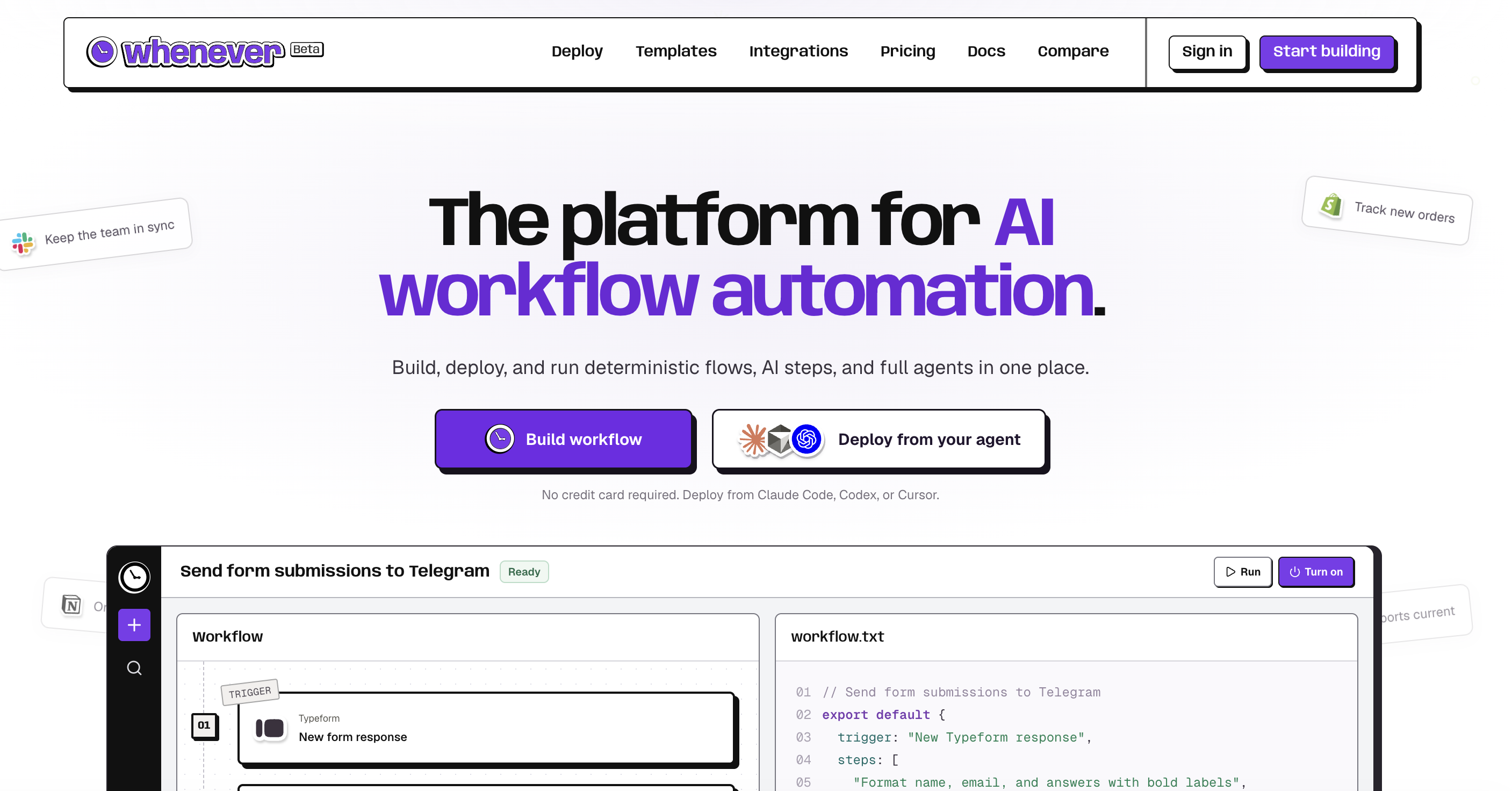
- Ship workflows that work the first time: a visual workflow map shows each task's path from trigger to completion, with built-in testing and debugging tools to correct issues before they go live.
- Automate in your preferred way, with or without code: write automation code directly on the platform or bring the coding agent of your choice, while non-technical teammates use the visual builder.
- Run everything on your timeline: flows trigger on fixed schedules or instantly in response to events and data changes.
- Launch common processes in minutes: pre-built workflow templates for expense claims, keyword rank tracking, and survey response logging serve as editable starting points.
- Scale from simple tasks to autonomous operations in one place: build single AI steps, multi-step flows, and full AI agents, then deploy and run them together.
Pros & Cons
From the listing; not yet checked by our editors.
Pros
- Multiple workflow automation options
- Functions with popular tools
- On-platform or user coding choice
- Visual workflow interface
- Workflow testing tools
- Task scheduling ability
- Task run in response to triggers
- Interconnection with Google Sheets, Gmail, Slack
- Priced per run model
- User-friendly interface
- Diverse team applications
- Enables fast lead acknowledgment
- Expense tracking abilities
- Order tracking abilities
- Email sorting capabilities
- Provides testing and correction tools
- Option to build workflows yourself
- In-build refund summarization
- Contact updating features
- Note organizing capabilities
Cons
- 'Priced per run' model
- Limited service integrations
- Depends on user's coding skills
- No cross-platform application
- No multi-language support
- No version control
- No real-time collaboration
- No live support options
- No mobile app
- No offline functionality
Alternatives to Whenever
Tools that share the most tags with Whenever.
- BotDojo
Launch enterprise AI solutions weeks faster using 200+ pre-built templates for customer support and data analysis
Contact for pricing
Not listed
Not yet checked
- Victoria AI
Execute complex multi-app workflows instantly through simple chat commands without switching between applications
Free trial · from $30/month
$30/month
Not yet checked
- Scanflow
Eliminate manual data entry with single-scan capture of alphanumeric text combinations using advanced text scanning
Not listed
Not listed
Not yet checked
- Unframe AI
Deploy custom AI solutions tailored to your exact business problems in days, not months, using modular building blocks configured by Blueprints
Not listed
Not listed
Not yet checked
- n8nChat
Create complete n8n workflows in seconds by describing your automation goal in plain English instead of manually configuring nodes
Freemium · from $5/month
$5/month
Not yet checked
- Octoparse AI
Create production-ready automations instantly without technical skills using the visual drag-and-drop interface
Freemium · from $29/month
$29/month
Not yet checked
Reviews
Rate this tool
Loading reviews...
Frequently asked questions
What is Whenever?
Whenever is an AI workflow automation platform. The platform is primarily designed to enable users to build, deploy, and run AI workflows which are also referred to as 'flows', AI steps, and full agents. It provides varied automation options that pertain to tasks such as organizing notes, managing email, tracking orders, and updating contacts, among other tasks. A 'priced per run' model supports this system. The platform interacts seamlessly with popular online tools and services which include Google Sheets, Slack, and Gmail. On Whenever, users have the ability to either develop code for automating tasks on the platform or use their chosen coding agent.
How does Whenever work?
Whenever operates as a platform allowing users to create, test and implement AI workflows. These workflows, often referred to as 'flows', 'AI steps' or 'full agents', consist of a series of actions triggered by specific actions or set on a pre-determined schedule. Tasks are visualized on a workflow map and the platform provides the necessary tools for building, testing and correcting workflows. The system runs on a 'priced per run' model and supports interaction with various online tools and services.
What tasks can Whenever automate?
Whenever offers a wide range of task automation options. It can automate sorting of incoming mail, track new orders, summarize refunds, update contacts, and organize notes, among others. Customer relationship tasks such as acknowledging contact form leads are also available. Furthermore, Whenever also supports financial tasks such as logging expense claims to Google Sheets and sending alerts related to these claims.
Can Whenever assist teams?
Yes, Whenever is used by various teams for different purposes. These teams can use Whenever for a multitude of collaborative tasks that can hugely increase their efficiency - this might include automating follow-up responses on leads, checking new issues, recording transactions, and updating reports. It being an AI workflow automation platform means it can be incredibly flexible to whatever specific tasks a team might require.
What is a 'priced per run' model?
A 'priced per run' model, as implemented by Whenever, is a payment model where users are charged based on each execution of a task or 'flow'. Essentially, the use of resources - in this case, the running of an automation workflow - is what determines the cost, rather than a flat fee for access or use.
What applications can Whenever interact with?
Whenever can interact with a wide range of popular online services and tools. Examples provided on their website include Google Sheets, Gmail, and Slack. The system operates by using integrations to these services, enabling automated tasks to use their features and functions in the workflow.
How can Whenever integrate with Gmail?
Whenever’s integration abilities allow it to interact with Gmail to perform automated tasks. Users can set rules and workflows that directly apply to their Gmail account. For example, Whenever can be set up to automatically sort incoming mail into various categories, or to send automated responses to certain emails.
Can I develop my own code on Whenever?
Yes, Whenever allows users to develop their own code to automate tasks. This code can either be developed on the platform itself, or with the coding agent of the user's preference. An apparent advantage with Whenever is that it allows flexibility in how work processes are automated, giving both coding professionals and coding novices an accessible way to automate their workflows.