

Wingflow
Build lead lists of prospects who already showed interest by importing people who engaged with a LinkedIn post, plus contacts from LinkedIn search, Sales Navigator and Recruiter.
Listing not yet reviewed by our editors · How we check
Overview
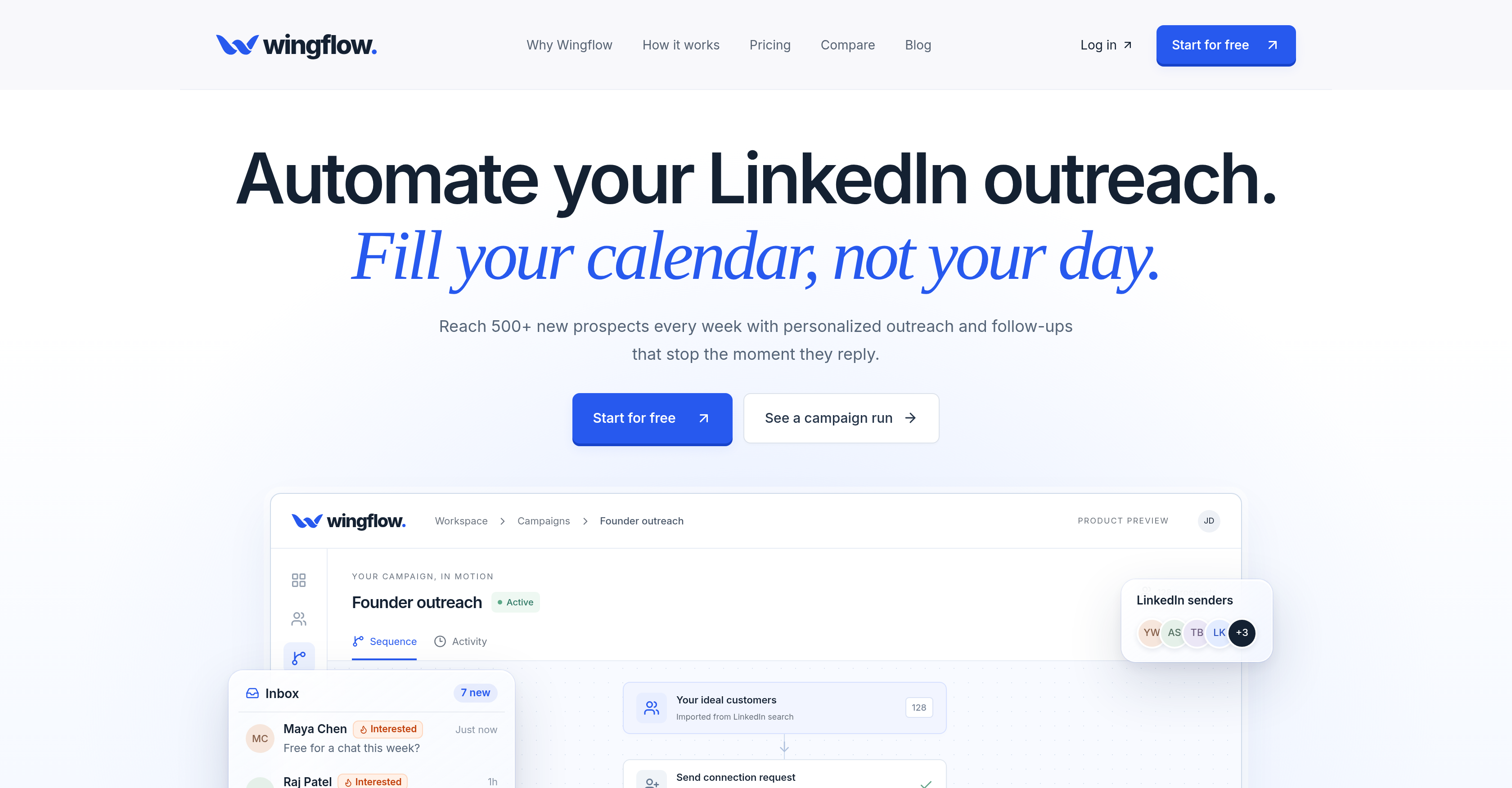
- Build lead lists of prospects who already showed interest by importing people who engaged with a LinkedIn post, plus contacts from LinkedIn search, Sales Navigator and Recruiter.
- Send personalized LinkedIn messages to hundreds of prospects without writing each one by hand. The sequence builder chains profile visits, connection requests and follow-up messages using triggers, wait times and fields like first name, company, job title and location.
- Protect your LinkedIn accounts while you scale prospecting. Wingflow sends at a human pace inside each account's working hours and daily limits, gives every account its own dedicated proxy and never sees your LinkedIn password.
- Never send a follow-up to someone who already answered or opted out. Each prospect's sequence stops the moment they reply, and a blocklist is checked before every campaign launch and every message.
- Respond to warm leads fast from one place. A unified inbox collects replies from every LinkedIn account, and a full contact history shows every past interaction with each prospect.
- Run LinkedIn lead generation for multiple clients or reps from one workspace, with multi-account management built for agencies and sales teams.
- Keep LinkedIn campaigns running with your laptop closed. Outreach runs fully in the cloud with no browser extension and is reachable from any device.
- Check campaign performance by asking ChatGPT or Claude. Connect Wingflow once through MCP and pull results into your AI assistant, with API and agent support for custom workflows.
- Budget LinkedIn automation per seat with no feature tiers. Every feature is included at $49 per LinkedIn account per month, with a 7-day free trial.
Alternatives to Wingflow
Tools that share the most tags with Wingflow.
- Sellinger AI
Generate qualified meetings automatically while focusing on closing deals with fully autonomous outreach that handles everything from research to booking
Free trial · from $114/month
$114/month
Not yet checked
- Networker.ai
Send connection requests that get noticed by referencing specific details from the recipient's profile, powered by automated profile analysis
Not listed
Not listed
Not yet checked
- Rocketbrew
Generate authentic conversations with AI-crafted messages personalized to each lead's profile and activity
Freemium
Not listed
Not yet checked
- LinkedBase
Generate qualified leads continuously without manual searching using AI that scans LinkedIn profiles and activity for ideal prospects matching your target criteria
Free trial · from $15/month
$15/month
Not yet checked
- FrogLead
Connect directly with key decision-makers by searching a comprehensive company database filtered by industry, funding stage, and company size
Freemium · from $19/month
$19/month
Not yet checked
- Linkdify
Scale personalized LinkedIn outreach without manual effort using automated multi-step drip campaigns that send connection requests and follow-ups on a continuous schedule.
Free trial · from $59/month
$59/month
Not yet checked
Reviews
Rate this tool
Loading reviews...
Frequently asked questions
What is Wingflow?
Wingflow is a LinkedIn outreach automation tool that streamlines and personalizes the process of reaching out to potential prospects, automating the sending of personal invitations and follow-up messages. Its robust system halts the sequence of messages as soon as someone replies, providing a comprehensive solution for maximizing productivity while minimizing manual effort.
Who is Wingflow designed for?
Wingflow is designed for anyone involved in conducting LinkedIn outreach such as sales teams, founders, and marketing agencies. It's especially useful for businesses that require large-scale, organized, and personalized campaign management in LinkedIn for reaching out to potential prospects.
How does Wingflow automate LinkedIn outreach?
Wingflow automates LinkedIn outreach in three main stages: Importing prospects, building the outreach sequence, and then responding to replies. Prospects can be imported from LinkedIn Search, Sales Navigator, or Recruiter. The sequence builder can be used to schedule automated messages based on specified triggers and wait times. Once the sequence is activated, Wingflow automatically sends out hundreds of personalized messages at a human pace. As soon as a prospect replies, the tool immediately halts their outreach sequence.
What does the sequence builder in Wingflow do?
The sequence builder in Wingflow allows for the scheduling of automated messages. Messages can be programmed to send based on a variety of different triggers and wait times. This tool is key for personalizing the outreach sequence for each prospect, ensuring the messages remain relevant and timely without losing the human touch.
Does Wingflow support multiple LinkedIn accounts?
Yes, Wingflow supports multiple account handling. This allows multiple LinkedIn accounts to be managed seamlessly from a single workspace. This feature is particularly useful for teams or agencies that run LinkedIn campaigns across multiple client accounts.
Can Wingflow import prospects from LinkedIn Sales Navigator or Recruiter?
Yes, Wingflow can import prospects from both LinkedIn Sales Navigator and Recruiter. This makes it easy to build lists of potential prospects and add them to personalized outreach sequences. The efficient import feature maximizes the scope of outreach while minimizing the effort to form prospect lists.
Can contacts be easily blocked in Wingflow?
Yes, Wingflow includes a blocklist feature. This allows users to block or stop any contact from being contacted in future outreach campaigns. The tool checks the blocklist before launching any campaign and sending any message, ensuring that blocked contacts will not be contacted unintentionally.
How does Wingflow manage responses?
Wingflow manages responses by halting the outreach sequence as soon as a response is received. It provides a unified inbox where all replies from all accounts come in one place. This feature makes it easy to monitor all interactions and take over the communication manually as soon as a prospect responds.