

Witness
Know exactly which AI model produced a fake image: generator attribution covers 75+ models, including GPT Image, Midjourney, Flux, and Sora, with dedicated diffusion, GAN, and upscale detection.
Listing not yet reviewed by our editors · How we check
Overview
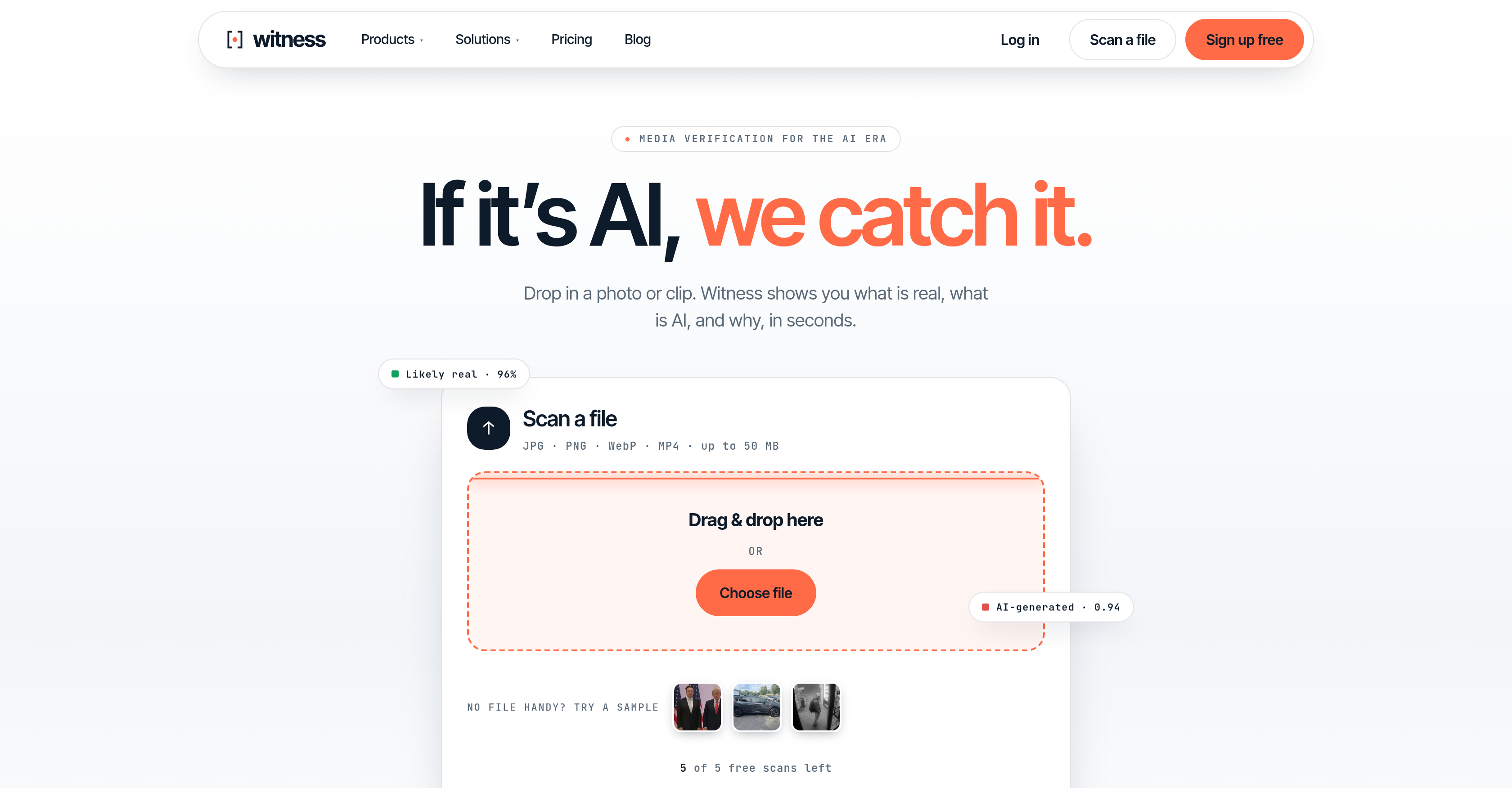
- Know exactly which AI model produced a fake image: generator attribution covers 75+ models, including GPT Image, Midjourney, Flux, and Sora, with dedicated diffusion, GAN, and upscale detection.
- See precisely where an image was manipulated: a region-level heatmap highlights the altered areas of an AI-edited or doctored photo.
- Jump straight to the faked moment in a video: frame-level timeline markers flag face swaps and AI-generated scenes using lip-sync drift, motion coherence, and inter-frame geometry checks.
- Expose voice clones in voicemails, recordings, and podcasts: voice clone detection marks suspect sections on the waveform, down to the second.
- Justify every decision with evidence, not a bare number: each deepfake detection verdict lists every signal that contributed to the final score.
- Confirm media provenance in one pass: every scan checks EXIF metadata, C2PA content credentials, and SynthID watermarks.
- Keep a defensible audit trail for claims, hiring, and investigations: each scan receives an audit ID, and Pro adds PDF and CSV report export.
- Verify suspicious photos and videos without leaving the page: the Chrome extension scans media directly on news sites, claims portals, and social feeds.
- Build AI content detection into your own systems: a REST API and MCP server bring automated media verification into KYC, intake, and newsroom workflows.
- Catch fakes from the newest generators: detectors are continuously trained on the latest AI image, video, and voice models.
- Protect yourself and your family from synthetic media: check dating profile photos, shared videos, and voice messages for AI manipulation before you trust them.
Pros & Cons
From the listing; not yet checked by our editors.
Pros
- Detects AI images, video and voice clones
- Heatmaps highlight manipulated regions
- Generator attribution across 75+ models
- Frame-level timeline markers for video
- Face-swap detection
- EXIF, C2PA and SynthID checks
- Chrome extension for in-browser scans
- REST API and MCP server access
- Audit ID for every scan
- Free tier available
Cons
- Anticipated mobile app
- Unspecified system requirements
- Weak on heavily edited files
- Weak on low-resolution media
- Weak on short clips
- Limited free version
- Limited capability for unknown generators
- Lacks cross-platform standalone app
- Limited detection beyond deepfakes
- No on-premise by default
Alternatives to Witness
Tools that share the most tags with Witness.
- Deepfake Detection by Modulate
Stop synthetic voice fraud at the moment it happens with real-time audio analysis that delivers a verdict in just 2.1 seconds.
Paid · from $0.25/unit
$0.25/unit
Not yet checked
- Deepfake Detection by Modulate
Stop voice fraud with 98.9% deepfake detection accuracy in under 2.5 seconds, powered by audio forensics and linguistic profiling that flag only genuine threats.
Paid · from $0.25/unit
$0.25/unit
Not yet checked
- Reality Defender
Stop deepfake fraud before it causes damage by intercepting AI-generated media across images, video, and audio with award-winning deepfake detection models.
Not listed
Not listed
Not yet checked
- Sealed Rose Deepfake Video Detector
Instantly verify video authenticity without technical expertise using a user-friendly interface and comprehensive educational materials on spotting deepfakes
Freemium · from $4.99/unit
$4.99/unit
Not yet checked
- BotDojo
Launch enterprise AI solutions weeks faster using 200+ pre-built templates for customer support and data analysis
Contact for pricing
Not listed
Not yet checked
- Speechmatics | AI Voice Agents
Automate customer conversations instantly with sub-second speech-to-text that understands 55+ languages for global scalability
Free trial · from $0.24/unit
$0.24/unit
Not yet checked
Reviews
Rate this tool
Loading reviews...
Frequently asked questions
How does Witness detect deepfakes?
Witness uses a combination of specialist detectors to identify deepfakes. It orchestrates dedicated detectors for diffusion models, GANs, upscalers, and many generator families to catch AI-generated images. For videos, Witness pinpoints the exact frames where a face was swapped or a scene was generated using lip-sync drift, motion coherence, and inter-frame geometry checks. For voice, it detects cloned voices by highlighting them on the waveform, down to the second.
Can Witness be used on mobile devices?
Yes, Witness can be used on mobile devices. A mobile application is already in the pipeline for iOS and Android.
Why does Witness provide an explanation rather than just a score for its findings?
Instead of just providing a score for its discoveries, Witness provides an explanation to promote transparency and accountability in AI decisions. As a part of the report, it details the evidence that contributed to the final score for easier review and investigation, fostering improved trust and comprehension.
What makes Witness suitable for professional contexts such as insurance and HR?
Witness is suitable for professional contexts like insurance and HR because it offers verified content evidence before proceedings. For example, in the insurance sector, it can verify evidence at the point intake, and for HR, it assists with the verification of candidates and interviews. This allows these industries to uphold the veracity of their procedures and avoid potential issues related to deepfakes.
How does Witness help with dating and parental safety?
Witness increases dating and parental safety by offering control and security over images, videos, and voice messages shared on dating platforms or viewed by family devices. It checks content for AI influence, promoting safety by ensuring that users are interacting with genuine, unaltered media.
What options does Witness provide for API Integration?
Witness offers the ability to be used within third-party apps via an API. It allows integration for various forms of AI detection within external applications, facilitating broader use in different operational workflows.
Can Witness identify AI alteration in voice cloning?
Yes, Witness can identify AI alterations in voice cloning. It has a dedicated voice detector that flags cloned voices on the waveform, down to the second. Consequently, it can be used to verify recordings, voicemails, and podcasts.
Does Witness work with third-party apps?
Yes, Witness provides an API that allows it to be incorporated into third-party apps. This means it can be integrated into different workflows and applications, making it a versatile tool that can be utilized within a host of different software environments.