

ZapVid
Star in viral trend videos without a camera, filming, or editing skills: upload one clear, front-facing photo and the AI video generator places you into a prebuilt dance, comedy, meme, party, or couples template.
Listing not yet reviewed by our editors · How we check
Overview
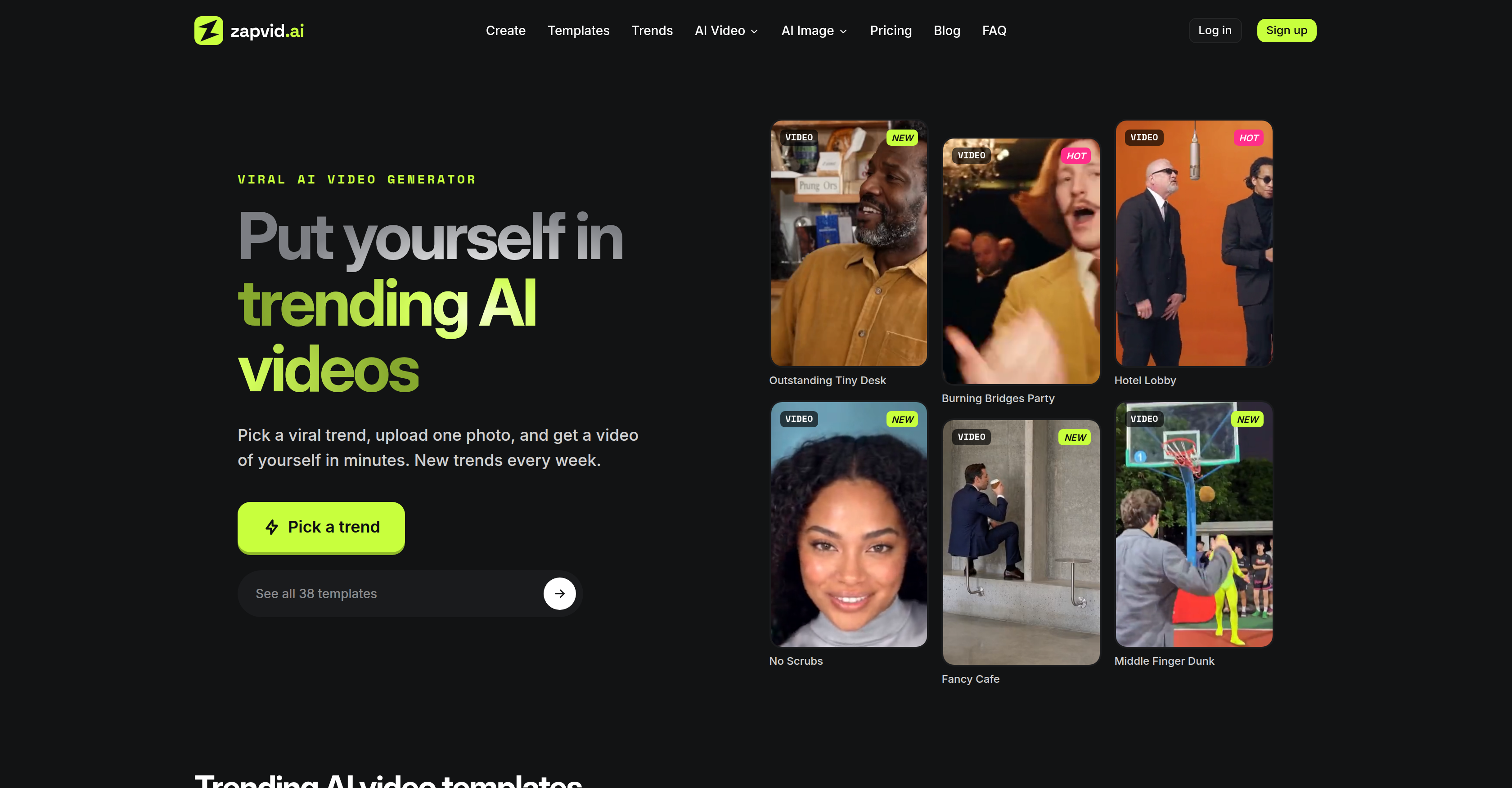
- Star in viral trend videos without a camera, filming, or editing skills: upload one clear, front-facing photo and the AI video generator places you into a prebuilt dance, comedy, meme, party, or couples template.
- Get the exact trend you want on the first try, with no prompt writing or retries, because each template locks in the setting and action of a recognizable viral format.
- Post on trends while they are still trending, with new viral video templates added every week and organized by category and trend label.
- Create group content with your crew: templates marked "YOU + N" put up to four friends in the same scene, one photo per participant.
- Go from idea to finished clip in minutes, with most 15-second AI videos ready in 5 to 7 minutes and longer ones in 7 to 10.
- Publish without reformatting: download an MP4 in vertical 9:16 for TikTok, Instagram Reels, and YouTube Shorts, or in wide 16:9 for select trends.
- Match the original trend audio: exports come without music, so you pair your clip with the official sound directly in TikTok or Instagram.
- Spend only on videos you actually get: failed generations are automatically refunded in credits, and credits from one-time packs never expire.
- Start creating right away with no sign-up required to begin using the web-based personalized video maker.
- Keep your face data private: uploaded photos are not sold or used to train AI models, and photos of celebrities and public figures are blocked.
- Stretch your budget across formats: the same credits also cover AI image generation, separate from the trend video templates.
Pros & Cons
From the listing; not yet checked by our editors.
Pros
- Trend-specific prebuilt scenes
- Photo-based personal scene insertion
- No prompt writing required
- No separate editing app required
- One photo starts most videos
- No filming yourself required
- Templates recreate recognizable trends
- Weekly template additions
- 38 templates currently listed
- Dance and comedy categories
- Friends and couples categories
- Template cards show friend counts
- Supported scenes include multiple people
- Short 1228-second videos
- Typical processing takes 510 minutes
- Downloadable MP4 exports
- Vertical 9:16 templates
- Some trends offer 16:9
- Exports suit TikTok, Reels, Shorts
- Add official sounds in-platform
- Official sounds link posts to sound pages
- Start without an account
- Failed generations refunded automatically
- One-time credit packs never expire
- One-time packs require no renewal
- Credits work across templates
- Credits also cover image generation
- Subscriptions offer lower per-video pricing
- Leave while videos process
- Templates display trend labels
Cons
- Template-defined settings and actions
- No open-ended prompt input
- Requires a clear, front-facing photo
- Extra participants need separate photos
- Clips are 1228 seconds
- Typical generation takes 510 minutes
- Exports omit music
- Most templates are vertical
- Video generation uses credits
- Subscription credits reset monthly
Alternatives to ZapVid
Tools that share the most tags with ZapVid.
- Fotor AI Kiss
Create viral social media content instantly by transforming any portrait into engaging kissing videos for platforms like TikTok and Instagram
Freemium · from $3.33/month
$3.33/month
Not yet checked
- ASMR-AI.art
Launch your ASMR channel without expensive mics or a studio by generating professional videos from simple text prompts.
Paid · from $19.90
$19.90
Not yet checked
- AI Kissing Video Generator
Transform static portrait photos into fluid, romantic kissing animations using deep learning models trained specifically on romantic interactions
Free trial · from $9.90/month
$9.90/month
Not yet checked
- AI-ASMR.co
Launch viral ASMR content in minutes using pre-built templates for cutting fruits, whispering, and other proven formats without writing prompts
Free trial · from $7.92/month
$7.92/month
Not yet checked
- ASMR.so
Transform unique ideas into distinct ASMR videos by specifying sound descriptors and ambient requirements for truly personalized results
Paid · from $9.90
$9.90
Not yet checked
- AI Facefy | AI Kissing Video Generator
Transform static photos into a realistic romantic keepsake with advanced video animation technology
Freemium · from $7.99/month
$7.99/month
Not yet checked
Reviews
Rate this tool
Loading reviews...
Frequently asked questions
How do I make a video with ZapVid?
Choose a template, upload a clear photo, and press Generate. Download the resulting MP4 when it’s ready.
What kind of photo works best with ZapVid?
A clear, front-facing photo in good light works best.
Can I use ZapVid without creating an account?
Yes. You can start without creating an account.
How long does ZapVid take to generate a video?
Most videos are ready in 5 to 10 minutes. Most 15-second videos take 5 to 7 minutes; longer videos take 7 to 10 minutes.
How many credits does a ZapVid video use?
Standard videos use 100 credits. HD versions use 300 credits when available.
Can I try ZapVid for free?
No. ZapVid is not free; its smallest credit pack costs $9.99 for 100 credits.
Do ZapVid credit packs expire?
No. Credits from one-time packs never expire.
Can I add friends to a ZapVid video?
Yes. Templates marked “YOU + N” can include friends. Upload a photo for each participant, with their consent.