

AI Anime Generator
Turn your selfies and photos into anime art: upload a JPEG, PNG, or WebP image up to 10 MB and add instructions for the facial features, clothing, and details you want kept or changed.
Listing not yet reviewed by our editors · How we check
Overview
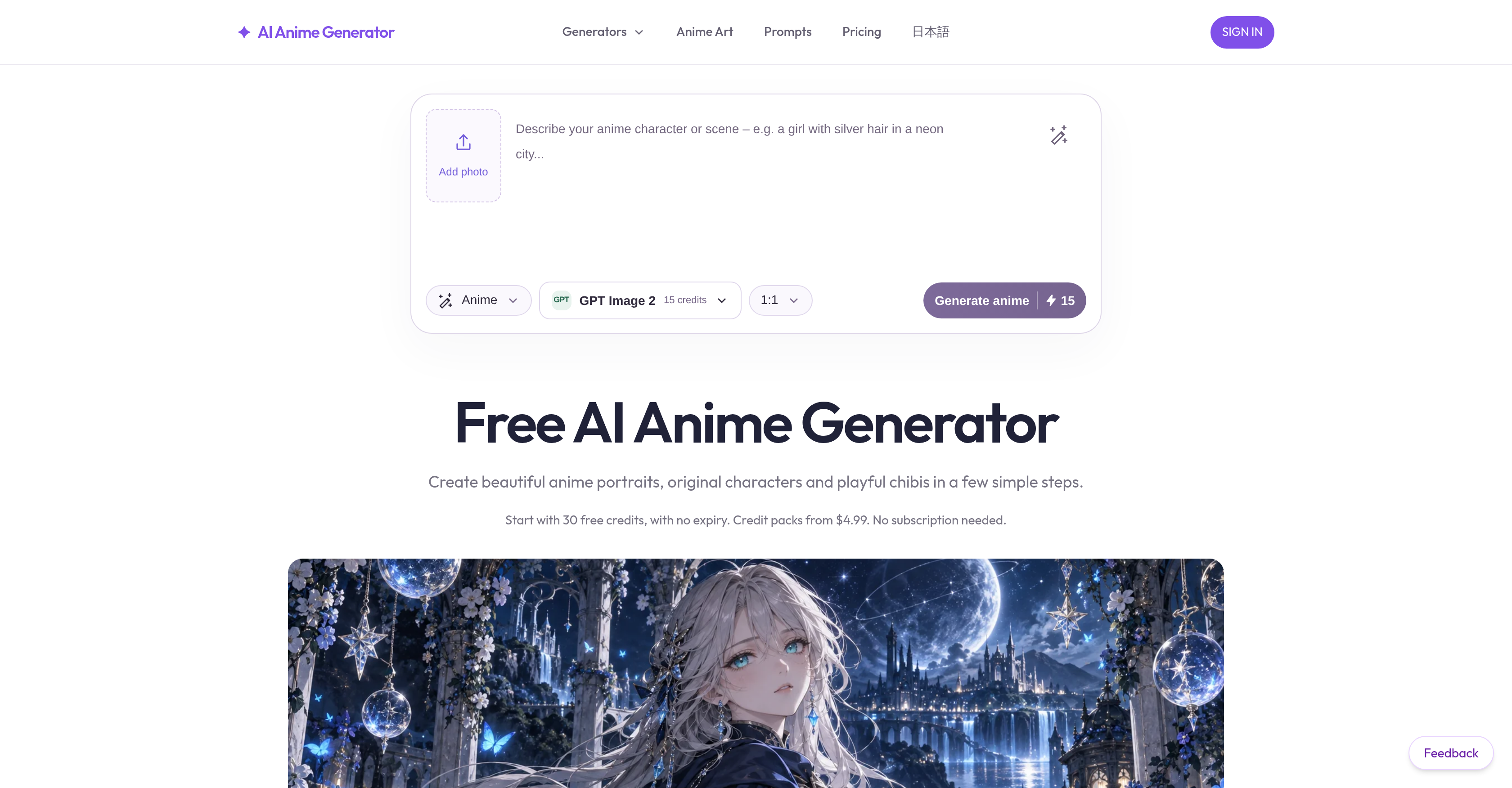
- Turn your selfies and photos into anime art: upload a JPEG, PNG, or WebP image up to 10 MB and add instructions for the facial features, clothing, and details you want kept or changed.
- Get the exact anime aesthetic your project calls for: choose from Chibi, Waifu, Retro, Pixel, Realistic, Fantasy, Cyberpunk, and School styles, covering everything from oversized-head chibi characters to neon city scenes and pixel-art RPG sprites.
- Skip the blank-page problem and write prompts that work: the editable gallery has ready-made prompts for explorers, pilots, swordsmen, mages, and astronomers, plus guidance on combining subject, setting, mood, and lighting into one clear scene.
- Produce more than square portraits: dedicated workflows generate full-body character illustrations, wallpapers in model-supported aspect ratios, scenic illustrations, themed costumes, and four-panel manga pages with per-panel prompts and dialogue.
- Get a share-ready stylized selfie in one step: the Star-Eye selfie editor adds one bold anime eye and three original stickers to a front-facing photo without any text prompt.
- Know what every image costs before you spend: each model shows its credit price on the generate button, along with example outputs, so you can compare anime art models before you confirm.
- Start free and pay only for what you use: new accounts get 30 free credits that never expire, and extra credit packs are one-time purchases with no subscription.
- Never lose credits to a failed render: blocked or failed requests trigger an automatic credit refund and give you a reference ID for fast support.
- Use your anime character art in real projects: commercial use is permitted under the site's Terms and each model's license, so your avatars, character concepts, and illustrations can go beyond personal use.
Pros & Cons
From the listing; not yet checked by our editors.
Pros
- Browser-only, no install required
- Free, nonexpiring 30 credits
- Payperimage credit packs
- Supports JPEG, PNG, WebP
- Upload limit 10MB
- Separate model and style selection
- Transparent credit cost per model
- Multiple predefined anime styles
- Chibi, Waifu, Retro presets
- Pixel art with limited palette
- Cyberpunk neon lighting option
- Fantasy magical landscape style
- School everyday scene style
- Stareye selfie filter with stickers
- Oneclick eye augmentation
- Prompt library with editable templates
- Gallery prompts for character archetypes
- Specialized avatar generation workflow
- Fullbody character workflow
- Scenic illustration workflow
- Wallpaper creation workflow
- Phototoanime conversion workflow
- Manga page generator
- Halloween costume generator
- Realistic lighting and texture style
- Aspect ratio options per model
- Referencecapable model for edits
- Preserve or alter upload details
- Guidance on prompt composition
- Credit cost preview before generation
- Model output comparison examples
- No subscription, payasyougo
- Credit usage displayed per image
- Default square output format
- Custom mood and lighting description
- Simple UI with style dropdown
- Integrated credit balance indicator
- No watermark on results
- Highresolution output up to 1024px
- Fast generation within seconds
- Works on all browsers
- Responsive design for mobile
- User permission reminder for uploads
- Identity preservation disclaimer present
- Multilanguage UI (Japanese toggle)
- Batch prompt editing possible
- Undo/redo prompt changes
- Direct download link after generation
Cons
- No API access
- Fixed square aspect ratio
- 10MB upload limit
- Inconsistent identity preservation
- Limited to preset styles
- Stareye filter distorts face
- No batch generation
- Low resolution outputs
- No vector export
- Requires simple background photos
Alternatives to AI Anime Generator
Tools that share the most tags with AI Anime Generator.
- AnimeBuilder
Instantly transform your personal photos into unique anime artwork using the one-click Anime Conversion feature
Free
Not listed
Not yet checked
- Eimis Anime Diffusion
Generate high-quality anime art from simple text descriptions using the text-to-image diffuser trained on detailed anime imagery
Freemium
Not listed
Not yet checked
- AnimeAI
Get 4K-quality anime art instantly without waiting, using advanced AI models that interpret your descriptions for high-resolution results.
Free trial · from $9/month
$9/month
Not yet checked
- AnimeGen
Turn any selfie, portrait, or pet photo into a Studio Ghibli-inspired masterpiece by selecting from 20+ iconic anime and comic styles
Free trial · from $6.79/month
$6.79/month
Not yet checked
- AnimePhotoGen
Create unique anime art from any photo without editing skills using AI that analyzes and redraws images into nine predefined styles like Manga, Studio Ghibli-inspired, and CyberPunk.
Freemium · from $6.99/month
$6.99/month
Not yet checked
- Maxsa AI
Get original anime, manga, and cartoon illustrations from a simple idea or prompt, using the AI Anime Generator and AI Image Generator to produce new artwork in your chosen style.
Free trial · from $12/month
$12/month
Not yet checked
Reviews
Rate this tool
Loading reviews...
Frequently asked questions
How do I turn a selfie into anime with the AI Anime Generator?
Upload a front‑facing selfie (JPEG, PNG, or WebP up to 10 MB), choose an anime style or the Star‑Eye editor, optionally describe any details to keep, then click Generate; the image will be created using your account credits.
Can I keep my face recognizable when I use photo‑to‑anime?
You can improve recognizability by uploading a clear, unobstructed photo and explicitly describing the facial features you want to preserve, but anime styles reinterpret faces and identity is not guaranteed, especially with Chibi.
What’s the difference between the Chibi and Waifu styles?
Chibi produces playful, simplified characters with oversized heads, bold outlines and minimal detail, while Waifu creates expressive adult portraits with detailed eyes, realistic anime features and richer textures.
How many free credits do I get and do they ever expire?
New users receive 30 free credits and they never expire.
Which style works best for a neon city scene?
The Cyberpunk style is designed for neon‑lit urban environments and is the best fit for a neon city scene.
Is there a size limit for images I upload to the AI Anime Generator?
Images can be uploaded up to 10 MB in JPEG, PNG, or WebP format.
Do the credit costs change depending on the model I choose?
Yes; each model lists its own credit cost on the generation button, and the cost is shown before you confirm the request.
Can I use the generated art for commercial projects?
Commercial use is allowed provided you comply with the site’s Terms, the specific model’s licensing terms, and you have rights to any reference images you upload.