

Maxsa AI
Get original anime, manga, and cartoon illustrations from a simple idea or prompt, using the AI Anime Generator and AI Image Generator to produce new artwork in your chosen style.
Listing not yet reviewed by our editors · How we check
Overview
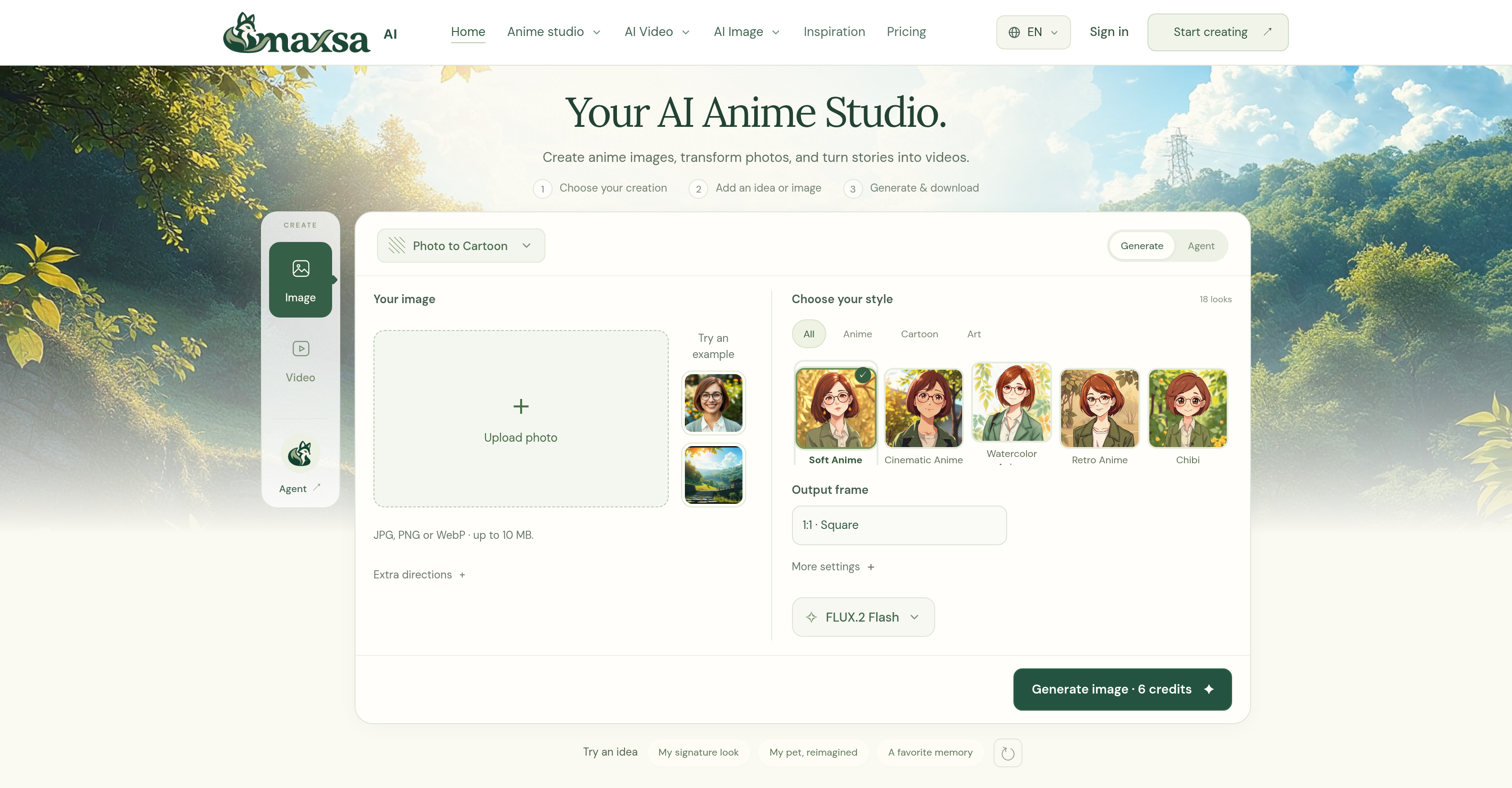
- Get original anime, manga, and cartoon illustrations from a simple idea or prompt, using the AI Anime Generator and AI Image Generator to produce new artwork in your chosen style.
- Turn your own photos into anime or cartoon portraits in a few steps with Photo to Cartoon: upload a clear image, pick a style, and add optional directions.
- Give existing pictures a new look without starting over, as Image to Image edits, restyles, and reimagines any source image you upload.
- Lock in a signature visual identity across every project by choosing soft anime, manga ink with crisp, contrast-heavy linework, chibi, or 3D cartoon with added depth.
- Build production-ready characters with the AI Anime Character Generator, which produces character portraits, expression sheets, and full-body character models.
- Publish finished comic and manga pages with the AI Comic Generator, which gives you control over panel layout, reading direction, dialogue placement, and visual aesthetics.
- Map out every scene before you commit with the AI Storyboard Generator, which sequences story events and lays out comic pages into a clear visual plan.
- Turn a written story or a short text prompt into a silent short video: describe your narrative and the Agent plans the shots, then assembles the video once you confirm the credits.
- Add motion to finished illustrations with Image to Video and Animate an Image, which convert a still frame into a short animated scene using the movement type you select.
- Create wholesome animated content for children with Kids Story Video, which turns small, heartwarming adventures into short animated narratives.
Pros & Cons
From the listing; not yet checked by our editors.
Pros
- Generates anime-styled images
- Converts photos into cartoons
- Features visual story construction
- Produces short animated videos
- Includes comic planning tool
- Image modification tools
- Variety of visual styles
- Enables animating static images
- Multiple forms of cartooning (anime, 3D, chibi, manga ink, soft anime)
- Story to video tool
- Image to video functionality
- Create original characters
- Create anime scenery
- Create comic visuals and dialogues
- Option to add motion to imagery
- Story concept prompts
- Supports various languages
- Multiple creative settings for image/video generation
- Comic panel description and dialogue planning
- Focused tools for anime/manga/cartoon creation
- Children's story planning feature
- Use reference images for transformations
- Support for detailed character briefs
- Script and scene planning tools
- Add gentle motion to illustrations
- Prompt suggestions for creativity
- Tools for anime scenery creation
- Specialized comic storytelling tools
- Tools for creating animated moments
- Create original characters with distinctive details
- Transform photos with creative settings
- Plan gentle children stories
- Photo to cartoon style transformation
- No drawing or animation experience required
- Generates unique anime styled characters
- Supports high-resolution image uploads
- Automatic generation of images and videos
- Offers base gallery examples for inspiration
- Transforms subjects/settings/moods into styles
Cons
- No voiceovers for videos
- No music for videos
- No lip sync feature
- Photo file size limitation
- Doesn't clear copyright, trademark rights
- No cloud history for free creations
- Limited anime styles
- Confusing credit system
- Language support limitations
- Requires internet connectivity
Alternatives to Maxsa AI
Tools that share the most tags with Maxsa AI.
- AnimeBuilder
Instantly transform your personal photos into unique anime artwork using the one-click Anime Conversion feature
Free
Not listed
Not yet checked
- Eimis Anime Diffusion
Generate high-quality anime art from simple text descriptions using the text-to-image diffuser trained on detailed anime imagery
Freemium
Not listed
Not yet checked
- AnimeAI
Get 4K-quality anime art instantly without waiting, using advanced AI models that interpret your descriptions for high-resolution results.
Free trial · from $9/month
$9/month
Not yet checked
- AnimeGen
Turn any selfie, portrait, or pet photo into a Studio Ghibli-inspired masterpiece by selecting from 20+ iconic anime and comic styles
Free trial · from $6.79/month
$6.79/month
Not yet checked
- AnimePhotoGen
Create unique anime art from any photo without editing skills using AI that analyzes and redraws images into nine predefined styles like Manga, Studio Ghibli-inspired, and CyberPunk.
Freemium · from $6.99/month
$6.99/month
Not yet checked
- AI Anime Generator
Turn your selfies and photos into anime art: upload a JPEG, PNG, or WebP image up to 10 MB and add instructions for the facial features, clothing, and details you want kept or changed.
Free trial · from $4.99/unit
$4.99/unit
Not yet checked
Reviews
Rate this tool
Loading reviews...
Frequently asked questions
What is the image generation capacity of Maxsa AI?
Maxsa AI has the capability to generate unique and original images. Users can bring their ideation to life by fully leveraging the AI's anime, manga, and cartoon stylizing capabilities. It enables intricate image generation, character creation, and so much more.
How many styles can Maxsa AI generate in the realm of anime, manga and cartoons?
Maxsa AI offers a variety of visual styles in the realm of anime, manga, and cartoons. Specifically, styles like soft anime, manga ink, chibi, and 3D cartoon are offered to encourage creativity.
Can I convert my photos into animated characters using Maxsa AI?
Yes, Maxsa AI provides the feature to convert photos into animated characters. Users can upload their photos and transform them into anime or cartoon style with the AI's advanced capabilities.
How does Maxsa AI assist in story creation and comic planning?
Maxsa AI supports story creation and comic planning through an innovative feature called a comic planner. This tool assists in structuring comic panels and dialogues. It also allows users to construct visual stories and convert them into short videos.
What image modification tools does Maxsa AI offer its users?
Maxsa AI offers a wide range of image modification tools enabling users to edit, restyle, and reimagine their pictures. This includes tools for generating new images, transforming existing content and enhancing artistic features.
How can I animate static images using Maxsa AI?
Maxsa AI allows you to animate static images and add dynamism to your creations. By using its tools, you can add layers of motion effects to static designs, enhancing their appeal and making them more engaging.
What are the visual styles provided by Maxsa AI?
Maxsa AI provides various visual styles including soft anime, manga ink, chibi and 3D cartoon. These styles cater to a range of artistic preferences, giving users the freedom to create in a format that best suits their creative direction.
Can I create original anime and cartoon characters using Maxsa AI?
Yes, Maxsa AI provides a feature to create original anime and cartoon characters. Users can leverage the AI's advanced tools to design and build character profiles, bringing their imagined characters to life.