

AI Grammatic
Send messages that read like a native speaker wrote them: the rewriter fixes translated-sounding phrasing, stiff wording, wrong prepositions and missing articles that grammar checkers leave untouched.
Listing not yet reviewed by our editors · How we check
Overview
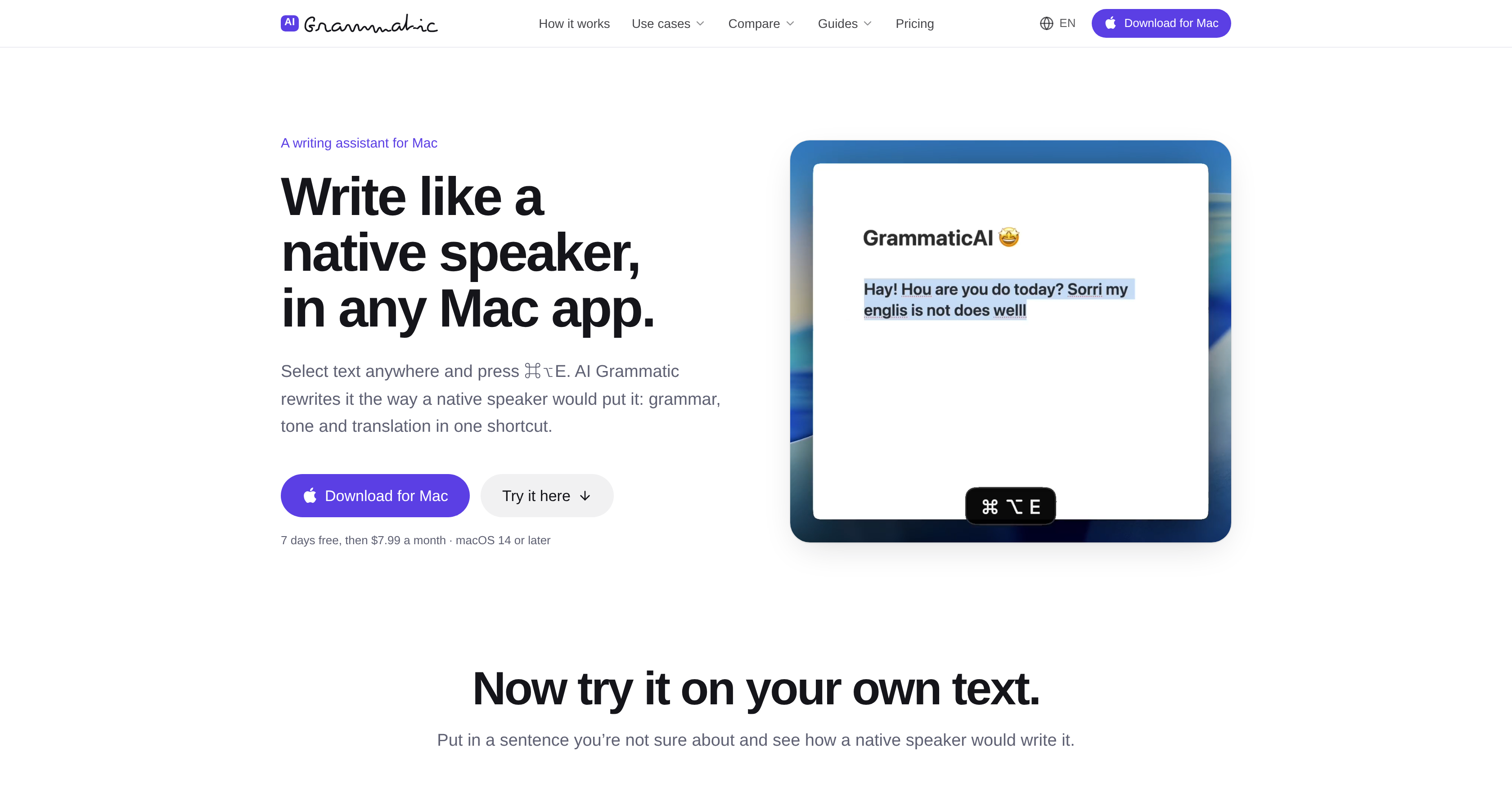
- Send messages that read like a native speaker wrote them: the rewriter fixes translated-sounding phrasing, stiff wording, wrong prepositions and missing articles that grammar checkers leave untouched.
- Fix your writing without leaving the app you're in: select text in Slack, Gmail, Outlook, Notion, Jira, Teams, WhatsApp, code editors or any browser, press ⌘⌥E, and it's rewritten in place with no plugins or per-app setup.
- Match the right tone for every audience: one shortcut gives a casual rewrite for chats, and ⌘⌥⇧E gives a formal version for clients and managers.
- Write in one language and deliver in another: AI translation covers 30+ languages, including US and UK English, Spanish, German, French, Japanese, Korean and Chinese, each with its own keyboard shortcut.
- Keep every detail of your message intact: names, numbers, links, @mentions, emoji, formatting and line breaks stay exactly as written, and code syntax is left untouched.
- Get rewrites that follow your own style: add custom writing instructions of up to 500 characters and choose your AI model from OpenAI, Anthropic Claude, Google Gemini or DeepSeek.
- Start rewriting immediately with no API key to configure: the AI is included, and the app is signed and notarized by Apple for macOS 14 Sonoma or later on Apple silicon or Intel.
- Keep sensitive writing private: your text is discarded as soon as the rewrite returns, and only a daily word count is stored.
- Revert any change instantly: ⌘Z restores your original text if you prefer what you wrote.
- Know exactly what you'll pay: one plan includes every feature and 50,000 words a day for $7.99 a month or $59 a year, with a 7-day free trial and a reminder email 3 days before the first charge.
Pros & Cons
From the listing; not yet checked by our editors.
Pros
- Rewrites selected text in place in any Mac app
- Fixes phrasing that sounds translated, not just grammar
- Casual and formal tone, one key apart
- Translates as it rewrites, in 30+ languages
- A separate shortcut for each language
- ⌘Z restores your original text
- Keeps names, numbers, links, emoji and formatting
- AI included, no API key needed
- Choice of OpenAI, Claude, Gemini or DeepSeek models
- Custom writing instructions
- Your text isn't stored after the rewrite
- 50,000 words a day
- Browser demo with 5 free rewrites a day
- Signed and notarized by Apple, updates automatically
Cons
- Mac only, no Windows or mobile version
- Needs macOS Accessibility permission
- Requires macOS 14 or later
- Needs an internet connection, no offline mode
- Card required to start the free trial
- No free plan
- Payments are non-refundable
Alternatives to AI Grammatic
Tools that share the most tags with AI Grammatic.
- Essay.app
Overcome writer's block by forming a strong foundation for any writing project with the guided Creation Phase
Paid · from $6/month
$6/month
Not yet checked
- Clico
Draft posts and email replies that match the conversation's tone instantly, using the AI that reads your existing text and context.
Free
Not listed
Not yet checked
- AMP FinePoint
Produce audience-ready content faster by reducing editing cycles with guided refinement of tone, length, and clarity
Paid · from $1.99/month
$1.99/month
Not yet checked
- Textglow
Write raw thoughts in Gmail, Slack, or LinkedIn and instantly polish them into professional, confident, or empathetic messages without ever leaving the page by highlighting text and selecting from 10+ emotional intelligence tones.
Freemium · from $4.99/month
$4.99/month
Not yet checked
- Sidelong
Turn every article, book, podcast, and video you consume into a searchable research library that feeds directly into your writing, with AI-powered content organization and key insight extraction.
Free trial · from $9/month
$9/month
Not yet checked
- Strokes
Keep full ownership of your writing: every document is a file in a folder on your own macOS or Windows machine, never handed to someone else's server, and Strokes never trains AI on your writing.
Freemium · from $9/month
$9/month
Not yet checked
Reviews
Rate this tool
Loading reviews...
Frequently asked questions
How do I set or change the global shortcut for AI Grammatic?
Alex B 🛠️ 2 tools wrote:Open Settings in the app. You can assign any key combination (the default is ⌘⌥E) and set a separate shortcut for each language.
Can AI Grammatic rewrite text in Microsoft Word or Google Docs on macOS?
Yes. Because AI Grammatic works wherever text can be selected and pasted, it can rewrite text in Microsoft Word and in Google Docs opened in a browser.
Does AI Grammatic work offline or does it always need an internet connection?
No. The rewrite is performed on the company’s server through the chosen AI provider, so an active internet connection is required for every use.
How can I assign separate shortcuts for different languages in AI Grammatic?
You assign a distinct shortcut for each language in the preferences screen; each language gets its own key combination that you can customize.
What’s the difference between the casual and formal rewrite tones in AI Grammatic?
The standard shortcut gives a casual rewrite; holding Shift while pressing the shortcut (⇧⌘⌥E) produces a more formal version of the same text.
Which AI models can I choose from in AI Grammatic and how do I switch them?
AI Grammatic lets you choose among OpenAI, Anthropic Claude, Google Gemini, and DeepSeek models. Model selection is changed in the settings panel.
Is my original text ever stored on AI Grammatic’s servers after a rewrite?
The original text is not stored. After the rewrite returns, the company only keeps a daily count of words processed and discards the actual content.
How many words can I rewrite per day with the subscription plan?
The subscription includes a limit of 50,000 rewritten words per day.