

AI Translate Video
Reach international viewers without re-recording a single take: AI dubbing replaces your original speech with a selected AI voice in 40 target languages, and your footage stays visually untouched.
Listing not yet reviewed by our editors · How we check
Overview
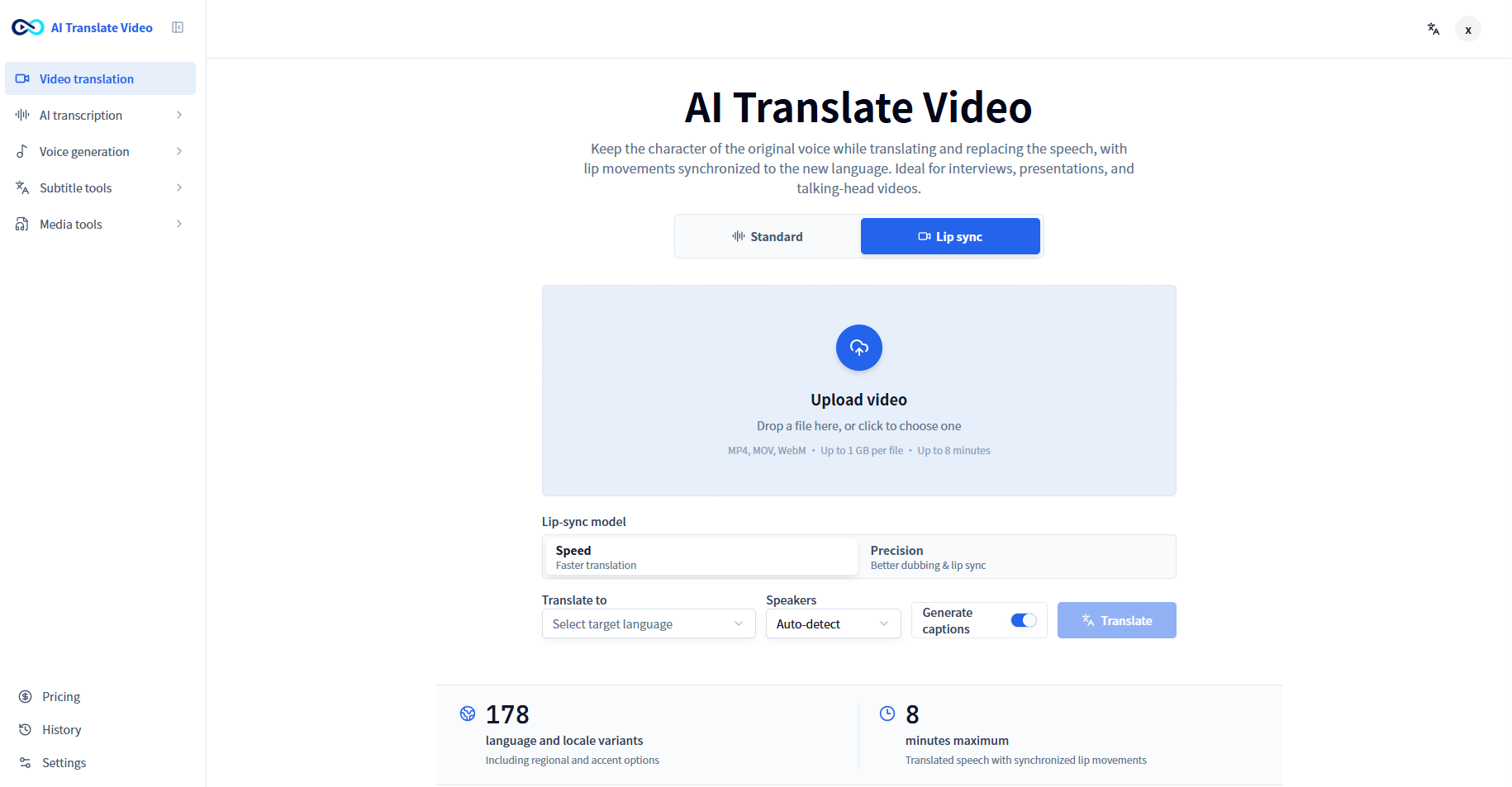
- Reach international viewers without re-recording a single take: AI dubbing replaces your original speech with a selected AI voice in 40 target languages, and your footage stays visually untouched.
- Keep on-camera speakers natural and believable in every market: lip sync video translation matches translated speech to the speaker's mouth movements across 178 language, regional, and accent variants.
- Publish translations that protect your brand voice: editable subtitles let you check and correct product names, speaker names, and key phrases before exporting the localized video.
- Make every video accessible and caption-ready across platforms: automatic video transcription and subtitle generation deliver translated captions with the dubbed audio, exported as separate video, audio, and caption files.
- Launch localized posters, ads, and product visuals without redesigning them: image translation rewrites on-image text while keeping the original layout and visuals as close as possible, with PNG download or one-click regeneration.
- Localize tutorials, screen recordings, and podcasts without lip-sync processing: standard translation mode handles off-camera and voice-only content, turning lessons and episodes into multilingual e-learning and podcast material.
- Go from source file to shareable localized video in minutes: a four-step upload, select language, review, and export workflow accepts MP4, MOV, and WebM files up to 1 GB and 8 minutes 20 seconds, with 3 free minutes of video translation every day.
Pros & Cons
From the listing; not yet checked by our editors.
Pros
- Translate image text while preserving the layout as closely as possible
- Lip-sync translation synchronizes mouth movements with the new language
- Standard translation preserves the original visuals
- Export MP4, WAV, SRT, VTT, TXT, XLSX, and DOCX files
- Choose Speed or Precision lip-sync modes
- Edit source and translated subtitles before export
- Generate translated subtitles and AI dubbing
- Lip-sync videos in 178 language and locale variants
- Translate videos into 40 target languages
Cons
- Lip sync works best with clear, on-camera speech
- Standard-mode output may be slightly longer than the source video
- AI translations should be reviewed before publishing
- Videos are limited to 8 minutes per translation
Alternatives to AI Translate Video
Tools that share the most tags with AI Translate Video.
- Lyndium
Discover only content that matters to you with a personalized content landscape curated from your demonstrated preferences
Freemium · from $1.28/month
$1.28/month
Not yet checked
- Hei.io
Reach international viewers instantly with automated dubbing and subtitles across 140+ languages including Spanish, French, and German
Paid · from $8/month
$8/month
Not yet checked
- Papercup
Expand your global audience by translating videos into multiple languages with human-quality AI voiceovers that maintain viewer engagement
Not listed
Not listed
Not yet checked
- Vidby
Break language barriers instantly with AI-powered video translation that processes one minute of video in just 1-2 minutes
Freemium · from $28/month
$28/month
Not yet checked
- TranslateVideo
Expand your audience globally by translating videos into 20+ languages including Spanish, French, Chinese, and Hindi with automated translation
Freemium · from $29/month
$29/month
Not yet checked
- VideoDubber
Expand your audience globally by translating videos into 150+ languages with native accent support
Freemium · from $19/month
$19/month
Not yet checked
Reviews
Rate this tool
Loading reviews...
Frequently asked questions
What languages does AI Translate Video support for video translation?
AI Translate Video supports translation into 40 different languages.
How accurate are AI Translate Video's translations?
The accuracy of AI Translate Video translations is not explicitly stated on their website.
Does AI Translate Video also provide subtitle generation services?
Yes, AI Translate Video offers subtitle generation as part of its services.
What's the maximum size of a video file I can upload to AI Translate Video?
AI Translate Video allows video file uploads of up to 1 GB.
How do I select the target language for my video in AI Translate Video?
In AI Translate Video, users select the target language for their video during a four-step translation process: after uploading the original video, the next step is to select the desired target language.
Can I preview the translated video before finalizing it on AI Translate Video?
Yes, users can preview the translated video on AI Translate Video before finalizing it. This allows for checking the accuracy of subtitles, key terms, speech, and ensuring it aligns with the brand's message.
Is AI Translate Video suitable for translating YouTube content?
Yes, AI Translate Video is suitable for translating YouTube content. It is identified as a perfect tool for independent YouTubers.
What types of videos are best suited for AI Translate Video's services?
AI Translate Video is best suited for tutorials, screen recordings, and videos without on-camera speakers. It can also be used for e-learning, social media advertising, YouTube content creation, podcast creation, and more.