
AIRapVideo.cc
Put yourself or a friend on the mic in minutes: upload one portrait for a solo rap video, or two portraits or a single shared photo for a duo performance, with JPG, PNG, and WebP support.
Listing not yet reviewed by our editors · How we check
Overview
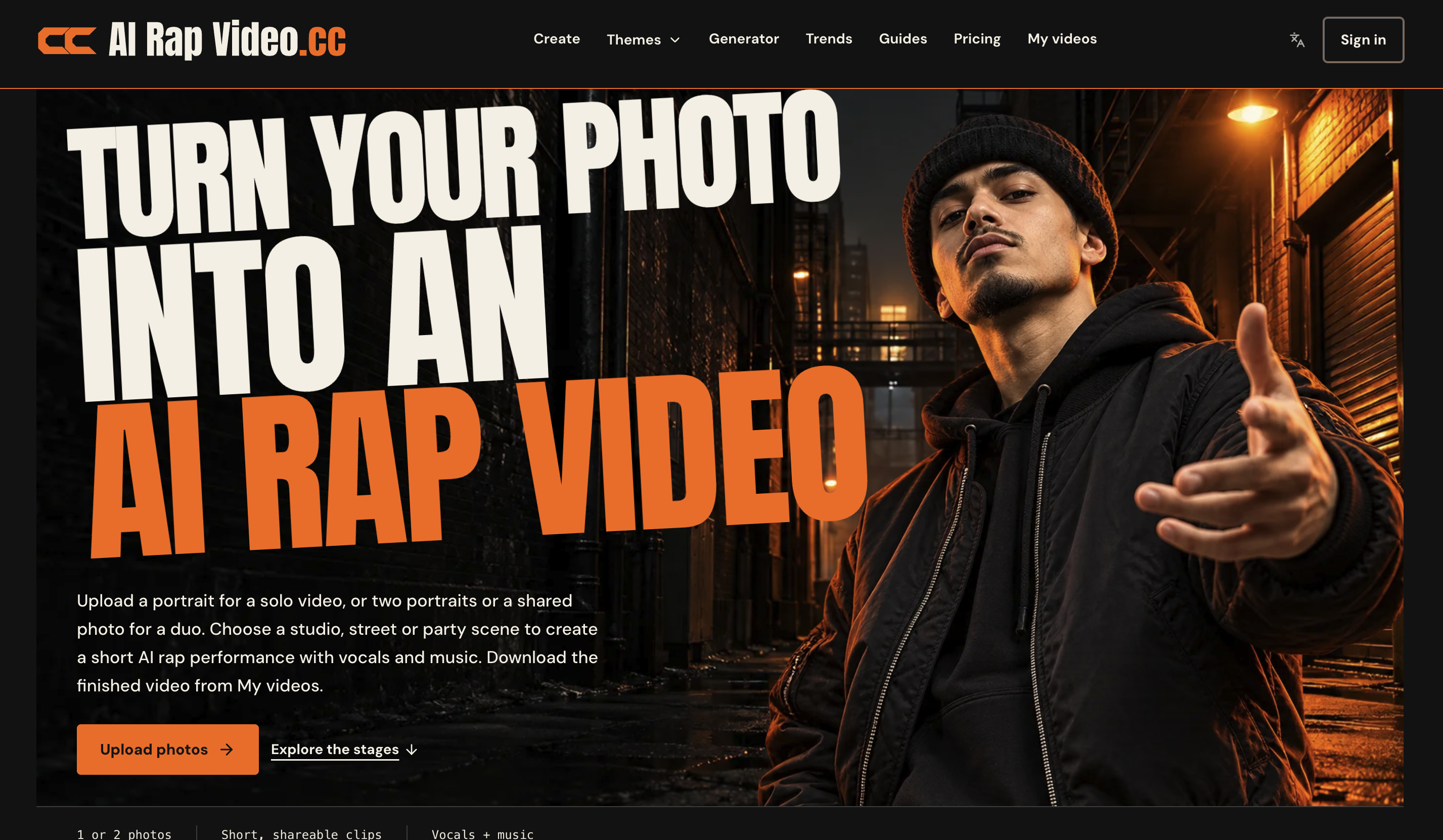
- Put yourself or a friend on the mic in minutes: upload one portrait for a solo rap video, or two portraits or a single shared photo for a duo performance, with JPG, PNG, and WebP support.
- Drop your performers into the right vibe: choose a recording studio, street cypher, or party entrance scene, or add your own custom background image for a personalized rap music video.
- Get original bars built around your idea: enter a topic or a few lines and the AI rap generator writes new lyrics, vocals, and music around them, or leave the prompt blank for an instant freestyle.
- Match the flow you have in mind: supply your own audio as inspiration for vocal timing and delivery while the tool generates a fresh track.
- Recreate a performance you love with a new cast: Video Remix takes a library clip or your own uploaded reference video and swaps in your photographed people as the rappers.
- Publish without reformatting: Original Rap lets you set video duration and aspect ratio, so each clip fits the feed or format you are posting to.
- Balance quality against cost on every render: pick from Seedance 2 Mini, Seedance 2 Fast, Seedance 2.0, Seedance 2.5, or Wan 3.0, choose 480p or HD 720p, and see the exact credit cost before you generate.
- Pay only for what you make: one-time credit packs never expire for occasional creators, while monthly subscriptions cover regular rap video production.
- Start from proven viral formats: themed guides for mic duets, crowd freestyles, and party entrances give you a ready concept, and a trends feed shows public creator examples for reference.
- Keep every render organized: completed jobs collect in My videos with full history and downloadable clips.
- Create with clear consent rules: adult-only confirmation, permission requirements for everyone pictured, and bans on public figures and deceptive content keep your AI-generated rap videos clean to share.
Pros & Cons
From the listing; not yet checked by our editors.
Pros
- Separate original and remix workflows
- Replace reference cast using portraits
- Upload your own reference clip
- Choose from built-in reference clips
- Create solo or duo performances
- Use one shared duo photo
- Choose performers independently of scene
- Select studio, street, or party scenes
- Add an optional background image
- Use a background for specific settings
- Guide lyrics with a custom topic
- Leave topic blank for freestyle
- Enter up to 120 topic characters
- Add audio to guide vocal timing
- Generate new vocals and music
- Choose from five video models
- Select from six aspect ratios
- Choose from five clip durations
- Select standard or 720p output
- Remixes inherit reference length and format
- Set length and format for originals
- Review credit costs before submitting
- Download completed videos
- Keep completed jobs in My videos
- Explore guides for three performance formats
- Use themes as optional starting points
- Preview reference clips before remixing
- See reference source attribution
- Accept JPG, PNG, and WebP photos
- No filming required
Cons
- Solo or duo performances only
- Prompts capped at 120 characters
- No word-for-word lyric editing
- Remixes inherit reference length
- Remixes inherit reference format
- Only JPG, PNG, WebP photos
- 8 MB photo upload limit
- Links expire after seven days
- Uploaded audio isn't preserved unchanged
- Public figures cannot be uploaded
Alternatives to AIRapVideo.cc
Tools that share the most tags with AIRapVideo.cc.
- AI Rap Forge
Give someone a birthday, anniversary, or friendship gift they'll replay: Topic Rap turns one photo per performer into a lip-synced rap performance on a stage you choose, with lyrics built around real names and personal details.
Paid · from $9/unit
$9/unit
Not yet checked
- RapVideo-AI.io
Get a rap about your exact inside joke, not a generic template: type one specific situation and the AI rap lyrics generator writes original bars on that topic, or paste your own lyrics line by line.
Free trial · from $9.99/unit
$9.99/unit
Not yet checked
- RapVid
Star in your own rap music video from a single selfie: Solo mode builds an original verse, beat, and AI vocals around one clear photo, then delivers a lip-synced performance.
Freemium · from $5.99/unit
$5.99/unit
Not yet checked
- AIRapDuo.com
Star in a rap video with a friend who lives miles away: upload two separate portraits and the AI rap generator animates both faces into one synced rap duo performance.
Paid · from $9.99/unit
$9.99/unit
Not yet checked
- AI Rap Videos
Deliver a personalized birthday shout-out, anniversary video, friendly roast, or team celebration without filming or editing: upload two portraits or one clear photo of both people and get a lip-synced rap music video.
Free trial · from $5.80/unit
$5.80/unit
Not yet checked
- Kiravu | AI Rap Video Generator
Star in your own rap music video using a single selfie: lip sync maps an original AI-generated verse and synthesized voice to your face, then composites you onto a stage.
Paid · from $29.90/month
$29.90/month
Not yet checked
Reviews
Rate this tool
Loading reviews...
Frequently asked questions
How do I create a solo rap video with AI Rap Video.cc?
Upload one portrait, choose a scene such as a recording studio, street cypher, or party entrance, and optionally enter a topic or a few lines. Select the video settings and generate; the finished clip appears in My videos for download.
Can AI Rap Video.cc make a duo video from one shared photo?
Yes. For a duo, upload two portraits or select the option to use one shared photo of both people.
What photo formats and file sizes does AI Rap Video.cc accept?
AI Rap Video.cc accepts JPG, PNG, and WebP images, up to 8 MB each.
What kind of portraits work best with AI Rap Video.cc?
Use clear, front-facing photos with good lighting and unobstructed faces. Head-to-waist framing works better than tight selfies or distant full-body shots. For a duo, use photos with similar framing and lighting. Avoid sunglasses, masks, hidden faces, and strong beauty filters.
Can I choose a studio, street, or party scene in AI Rap Video.cc?
Yes. Original Rap offers recording studio, street cypher, and party entrance scenes.
Can I add a custom background image in AI Rap Video.cc?
Yes. You can add a JPG, PNG, or WebP background image up to 8 MB. The site recommends a clear scene without people.
How does the topic prompt affect lyrics in AI Rap Video.cc?
The topic or lines guide newly generated lyrics, vocals, and music. They are not used as a word-for-word lyric script.
Can AI Rap Video.cc generate a freestyle if I leave the prompt blank?
Yes. Leave the prompt blank to generate a freestyle.