

BlitzClip
Get tight, polished cuts without scrubbing a timeline: auto cut footage removes bad takes, filler words, and silences from raw .mp4 and .mov files.
Listing not yet reviewed by our editors · How we check
Overview
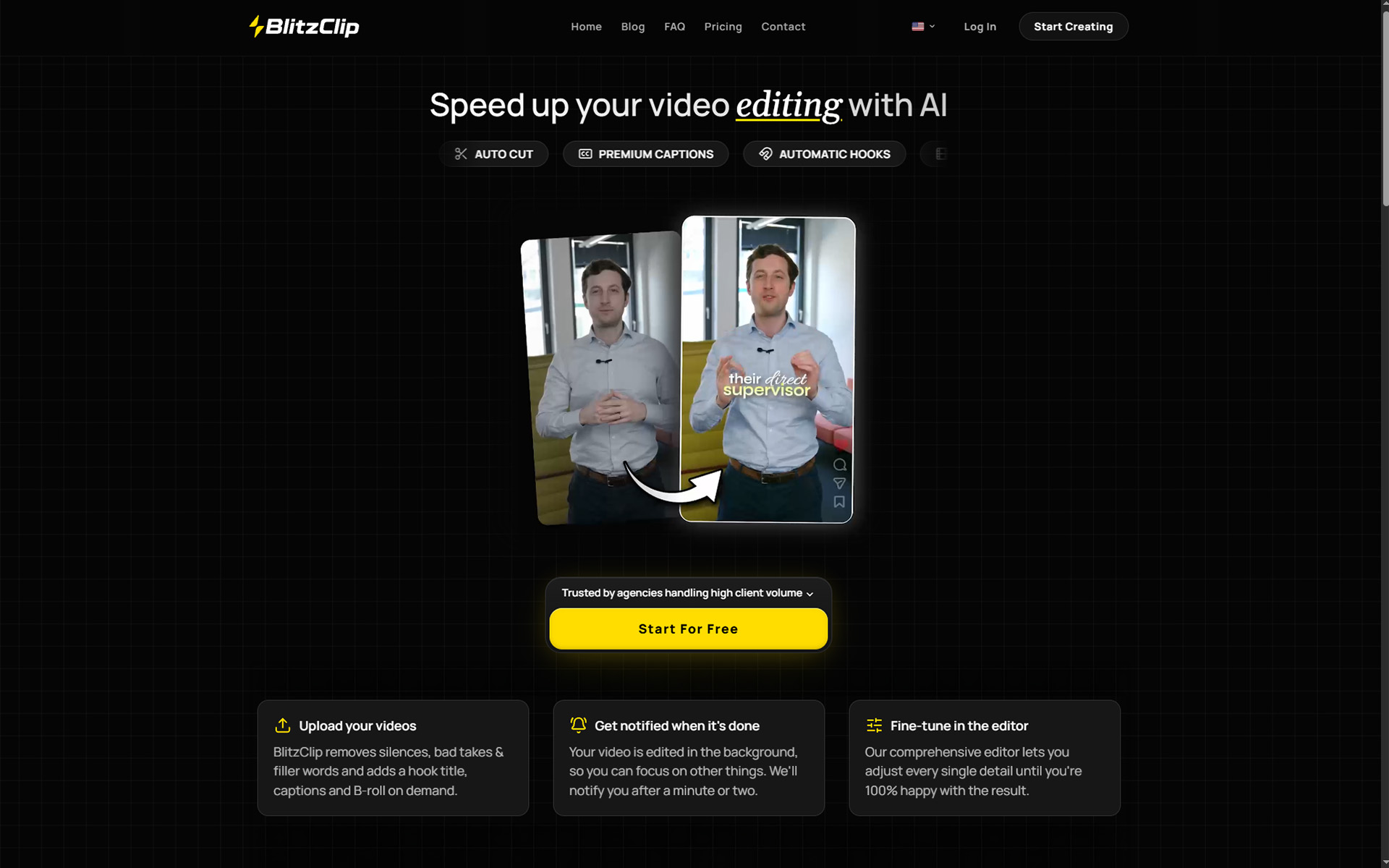
- Get tight, polished cuts without scrubbing a timeline: auto cut footage removes bad takes, filler words, and silences from raw .mp4 and .mov files.
- Keep every video on-brand: animated captions with your own uploaded fonts, colors, animations, and timing, saved as reusable presets.
- Open every video with a scroll-stopping first line: automatic hook titles are generated from your video content, and you pick the one you like.
- Add visual variety without hunting for stock clips: automatic B-roll places relevant footage throughout the video, or you choose clips yourself from a large B-roll library.
- Publish captions with no misspelled brand names: a custom words dictionary teaches transcription your product names and niche terms in advance.
- Clear a full editing queue in one pass: batch processing edits multiple videos at once in the background and notifies you within a minute or two.
- Control exactly when each caption appears: precise word-timing editing lets you fine-tune every cut and caption in the editor before export.
- Run agency-scale video production as one team: team collaboration lets you invite editors to a shared workspace and manage their permissions.
- Edit videos without opening the app: the BlitzClip API plugs automated video editing into your existing content pipelines and automations.
Pros & Cons
From the listing; not yet checked by our editors.
Pros
- Works web-based on desktop and mobile.
- Supports custom font uploads.
- Videos can be processed in bulk.
- Custom word dictionaries improve transcription accuracy.
- Team collaboration with permission management.
- Extensive editor to customize the results.
Cons
- Not a Premiere/DaVinci replacement, built for fast content output.
- Longer videos can take several minutes to render.
- Works best on clear single-speaker audio.
- Free tier is capped at 2 projects per month.
Alternatives to BlitzClip
Tools that share the most tags with BlitzClip.
- Gling - AI Video Editing Software for YouTube
Skip hours of manual editing with AI that automatically cuts silences, bad takes and filler words from your raw footage
Freemium · from $10/month
$10/month
Not yet checked
- AVCLabs
Transform blurry videos into crisp high-resolution footage with AI upscaling and deinterlacing technology
Paid · from $39.95/month
$39.95/month
Not yet checked
- Camtasia
Record screen, camera, and audio simultaneously on separate tracks for complete editing control over every element
Freemium · from $179.88/year
$179.88/year
Not yet checked
- bigmp4
Transform low-resolution videos into crystal clear 8K quality with AI upscaling that simultaneously reduces noise and enhances detail
Freemium · from $6
$6
Not yet checked
- Vidnami
Transform text into complete marketing videos instantly using AI that splits content into scenes and selects matching clips from Storyblocks
Free trial · from $47/month
$47/month
Not yet checked
- Captions
Produce studio-grade videos without technical expertise using AI-powered automation that handles complex editing tasks
Paid · from $9.99/month
$9.99/month
Not yet checked
Reviews
Rate this tool
Loading reviews...
Frequently asked questions
What kind of videos can BlitzClip edit?
BlitzClip can edit raw footage across multiple formats such as .mp4 and .mov files.
How does BlitzClip use AI in its editing process?
BlitzClip uses AI to process raw video footage, automatically removing bad takes, filler words, and silences. It further utilizes AI to add animated captions, hook titles, and B-roll footage, enhancing the overall viewing experience.
Can BlitzClip work in the background?
Yes, BlitzClip operates in the background, allowing users to focus on other tasks while their videos are being edited.
What features does BlitzClip have for caption customization?
BlitzClip offers extensive features for caption customization, allowing users to select custom fonts, colors, animations, and timing for their captions. Users can also create their own individual presets.
How does BlitzClip generate hook titles?
BlitzClip uses the content of the video to automatically create a selection of hook titles. Users can then review and select their preferred choice.
Can I choose B-Roll footage from BlitzClip's library or does the AI choose?
BlitzClip enables users to either automatically add relevant B-roll clips throughout the video or manually select them from its extensive B-roll library.
Does BlitzClip have any features for efficiency in workflow?
Michael Eder 🛠️ 1 tool wrote:BlitzClip supports several features that enhance efficiency in workflows, like the capability to process multiple videos simultaneously and defining brand names or niche terms in advance, so the transcription gets them right immediately.
How does BlitzClip facilitate team collaboration?
BlitzClip includes a team management feature that allows collaboration among team members. Users can invite their team members and manage permissions to work within the same workspace.