

Boba App
Get errands done from wherever you are: send a quick text command and Boba sets reminders, books appointments, and drafts emails for you.
Listing not yet reviewed by our editors · How we check
Overview
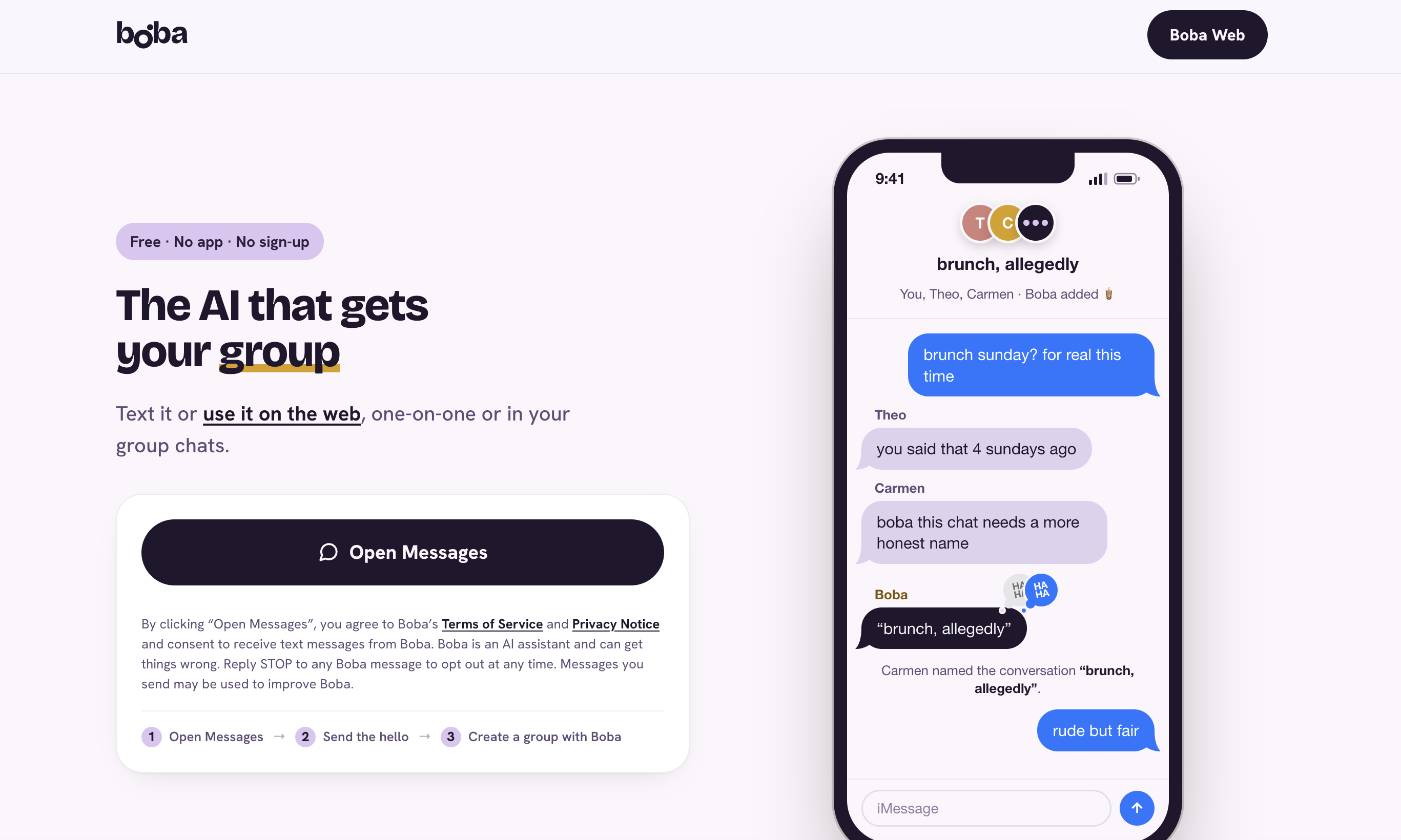
- Get errands done from wherever you are: send a quick text command and Boba sets reminders, books appointments, and drafts emails for you.
- Keep group chats focused instead of cluttered: Boba stays quiet during normal conversation and speaks up only when it has a useful suggestion, event to schedule, or detail to sort out.
- Stop re-asking the group for the same details: Boba acts as shared memory, tracking past conversations, plans, and tasks so everyone pulls from one source.
- Run household logistics without a separate app: shared grocery lists and pickup schedules live in the group chat, and Boba reminds the right person at the right time.
- Plan events and group trips without one person doing all the work: Boba researches options, books the venue, sends invites, and coordinates attendees in the thread.
- Reach inbox priority without manual sorting: connect your email account and Boba flags important messages, drafts replies, and adds plans from your emails to your calendar.
- Compare and book in one conversation: Boba browses and prices restaurant reservations, flights, and cabin rentals, lays out the options, and completes the booking you choose.
- Make decisions faster with research summaries: Boba looks up prices, hours, routes, and reviews and returns a short summary instead of a pile of tabs.
- Stay on track with goals that span weeks or months: Boba remembers objectives you share and follows up with ongoing reminders and next steps.
- Get suggestions that fit you and your group: Boba remembers your preferences and the people in your life, and adapts to each group's style and dynamics over time.
- Turn group threads into creative spaces: Boba creates and edits images and co-writes songs with everyone in the chat.
Pros & Cons
From the listing; not yet checked by our editors.
Pros
- Understands individual goals
- Facilitates collaboration
- Accessible via text or web
- Use-cases from one-on-one tasks to group chat
- Sends text-based commands
- Sets reminders
- Books appointments
- Drafts emails
- Plans group trips
- Connects with email account
- Prioritizes important emails
- Drafts email responses
- Group chat functionality
- Acts as shared memory
- Schedules events
- Reminds users about events
- Manages shared tasks
- Understands group environment
- Adapts to user behavior
- Web research functionality
- Maintains users' preferences
- Manages online bookings
- Interacts with images and songs
- Persistent towards shared goals
- Provides ongoing support
- Helps achieve user targets
- Advanced task management
- Real-time assistance
- Shared memory management
- User preferences customization
- Image and music interaction
- Intelligent scheduling
- Event management
- Grocery lists management
- Pickup schedules management
- Priority inbox feature
- Uses text-based commands
- Free access
- No sign-up required
- Works in different group speeds
- Understands social dynamics
- Remembers long-term plans
- Assists in job search
- Handles email replies
- Edits images in chats
- Compatible with iPhone and Android
- No need for app download
- Red flags and solves issues
- Performs web research
- Completes online forms and bookings
Cons
- Long interaction time
- Possibility of misunderstanding commands
- Excessive perception of group chat
- Cannot interact with all software
- Lack of third-party integration
- Potential privacy concerns
- Limited language understanding
- Dependent on text-based commands
- May forget important tasks
- Inability to understand complex nuances
Alternatives to Boba App
Tools that share the most tags with Boba App.
- Private AI Assistant
Keep all your conversations and data completely private with AI that runs locally on your device, never sending information to the cloud
Not listed
Not listed
Not yet checked
- Notis
Transform voice notes and messy briefs into structured meeting minutes and action items with assigned owners and due dates
Free trial · from $20/month
$20/month
Not yet checked
- ArrowAI - AI Chatbot Assistant
Access multiple top AI models including GPT and Gemini through a single unified interface, eliminating the need for separate subscriptions
Freemium · from $19.99/month
$19.99/month
Not yet checked
- Soul Machines Studio
Create authentic customer connections with AI assistants that respond with genuine emotion and empathy using patented Biological AI
Freemium · from $12.99/month
$12.99/month
Not yet checked
- HaloMate
Delegate complex multi-step tasks like online research and data analysis with AutoPilot that works autonomously under your supervision
Freemium · from $9.90/month
$9.90/month
Not yet checked
- PolyAI Voice Assistant
Handle customer calls 24/7 without human agents using voice assistants that understand natural speech, interruptions, and topic changes
Not listed
Not listed
Not yet checked
Reviews
Rate this tool
Loading reviews...
Frequently asked questions
How does Boba understand my individual goals?
Boba achieves an understanding of your individual goals by allowing you to send text-based commands. These commands can range from setting reminders, booking appointments, drafting emails, and even planning group trips. The AI is structured to understand and work towards these goals over an extended period.
What are the main uses of Boba's group chat functionality?
Boba's group chat functionality is designed to facilitate collaboration on tasks and activities. This can include act as a shared memory or organizer, scheduling events, reminding users about them, and even managing shared tasks like grocery lists or pickup schedules. It also stays quiet during normal chatter and speaks up when it can provide beneficial assistance.
How does Boba adjust to user behavior over time?
Boba adjusts to user behavior over time by observing and learning from user interactions. This stems from the AI's ability to understand group environments and adjust to the nuances and styles of specific groups. As a result, Boba becomes more useful as it better understands user behaviour and their needs.
Can Boba help me to manage my email?
Yes, Boba can indeed manage emails. Its functionality extends to connecting with an email account, prioritizing important emails, and drafting responses. It can also handle tasks such as posting plans on your calendar and flagging emails that require attention.
What can Boba do to facilitate collaboration with others?
Boba facilitates collaboration by understanding user's goals and facilitating communication. It has a dedicated group chat functionality, where it can help schedule events, manage shared tasks, and even interact with images and songs in a group thread. In essence, it acts as a shared assistant in collaborative environments.
Can Boba interact with images and songs on a thread?
Yes, Boba has the capability to interact with images and songs on a thread. This feature can be particularly useful in group chats, where Boba can engage in creating or editing pictures and co-writing songs with participants, thereby fostering a more interactive and collaborative environment.
How does Boba's text-based command feature work?
Boba's text-based command feature works by allowing users to interact with it via written mandates. This can range from making appointments, drafting emails, setting reminders to even planning trips. The commands are inputted as text, which Boba then processes and executes.
In what ways can Boba assist with event scheduling and management?
For event scheduling and management, Boba is capable of scheduling events, maintaining reminders about the event, and managing all tasks related to the event such as booking the venue, coordinating with group chat members about the event, and even sending out invites.