

Carousel
Gain more visibility on LinkedIn by creating content that keeps users on-platform, which the algorithm rewards with extra reach using the carousel format
Listing not yet reviewed by our editors · How we check
Overview
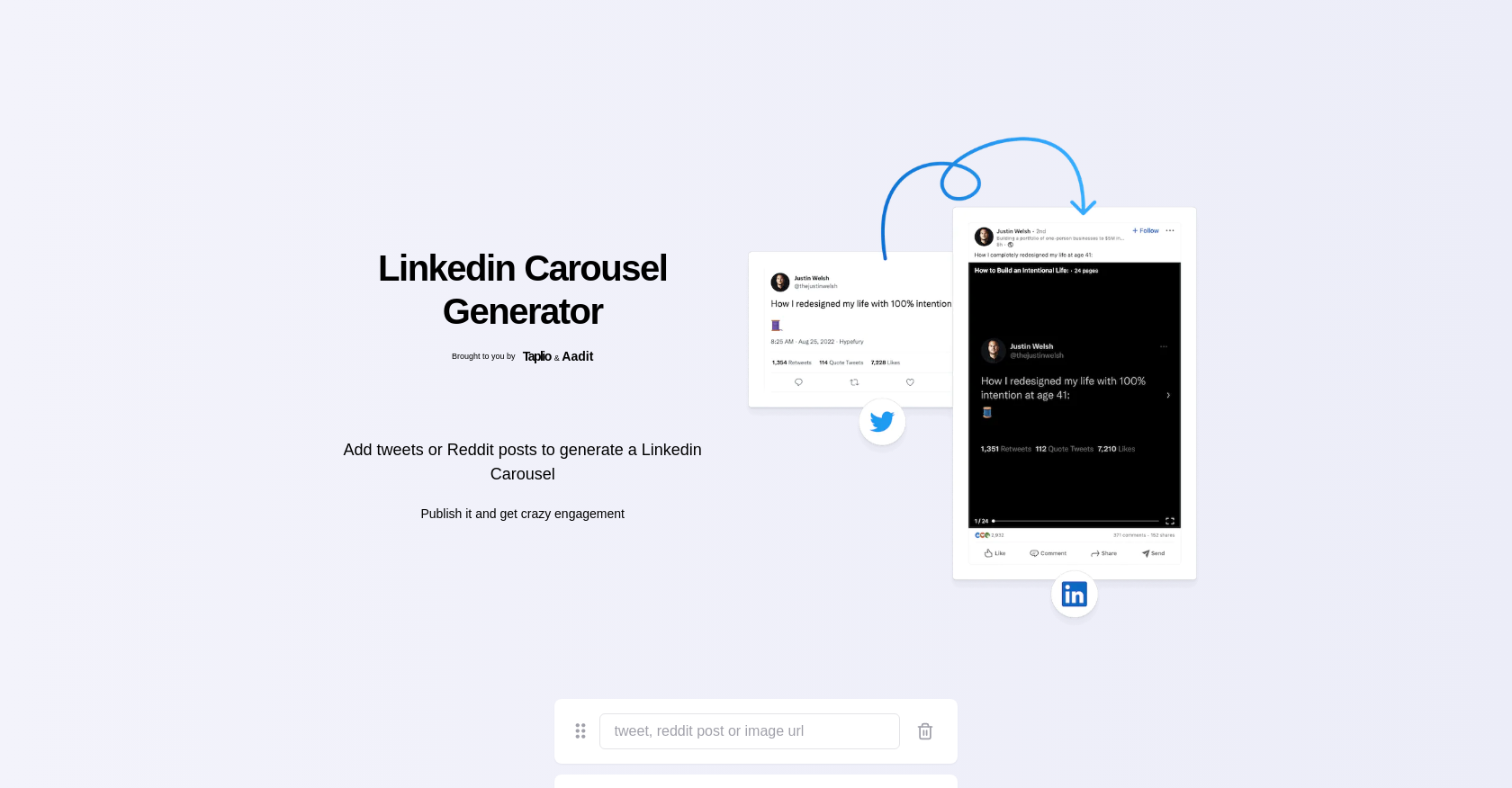
- Gain more visibility on LinkedIn by creating content that keeps users on-platform, which the algorithm rewards with extra reach using the carousel format
- Transform existing tweets and Reddit posts into professional carousel slides without starting from scratch by importing them directly as image URLs
- Access ready-made content ideas instantly from the curated Tweet Collections library sorted by topic to fuel your carousel creation
- Publish compelling long-form content that drives higher engagement by converting multiple images or posts into a single, navigable carousel
- Remove watermarks from your downloaded carousels to maintain brand professionalism by upgrading to a Taplio subscription
- Schedule and automate your LinkedIn posts alongside carousel creation using Taplio's integrated publishing tools for consistent content delivery
Pros & Cons
From the listing; not yet checked by our editors.
Pros
- Free tool
- Turns images to carousels
- Turns tweets to carousels
- Turns Reddit posts to carousels
- No account registration required
- Provides post scheduling
- Includes automation features
- Offers content inspiration
- Supports LinkedIn visibility boosting
- Creates long-form LinkedIn content
- Access to Tweet Collections library
- Ideal for LinkedIn publishers
- Simple, user-friendly interface
- Does not require a subscription
- Option to remove watermarks
- Helps build a personal brand
Cons
- Only supports LinkedIn platform
- Restricted content formats
- Carousel creation is time-consuming
- No account registration (security)
- Watermarks without subscription
- Limited customization options
- No multi-platform support
- Text content not supported
- Lack of documentation
- No API available
Alternatives to Carousel
Tools that share the most tags with Carousel.
- LinkedIn Carousel Generator by 2PR
Convert existing tweets, Reddit posts, and personal notes into professional LinkedIn carousels without manual design work, using AI-powered content transformation.
Free
Not listed
Not yet checked
- Lumeo
Turn articles, notes, and past posts into fresh LinkedIn carousels: the Carousel Creator builds slides from existing content or a brand-new idea.
Freemium · from $12/month
$12/month
Not yet checked
- Buzzwize
Maintain an active LinkedIn profile without constant manual effort through automated post drafting and smart comments
Paid · from $17/month
$17/month
Not yet checked
- 2PR
Generate fresh viral post ideas based on proven templates from a large database of successful LinkedIn content
Freemium · from $29/month
$29/month
Not yet checked
- Sellinger AI
Generate qualified meetings automatically while focusing on closing deals with fully autonomous outreach that handles everything from research to booking
Free trial · from $114/month
$114/month
Not yet checked
- Networker.ai
Send connection requests that get noticed by referencing specific details from the recipient's profile, powered by automated profile analysis
Not listed
Not listed
Not yet checked
Related Videos

Taplio's AI Generated Carousels Are A Game Changer!
Daniel Kading · Aug 11, 2023

Taplio - The All-In-One Tool to Grow Your Personal Brand on LinkedIn
Cliff Worley · Oct 4, 2023

Taplio for LinkedIn Marketing Beginners Guide and Review
Patrick Walsh · Jul 1, 2024

How to Make LinkedIn Carousel in 60 Seconds Using Taplio! 🚀
NextGen Productivity Chatgpt & AI Hacks · Jun 18, 2025

Taplio walkthrough
Taplio · Mar 9, 2023
Reviews
Rate this tool
Loading reviews...
Frequently asked questions
What is the LinkedIn Carousel Generator?
The LinkedIn Carousel Generator is a tool provided by Taplio. It allows users to convert images, tweets, or Reddit posts into visually striking LinkedIn carousel visuals. These carousels are akin to PowerPoint presentations and can be navigated through in the same way.
How does the LinkedIn Carousel Generator work?
The LinkedIn Carousel Generator requires you to import the 'slides' for your carousel. These can be tweets, Reddit posts, or image URLs. Once you've added all the desired slides, you hit the 'generate carousel' button and wait until the 'download carousel' button becomes available.
Can I use the LinkedIn Carousel Generator for free?
Yes, the LinkedIn Carousel Generator can be used absolutely free of charge.
What can I turn into LinkedIn carousels using the LinkedIn Carousel Generator?
You can turn images, tweets or Reddit posts into LinkedIn carousels using the LinkedIn Carousel Generator.
How do I generate a carousel using the LinkedIn Carousel Generator?
To generate a carousel using the LinkedIn Carousel Generator, you need to import the 'slides' you want for your final carousel - these can be either tweets, Reddit posts, or image URLs. After adding all the slides, press the 'generate carousel' button and wait till the 'download carousel' button is ready.
Why should I use the LinkedIn Carousel Generator?
You should use the LinkedIn Carousel Generator as it is a tool that can help boost the visibility of your content and personal brand on LinkedIn. It's easy to use, doesn't require a subscription or account registration, and is ideal for users who wish to keep their readers on the LinkedIn platform.
What is a LinkedIn Carousel?
A LinkedIn Carousel is a format on LinkedIn where one can upload a set of slides that users can navigate, similar to a PowerPoint presentation.
Why is the LinkedIn Carousel a popular format?
The LinkedIn Carousel is a popular format due to its ability to keep users engaged on the platform, which LinkedIn rewards with extra visibility. Moreover, carousels are capable of delivering catchy long-form content, contributing to a high level of engagement.