

ChatLLaMA
Keep your AI conversations on your own computer: the Desktop GUI runs your personal AI assistant locally on your hardware.
Listing not yet reviewed by our editors · How we check
Overview
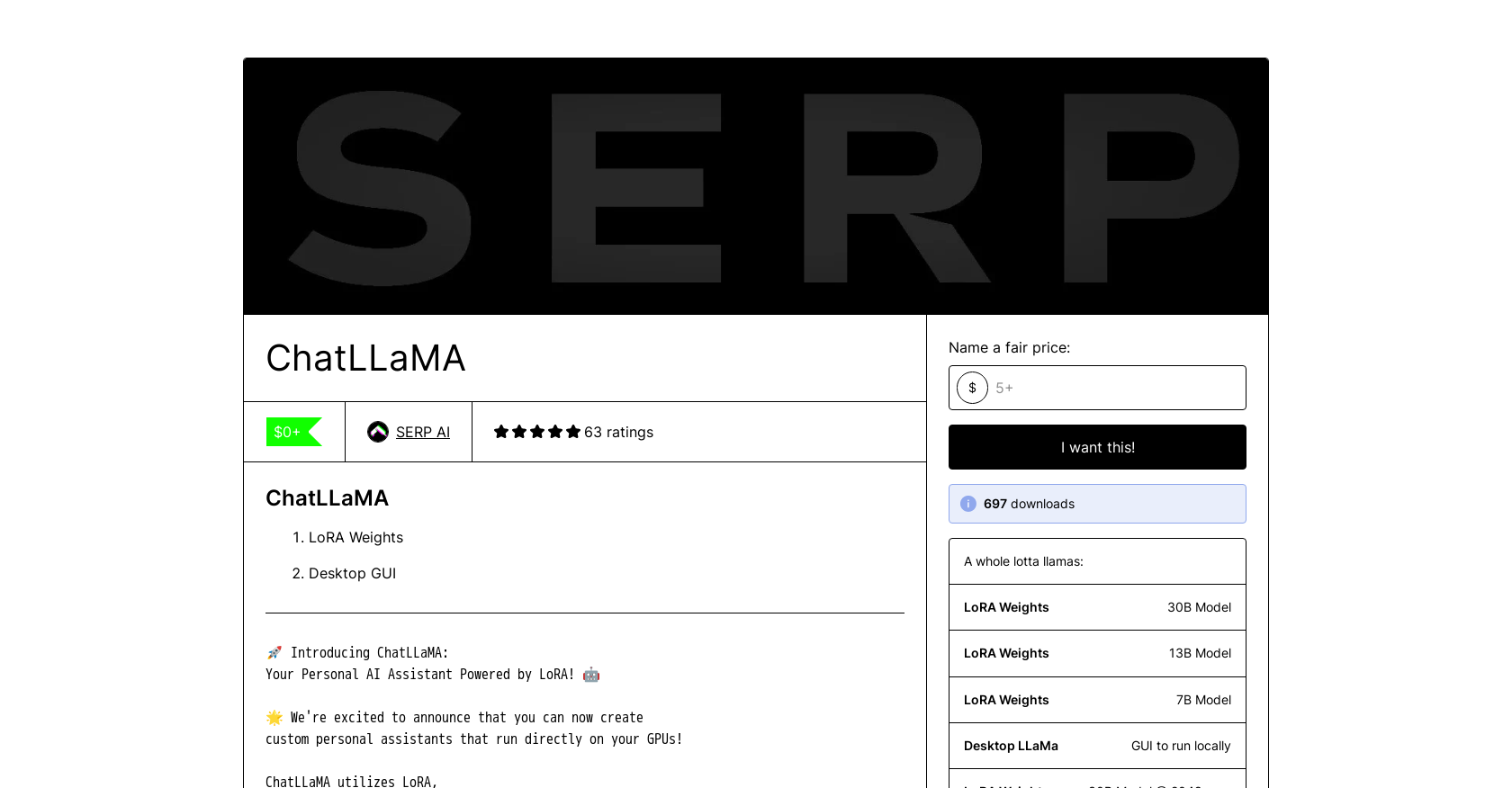
- Keep your AI conversations on your own computer: the Desktop GUI runs your personal AI assistant locally on your hardware.
- Get responsive chat performance from hardware you already own: ChatLLaMA runs directly on your GPU, so a local LLM handles your conversations.
- Match the model to your machine: choose the 7B, 13B, or 30B model to balance conversation quality against your available GPU capacity.
- Hold natural, multi-turn dialogue from the first session: a LoRA adapter trained on Anthropic's HH dataset models conversations between an assistant and its users.
- Shape the chatbot around the dialogue you care about: share high-quality dialogue-style datasets, and ChatLLaMA trains on them to raise conversation quality.
- Go from download to chatting without writing code: the graphical desktop interface handles local setup for non-developers.
- Run conversational AI research on your own terms: the release is research-focused and ships no foundation model weights, so you supply your own base model.
- Stay on a path toward better-aligned responses: an RLHF version of the LoRA model is coming soon.
- Get GPU compute for your AI projects without paying for cloud time: developers trade coding help for GPU power by messaging @devinschumacher on the ChatLLaMA Discord server.
Pros & Cons
From the listing; not yet checked by our editors.
Pros
- Runs directly on GPUs
- Utilizes trained LoRA
- Models conversational systems
- Future RLHF version
- Available in multiple models
- Accepts user-shared datasets
- Trainable on new datasets
- Includes Desktop GUI
- Operates locally
- Designed for research
- Post processed by gpt4
- Offers GPU power to developers
- Direct contact via Discord
- Models tailored by dataset
- Flexible model sizes
- User-guided tool improvement
- Developer support opportunities
- Increased post comprehensibility
- Variety of model options
- Potential for coding exchanges
- ChatLLaMA encourages open-source development
- Locally-run assistant availability
Cons
- Requires JavaScript to buy
- Runs directly on GPUs
- No foundation model weights
- Designed primarily for research
- Dependent on user data share
- Limited to 30B, 13B, and 7B models
- Communication mainly through Discord
- Additional RLHF version not available
Alternatives to ChatLLaMA
Tools that share the most tags with ChatLLaMA.
- HotBot
Get instant AI-powered answers to any question without creating an account through free ChatGPT technology
Freemium · from $19.95/month
$19.95/month
Not yet checked
- Proficientai
Deploy customer service chatbots in just 3 minutes using pre-built interaction APIs and SDKs for rapid integration
Paid · from $1/unit
$1/unit
Not yet checked
- Quickchat AI
Launch custom AI assistants in hours without technical teams using our no-code platform that eliminates coding requirements
Free trial · from $82/month
$82/month
Not yet checked
- FastBots
Launch a custom AI assistant in minutes without technical expertise using our no-code platform
Freemium · from $24/month
$24/month
Not yet checked
- Botdistrikt
Launch custom chatbots instantly without coding skills using the intuitive visual builder and pre-built templates
Not listed
Not listed
Not yet checked
- Ora.ai
Launch custom chatbots in seconds instead of hours by simply describing what you need with the one-click creation feature
Freemium
Not listed
Not yet checked
Reviews
Rate this tool
Loading reviews...
Frequently asked questions
What is ChatLLaMA?
ChatLLaMA is an AI tool that enables users to create their own personal AI assistants. It utilizes a model named LoRA, trained on Anthropic's HH dataset, to model conversations between an AI assistant and users. Notably, ChatLLaMA operates directly on your GPU, ensuring efficient conversation modeling. The tool is available in 30B, 13B, and 7B models. ChatLLaMA encourages users to share high-quality dialogue-style datasets for further training and improvement.
How does ChatLLaMA use LoRA?
ChatLLaMA incorporates LoRA by training it with the Anthropic's HH dataset. This training enables the AI tool to model seamless conversations between an AI assistant and users.
What is the Anthropic's HH dataset that ChatLLaMA is trained on?
The Anthropic's HH dataset, used to train ChatLLaMA, is a resource that contains a variety of conversations. It aids in the efficient training of the AI tool to model meaningful and seamless conversations.
What does 'run directly on GPUs' mean in regards to ChatLLaMA?
Running directly on your GPU means that ChatLLaMA utilizes your Graphics Processing Unit for its operations. This maximizes the performance of the AI tool for efficiently modeling conversations since GPUs are particularly good at handling parallel tasks and high computational demands.
Is ChatLLaMA a chatbot or an AI assistant?
ChatLLaMA is a personal AI assistant. It operates by modeling and facilitating seamless conversations between its users and the personal assistant, a process generally associated with AI chatbots.
What's the significance of the 30B, 13B, and 7B models in ChatLLaMA?
The 30B, 13B, and 7B models in ChatLLaMA refer to the different scales or versions of the AI model that users can access. These variants offer users flexibility, catering to different user needs and computational capabilities.
How can ChatLLaMA be setup locally?
ChatLLaMA can be set up locally via a Desktop GUI. This GUI allows users to run ChatLLaMA directly on their personal computers.
What kind of help can I get from the ChatLLaMA Discord group?
The ChatLLaMA Discord group provides a community of support for users. Here, you can ask questions, share your experiences, get troubleshooting help, and possibly assist in the overall development and improvement of the AI tool.