

Clarpex - Photo Quality Enhancer
Turn blurry, grainy, pixelated shots into sharp, clean photos: automatic analysis detects blur, noise, missing pixels, and weak contrast, then fixes mild motion blur, out-of-focus softness, low-light grain, and haze in a single pass.
Listing not yet reviewed by our editors · How we check
Overview
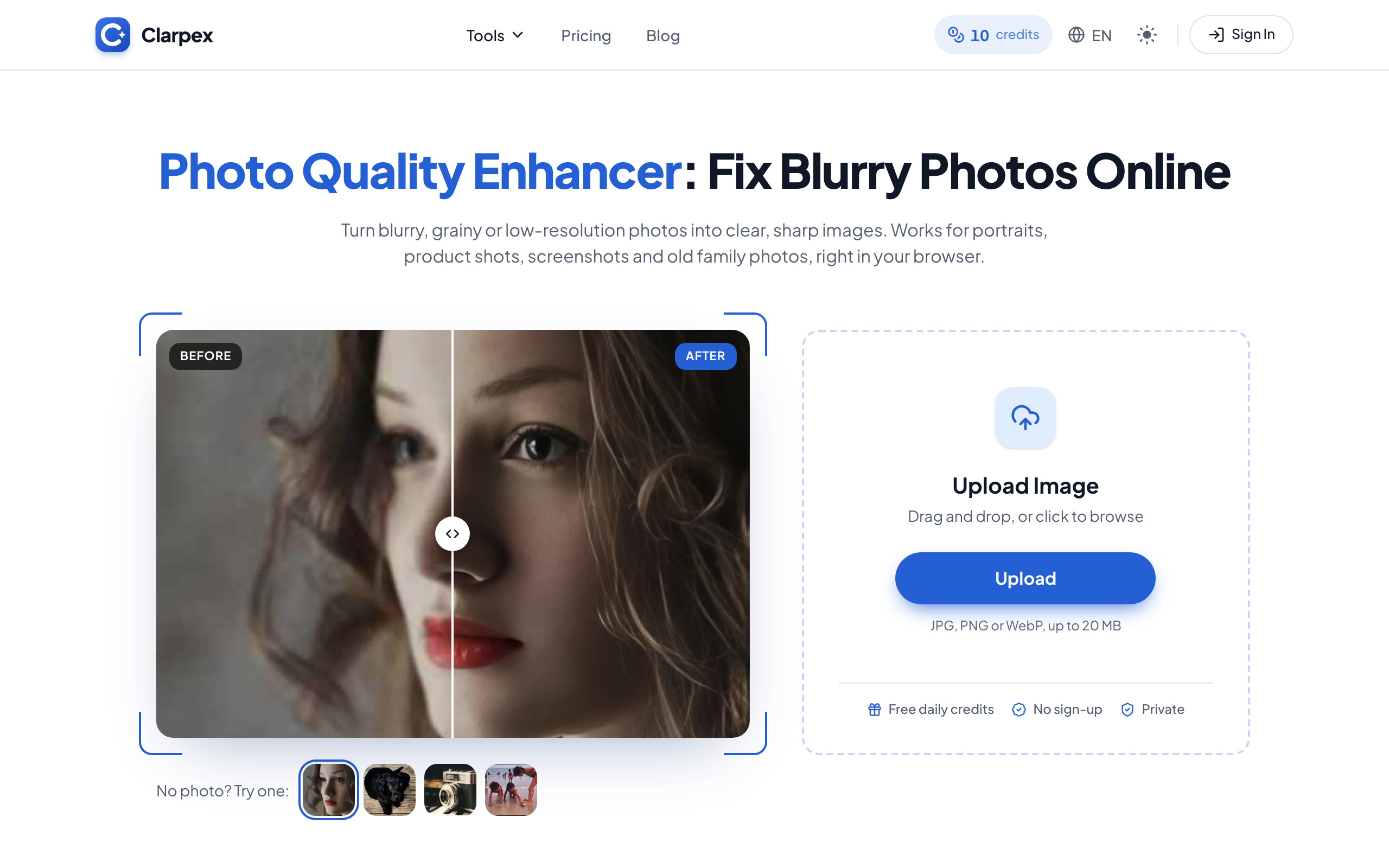
- Turn blurry, grainy, pixelated shots into sharp, clean photos: automatic analysis detects blur, noise, missing pixels, and weak contrast, then fixes mild motion blur, out-of-focus softness, low-light grain, and haze in a single pass.
- Get larger, usable images from small or compressed files: the AI photo upscaler generates plausible new detail at higher resolution instead of simply stretching pixels, and handles uploads up to 40 MP or 20 MB, automatically resizing larger files.
- Bring damaged family archives back to life: old photo restoration removes scratches, cracks, stains, and fading from scanned prints and keeps black-and-white photos monochrome with no unwanted colorization.
- Keep portraits and product photos true to the original: enhancement preserves natural skin tones and exact product colors, so profile pictures look like you and listings match the item.
- Download only results you approve: a side-by-side comparison slider shows the original and enhanced versions so you can check detail and facial features before saving.
- Start fixing photos in seconds with zero setup: drag and drop JPG, PNG, or WebP files with no account, no software install, and no editing skills, or use sample images to test first.
- Enhance photos for free with no surprise costs: 10 free credits refresh daily with no card required, and the exact credit cost for Standard (2 credits) or Pro (10 purchased credits, stronger reconstruction and defect removal) appears before processing.
- Keep your photos private: uploads are never used to train the AI and are deleted after 24 hours when you use the tool without an account.
- Get results while you wait: cloud processing returns standard-size images within seconds and larger files in up to a minute, which suits quick fixes for social posts, screenshots, and travel photos.
Pros & Cons
From the listing; not yet checked by our editors.
Pros
- No installation required
- Draganddrop upload support
- Automatic defect detection
- Sidebyside comparison slider
- Realtime preview before download
- Supports JPG, PNG, WebP
- Handles up to 20MB files
- Supports up to 40MP images
- Automatic downscaling of oversize images
- Separate Standard and Pro modes
- Transparent credit cost display
- Free daily credits, no card
- No account needed for use
- Privacyfocused temporary upload
- Onepass comprehensive restoration
- Generates plausible new detail
- Preserves original skin tones
- Preserves blackandwhite monochrome
- Motionblur removal capability
- Focusblur correction feature
- Lowlight grain reduction
- Haze removal processing
- Scratch and crack elimination
- Stain and fade correction
- Pixelation smoothing algorithm
- Upscaling with detail synthesis
- Blocky edge smoothing
- Nightshot noise cleaning
- Thumbnail enlargement without artifacts
- Compressed image artifact removal
- Fast secondslevel processing
- Cloudbased processing infrastructure
- Sample images for quick testing
- Credit usage shown prerun
- Slider comparison before saving
- No software dependencies
- Accessible UI design
- Supports product photography enhancement
- Optimized for portrait sharpening
- Screenshot clarity improvement
- Travel photo restoration workflow
- Family archive preservation tools
- Generates detail beyond interpolation
- Automatic problem identification
- No signup required
- Free credits refresh daily
Cons
- Max 20MB file limit
- Automatic downscaling of larger images
- No RAW file support
- Credit system limits continuous use
- No batch processing capability
- Only cloud processing, no offline
- No finetuned parameter control
- Potential detail hallucination artifacts
- EXIF metadata not retained
- No TIFF output support
Alternatives to Clarpex - Photo Quality Enhancer
Tools that share the most tags with Clarpex - Photo Quality Enhancer.
- Artedge AI
Transform low-resolution or blurry photos into stunning 4K-ready images for professional use, powered by instant AI upscaling and enhancement.
Freemium · from $6.99/month
$6.99/month
Not yet checked
- UpSynth
Browser-based AI image tool that upscales, restores and modifies images, with step-by-step undo.
Paid · from $28.50/month
$28.50/month
Nov 23, 2026
- FaceShapeDetector
Get a precise, personalized face shape analysis that goes beyond generic labels with our unique Face Shape Blend™, revealing your exact proportions like 80% Oval + 20% Heart.
Freemium · from $6.99
$6.99
Not yet checked
- Transition
Follow a training plan that automatically adjusts to your daily schedule and recovery metrics, ensuring you stay on track even when life gets busy
Paid · from $19/month
$19/month
Not yet checked
- Mixboard
Turn scattered thoughts into mature, actionable concepts by visualizing and manipulating them on an interactive AI concepting board.
Not listed
Not listed
Not yet checked
- NVIDIA Earth-2
Make strategic decisions with confidence using precise, AI-driven weather predictions that mitigate operational risks across aviation, agriculture, and marine sectors.
Not listed
Not listed
Not yet checked
Reviews
Rate this tool
Loading reviews...
Frequently asked questions
How many free credits does Clarpex give me each day and how do they refresh?
Clarpex grants 10 free credits every day; the credit balance refreshes daily and unused credits do not carry over to the next day.
What’s the difference between Standard and Pro modes in Clarpex?
Standard mode processes an image for 2 credits per run and provides the core set of enhancements; Pro mode uses 10 purchased credits per run and applies a higher‑intensity algorithm that delivers extra detail reconstruction and stronger defect removal.
Do I need to create an account to use Clarpex’s Photo Quality Enhancer?
No, you can launch the Photo Quality Enhancer directly in the browser without creating an account. Signing in is optional and only needed for saving history or buying additional credits.
Which file formats and maximum sizes can Clarpex handle?
Clarpex accepts JPG, PNG and WebP files up to 20 MB and up to 40 megapixels. Files larger than these limits are automatically down‑scaled before processing.
Can Clarpex actually fix motion blur or just mild out‑of‑focus blur?
Clarpex can remove mild motion blur and out‑of‑focus blur, but heavy motion blur where the subject is only a few pixels wide cannot be fully recovered.
How does Clarpex preserve skin tones when it sharpens portrait photos?
The AI model is trained to reconstruct fine detail while maintaining the original color balance, so it keeps skin tones natural and avoids oversmoothing or color shifting in portrait enhancements.
Will my uploaded images be stored or used for training after I’m done?
Uploaded images are never used to train the AI. Without an account they are deleted after 24 hours; with an account they remain in your History for 72 hours or until you manually delete them.
Is the side‑by‑side comparison slider real‑time or does it load a separate preview?
The side‑by‑side slider swaps between two pre‑generated static previews (original vs. enhanced); it does not perform real‑time processing but provides instant visual comparison.