
Overview
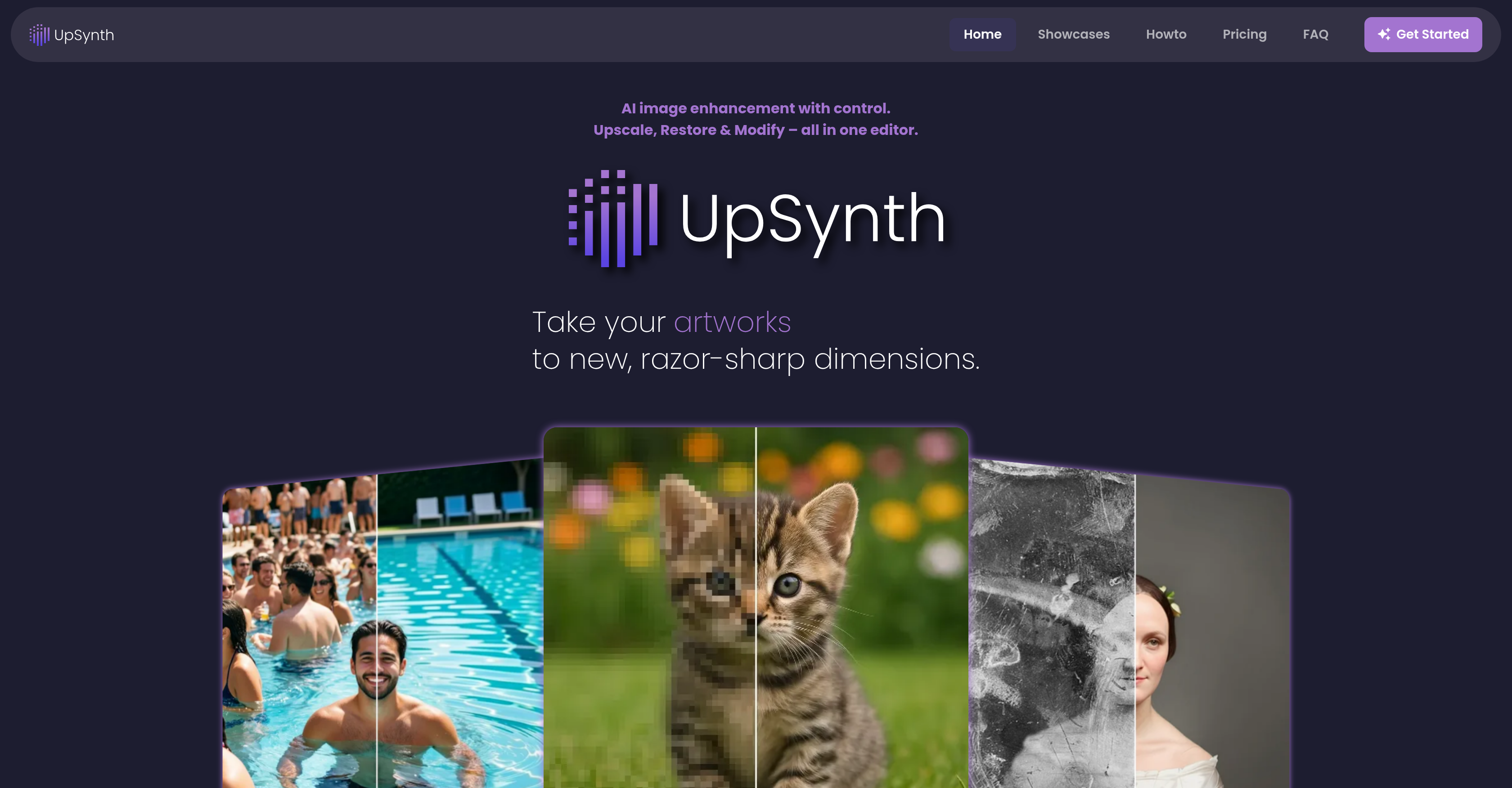
- Enlarge images to high resolution without distortion or loss of original character, using UpSynth's intelligent upscaling that reconstructs missing details and reduces artifacts.
- Restore old or damaged photos to a recognizable state by marking areas for reconstruction, with the AI staying close to the original for accurate results.
- Remove image noise and compression artifacts from JPEGs and other formats, achieving clean, natural-looking images without altering the original appearance.
- Selectively modify image content by marking an area and describing the change, such as object replacement or element removal, with multiple AI-generated variants to choose from.
- Control exactly how much creative freedom the AI has with the adjustable magic value, from minimal intervention for precision work to higher values for imaginative detail generation.
- Prepare images for print or web with brilliant resolution, whether working with landscapes, wedding photos, illustrations, or game graphics.
- Repair distorted or incorrectly interpreted image areas with pinpoint accuracy, ideal for sensitive details like faces where fidelity to the original is critical.
Pros & Cons
Pros
- Enhances, upscales, repairs images
- Allows user flexibility
- Restores distorted image areas
- Selective image content modification
- Reduces image artifacts
- Adjustable 'magic value'
- Multi-variant output options
- Removes image noise
- Supports a wide range of images
- Restores old photos
- Revives game graphics
- Optimizes high-resolution images
- Assists in print preparations
- Caters to web images
- Three-in-one seamless editor
- Smart image enlargement
- Preserves original image appearance
- Enables object replacement
- Supports element removal
- Allows visual detail changes
- Artwork restoration
- Poster design refinement
- Wedding photo enhancements
- Upscales illustrations
- Improves landscape images
- Offers digital restoration
- Selective detail refinement
- Removes JPEG compression artifacts
- Restores natural image details
- Ideal for sensitive areas
- Ideal for faces
Cons
- Lacks batch processing
- No offline mode
- No customizable presets
- Doesn't support all file types
- No mobile application
- Limited 'magic value' control
- Lacks collaborative features
- Not suited for rapid editing
- No integration with other tools
- No real-time editing
Reviews
Rate this tool
Loading reviews...
❓ Frequently Asked Questions
UpSynth offers a range of functions including intelligent image upscaling, distortion correction, restoration of incorrectly interpreted or distorted image areas, selective modification of image content based on user specifications, image noise reduction, and object replacement. It also provides a 'magic value' setting allowing users to control the level of creative freedom given to the AI.
Yes, UpSynth can repair distorted image areas. Users can mark the desired area for UpSynth to reconstruct based on the original, reducing creative liberties to a minimum. This feature makes it ideal for faces, old photos, or sensitive areas where accuracy is crucial.
In the modification process, UpSynth provides the users with significant control. They can mark an area and specify what adjustments need to be made, such as replacing objects, removing elements, or changing visual details. UpSynth interprets these instructions in context and provides multiple variants for the user to choose from.
UpSynth handles creative adjustments or deliberate interventions by providing the user with the ‘Modify’ tool. Users can mark an area in the image and share instructions on what needs to be changed. UpSynth then applies these changes in context and provides various options to choose from, effectively enabling creative adjustments, corrections, and deliberate interventions.
Yes, UpSynth can reduce image noise. Its intelligent image upscaling capability reconstructs missing details and reduces image disturbances like artifacts or image noise, without distorting the image's appearance.
Yes, UpSynth can remove image artifacts. The AI is designed to remove artifacts and restore natural image details, optionally without enlarging the image. This is particularly useful for JPEG images that have suffered from repeated saving and compression.
The 'magic value' setting in UpSynth allows users to control the level of creative freedom given to the AI. Low values provide a result very close to the original image while higher values allow the AI more freedom to fill in blurs and generate new structures.
UpSynth upscales images intelligently and visibly refines them without distorting the image’s appearance. It automatically analyzes the image, reconstructs missing details, and reduces common disturbances such as artifacts or image noise, preserving important structures and the character of the original.
The restoration function in UpSynth works by allowing users to selectively restore incorrectly interpreted or distorted image areas. Users can simply mark the desired area and UpSynth will reconstruct it based on the original, reducing creative liberties to a minimum.
Yes, UpSynth can restore old photographs. Users can mark the areas of the photo where restoration is needed and the AI will reconstruct them based on the original.
Yes, UpSynth does offer options to replace objects in an image. Users can mark an area and describe via prompt what should be adjusted, such as replacing objects. UpSynth interprets the instruction and provides multiple variants for selection.
UpSynth offers significant flexibility to its users. They can upscale images, restore content, and modify images, all in one editor. Users can choose how much creative freedom the AI is given, which parts of the images to restore or modify, and the instructions for modification.
To modify an image, UpSynth requires users to mark an area and describe what should be adjusted. This could be replacing objects, removing elements, or changing visual details. UpSynth interprets these instructions and creates multiple variants for selection.
The process of using UpSynth to upscale and enhance an image involves three stages: upscaling the images intelligently without distorting its appearance, restoring incorrectly interpreted or distorted image areas, and modifying image according to user's specifications. Users can control how much creative freedom the AI has with the 'magic value' setting.
No, UpSynth does not distort image appearance when upscaling. It employs intelligent techniques to upscale images and visibly refine them without distorting the image’s appearance, preserving important structures and the character of the original.
Yes, UpSynth can selectively refine image details. Users have the control to upscale their image and refine details selectively, ensuring that the image looks as close to the original as possible.
UpSynth provides a number of graphic design capabilities, including image enhancement, intelligent upscaling, distortion correction, and selective modification of images. It also permits creative adjustments and object replacements based on instructions from the user.
UpSynth handles visual detail changes proficiently. Users can mark an area in the image and provide a brief about the intended visual changes. UpSynth interprets the instructions contextually and offers multiple variations to the user to choose from, allowing changes in visual details in a controlled manner.
Yes, UpSynth does support object replacement. Users can mark an area on the image and specify that they want an object replaced. UpSynth interprets this instruction and provides variants for the user to select the most suitable one.
Users can control how much creative freedom UpSynth has in dealing with an image through the 'magic value' setting. A low value keeps UpSynth very close to the original, while a higher value allows more imaginative details and new structures.
UpSynth is an AI-powered tool designed for image enhancement. Its primary functions include upscaling, restoring, and modifying images. UpSynth allows more user control over the modification process by allowing selective detail refinement, restoring incorrectly interpreted or distorted image areas, and adjusting image content according to user specifications. It works with a wide range of image types and can be used to prepare images in high resolution for both print and web. UpSynth's unique 'magic value' control lets users decide how much creative freedom the AI has when modifying an image.
The upscaling functionality of UpSynth works by intelligently enlarging images and refining their details without distorting the original appearance. The AI behind UpSynth analyzes the image, reconstructs missing details, reduces common image disturbances such as artifacts or image noise, and preserves the critical structures and character of the original image.
UpSynth can restore a wide array of images. This includes old or damaged photos, as well as incorrectly interpreted or distorted areas in any image. The user can mark the desired area for restoration and UpSynth will reconstruct it based on the original image, reducing creative liberties to a minimum for high accuracy.
Yes, you can control how much UpSynth modifies an image through the 'magic value' setting. This setting allows you to determine how much creative freedom the AI is given when working with an image. Lower values will stay very close to the original image, while higher values will allow more freedom for creative and imaginative details.
The 'magic value' control in UpSynth controls the AI's degree of intervention on the image. It is a user-defined setting that allows them to control how creatively the AI can treat the image. Lower values cause the AI to stick close to the original image, while higher values allow it greater creative freedom.
UpSynth works best with a gamut of image types, including old photos that need restoration, illustrations, landscapes, wedding photos, game graphics, and designs. The platform's versatile functionality makes it suitable for enhancing and editing images across different contexts, whether for personal use or professional applications.
UpSynth aids in graphic design and photography by offering sophisticated AI-powered image enhancement. It provides upscale functionality to bring out details in images without distorting their original appearance, removes common image disturbances, and offers controlled restoration. The modification feature allows replacement or removal of elements or changing visual details. Adjustments are contextually interpreted, providing multiple variants for selection. With UpSynth, you can refine, restore, and create sharp, high-resolution images for a wide range of creative projects.
Yes, you can selectively modify details of an image with UpSynth. Its Modify tool allows you to mark an area and specify adjustments, such as replacing objects, removing elements, or changing visual details. UpSynth then interprets the instructions in context, allowing for creative adjustments, corrections, and deliberate interventions.
The 'Modify' feature in UpSynth allows users to selectively modify image content according to their specifications. It lets you mark an area and describe what should be adjusted, whether it's replacing objects, removing elements, or changing visual details. UpSynth then interprets these instructions in context and provides multiple variants for users to choose from.
Yes, UpSynth can remove image artifacts. Through its sophisticated AI technology, UpSynth is capable of identifying and removing common disturbances, artifacts, or image noise that can mar the clarity and detail of an image.
Yes, UpSynth can enhance old and damaged photos. By using a prompt in the Modify mode, missing or damaged image areas in old photos can be complemented to become recognizable again. The AI provides multiple unique restoration variants for the user to choose from.
Image noise refers to random, often unwanted, variation in brightness or color information in images. It usually appears as grainy or 'noisy' spots in an image that can reduce its clarity. UpSynth effectively deals with image noise through its upscale feature. The AI analyzes the image, reconstructs missing details, and significantly reduces disturbances such as artifacts or image noise, preserving the character of the original image.
Yes, UpSynth can be used to prepare images in high resolution for print or web. Whether it's an old photo, a design, or game graphics, UpSynth helps in preparing them in brilliant resolution suitable for printing or display on web platforms.
A wide spectrum of industries and individuals can benefit from using UpSynth. Photographers, graphic designers, advertisers, website designers, print and media houses, game developers, digital artists, and even individuals seeking restoration of personal old photographs can find value in using UpSynth due to its comprehensive image enhancement capabilities.
UpSynth can assist with landscape imagery by enhancing and refining the details without altering the original appearance. The upscale feature enlarges images and refines them without distortion, while the noise reduction reduces disturbances such as artifacts or image noise. The modification function allows for creative adjustments and conscious interventions, offering a flexible and detailed approach in treating landscape images.
Yes, you can use UpSynth to restore old photos. It can supplement missing or damaged areas in old photos, making them recognizable again. Even heavily damaged or very old photos can be restored with UpSynth, which provides multiple restoration variants for selection.
The 'Restore' feature in UpSynth allows users to selectively restore incorrectly interpreted or distorted image areas. You can mark the desired area for restoration and UpSynth will reconstruct it based on the original, reducing creative liberties to a minimum. This feature is particularly useful for restoring faces, old photos, or sensitive details where accuracy is crucial.
Yes, with UpSynth you can upscale images without distorting their original appearance. The upscaling feature intelligently enlarges and refines images without distorting their content. It also reduces common disturbances such as artifacts and image noise while preserving the character of the original image.
The 'Magic Value' control within UpSynth is designed to be a user-adjustable feature. Lower values force the tool to stay closer to the original image, making it ideal for simple upscaling and enhancement. Moderate values, often the recommended setting, allow for sensible and stylistically-close additions. Higher values give the tool creativity, filling in blurs or generating new structures, and are perfect for generative details, with the caveat of potentially more interpretation risk.
Yes, UpSynth deals with digital restoration. Its upscale feature reconstructs missing details and reduces common disturbances such as artifacts or image noise. The restore feature is particularly useful for restoring incorrectly interpreted or distorted image areas. Furthermore, the modification feature lets users describe adjustments they want to make, with UpSynth interpreting these instructions in context and providing multiple variants to choose from.
Pricing
Pricing model
Paid
Paid options from
$28.50/month
Billing frequency
Monthly