

Clideo Video Translator
Reach viewers in new markets without hiring translators or voice actors: automatic video translation converts subtitles or spoken audio into a range of languages.
Listing not yet reviewed by our editors · How we check
Overview
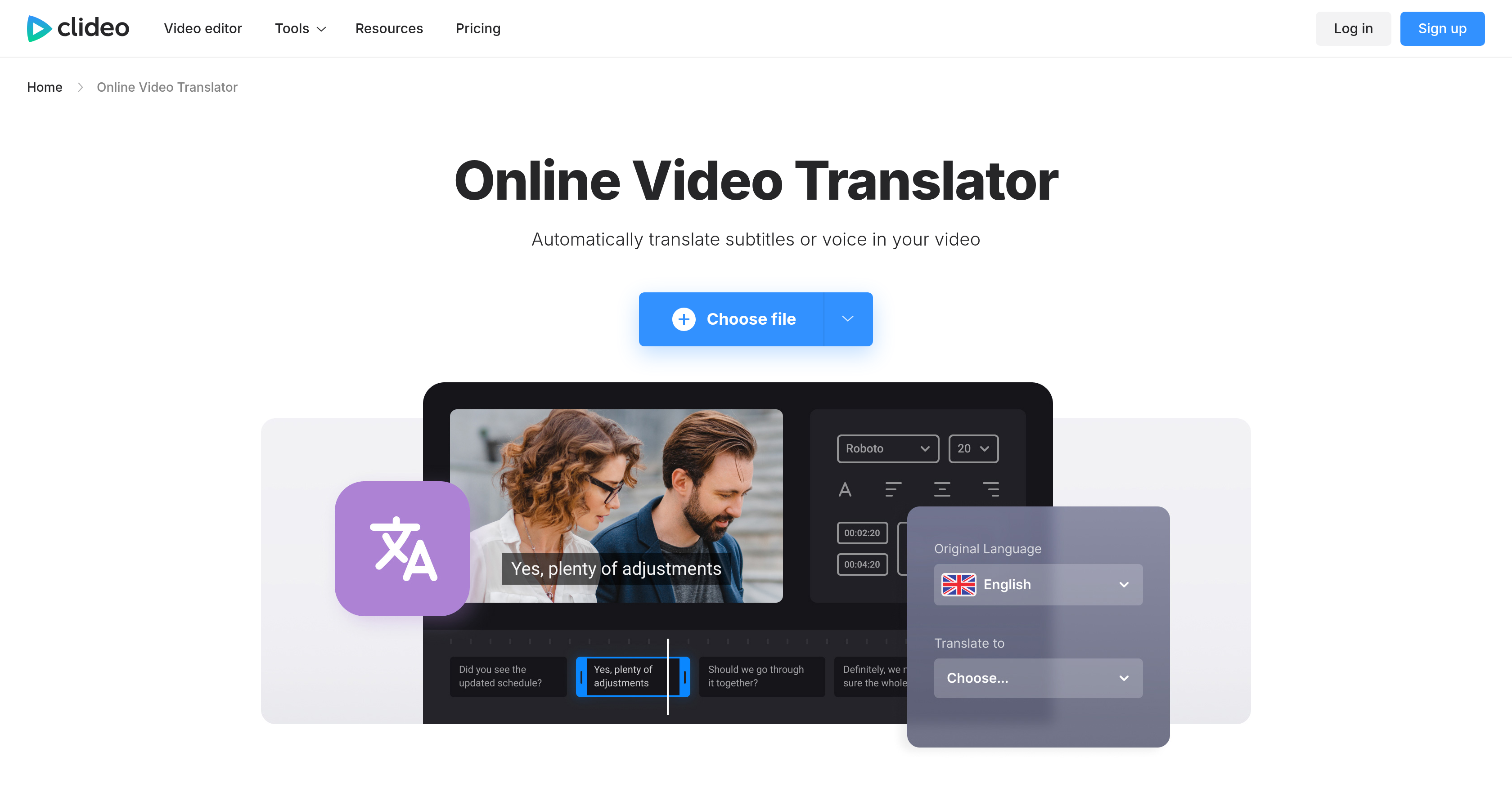
- Reach viewers in new markets without hiring translators or voice actors: automatic video translation converts subtitles or spoken audio into a range of languages.
- Give foreign-language audiences a native listening experience instead of reading-only captions: AI voiceover generation dubs your video in the target language.
- Publish translations you trust word for word: editable subtitles let you correct and refine the automatic translation before saving the project.
- Match subtitles to your brand and keep key visuals unobstructed: caption styling controls let you set font, size, color, and on-screen placement.
- Use one translation across every channel: export a separate subtitle file for platforms and players, or burn translated captions directly into the video.
- Deliver translated videos that look as sharp as the source: the original resolution and quality are kept through the entire translation process.
- Start translating straight from your existing footage with no conversion step: upload MP4, AVI, MOV, and other popular video formats directly.
- Translate a video from your phone, tablet, or laptop with nothing to install: the full workflow runs online in any web browser.
- Keep unreleased or client footage private while it is being localized: all uploaded content is protected with encryption.
- Get a finished multilingual video on your first attempt without tutorials: a four-step flow takes you through upload, language selection, subtitle review, and save.
Pros & Cons
From the listing; not yet checked by our editors.
Pros
- Automatic subtitle translation
- Voices translation in video
- Manual translation accuracy adjustment
- Advanced video editing tools
- Subtitle customization (font, size)
- Subtitle color and placement adjustment
- Separate file with translation option
- Embed translation to video option
- Data protection and encryption
- Online browser functionality
- Multi-device accessibility
- Supports popular video formats (MP4, AVI)
- Maintains original video resolution
- Maintains original video quality
- User-friendly interface
- Respects original subtitle timing
- Advanced file conversion options
- Inbuilt subtitle editor
- Subtitle synchronization to video frames
- Preview of translated video
- Save translated text for future use
Cons
- Limited subtitle formats support
- Requires internet connection
- Possible accuracy issues
- Manual adjustment necessary
- Data privacy concerns despite encryption
- No standalone app
- Limited video editing features
- No offline usage
- Operates only in browser
Alternatives to Clideo Video Translator
Tools that share the most tags with Clideo Video Translator.
- Lyndium
Discover only content that matters to you with a personalized content landscape curated from your demonstrated preferences
Freemium · from $1.28/month
$1.28/month
Not yet checked
- Hei.io
Reach international viewers instantly with automated dubbing and subtitles across 140+ languages including Spanish, French, and German
Paid · from $8/month
$8/month
Not yet checked
- Papercup
Expand your global audience by translating videos into multiple languages with human-quality AI voiceovers that maintain viewer engagement
Not listed
Not listed
Not yet checked
- Vidby
Break language barriers instantly with AI-powered video translation that processes one minute of video in just 1-2 minutes
Freemium · from $28/month
$28/month
Not yet checked
- TranslateVideo
Expand your audience globally by translating videos into 20+ languages including Spanish, French, Chinese, and Hindi with automated translation
Freemium · from $29/month
$29/month
Not yet checked
- VideoDubber
Expand your audience globally by translating videos into 150+ languages with native accent support
Freemium · from $19/month
$19/month
Not yet checked
Reviews
Rate this tool
Loading reviews...
Frequently asked questions
Does Clideo Video Translator support video translation to any language?
Clideo Video Translator can translate video audio into a range of languages, providing extensive language support for translation needs of global users.
How does Clideo Video Translator safeguard user data?
Clideo Video Translator ensures that all user data is thoroughly protected and encrypted. It supports advanced encryption to maintain the safety and privacy of the user content.
Can Clideo Video Translator maintain original video quality during translation?
Yes, Clideo Video Translator maintains the original resolution and quality of the video during the translation process. The translated video retains the same quality as the original.
Is Clideo Video Translator accessible from any device?
Absolutely, Clideo Video Translator is accessible from any device. It functions online in a browser, making it accessible without the need for any specific device or software requirements.
Does Clideo Video Translator have video editing tools?
Certainly, Clideo Video Translator offers users an array of video editing tools. It provides capabilities to customize the appearance of subtitles by adjusting their font, size, color, and placement.
How can users customize the appearance of subtitles in Clideo Video Translator?
Users can customize the appearance of subtitles in Clideo Video Translator by adjusting their font, size, color, and placement. This feature is part of the tool's video editing capabilities.
Can a translated file be downloaded separately in Clideo Video Translator?
Yes, with Clideo Video Translator, users have the option to download a separate file with the translation. Or, they can also choose to embed the translated content directly into their videos.
Does Clideo Video Translator work with popular video formats such as MP4, AVI, MOV?
Indeed, Clideo Video Translator supports a wide array of popular video formats including but not limited to MP4, AVI, MOV, making it versatile and comprehensive in its video format support.