

Clyper
Skip hours of scrubbing through recordings and go straight to your strongest moments: every segment of your long-form video gets a hook score based on opening-line strength, payoff, and attention-holding potential, so the best highlights rise to the top.
Listing not yet reviewed by our editors · How we check
Overview
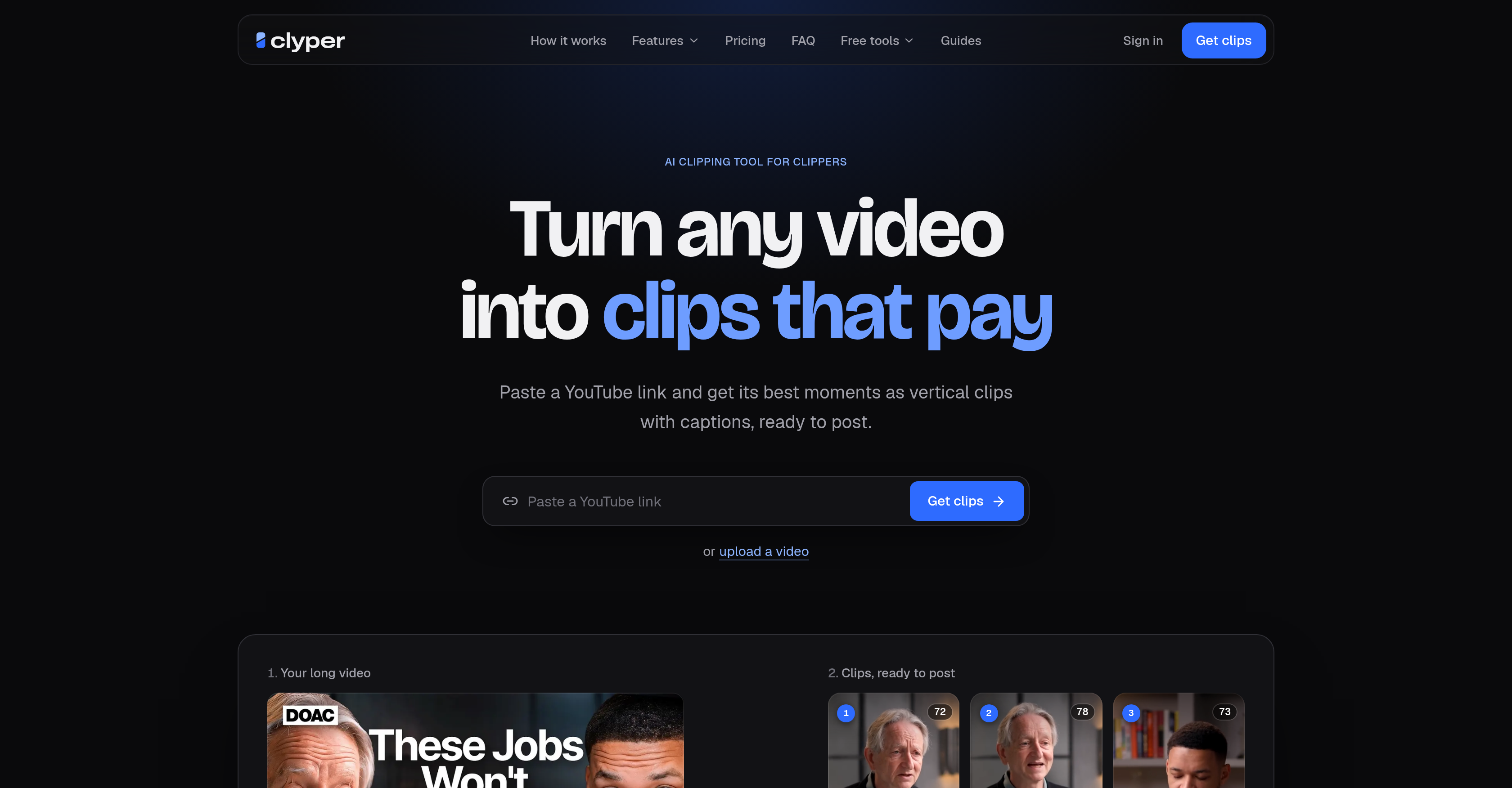
- Skip hours of scrubbing through recordings and go straight to your strongest moments: every segment of your long-form video gets a hook score based on opening-line strength, payoff, and attention-holding potential, so the best highlights rise to the top.
- Keep the person talking on screen in every short-form clip: auto-reframe converts footage to 9:16 vertical video and tracks the active speaker with face and audio detection, keeping them centered as they move.
- Hold silent scrollers and reach international audiences: animated word-by-word captions sync to speech in more than 50 languages.
- Make every clip instantly recognizable as yours: a brand kit stores up to 10 custom caption styles with your own fonts, colors, size, and placement, and you pick a different style per clip before rendering.
- Post clean, professional Shorts, Reels, and TikToks from the first export: clips download in 1080p HD with no watermark, sized for TikTok, Instagram Reels, YouTube Shorts, LinkedIn, and X.
- Fill a week of social content from a single episode: one 60-minute podcast or webinar yields up to 30 vertical clips, and bulk import processes up to ten YouTube links in one batch.
- Never cut off a setup or punchline: the editor extends the start or end of any suggested clip by up to 15 seconds, and you decide which excerpts get published.
- Start from whatever footage you have: paste a public YouTube URL up to 4 hours long or upload MP4, MOV, WebM, or MKV files up to 4 GB from your phone or computer.
- Budget your clipping costs with no surprises: one credit equals one minute of source video, so a 30-minute interview costs exactly 30 credits.
- Clean up and polish footage without creating an account: free utilities trim, split, merge, crop, compress, convert, remove background noise, cut silence, bleep profanity, extract transcripts, and create audiograms or GIFs.
- Treat clipping as a business with real numbers: the earnings estimator projects monthly income from pay-per-1,000-views rates and posting volume, alongside hook generators, content calendars, safe-zone checks, and platform dimension guides.
- Record stronger source material and richer formats: a teleprompter scrolls your script while you record, and the split-screen maker combines two speakers side by side in one 9:16 vertical clip.
Pros & Cons
From the listing; not yet checked by our editors.
Pros
- Speaker-tracking auto-reframe
- Word-by-word animated captions
- 50+ language subtitles
- No watermark HD export
- Batch process ten videos
- Browser utilities without sign-up
- Integrated audio cleaning suite
- Earnings estimator built-in
- Platform safe-zone checker
- Content calendar generator
- Hook scoring highlight ranking
- Clip extension editor
- High-res vertical export
- Upload up to 4GB files
- Instant highlight finder
- Teleprompter scrolling script
- Split-screen maker
- Speed adjust without pitch shift
- Automatic profanity bleeping
- Noise removal preserving voice
- Silence removal auto
- Audio extraction MP3
- Audiogram creation tool
- GIF conversion utility
- Video compressor for Discord
- Aspect ratio calculator
- Caption style templates
- Social character counter
- Video size checker per app
- Free tools run in browser
- No credit cost edits
- Clip ranking by hook
- Multiple caption styles
- Export ready for TikTok
- Batch paste YouTube links
- Auto trim to word boundaries
- Live preview editor
- Supports MOV MKV WebM
- Automatic transcript extraction
- Subtitle SRTVTT conversion
- Music overlay under voice
- Volume normalization distortion-free
- Vertical converter 16:9 to 9:16
- Crop any shape dragging
- Rotate/flip video
- Merge multiple clips
- Add custom watermark handle
- Generate hooks automatically
- Clipping cost estimator
- Earnings calculator for streams
Cons
- Only 9:16 vertical output
- Maximum 30 clips per video
- No API for automation
- Speaker tracking fails on group
- Export resolution limited to 1080p
- Upload size capped at 4GB
- Batch limit ten links
- Caption styles restricted to five
- No direct social publishing integration
- Requires constant internet connection
Alternatives to Clyper
Tools that share the most tags with Clyper.
- Studio Momento
Convert long videos into viral-ready shorts in three clicks with automated MagicEdits that identify key moments and frame speakers
Freemium · from $4.99/month
$4.99/month
Not yet checked
- Opus Clip
Launch professional live streams in 5 minutes with AI-powered setup that eliminates complex technical barriers
Freemium · from $14.50/month
$14.50/month
Not yet checked
- Shortmake
Go from idea to published video in under 8 minutes with automated AI generation that handles scripting, voiceover, and editing
Paid · from $14/month
$14/month
Not yet checked
- Dumme
Repurpose hours of long-form content into viral-ready shorts in minutes, using AI that identifies the most engaging, clip-worthy moments while preserving original context.
Not listed
Not listed
Not yet checked
- Hooked
Create viral-ready videos in under 5 minutes without editing skills using the AI video builder that automates script generation and production
Paid · from $19/month
$19/month
Not yet checked
- HiClip AI
Instantly identify and extract the most engaging moments from any long video using Context-Aware Analysis that scans visual dynamics, audio cues, and semantic context.
Free trial · from $9/month
$9/month
Not yet checked
Reviews
Rate this tool
Loading reviews...
Frequently asked questions
How does Clyper generate the hook score for each clip?
Clyper runs an AI model that scans the entire video, evaluates the opening line strength, payoff, and overall attention‑holding potential of each segment, then assigns a numeric hook score to rank the moments.
Can I upload a video file directly to Clyper instead of using a YouTube link?
Yes, you can upload a video file directly instead of using a YouTube link.
What file formats and size limits does Clyper accept for uploads?
Accepted formats are MP4, MOV, WebM and MKV, with a maximum file size of 4 GB (or up to 4 hours for YouTube links).
How many vertical clips can Clyper create from a 60‑minute video?
Up to 30 vertical clips can be generated from a 60‑minute video; the service also limits clips to roughly one per 2 minutes, making 30 the ceiling.
Does Clyper add a watermark to the exported videos?
No, exported videos are provided in HD without any watermark.
Are the animated word‑by‑word captions on Clyper available in languages other than English?
Yes, animated word‑by‑word captions are offered in more than 50 languages.
Can I choose a different caption style for each clip in Clyper?
Yes, you can select a different caption style for each individual clip within the editor before rendering.
How does Clyper’s auto‑reframe keep the active speaker in the 9:16 frame?
The auto‑reframe feature tracks the active speaker with AI‑based face and audio detection and dynamically crops the 9:16 frame to keep that speaker centered as they move.