
Overview
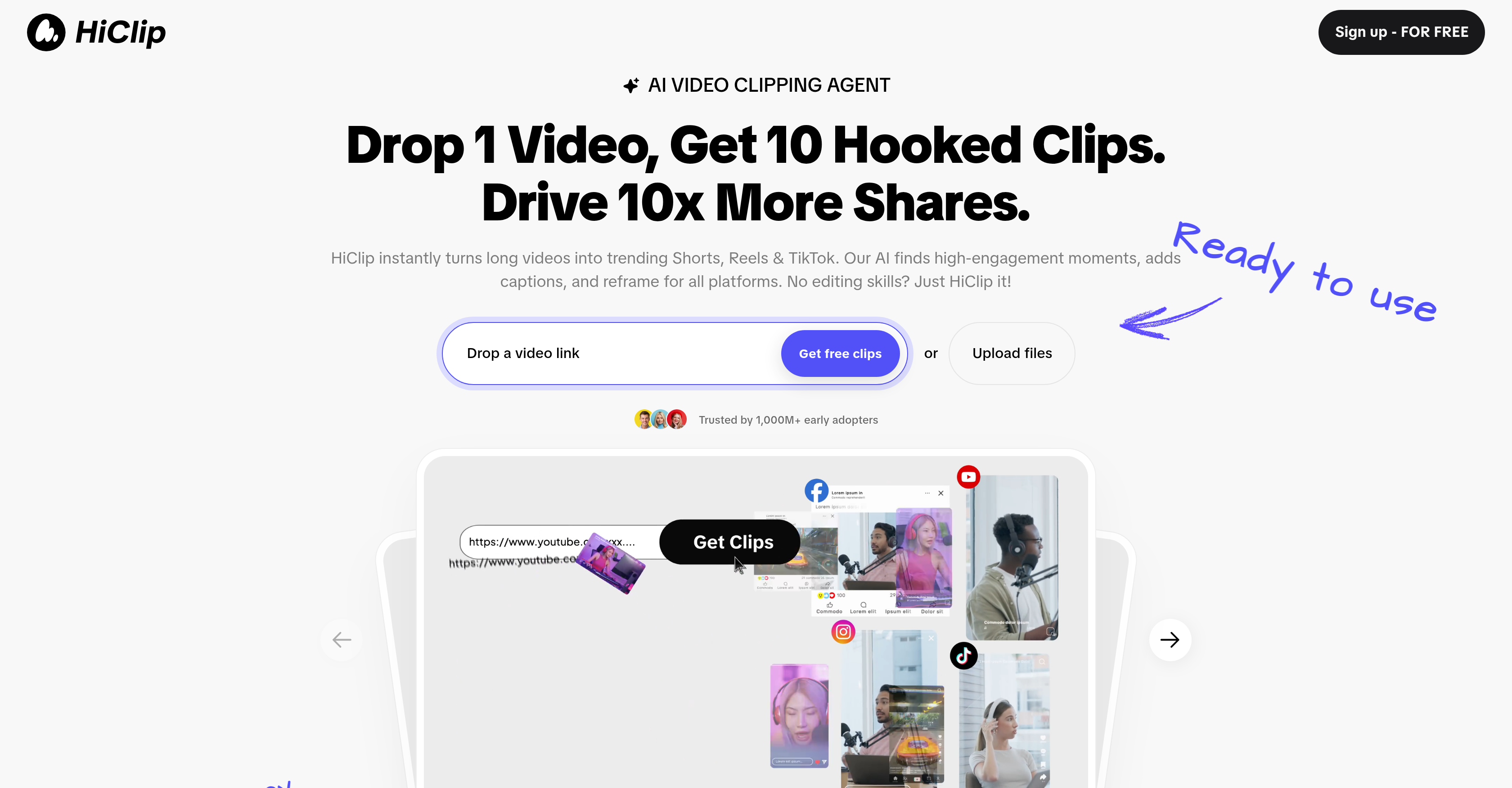
- Instantly identify and extract the most engaging moments from any long video using Context-Aware Analysis that scans visual dynamics, audio cues, and semantic context.
- Repurpose YouTube videos into Instagram Reels or TikTok clips with one click, automating the entire clipping and reformatting process.
- Generate ready-to-post videos with auto-captions and trending hashtag suggestions, optimized for each platform's specific resolution and aspect ratio presets.
- Save hours of manual editing by automating clipping, reframing, and captioning tasks, converting raw footage into shareable social media content in seconds.
- Work with any video source by uploading MP4/MOV files or pasting direct links from YouTube and Vimeo for flexible content repurposing.
Pros & Cons
Pros
- Automates video editing tasks
- Specializes in short clips
- Identifies high-engagement moments
- Reframes for any platform
- Provides Context-Aware Analysis
- Repurposes YouTube videos
- Supports various input sources
- Compatible with various formats
- Exports in user-defined resolutions
- Optimizes video content
- Time-saving alternative to editing
- Generates multiple clips from one
- Visual Dynamics Analysis
- Tracks audio cues
- Semantic context understanding
- Supports MP4, MOV formats
- Video links supported
- Auto-crops for TikTok
- Generates captions with hashtags
- One-click YouTube-to-Reels mode
- Multi-platform reformatting in one click
- Presets for popular platforms
- Removes silence from videos
- Tracks scene changes
- Tracks on-screen text
- Considers keyword density
- Analyzes topic shifts
- Auto-posts clips for Instagram
Cons
- Limited editing features
- May miss nuanced moments
- Limited external source inputs
- No real-time editing
- No multi-clip merging
- No advanced caption styling
- Cannot manually adjust clips
- Potential context misunderstanding
Reviews
Rate this tool
Loading reviews...
❓ Frequently Asked Questions
HiClip AI is an artificial intelligence-driven tool designed to automate video editing tasks, including clipping, reframing, and captioning for multi-platform use. Its main feature is creating shareable, short clips from longer videos, making it suitable for platforms like TikTok, Instagram Reels, and YouTube Shorts.
HiClip AI works by identifying high-engagement moments within a video and accentuating these parts. The AI then turns these highlighted sections into shorter clips, adds captions, and reframes the content for any platform. The software also allows easy repurposing of YouTube videos for other platforms such as Instagram Reels.
The 'Context-Aware Analysis' feature in HiClip gauges engagement signals from the visual dynamics, audio cues, and semantic context of the video. This in-depth video analysis enables HiClip to extract scenes with potential high engagement and transform them into effective short clips.
HiClip supports various input sources and formats. This includes MP4, MOV, and video links from platforms like YouTube or Vimeo.
Yes, HiClip AI does support user-defined resolutions. While it also offers exporting in presets compatible with various popular platforms, users can define their own custom resolutions if needed.
HiClip AI is optimized for multiple platforms, particularly those that favour short, engaging video content. These include TikTok, Instagram Reels, and YouTube Shorts.
Content creators, especially those seeking to optimize their video content for maximum engagement, can significantly benefit from using HiClip AI. It offers a practical and time-saving alternative to manual video editing.
HiClip uses its proprietary 'Context-Aware Analysis' to identify high-engagement moments in a video. It tracks engagement signals from visual dynamics, audio cues, and the semantic context of the content.
Yes, HiClip AI offers export presets compatible with various popular platforms. This feature simplifies the process of reformatting videos to meet different platform standards.
HiClip AI provides a time-saving solution by automating multiple video editing tasks that would otherwise be time-consuming. This includes automating clipping and editing to generate social media clips, multipurpose reformatting, and caption addition in a matter of seconds.
Yes, HiClip AI can be used to repurpose YouTube videos for Instagram Reels. This is done with one click in the tool's YouTube-to-Reels mode.
HiClip AI automates the process of reframing videos by adjusting the aspect ratio and format to suit the requirements of different platforms. It can, for example, auto-crop videos to the 9:16 vertical ratio favoured by TikTok.
Yes, HiClip AI can generate captions for videos. It even includes a feature for generating captions with trending hashtag suggestions for platforms like TikTok.
Visual dynamics, audio cues, and semantic context play key roles in HiClip's analysis process. Visual dynamics involve scene changes and on-screen text, audio cues encompass noises like applause and speech emphasis, while semantic context analyses keyword density and topic shifts. All these factors contribute to recognizing high-engagement moments in the video.
Yes, with HiClip AI you can conveniently turn long videos into short shareable clips. It is designed to extract high-engagement scenes from long videos and convert them into short, shareable clips that are perfect for social media platforms.
HiClip AI optimizes video content for maximum engagement by identifying and focusing on high-engagement moments, adding captions, reframing videos for optimum visibility on different platforms, and facilitating the seamless conversion of long videos into short, shareable clips.
Yes, HiClip AI offers a free profile setup, enabling users to get started with the AI-powered video editing process at no initial cost.
HiClip AI is highly effective in generating high-converting short videos. Its contextual analysis feature can locate potentially engaging sections in a video, which are then refined and optimized into short clips for maximum shares and views.
Yes, HiClip AI is a beneficial tool for content creators across all platforms that support video content. Its features are specifically designed to optimize videos for maximum engagement on platforms like TikTok, Instagram Reels, and YouTube Shorts.
While it's not explicitly mentioned, based on its function and input types, HiClip AI is likely capable of handling a wide variety of video content ranging from user-generated videos to professionally produced content. It can work with different video formats, edit them, and repurpose them for use across multiple platforms.
Pricing
Pricing model
Free Trial
Paid options from
$9/month
Billing frequency
Monthly
Related Videos
HiClip AI Tutorial - 2025 | How to Turn Long Videos into Shorts with AI (Let AI Clip Best Moments)
Dan - Smart Tutorials•19.2K views•Oct 19, 2025