

Contextli
Eliminate manual typing and copy-pasting by speaking naturally and having formatted text auto-paste into any app, powered by a global hotkey and custom context-aware formatting.
Listing not yet reviewed by our editors · How we check
Overview
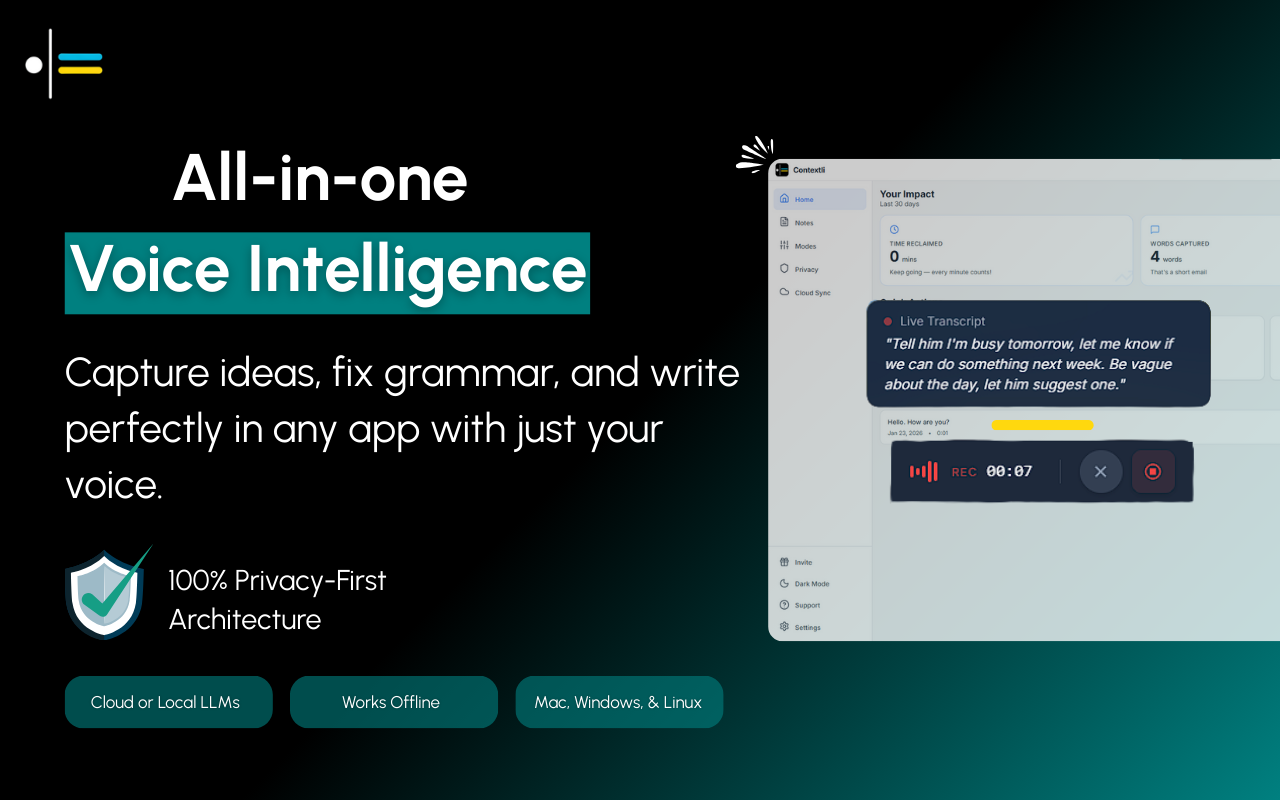
- Eliminate manual typing and copy-pasting by speaking naturally and having formatted text auto-paste into any app, powered by a global hotkey and custom context-aware formatting.
- Maintain complete privacy for sensitive information with local, offline speech-to-text processing where no voice data ever leaves your device.
- Reduce context-switching time between tasks like emails, Slack, and tickets by using custom AI prompts that adapt to your unique speaking style and workflow needs.
- Work seamlessly across your entire tech stack, from Gmail and Teams to VS Code and Salesforce, with a single desktop tool for macOS, Windows, and Linux.
Pros & Cons
From the listing; not yet checked by our editors.
Pros
- Context-aware speech-to-text
- Privacy-focused
- Interactive assistant
- Seamless transitions between apps
- Custom context ability
- Output personalization
- Offline mode
- Wide app compatibility
- Hotkey functionality
- Auto-paste function
- Task switching efficiency
- Available for macOS, Windows, Linux
- Understands user's expression style
- Professional workflow optimization
- Email, Slack, LinkedIn compatibility
- Natural speech formatting
- Sensitive information safeguard
- Desktop version available
- Chrome, VS Code compatibility
- WhatsApp, GitHub integration
- Auto-formatting function
- Specific workflow creation
- Time-saving tool
- Productivity enhancement
- High user privacy standard
- Local mode functionality
- Efficient email response
- Effective ticket update
- Enhanced meeting note-making
- Custom contexts for workflow
- Work adaptability across platforms
- Advanced switching between tasks
- Intelligent context understanding
- Personal style recognition
- Discords, Zoom compatibility
- Adapts to user's writing
- Available on multiple OS
- Integration with Salesforce, Pipedrive
- No need for tab switching
- Compatible with GitLab, IntelliJ
- Adaptable to multiple contexts
- Respects your privacy
- Supports cross platform use
- LinkedIn, Instagram integration
- Reddit, Facebook usage
- Optimized for professional use
- Telegram, Messenger compatibility
- Saves time while typing
- Trello, Monday.com integration
Cons
- Credits consumed for cloud processing
- Requires initial setup time for custom contexts
- Requires manual hotkey pressing
- Dependent on correct context setting
- Does not include auto context-switching
- Local mode may limit functionality
- May not interpret speech correctly
- Doesn't work on mobile devices
- Not available on web browser
- Lacks collaboration features
Alternatives to Contextli
Tools that share the most tags with Contextli.
- Speechma
Generate professional voiceovers for social media and presentations instantly with 400+ premium AI voices featuring unique personalities and accents
Freemium · from $9/month
$9/month
Not yet checked
- Revoicer
Create human-sounding voiceovers that capture attention using emotional tones like friendly, cheerful, or excited for more engaging content
Paid · from $47
$47
Not yet checked
- WooTechy VoxDo
Generate realistic voiceovers instantly with AI text-to-speech conversion across 100+ languages and global accents
Free trial · from $15.95/month
$15.95/month
Not yet checked
- Speechactors
Produce studio-quality voiceovers instantly with an online AI voice generator that converts your text into natural, engaging speech
Freemium · from $23/month
$23/month
Not yet checked
- Resemble.ai
Clone your exact voice instantly using just a short audio sample, eliminating the need for lengthy recording sessions
Free trial · from $29/month
$29/month
Not yet checked
- Speechify Studio
Produce studio-quality voiceovers instantly with 200+ natural AI voices across 60+ languages and accents
Freemium · from $7.99
$7.99
Not yet checked
Reviews
Rate this tool
Loading reviews...
Frequently asked questions
What is Contextli?
Contextli is a context-aware speech-to-text tool designed for professionals to streamline their workflows. It simplifies the process of generating text through speech and enables seamless transitions between applications and tasks. It is known for its custom-context ability, offline mode, privacy-focused approach, compatibility with numerous apps, and an interactive assistant feature.
How does Contextli work?
Contextli works by allowing users to create result-oriented workflows. First, users set a context for the task. Then they speak naturally, and Contextli transcribes their speech into text. This text is then automatically formatted according to the set context and is pasted into the relevant application by simply pressing a hotkey.
What is the workflow efficiency provided by Contextli?
Contextli enhances workflow efficiency by quickly transitioning between applications and auto-pasting the generated text into the appropriate application, eliminating the need for manual text manipulation. It reduces the time spent on typing documents and increases productivity by allowing users to create custom contexts for any workflow, thus enhancing workflow efficiency.
How does Contextli improve cross-application tasks?
Contextli improves cross-application tasks by providing seamless transitions between different applications. It auto-generates text based on user speech and pastes it into the relevant application at the touch of a hotkey, thus eliminating the need for manual copy-pasting between different applications. This streamlines the user's experience and facilitates smoother multi-tasking.
What does 'custom context ability' mean in Contextli?
The 'custom context ability' in Contextli refers to the feature that allows users to create specific workflows tailored to their needs. Users can set up parameters or 'contexts' according to which the tool formats the output of their speech-to-text transcription. This makes the output relevant and ready to use in the chosen application.
With which applications is Contextli compatible?
Contextli is compatible with a wide range of apps including but not limited to Gmail, Teams, Chrome, Firefox, Docs, WhatsApp, Instagram, Salesforce, and many others, covering both productivity tools and social media platforms.
What does personalization in Contextli mean?
In Contextli, personalization refers to the tool's ability to understand the user's style of expression. The interactive assistant provided by Contextli can adapt to the way users naturally speak, making the generated output more personalized and aligned with the user's individual communication style.
Can Contextli work offline?
Yes, Contextli has an offline mode feature that allows tasks to be executed without the need for internet connectivity. This enhances its accessibility and also provides an additional level of privacy protection.