

CRM Chat
Log deals, contacts, and notes in seconds instead of clicking through forms: type a plain-language message and CRM Chat creates the CRM record for you.
Listing not yet reviewed by our editors · How we check
Overview
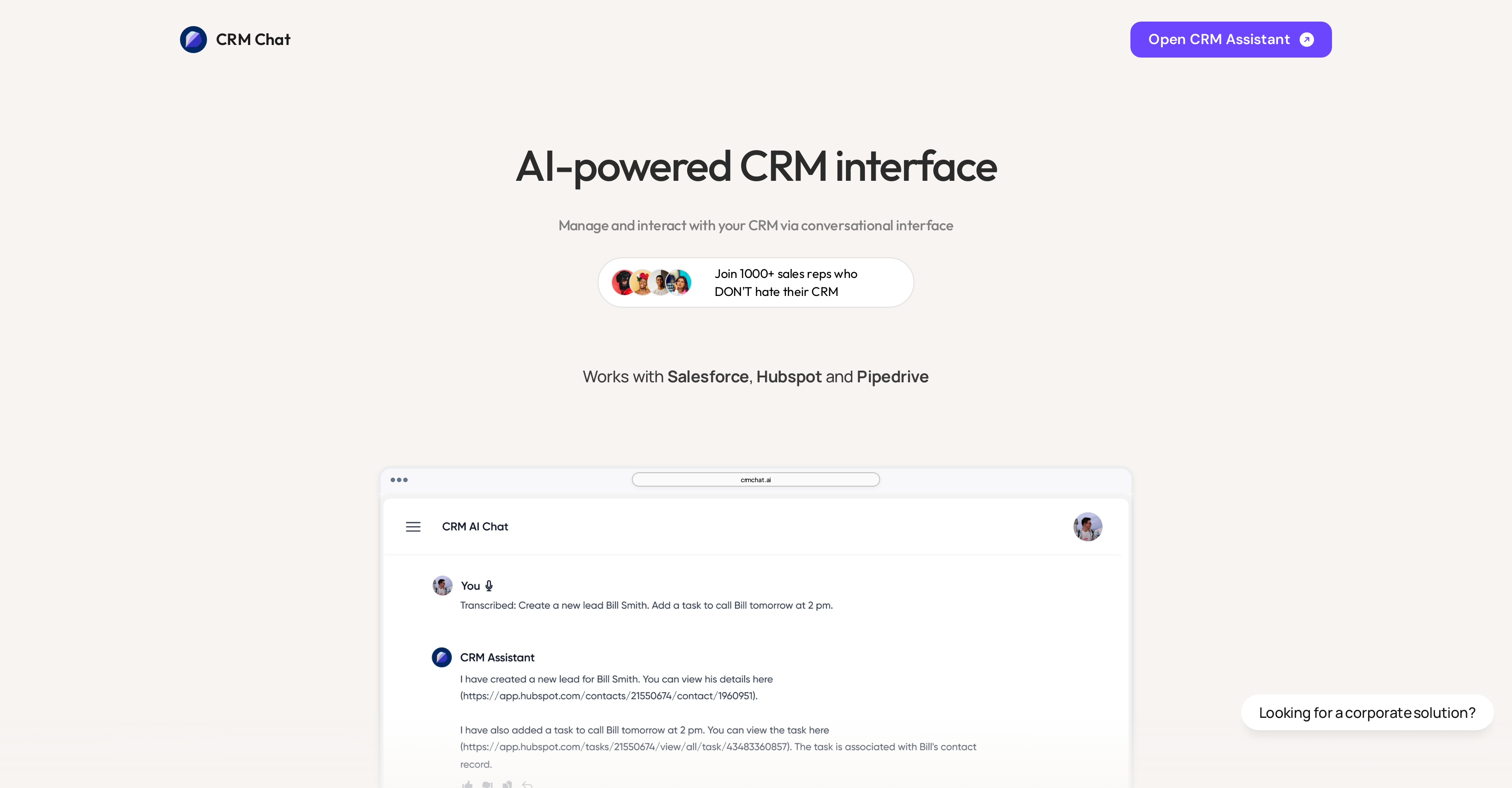
- Log deals, contacts, and notes in seconds instead of clicking through forms: type a plain-language message and CRM Chat creates the CRM record for you.
- Get pipeline and customer answers the moment you need them: ask a question in chat and retrieve CRM data without building reports or hunting through tabs.
- Update your CRM hands-free between calls and meetings: voice commands let you create and look up sales data by speaking.
- Skip the learning curve of complex CRM menus: a conversational interface replaces multi-step navigation, so new and experienced reps find what they need on the first try.
- Keep the CRM your team already runs on: native compatibility with Salesforce, HubSpot, and Pipedrive means no migration and no switching costs.
- Give account managers, support staff, and operations teams the same easy CRM access as sales reps: one chat and voice assistant works for anyone who manages customer relationship data.
Pros & Cons
From the listing; not yet checked by our editors.
Pros
- Enhances CRM interactions
- Simplifies user experience
- Chat and voice capabilities
- Easier CRM data retrieval
- Easier process navigation
- Intuitive CRM system
- Compatible with Salesforce
- Compatible with HubSpot
- Compatible with Pipedrive
- Versatile across CRM ecosystems
- Useful for challenging CRM interfaces
- Streamlines CRM processes
- Improves sales productivity
- Improves sales efficiency
- Specially designed for sales reps
- Enriches data management experience
- CRM automation
- Better user interaction
- Supports widely used CRM platforms
Cons
- Limited to CRM platforms
- No mention of security
- May overlook complex queries
- Only text and voice interaction
- No offline functionality
- No multi-language support
- No mobile app
- Reliant on CRM data quality
- Dependent on CRM provider's uptimes
- No standalone capability
Alternatives to CRM Chat
Tools that share the most tags with CRM Chat.
- ClienTask
Eliminate administrative overhead and focus on core business with integrated scheduling and billing functionalities
Free trial · from $25/month
$25/month
Not yet checked
- Leadchee
Automate repetitive lead follow-ups so your team can focus on closing deals, powered by AI agents that handle communication
Free trial · from $29/month
$29/month
Not yet checked
- Lightfield
Eliminate manual CRM data entry and setup by connecting your email and calendar, as Lightfield auto-creates accounts, contacts, and opportunities from every interaction.
Free trial · from $36/month
$36/month
Not yet checked
- WADeck
Respond instantly to customer queries with AI-generated Magic Replies that match your communication style
Freemium · from $15.90/month
$15.90/month
Not yet checked
- Ushur
Eliminate manual customer service tasks by automating email triage, quote processing, and surveys with pre-trained AI skills
Not listed
Not listed
Not yet checked
- Affinity
Close deals faster by analyzing deal materials and surfacing market context with AI, enabling swift and informed investment decisions.
Paid · from $2,000/year
$2,000/year
Not yet checked
Reviews
Rate this tool
Loading reviews...
Frequently asked questions
What is CRM Chat?
CRM Chat is an AI-powered conversational interface aimed at enhancing interactions and management within a CRM. Its primary focus is to simplify the user experience by offering dynamic functionalities like chat and voice capabilities. Its application stretches beyond sales representatives to anyone using CRM software.
How does CRM Chat utilize AI?
CRM Chat utilizes AI to provide chat and voice capabilities, which enhances interactions between the user and the CRM. The AI powers the conversational interface, allowing for the creation and retrieval of CRM data, thereby, simplifying navigation and usability.
What specific features does CRM Chat offer?
CRM Chat offers a multitude of features, some of which include an intuitive conversational interface, voice and chat capabilities, compatibility with major CRM platforms like Salesforce, HubSpot, and Pipedrive, data management, and an overall productivity enhancement and sales efficiency.
Which CRM platforms is CRM Chat compatible with?
CRM Chat is compatible with widely used CRM platforms such as Salesforce, HubSpot, and Pipedrive, making it diverse and accessible across different software ecosystems.
How can CRM Chat improve the productivity of sales reps?
CRM Chat can improve the productivity of sales reps by offering a simplified user experience. It provides an intuitive conversational interface, reduces the time spent on data entry and retrieval, and allows for easy navigation in the CRM system.
Can CRM Chat be used by anyone other than sales reps?
Yes, CRM Chat can be used by anyone apart from sales reps. Its design caters to anyone using CRM software and looking to enrich their data management experience and interaction with the CRM system.
What makes CRM Chat user-friendly?
CRM Chat is user-friendly due to its conversational interface powered by AI. It provides chat and voice capabilities, enabling users to navigate, create and retrieve data with ease. The AI-enabled interface also supports integration with popular CRM platforms like Salesforce, HubSpot, and Pipedrive.
Does CRM Chat support voice commands?
Yes, CRM Chat does support voice commands. This functionality is part of its AI-powered conversational interface, allowing users to interact with their CRM systems via voice, creating a more efficient user experience.