

Designs AI
Launch your brand instantly with AI-designed logos and complete brand kits using Logomaker
Listing not yet reviewed by our editors · How we check
Overview
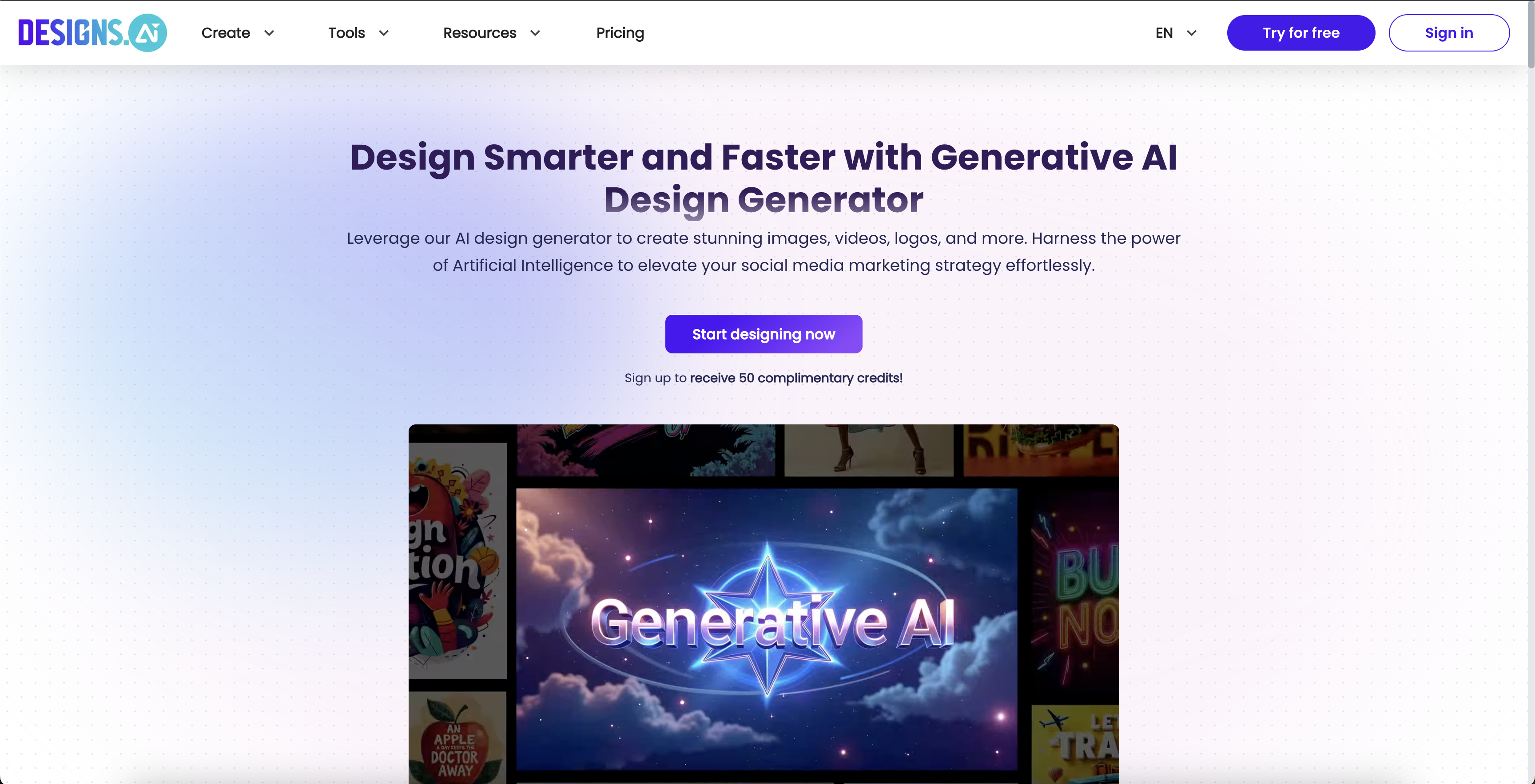
- Launch your brand instantly with AI-designed logos and complete brand kits using Logomaker
- Produce campaign videos in minutes with instant video creation through Videomaker
- Generate SEO-optimized marketing content that ranks higher using AI Writer
- Transform simple drawings into professional artwork with AI Draw technology
- Create perfect color palettes automatically with AI-powered Color Matcher
- Access 170 million images, 10 million clips and 500,000 audio files in one platform
- Convert text to natural-sounding voiceovers for videos using Speechmaker
- Design social media banners, business cards and flyers with dynamic templates
- Plan timely content around social holidays and events with integrated Calendar
- Find perfect font combinations automatically with AI-driven Font Pairer
Pros & Cons
From the listing; not yet checked by our editors.
Pros
- Creates content in 2 minutes
- Includes 170M images
- 500K audio files available
- Includes 50 voice types
- Graphicmaker with in-browser editor
- Calendar with social events
- Cuts costs
- Simplifies workflow
- Access to 10M clips
- Efficient content creations
- Face swapping technology
- Videomaker for campaign videos
- Logomaker for brand logos
- Designmaker for dynamic templates
- Speechmaker for text to speech
- User friendly
- Cloud storage
- Facilitates fully-licensed assets
- Tutorials for learning
- User community for skills expansion
- Improves user efficiency
- Free SVG vectors
- Resources for expanded knowledge
- Imagemaker for creative visuals
- Accessible brand kits
- Focuses on marketing production
- Instant video creation
- Natural sounding voice scripts
- Event scheduling tool
- Aid in vector design
- Allows face swapping
- Optimized marketing content
- Assists in campaign videos
- Creates brand logos
Cons
- Limited customization for logos
- Limited SVG editor tools
- Calendar lacks import feature
- Inability to import personal fonts
- Limited face-swapping adjustments
- Lacks comprehensive video editing tools
- Inferior voice quality in Speechmaker
- Limited mockup design options
- No live support option
Alternatives to Designs AI
Tools that share the most tags with Designs AI.
- Creative APIs by Picsart
Automate professional image editing workflows without manual intervention using AI-powered background removal, enhancement, and filter application
Paid · from $10/month
$10/month
Not yet checked
- RightBlogger
Generate complete SEO-friendly blog posts in minutes with the Article Writer, from introduction to conclusion
Freemium · from $24.99/month
$24.99/month
Not yet checked
- Fotor AI Kiss
Create viral social media content instantly by transforming any portrait into engaging kissing videos for platforms like TikTok and Instagram
Freemium · from $3.33/month
$3.33/month
Not yet checked
- Leonardo AI
Generate production-quality assets in seconds instead of hours using AI Art Generator that transforms prompts into unique visual content
Freemium · from $15.99
$15.99
Not yet checked
- ASMR-AI.art
Launch your ASMR channel without expensive mics or a studio by generating professional videos from simple text prompts.
Paid · from $19.90
$19.90
Not yet checked
- Auro: AI Social Post Assistant
Eliminate manual posting across multiple social networks with automated scheduling that handles content distribution for you
Freemium · from $9.99
$9.99
Not yet checked
Related Videos
🎥 AI Design is here!
Designs AI Official · Feb 12, 2025
Reviews
Rate this tool
Loading reviews...
Frequently asked questions
What is Designs.ai?
Designs.ai is an integrated Agency-as-a-Service platform that uses Artificial Intelligence technology to enable users to create, edit, and scale content online. It offers tools for creating logos, videos, social media banners, business cards, flyers, and mockups. The platform is suitable for all types of content creators such as influencers, small business owners, startups, educators, and enterprises.
How does Designs.ai use AI technology?
Designs.ai utilizes AI to streamline and simplify the content creation process. It offers a slew of AI-driven tools such as AI Chat, AI Draw, Face Swapper, Imagemaker, AI Writer, Videomaker, Logomaker, Designmaker, and Speechmaker to enhance efficiency and creativity. It also employs AI in the Color Matcher, Graphicmaker, Font Pairer, and Calendar tools for color matching, vector design, font pairing, and event scheduling.
What different types of content can I create with Designs.ai?
With Designs.ai, users can create a variety of types of content such as logos, videos, social media banners, business cards, flyers, and mockups. Additionally, it offers tools for creating SEO-friendly marketing content, stunning visual content with dynamic templates, AI-generated brand logos, and brand kits.
What resources does Designs.ai offer in its platform?
Designs.ai provides extensive resources to its users. These include quick and simple tutorials for getting started, articles providing insights on AI, design, and marketing, and a growing community for expanding knowledge and skills.
What are some features of the Designs.ai platform?
Designs.ai platform offers a wide array of features including AI-powered chat, drawing, face swapping, image creation, writing, video making, logo designing, design creation, and speech making. It also offers tools like Colourmatcher for color matching, Graphicmaker for vector design, Font Pairer for generating font combinations, and Calendar for scheduling social holidays and events.
How does the 'Color Matcher' tool in Designs.ai work?
The 'Color Matcher' tool in Designs.ai uses AI to match colors in order to create the perfect palette. It analyzes user input or selected imagery and proposes a palette that best suits the content.
Can I create videos with Designs.ai?
Yes, users can create videos with Designs.ai. Its Videomaker tool allows for the creation of instant videos for various types of campaigns.
Does Designs.ai offer tools for creating logos?
Yes, Designs.ai does provide tools for creating logos. It features a Logomaker tool that utilizes AI to generate professional brand logos and brand kits.