
Overview
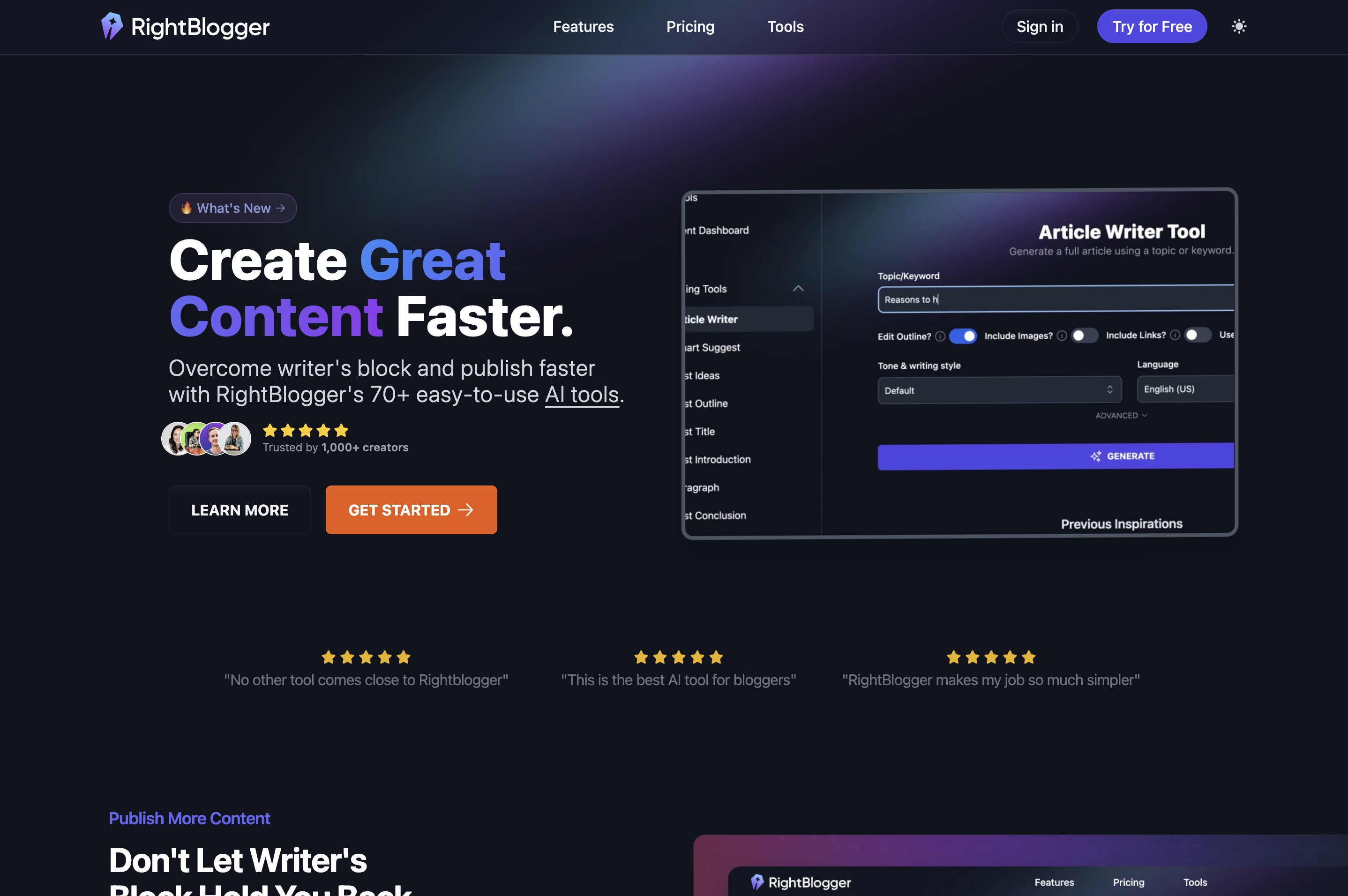
- Generate complete SEO-friendly blog posts in minutes with the Article Writer, from introduction to conclusion
- Transform YouTube videos and podcasts into ready-to-publish articles with Video to Blog Post conversion
- Optimize existing content against top-ranking articles with SEO Reports and one-click Auto-Optimize
- Create custom visuals for your content without leaving the platform using the built-in AI Image Generator
- Publish directly to your WordPress, Webflow, or Ghost site with one-click publishing integration
- Build custom AI tools as lead magnets with Tool Studio to convert visitors into subscribers
- Overcome creative blocks with 80+ AI tools for brainstorming ideas, titles, and content structures
- Refresh and improve older content with rewriting, expanding, and shortening tools
Pros & Cons
Pros
- Inspires content ideas
- Generates outlines, titles, intros and conclusions
- Can rewrite content
- Shortens existing content
- Content dashboard for easy access
- Integration with popular blogging platforms
- Generates video titles, descriptions, scripts
- Generates Twitter and Facebook posts
- Generates email subject lines
- Creates ad copy
- Creates product descriptions and features
- Defeats writer's block
- Helps write faster
- Generates more traffic
- Constantly adds new features
- Article Writer tool
- Smart Suggest tool
- Post Ideas tool
- Post Outline tool
- Rewriter tool
- Shorten tool
- Expand tool
- Meta Title tool
- Meta Description tool
- Keyword Cluster tool
- Video Script Outline tool
- Tweet ideas tool
- Social media post tools
- Email Subject tool
- Ad copy tool
- Product Description tool
- Feature/benefit/outcome tool
- Summarizer tool
- Content Filler tool
- Explain Like I'm Five tool
Cons
- No mobile app
- No multi-language support
- Limited integration with platforms
- No offline accessibility
- No collaboration features
- Lacks content analysis tool
- No plagiarism check feature
- Only 50 users
- Limited user-base
- No proven track record
Reviews
Rate this tool
Loading reviews...
❓ Frequently Asked Questions
Ryan Robinson
🛠️ 1 tool
wrote:RightBlogger is an AI-powered platform built to help bloggers and creators plan, write, and optimize content faster. It features over 80 tools, including the powerful Article Writer for generating full-length SEO-friendly posts, a Video to Blog Post tool for turning YouTube videos or podcasts into articles, and utilities for rewriting, shortening, and improving content.
Beyond writing, RightBlogger offers SEO Reports to analyze your content against top-ranking articles and Auto-Optimize to instantly improve drafts with better structure, keyword coverage, and readability. It also includes an AI Image Generator, a built-in editor with follow-up AI commands, and one-click publishing to WordPress, Webflow, or Ghost.
Trusted by over 40,000 bloggers and creatives, RightBlogger is designed to defeat writer’s block, speed up content creation, and drive more traffic — with new tools added regularly.
Ryan Robinson
🛠️ 1 tool
wrote:RightBlogger streamlines content creation with a full suite of AI-powered tools. The Article Writer generates complete, SEO-friendly blog posts in minutes, while the Video to Blog Post tool transforms YouTube videos or podcasts into ready-to-publish articles. You can also rewrite, expand, or condense existing drafts with AI support.
Beyond blogging, RightBlogger makes it easy to create video titles, descriptions, and scripts, along with social media post ideas, email subject lines, ad copy, product descriptions, and more. Advanced features like SEO Reports and Auto-Optimize ensure your content not only gets written faster but also ranks better. With an AI Image Generator, built-in editor, and seamless publishing to platforms like WordPress, Webflow, and Ghost, RightBlogger provides everything you need to move from idea to optimized content in one place.
Ryan Robinson
🛠️ 1 tool
wrote:RightBlogger includes over 80 AI-powered tools designed to help creators plan, write, optimize, and repurpose content. The core tools include the Article Writer for generating full-length SEO-friendly blog posts, the Video to Blog Post tool for turning YouTube videos or podcasts into articles, and a suite of writing aids such as Post Ideas, Outlines, Titles, Introductions, and Conclusions. You can also use tools to create Lists, Listicles, Summaries, Rewrites, Shortened versions, and Expanded paragraphs.
For SEO, RightBlogger offers Meta Title, Meta Description, Keyword Cluster, People Also Ask, Permalink, and Image Caption tools, along with advanced features like SEO Reports and Auto-Optimize to improve drafts instantly.
Beyond blogging, there are tools for multimedia and marketing, including Video Titles, Descriptions, and Script Outlines, plus social content like Tweet Ideas, Facebook Posts, and LinkedIn Posts. You can also generate Email Subject Lines, Ad Copy, Calls-To-Action, Product Descriptions, Feature/Benefit/Outcome statements, Content Fillers, and Explain Like I’m Five summaries.
RightBlogger even features an AI Image Generator for creating visuals and Tool Studio, which allows you to build custom embeddable AI tools to capture leads and grow your audience.
Ryan Robinson
🛠️ 1 tool
wrote:RightBlogger makes it easy to overcome writer’s block with multiple tools built to spark fresh ideas. The Smart Suggest tool analyzes your website to recommend long-tail keywords and article topics, while the Post Ideas tool generates blog post concepts from any keyword or subject you provide.
For brainstorming angles, the Post Outline, Title, Introduction, and Conclusion tools help shape raw ideas into structured content plans. The Explain Like I’m Five tool breaks down complex topics into simple explanations that can inspire new ways to teach or frame your content.
Beyond blogging, RightBlogger also inspires content for different formats by generating social post ideas, email subject lines, ad copy, video scripts, and product descriptions, giving you a wide range of directions to expand your content strategy.
Ryan Robinson
🛠️ 1 tool
wrote:Yes, RightBlogger integrates seamlessly with popular blogging platforms. You can publish articles directly to WordPress, Webflow, and Ghost with a single click, choosing whether to post immediately or save as a draft. For flexibility, you can also export your content in plain text or HTML for easy copy and paste into any platform.
This makes it simple to move from idea to optimized, published content without disrupting your existing workflow.
Ryan Robinson
🛠️ 1 tool
wrote:RightBlogger is built specifically for bloggers and content creators, not just general AI text generation. It combines content creation, SEO optimization, and publishing into one platform. Features like SEO Reports, Auto-Optimize, Video to Blog Post conversion, Tool Studio for lead magnets, and direct WordPress/Webflow/Ghost publishing make it a complete workflow solution, helping creators go from idea to live article faster than other tools.
Ryan Robinson
🛠️ 1 tool
wrote:Yes. RightBlogger offers multiple ways to refresh older content. You can run an SEO Report to see how your post compares to current top-ranking articles, then use Auto-Optimize to instantly improve keyword coverage, structure, and readability. The Rewriter, Expander, and Shortener tools also help fine-tune paragraphs, while the built-in editor allows you to make follow-up AI edits and swap out stock images before republishing.
Ryan Robinson
🛠️ 1 tool
wrote:Tool Studio lets you build custom AI-powered tools (like idea generators, checklists, or calculators) that can be embedded on your site. These interactive tools act as lead magnets, encouraging visitors to subscribe or share your content. You also get analytics to track usage and engagement, making it easy to turn casual readers into loyal subscribers and customers.
Pricing
Pricing model
Freemium
Paid options from
$24.99/month
Billing frequency
Monthly
Refund policy
30-Day money back guarantee