

Ellie Docs
Launch a complete help center without writing articles from scratch: Ellie reads your codebase, works out what your product does, and drafts help articles for you.
Listing not yet reviewed by our editors · How we check
Overview
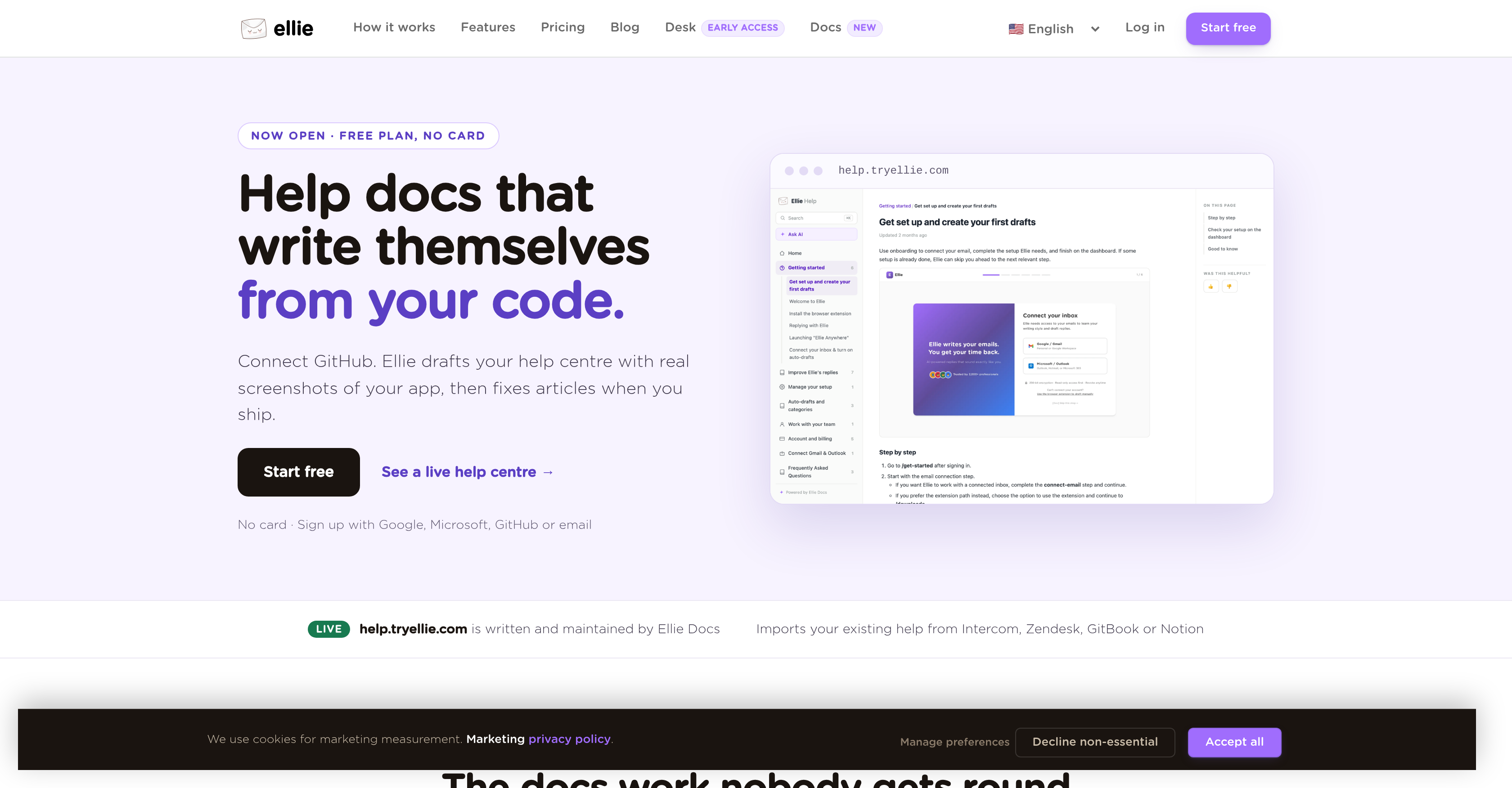
- Launch a complete help center without writing articles from scratch: Ellie reads your codebase, works out what your product does, and drafts help articles for you.
- Show customers exactly what they will see: real logged-in screenshots of your application are captured in a sandbox and placed into your documentation.
- Stop shipping outdated help docs: every merged pull request is checked against your published articles, and stale content is flagged with a drafted fix ready for review.
- Publish release notes without spoiling your roadmap: changelog entries are drafted from what you have merged, and unreleased work is withheld.
- Give developers an API reference even if you never wrote one: Ellie generates and publishes API documentation directly from your code, with no OpenAPI spec required.
- Migrate your existing knowledge base without losing work: imported help center articles arrive as editable drafts you revise by hand or by telling Ellie what to change.
- Publish documentation that matches how your product actually behaves: a quality gate checks every draft against the code it describes before it reaches your review queue.
- Answer customer questions without adding support load: AI answers respond only from your published help center articles, so customers never receive unapproved information.
- Update docs without leaving your coding environment: connect Claude or Cursor to ask what a change affects, get documentation updates drafted, and review them without opening the dashboard.
- Automate documentation without exposing your source code: the GitHub integration stores no copy of your repository, redacts secrets before anything is saved, and never uses your code to train models.
- Give your whole team edit access without per-seat costs: start on a free plan with no card required, then move to paid plans from $49 per month with unlimited editors.
- Run documentation for every product from one place: multi-project support covers up to three projects on the Growth plan and up to ten on the Scale plan.
Pros & Cons
From the listing; not yet checked by our editors.
Pros
- Free plan, no card needed
- Automatic article drafting
- In-application screenshot capture
- Maintains current articles
- API reference publishing
- Existing help center importer
- Content editing feature
- Content updating feature
- Stale-content detection
- Flags stale articles
- Liberal draft suggestions
- GitHub integration
- Release notes drafting
- Connects without code repository
- Article and fix drafts
- Code-safe operations
- Visible code-to-article links
- Change-related article update suggestions
- Closes information on unreleased features
- Allows multiple editors
- Quality checks before drafting
- Supports several languages
- Adaptable across platforms
- Hand-edits or guides Ellie
- Supports draft reviews before publishing
- Filters out 'noise' from changes
- Maintainable changelog
- Provides public page for updates
- No copy of repository kept
- Articles link to source code
- Secured code interactions
- Can work with multiple projects
- Offers onboarding call for Scale plan
- Priority support available
- Detach Ellie Docs branding
- PR-based content maintenance
- Free plan availability
- Free starter plan
- Guides with founder call
- Discounted for first 50 teams
- Help center stays live even if downgraded
- API reference without an OpenAPI spec
- Multiple plans with distinct features
- Friendly user interface
- Supports starting without GitHub
- Hosting on your domain
Cons
- GitHub exclusive
- Manual content editing
- Multiple projects need a paid plan
- Limited language support
- No repository backup
- Risk of stale articles
- Code access required
- No offline mode
- Limited API documentation
- Requires internet connection
Alternatives to Ellie Docs
Tools that share the most tags with Ellie Docs.
- AI Documents by Eraser
Eliminate manual diagram updates with self-updating diagrams that automatically reflect changes in your data and workflows, powered by Eraserbot AI.
Freemium · from $15/month
$15/month
Not yet checked
- ClarifyNow.AI
Eliminate hours of manual writing and formatting by generating 15 enterprise-grade document types, including BRDs, TDDs, and API documentation, with pre-built sections, stakeholder matrices, risk registers, and flowcharts.
Freemium · from $4.99/unit
$4.99/unit
Not yet checked
- FaceShapeDetector
Get a precise, personalized face shape analysis that goes beyond generic labels with our unique Face Shape Blend™, revealing your exact proportions like 80% Oval + 20% Heart.
Freemium · from $6.99
$6.99
Not yet checked
- Transition
Follow a training plan that automatically adjusts to your daily schedule and recovery metrics, ensuring you stay on track even when life gets busy
Paid · from $19/month
$19/month
Not yet checked
- Mixboard
Turn scattered thoughts into mature, actionable concepts by visualizing and manipulating them on an interactive AI concepting board.
Not listed
Not listed
Not yet checked
- NVIDIA Earth-2
Make strategic decisions with confidence using precise, AI-driven weather predictions that mitigate operational risks across aviation, agriculture, and marine sectors.
Not listed
Not listed
Not yet checked
Reviews
Rate this tool
Loading reviews...
Frequently asked questions
What is Ellie Docs?
Ellie Docs is a tool that simplifies the creation and maintenance of help articles directly from your codebase. By reading your code, it understands the purpose of your product, drafts help articles, and captures logged-in screenshots of your application. With Ellie Docs, you can maintain a current help center, draft release notes based on your merged developments, and even publish an API reference without having previously written one. Ellie Docs also imports your existing help center for editing and updates, maintaining articles based on changes in your codebase, and identifying stale articles to flag and draft possible fixes.
How does Ellie Docs capture screenshots?
Ellie Docs captures screenshots by reading and running your application. Through this process, it understands what your product is for and captures logged-in screenshots in a sandbox environment.
What features does Ellie Docs have for drafting and maintaining articles?
Ellie Docs features an inherent mechanism that drafts help articles from your code with actual screenshots of your app. It keeps these articles up-to-date as changes are made. Each merged pull request is reviewed against your articles, and when an article becomes outdated, Ellie drafts a fix. Once the articles are published, Ellie maintains the content, flagging stale content and drafting possible fixes.
Is Ellie Docs capable of importation and modification of existing help center content?
Absolutely, Ellie Docs has an import function for existing help centers. You can easily import your existing help center articles to Ellie Docs where they arrive as editable drafts. These drafts can then be revised manually or instructed for changes via Ellie itself.
How does Ellie Docs detect and handle stale articles?
Ellie Docs checks each merged pull request against your published articles. When it finds discrepancies indicating an article has become outdated or stale, it flags that article. Ellie then drafts a potential fix for the stale article, ensuing consistent accuracy in your published content.
What functionality does Ellie Docs provide for API reference publishing?
Ellie Docs is capable of publishing an API reference even without a previously written specification. It drafts your API reference while reading your code, thus providing a useful feature for automating this otherwise manual process.
Can Ellie Docs be integrated with GitHub?
Yes, Ellie Docs integrates seamlessly with GitHub. It connects to your GitHub account to read your code and understand your product. However, it doesn't hold a copy of your repository, ensuring your code remains secure.
Does Ellie Docs offer a usage-based pricing model?
Yes, Ellie Docs offers a usage-based pricing model. This includes a range of plans from a free tier, up to a Scale tier for larger operations. Each tier offers a range of features including AI answers, a changelog, unlimited editors, and no per-seat fees.