

EverGen AI Video Generator for Shorts & Product Ads
Pick the best AI video model for each shot without paying for separate subscriptions: Seedance, Veo, Kling, Sora, Wan, MiniMax, LTX, HappyHorse, PixVerse, Vidu, Hailuo and Gemini Omni Flash share one generator.
Listing not yet reviewed by our editors · How we check
Overview
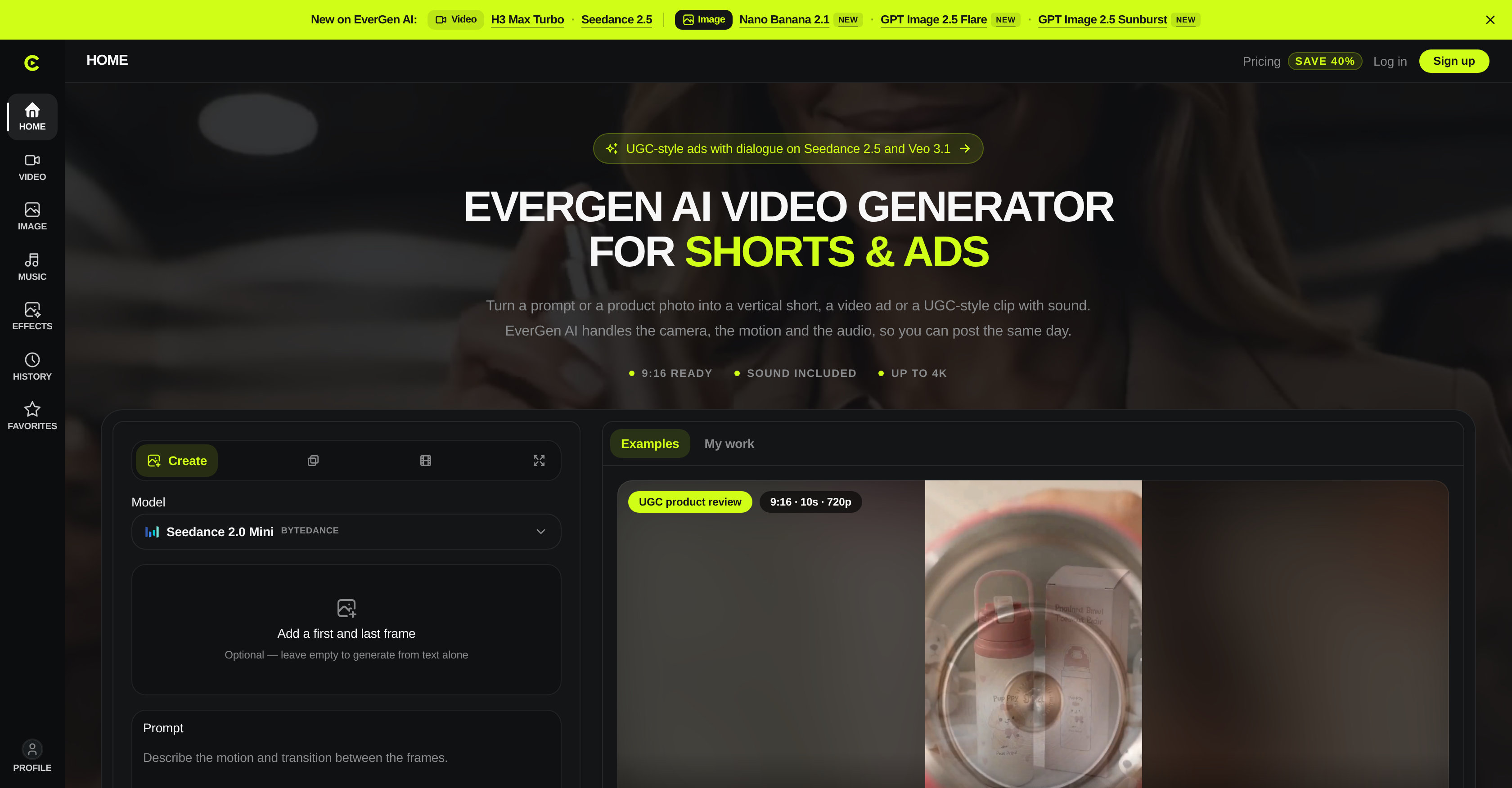
- Pick the best AI video model for each shot without paying for separate subscriptions: Seedance, Veo, Kling, Sora, Wan, MiniMax, LTX, HappyHorse, PixVerse, Vidu, Hailuo and Gemini Omni Flash share one generator.
- Publish vertical TikTok, Instagram Reels and YouTube Shorts videos with no reformatting: 9:16 output with embedded sound downloads as MP4 files ready for direct upload.
- Turn a static packshot into a moving product video ad that keeps its exact shape and labeling: image-to-video animation adds push-ins, turntable spins or moving light while the first frame stays true to your photo.
- Produce UGC-style ads with spoken lines and no voiceover session: Seedance 2.5 and Veo 3.1 generate dialogue, ambient room tone and handheld-style motion in a single pass.
- Keep the same presenter across an entire ad series: reference-to-video mode locks a character's face, outfit and setting from your uploaded reference images.
- End every clip exactly on your hero shot: first-and-last-frame guidance on Veo 3.1, Kling v3, Seedance 2.0 and LTX 2.5 builds the motion between your chosen opening and closing images.
- Get new takes from footage you already shot: video-to-video workflow continues the motion of an uploaded clip or reinterprets it.
- Deliver widescreen advertising in 4K: Veo 3.1, Kling v3 and Seedance 2.0 render up to 4K, and the Video Upscaler lifts 1080p clips to 4K with the original audio intact.
- Tell a full story in one generation instead of stitching fragments: single takes run up to 30 seconds on Seedance 2.5, Wan 3.0, Veo 3.1 and Kling v3, with multishot storytelling on LTX 2.5 and Seedance 2.0.
- Know your spend before every render and lose nothing on errors: the exact credit cost appears on the Generate button, and failed tasks are refunded automatically.
- Add licensable-style background music without leaving your project: the music generator, powered by Suno v5.5 and MiniMax Music, builds soundtracks from text prompts or your own lyrics.
- Start from proven results instead of a blank prompt: gallery outputs load their prompts straight into the generator, and the built-in image tool creates or edits the first frame before animation.
- Ship ad variations faster: run 2, 4 or 8 clips at the same time on the Starter, Popular Pro or Max plans, then track everything in generation history and favorites.
- Use your videos in client and brand campaigns: EverGen AI claims no ownership of your output, permits commercial use under each model's terms, and paid plans remove the watermark, including on re-downloads of earlier videos.
Alternatives to EverGen AI Video Generator for Shorts & Product Ads
Tools that share the most tags with EverGen AI Video Generator for Shorts & Product Ads.
- Common Sense Machines (CSM)
Transform text, images, or sketches into game-engine ready 3D worlds instantly using AI-powered conversion
Freemium · from $20/month
$20/month
Not yet checked
- Kaiber
Transform text descriptions into captivating video sequences instantly using advanced AI algorithms that interpret your input for contextually accurate results
Free trial · from $5/month
$5/month
Not yet checked
- Freepik AI Video Generator
Transform text scripts into complete videos with custom shot types and transitions for coherent storytelling
Freemium · from $5/month
$5/month
Not yet checked
- LitVideo: AI Video Generator
Web app that generates video, images and music from text or images, using several third-party video models in one place.
Freemium · from $7.50/month
$7.50/month
Nov 24, 2026
- MagicLight
Transform written scripts into complete animated videos automatically with story-to-video generation
Freemium · from $7.5/month
$7.5/month
Not yet checked
- MyHeritage Deep Nostalgia
See your ancestors come to life with realistic facial movements using deep learning technology
Freemium
Not listed
Not yet checked
Reviews
Rate this tool
Loading reviews...
Frequently asked questions
What video models are available in EverGen AI and how do they differ?
EverGen AI offers 14 video models: Seedance 2.5, Seedance 2.0 (ByteDance), Veo 3.1 (Google DeepMind), Kling v3 (Kuaishou), Sora 2 (OpenAI), Wan 3.0 (Alibaba), MiniMax H3, H3 Max, H3 Max Turbo, LTX 2.5 (Lightricks), Gemini Omni Flash, HappyHorse 1.1, PixVerse v6, Vidu Q3, and Hailuo 2.3. They differ in capabilities such as native dialogue (Seedance 2.5, Veo 3.1), 4K output (Veo 3.1, Kling v3, Seedance 2.0), maximum duration (Seedance 2.5 and Wan 3.0 up to 30 s, H3 Max/Turbo fixed at ~5 s), multishot storytelling (LTX 2.5, Seedance 2.0), reference‑image character consistency (most models), and specialized controls like first‑and‑last‑frame guidance (Veo 3.1, Kling v3).
How does credit pricing change with resolution, duration, and model choice?
Credits are charged per generation and increase with model complexity, resolution, and duration. Higher‑resolution outputs (e.g., 4K) cost more credits than 720p/1080p. Longer clips (up to each model’s max) consume additional credits. Premium models such as Veo 3.1, Kling v3, and Gemini Omni Flash have higher per‑generation rates than the baseline Seedance 2.5. The exact credit amount is displayed on the Generate button before you start.
Can I generate vertical 9:16 Shorts for TikTok and Instagram Reels directly?
Yes. Choose the 9:16 aspect ratio, set a short duration (typically 5‑15 seconds), describe the hook and action, and EverGen AI returns a vertical short with sound ready for TikTok, Instagram Reels, or YouTube Shorts.
Is 4K output supported on all EverGen AI models or only specific ones?
4K output is only supported by a subset of models: Veo 3.1, Kling v3, Seedance 2.0, and any model explicitly listed as “up to 4K” on the website. Models such as Seedance 2.5, MiniMax H3, and HappyHorse output at lower maximum resolutions (typically up to 1080p).
What’s the workflow for turning a product photo into a moving product video?
1) Upload the product photo in Image‑to‑Video mode. 2) Describe the desired camera move (push‑in, turntable spin, sliding light, etc.) and select a format (e.g., 16:9, 1080p). 3) Choose a model that supports motion animation (Seedance 2.5 or Wan 3.0 are common choices). 4) Generate, review, and download the animated clip. The first frame stays true to the original photo, preserving shape and labeling.
Can I add a second image as the final frame for a product showcase?
Yes. Models that accept two images—such as Seedance 2.5 and some versions of Wan—allow you to upload a second image that becomes the closing frame, so the clip ends exactly on your final product shot.
How do I create UGC‑style ads with spoken dialogue using EverGen AI?
Use a text‑to‑video prompt that includes the spoken line, select a model with native audio (Seedance 2.5 or Veo 3.1), and optionally choose a handheld camera style. The AI generates voice, room‑tone, and motion in a single pass, producing a ready‑to‑post UGC‑style ad.
Do any models provide native voice and room‑tone automatically?
Seedance 2.5 and Veo 3.1 explicitly provide native dialogue, voice synthesis, and ambient room‑tone automatically. Kling v3 also includes native audio and can synchronize sound effects, but voice generation is limited to those two primary models.