Overview
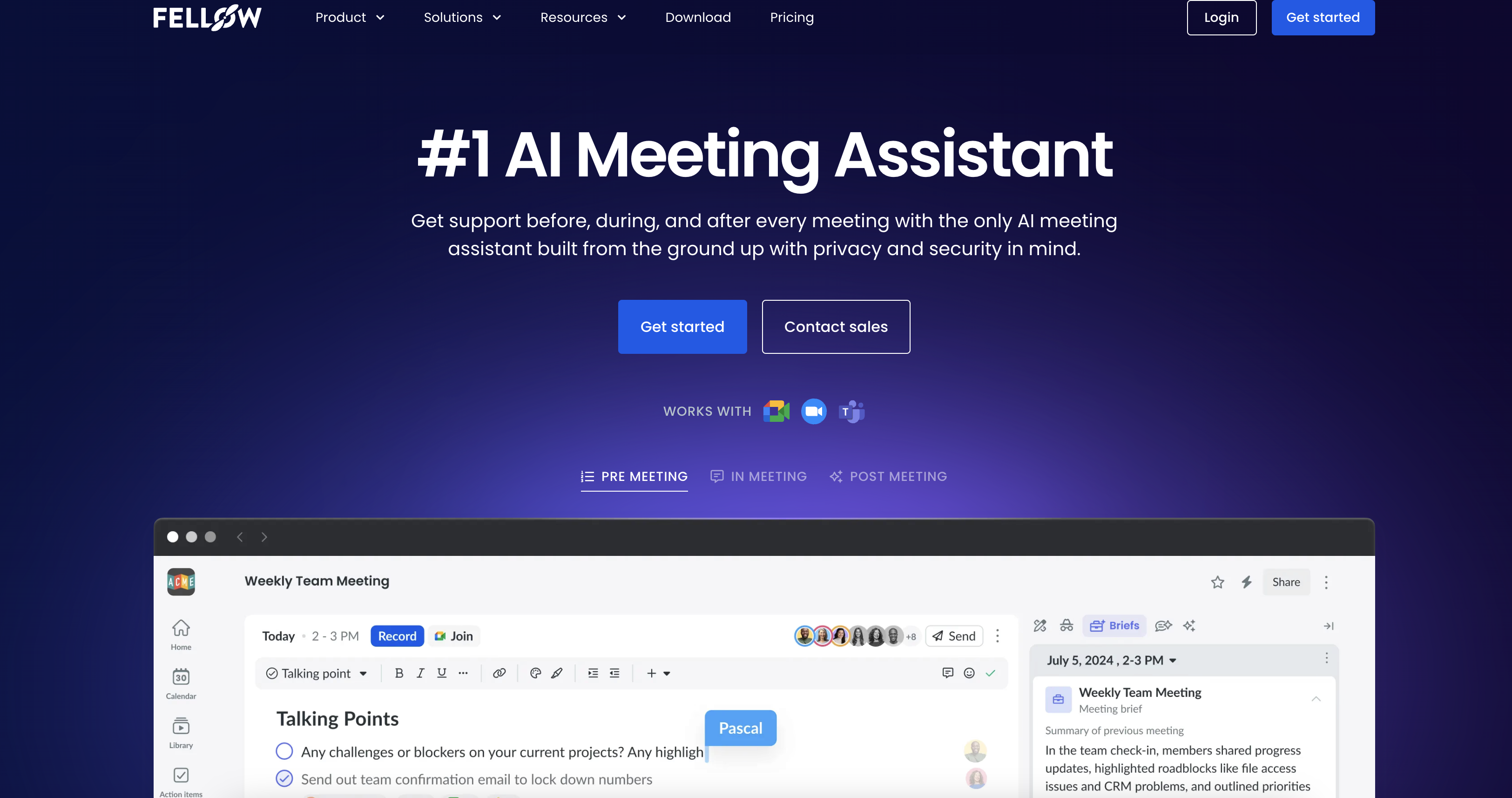
- Eliminate manual note-taking with human-level accurate meeting transcriptions that capture every detail across 99 languages
- Automatically generate follow-up emails and identify action items using the Ask Fellow AI chatbot that analyzes your meeting content
- Keep customer records perfectly synchronized by having Fellow suggest CRM field updates based on meeting discussions
- Maintain complete control over sensitive information with granular privacy settings that determine exactly who accesses recordings and notes
- Access your entire meeting history instantly through a centralized recording library with searchable transcripts and organized storage
- Walk into every meeting fully prepared using collaborative agendas that align your team on objectives before discussions begin
- Streamline meeting documentation across departments with customizable note templates tailored to different team workflows
Pros & Cons
Pros
- Built-in note-taking
- Efficient meeting culture
- 'Ask Fellow' feature
- Robust Privacy
- Recordings Control settings
- Central Meetings library
- CRM automation
- Collaborative Agendas
- Pre-meeting briefs
- Multi-department friendly
- Human-Level transcription accuracy
- Scalable for enterprise
- Privacy controls for sharing
- Follow-up workflows for CS
- Automated follow-ups for Sales
- HR specific recording privacy
- Org-wide bot governance
- Centralized meeting minutes
- Org-wide meeting analytics
- Over 50 integrations
Cons
- Lacks real-time collaborative editing
- Insufficient customization options
- Limited note-taking features
- No text-to-speech feature
- Lack of multilingual support
- No task prioritization
- No offline accessibility
- Lacks in-app tutorials
- No social-media integration
- Doesn't support all CRMs
Reviews
Rate this tool
Loading reviews...
❓ Frequently Asked Questions
Fellow.app transcribes meetings through an AI-driven process that converts spoken words into written text. This process offers human-level accuracy in transcription, capturing what was said during the meetings effectively.
Ashley Wood
🛠️ 1 tool
wrote:Fellow.app extracts key insights from meetings like action items, decisions and noteworthy discussions. These insights can provide value in understanding the outcomes of the meetings and setting plans for future action.
The 'Ask Fellow' feature is an AI chatbot that functions to provide insights on meetings, answer queries about specific meetings, and draft follow-up emails post-meeting. It's like a personal meeting assistant to help you stay up-to-date with meeting information.
Fellow.app has strong privacy and security settings, allowing control over who can access meeting recordings, notes, and summaries. It ensures that all meeting related data are accessible only by the right individuals, securing the information effectively.
Yes, Fellow.app has the capability to help in drafting follow-up emails post-meeting. It's done by the 'Ask Fellow' feature, an AI chatbot which can generate draft emails based on the contents and outcomes of the meeting.
Fellow.app supports CRM automation by syncing information from your meetings and suggesting fields to update based on the discussions. This aids in keeping the CRM data consistently accurate and up-to-date.
The library feature in Fellow.app serves as a centralized place for keeping all meeting recordings. It comes with controls for privacy and sharing settings that allow you to manage who can access the stored meeting data.
Absolutely, Fellow.app is designed to cater to various team needs across different departments of a company. It's helpful for customer success, marketing, engineering, leadership, sales, product, HR, and IT departments.
Fellow.app aids in preparing for meetings adequately by offering collaborative agendas and pre-meeting briefs. This empowers teams to be well-prepared and aligned before the start of any meeting.
In Fellow.app, you can control who has access to meeting recordings and notes through its strong privacy and control settings. It lets you determine who can see and access important meeting data, ensuring authorized access at all times.
Yes, Fellow.app offers meeting note templates to streamline the process of creating meeting notes. The utilization of templates fosters an efficient meeting culture and makes sure no significant detail is overlooked during note-taking.
Fellow.app supports team collaboration by enabling users to prepare for meetings with collaborative agendas and pre-meeting briefs. It allows multiple team members to contribute to the meeting agenda and jointly prepare for the discussions.
Yes, Fellow.app can be used as a tool for various departments such as Customer Success, Marketing, Engineering, Leadership, Sales, Product, HR, and IT. It has specific functions tailored to suite different department needs and to streamline their meeting processes.
During meetings, Fellow.app assists in note taking by providing a feature that transcribes the conversations providing accurate written record of what was discussed. The tool also summarizes the meetings and generates insights from them.
The key features of Fellow.app's AI-based meeting assistance include AI transcription, meeting summary, AI chatbot ('Ask Fellow') for providing meeting insights and drafting follow-up emails, and capabilities for CRM automation and managing privacy settings.
Fellow.app automates meeting agendas by offering collaborative agendas. This means multiple team members can contribute to the creation of the meeting agenda, and the agenda can be generated and shared automatically before each meeting.
Yes, Fellow.app can suggest fields to update in your CRM based on the discussion content from your meeting. It does this by syncing information from your meeting and leveraging AI to analyse the discussion and recommend updates.
Fellow.app's design for pre-meeting briefs allows users to prepare for the meeting with collaboration on agenda points, ensuring clarity on meeting objectives and that nothing significant is overlooked during the discussion.
The exact storage capacity for meeting recordings in Fellow.app isn't specified, but all recordings are kept in a library. The system is designed to accommodate various team needs which suggests that it offers a considerable space for storing meeting data.
The primary aim of CRM automation feature in Fellow.app is to keep the CRM consistently updated with accurate information. The tool does so by taking information from your meeting, analyzing it and suggesting fields in the CRM to be updated based on the discussion content.
Pricing
Pricing model
Freemium
Paid options from
$7/month
Billing frequency
Monthly
Related Videos
[2023] Fellow.app Demo with CEO Aydin Mirzaee ✨🚀
Fellow - AI Meeting Assistant and Notetaker•7.7K views•Aug 31, 2023