

Flytrap AI
Get debugging hours back for feature work: an autonomous AI agent runs in the background, finding and fixing bugs in your codebase without interrupting your workflow.
Listing not yet reviewed by our editors · How we check
Overview
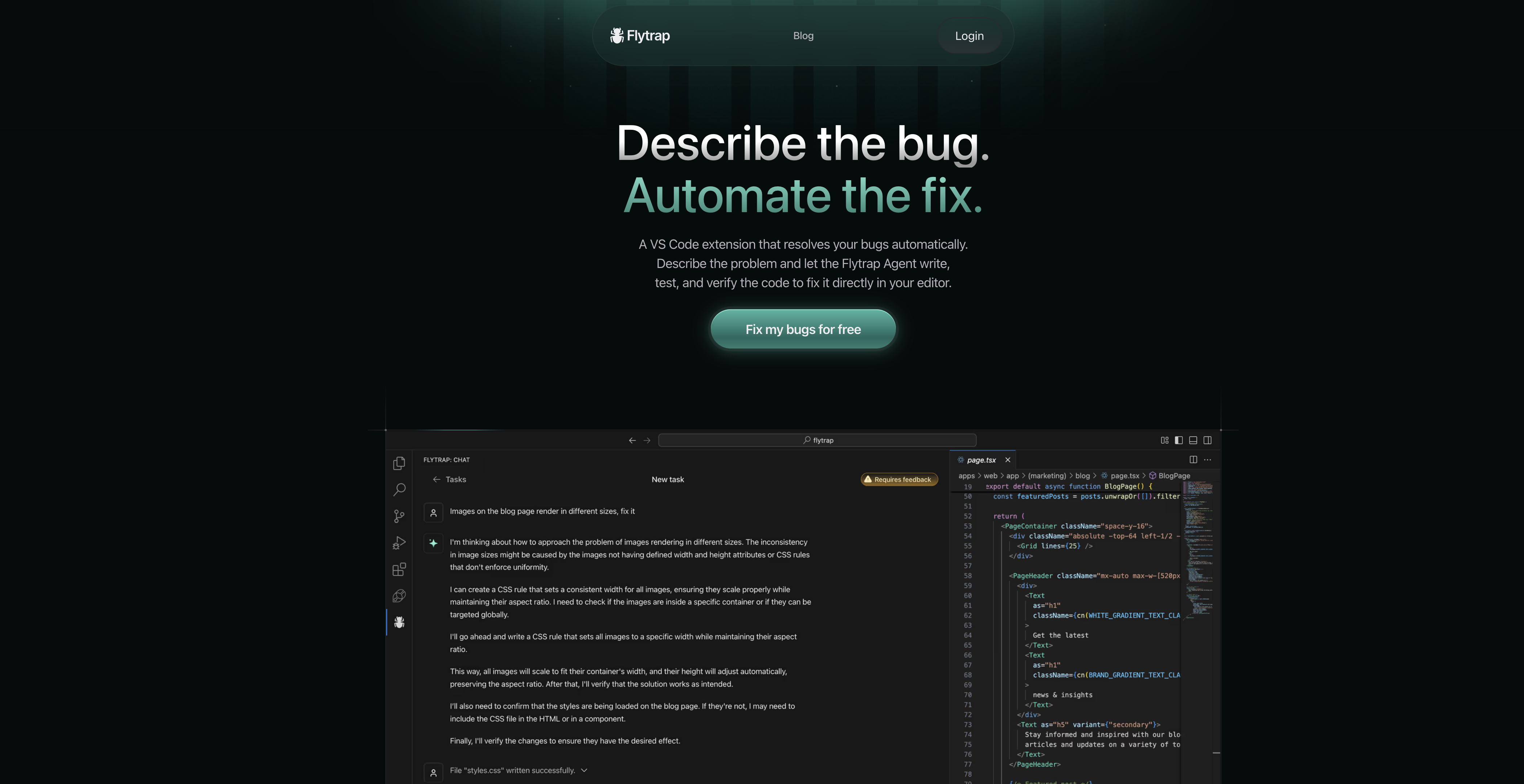
- Get debugging hours back for feature work: an autonomous AI agent runs in the background, finding and fixing bugs in your codebase without interrupting your workflow.
- Ship fixes you trust without re-checking every change: a self-correcting mechanism verifies each code fix and repairs its own mistakes before the job is done.
- Hand off a bug and walk away: the agent keeps examining, patching, and retesting your code until the issue is resolved, with no supervision required.
- Go from bug report to fix straight from your repository: GitHub integration lets you import your code, describe the problem in plain terms, and launch automated bug fixing.
- Debug your whole JavaScript stack in one place: built-in support for Node.js, TypeScript, and JavaScript covers backend services, typed projects, and front-end scripts.
- Start fixing code immediately on any machine: the browser-based agent needs no software installation or local environment setup.
- Resolve intricate errors that stall complex projects: the agent analyzes code for inconsistencies and hidden defects that break functionality, then applies targeted fixes.
Pros & Cons
From the listing; not yet checked by our editors.
Pros
- Automatically identifies code issues
- Rectifies Node.js, TypeScript, JavaScript errors
- Corrects own errors
- Operates in the background
- GitHub integration
- Flexible for diverse projects
- Debugging while you watch
- Streamlines coding process
- Enhances developer productivity
- Automates development tasks
- Provides freedom to developers
- Allows code import from GitHub
- Easy accessibility and convenience
- Reliable and time-saving
- Accommodates intricate coding tasks
- Easily usable tool
Cons
- Limited to three languages
- Only integrates with GitHub
- Browser-based may limit usage
- Continuous operation may exhaust resources
- Does not support offline usage
- Limited to code debugging
- Relies on user problem description
- Self-correction may delay fixes
Alternatives to Flytrap AI
Tools that share the most tags with Flytrap AI.
- Explain by Whybug
Understand complex error messages instantly with AI analysis trained on StackExchange data
Free
Not listed
Not yet checked
- Multiplayer.app
Eliminate guesswork in bug reports by capturing the entire application stack—frontend screens, backend traces, logs, and API calls—all correlated in a single replay.
Free trial · from $20/month
$20/month
Not yet checked
- Anycode AI
Fix 6x more code vulnerabilities within the same timeframe through automated detection and rapid remediation
Not listed
Not listed
Not yet checked
- Raygun
Fix software errors in minutes instead of hours with AI-powered error resolution that analyzes patterns and recommends specific solutions
Free trial · from $40/year
$40/year
Not yet checked
- Grit.io
Complete code migrations 10x faster than manual efforts with automated pull request generation for technical debt cleanup
Freemium · from $39/month
$39/month
Not yet checked
- DevLensPro
Fix UI bugs instantly by clicking problematic elements, with real-time WebSocket delivery to Claude Code for immediate AI analysis and correction
Freemium · from $11.95/month
$11.95/month
Not yet checked
Reviews
Rate this tool
Loading reviews...
Frequently asked questions
What is Flytrap AI?
Flytrap AI is a state-of-the-art artificial intelligence tool that specializes in streamlining the coding process. It achieves this by automatically detecting and fixing problems in Node.js, TypeScript, and JavaScript codebases. Flytrap AI operates in the background, allowing developers to focus on other vital aspects of their projects. Its unique capability is its self-correcting mechanism, through which it can verify and correct its own mistakes.
How does Flytrap AI streamline the coding process?
Flytrap AI streamlines the coding process by automatically identifying and correcting issues in codebases. It's browser-based AI agent inspects the code, identifies issues and implements fixes. This automatic bug detection and rectification process reduces the manual labor for developers and makes the coding process smoother.
What coding languages does Flytrap AI support?
Flytrap AI supports three popular scripting and coding languages: Node.js, TypeScript, and JavaScript.
How does Flytrap AI identify bugs in code?
The AI agent of Flytrap AI meticulously examines the code to identify bugs. It analyses the scripting languages and detects any inconsistencies, errors, or potential bugs that can adversely affect the functionality of the code.
Can Flytrap AI correct its own mistakes?
Yes, Flytrap AI is designed to correct its own mistakes. This self-correcting capability is one of its unique features, which sets it apart from other similar tools. It has the capability to verify and amend its own errors, enabling a more efficient and error-free coding process.
How does Flytrap AI integrate with GitHub?
Flytrap AI integrates seamlessly with GitHub. It allows the import of code from GitHub to describe the problem and rectify bugs. This seamless integration leads to a streamlined workflow and more productive coding environment.
What makes Flytrap AI different from other coding aid tools?
Two things distinctly set Flytrap AI apart from other coding aiding tools. First, its self-correcting feature, which allows it to verify and correct its own mistakes, and second, its seamless integration with GitHub that allows the import of code for problem description and bug rectification.
How does the AI agent work continuously?
The AI agent that powers Flytrap AI is designed to work continuously until it successfully solves the detected issues. It operates in the background, persistently examining the code, identifying bugs, and applying fixes until the task is completed.