

Gmail
Keep personal and business email private: industry-leading encryption protects every message you send and receive, and your email content is never used for advertising.
Listing not yet reviewed by our editors · How we check
Overview
- Keep personal and business email private: industry-leading encryption protects every message you send and receive, and your email content is never used for advertising.
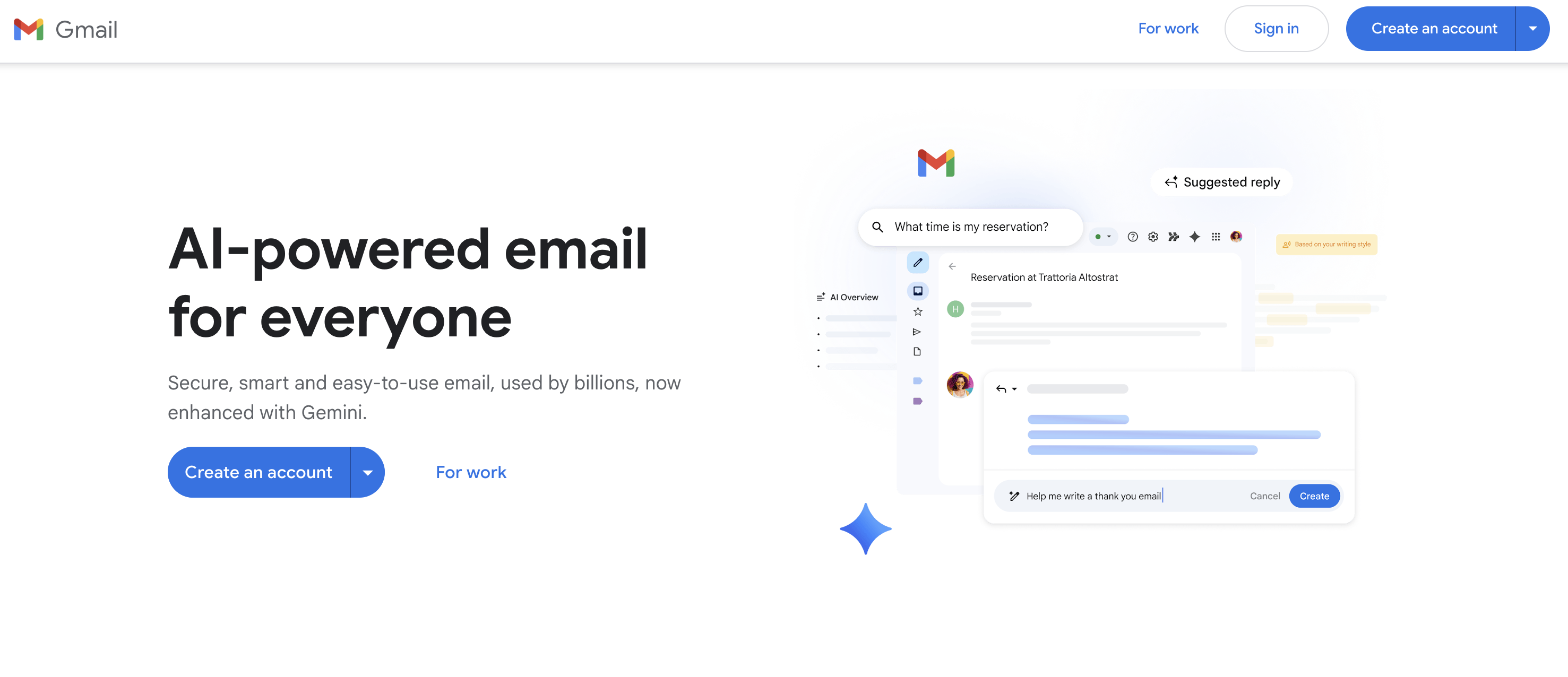
- Reply in seconds without losing your voice: AI suggested replies learn from your past responses, and Gemini drafts or polishes emails in a tone that matches your writing style.
- Catch up on long email threads in moments: AI Overview condenses lengthy conversations into the key points so you get the gist without reading every message.
- Get answers instead of a list of search results: smart search lets you ask about your inbox in your own words and returns relevant information from your emails.
- Run every email account from one inbox: a simple switch brings messages from different email providers into one app, so you manage multiple accounts without logging in and out.
- Never let an important email slip through: gentle nudges remind you about crucial messages you haven't answered or followed up on.
- Move from email to meeting without changing apps: start chats, join video calls, and collaborate on documents directly from Gmail.
- Keep the desktop email client you already use: Gmail works with Microsoft Outlook, Apple Mail, and Mozilla Thunderbird and syncs contacts and calendar events.
- Acknowledge messages instantly when a full reply isn't needed: emoji reactions, exclusive to the Gmail app, let you respond with one tap.
Pros & Cons
From the listing; not yet checked by our editors.
Pros
- Industry-leading encryption standard
- Email content privacy
- Quick response suggestions
- Thread summarization feature
- Expressive emoji responding
- Integrated smart search
- Multi-account management
- Embedded productivity tools
- Email, chat, video call integration
- Document collaboration directly from Gmail
- Crucial email nudges
- Compatibility with other desktop clients
- Contact and event synchronisation
- Confidential mode control for sent emails
- Offline usage availability
- Switch between accounts feature
- Find emails faster with search
- Express yourself with emojis
- Works with other tools
- Experience on any device
Cons
- No offline drafting feature
- Limited customizability
- Lack of integrated calendar
- Requires Google account
- Overzealous spam filter
- Difficulties with large attachments
- Slow search function
- Incompatibility with some email providers
- Limited storage space
- No built-in task feature
Alternatives to Gmail
Tools that share the most tags with Gmail.
- Stamp
Respond to emails instantly with personalized replies that match your unique writing style using AI-generated responses
Not listed
Not listed
Not yet checked
- HeyHelp
Reclaim hours each week with automated email sorting and prioritization that highlights what matters most
Freemium · from $18/month
$18/month
Not yet checked
- Whimsey: The AI Shared Inbox for Your Business
Transform thousands of feedback responses into clear strategic priorities with AI-powered categorization and summarization
Free trial · from $39/month
$39/month
Not yet checked
- Varolio
Automatically identify and prioritize your hottest leads with AI that scores prospects based on email content for effective follow-up
Paid · from $19/month
$19/month
Not yet checked
- Duet Mail
Save 4+ hours weekly with AI-powered email management that eliminates manual response drafting
Free trial · from $9.99/month
$9.99/month
Not yet checked
- Ghostwrite
Write complete emails in seconds instead of minutes by generating full-length messages from short phrases and bullet points
Not listed
Not listed
Not yet checked
Reviews
Rate this tool
Loading reviews...
Frequently asked questions
What are the new features added to Gmail with the Gemini update?
The Gemini update in Gmail introduces AI-powered features which offer assistance in email drafting. AI suggests replies and can help draft or polish emails. Managing emails has also been improved, as the update enables summarization of long email threads into essential points, providing users with a quick overview. This version also introduces smart search, allowing users to search within their emails using their own words.
How does Gmail's AI assistance aid in drafting emails?
Gmail's AI assistance aids in drafting emails by offering suggested replies. These replies are generated based on your writing style, helping you to respond quickly and accurately. You can also draft or polish your emails with additional assistance from the AI.
What is the role of AI Overview in Gmail?
AI Overview in Gmail summarizes long email threads into key points. This feature allows users to quickly understand the gist of a discussion without reading all the messages in detail. It is designed to enable users to catch up with important points swiftly.
How can Gmail's smart search help me find specific information in my emails?
Gmail's smart search enables users to find specific information within their emails using their own words. Unlike a standard search which might return hundreds of irrelevant emails, the smart search filters information to yield accurate and useful results corresponding to your specific query, thereby converting the information into answers.
Can Gmail handle emails from different service providers?
Yes, Gmail can manage emails from different service providers. It boasts a simple switch mechanism that brings together all emails from different providers into one app, aiding swift management of emails.
What are the options for communication and collaboration directly from Gmail?
Gmail offers several options for communication and collaboration directly from the app. Users can engage in chats, initiate video calls, and collaborate on documents. All these functionalities make Gmail a one-stop solution for business communication and foster convenience and productivity.
What are the gentle nudges in Gmail?
Gentle nudges in Gmail are reminders designed to help users keep track of crucial emails. If you receive an important email that you haven't responded to or followed up on, Gmail will send you a nudge, preventing the email from getting lost in your inbox.
Which desktop clients is Gmail compatible with?
Gmail is compatible with multiple desktop clients including Microsoft Outlook, Apple Mail, and Mozilla Thunderbird. This compatibility includes features like contact and event synchronization, enabling seamless use across platforms.