
Overview
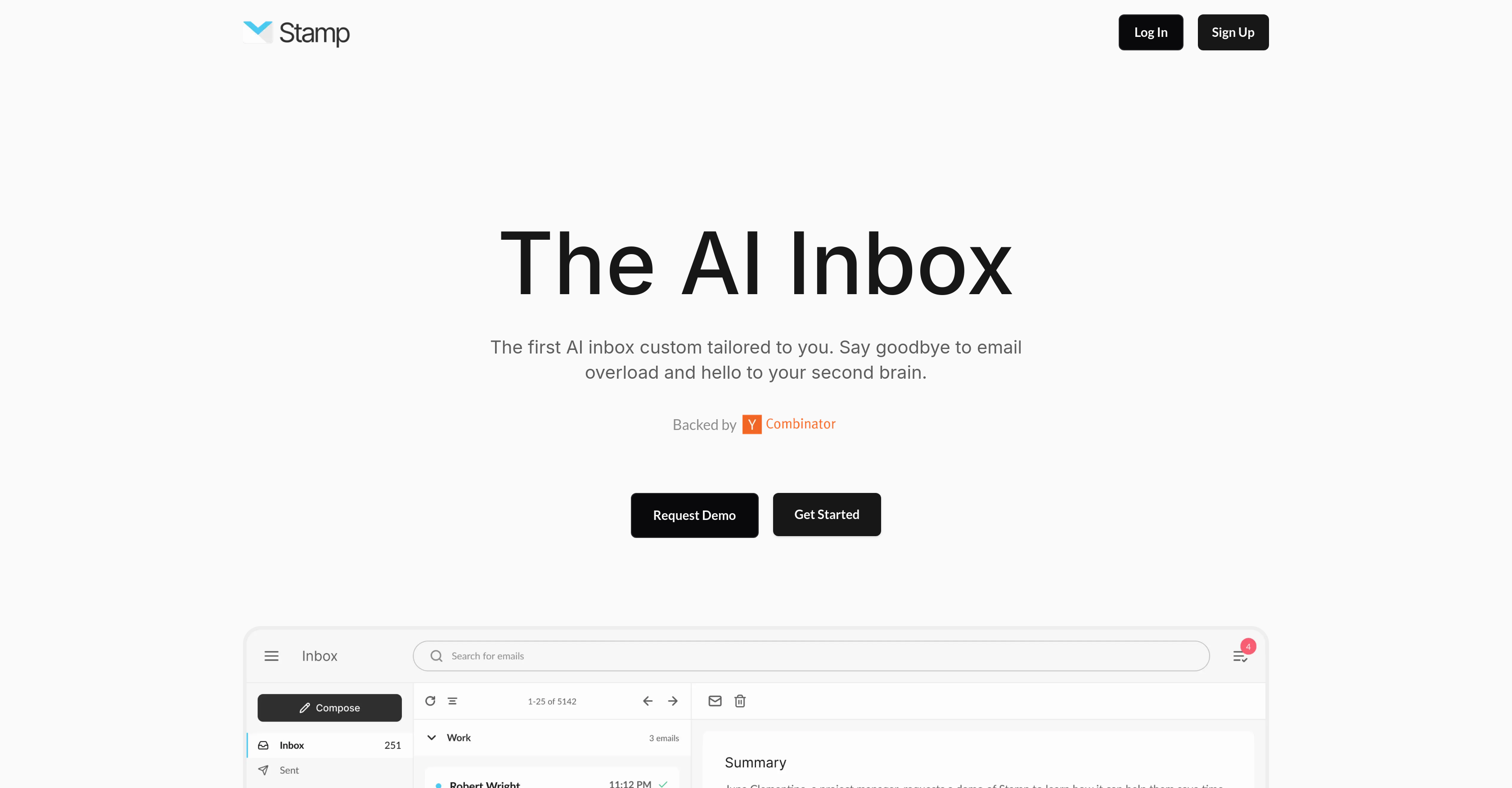
- Respond to emails instantly with personalized replies that match your unique writing style using AI-generated responses
- Automatically organize your inbox into relevant categories without manual sorting through intelligent email categorization
- Never miss critical deadlines or action items with automated email thread summaries and key task extraction
- Find any email instantly using natural language search instead of exact keywords through semantic understanding technology
- Clear email overload by having your most important messages and tasks surfaced automatically through smart prioritization
Pros & Cons
Pros
- Auto-generates personalized replies
- Contextualized email responses
- Auto-categorizes emails
- Effortless inbox organization
- Summary and action item generation
- Semantic email search
- Understands email context and meaning
- Time-saving communication efficiency
- Productivity enhancement tool
- Inbox overloaded solution
- Avoids missing critical information
- Avoids missing deadlines
- Secure, quick email access
- Uses your personal voice
- Increases email management efficiency
- Find emails without keywords
- Supported by Y Combinator
- Interface simplifies inbox sorting
Cons
- No Multi-Language Support
- No Mobile App
- Limited Customization Options
- No Offline Functionality
- No Integrated Calendar
- No Shared Inboxes
- Not Cross-Platform
- Lacks Manual Categorization
- No Spam Detection
- No Voice Command Capability
Reviews
Rate this tool
Loading reviews...
❓ Frequently Asked Questions
Stamp is an AI-native email client designed to revolutionize email management and organization. It utilizes advanced AI technologies to enhance your efficiency in handling email communication. Key features include auto-generating personalized, contextual replies, auto-categorizing emails for an organized inbox, summarizing email threads and extracting key action items, and a semantic search feature for intuitive email searching.
Stamp's auto-reply feature works by leveraging AI to generate responses. It understands the context of the conversation to create replies that are not only appropriate but also customized to the user's own style and voice. This means you can quickly respond to emails effectively, in a manner that feels authentic and personal.
'Contextualized replies in your own voice' means that Stamp is capable of creating email replies that reflect your personal writing style and take into account the specific context of each email. This makes the responses feel authentic and natural, as if you had written them yourself.
The auto-categorize feature in Stamp is an AI-driven feature that automatically organize your emails into appropriate categories. This organization simplifies your inbox and makes locating specific emails faster and more efficient, saving you time and effort.
Stamp improves email management by automatically generating replies in your own voice and style, categorizing emails for simple organisation, summarizing email threads and extracting key action items to ensure you never miss important information or deadlines, and offering a semantic search feature that understands the context and meaning of your emails, enabling smooth, intuitive search even without exact keywords. All of these features work together to enhance the efficiency of your email communication.
To use the semantic search in Stamp, simply search for your emails in plain English, just like you would in a typical conversation. Stamp's AI technology understands the context and meaning behind your search, enabling it to find the emails you're looking for, even if you don't remember specific keywords. This feature offers an intuitive and user-friendly way to locate emails.
The action item extraction feature in Stamp works by summarizing all your email threads and autonomously extrapolating key action items from them. This ensures you stay up-to-date with important tasks and don't miss any deadlines.
Yes, Stamp can significantly aid in sorting your inbox. It does this through its auto-categorize feature, which uses AI to organize your emails into suitable categories automatically. This makes your inbox neater and declutters your emails, allowing you to find important information more quickly.
Yes, Stamp fully comprehends the content and context of your emails. By leveraging AI technology, Stamp understands not only the content of each email but the context in which it was sent. This comprehension is essential in enabling features like auto-reply and semantic search.
Stamp ensures that you don't miss any important information by summarizing all email threads and automatically extracting key action items from them. This feature allows you to stay on top of critical details without having to comb through each individual email manually.
The email summarization feature in Stamp works by reading through each thread in your inbox and creating concise summaries of the content. In addition, it autonomously extrapolates key action items, so you have a clear overview of the important tasks outlined in your email threads.
Yes, Stamp can generate replies in different styles. The AI technology used by Stamp is designed to create responses that are tailored to your specific writing style. This mimicking of your personal style helps ensure consistent and authentic communication.
Stamp's interface is designed in a way that facilitates faster access to essential emails. It does this through its auto-categorizing feature which declutters and organizes your inbox, allowing you to find important emails easily. Moreover, it emphasizes important emails by summarizing them and extracting their key action items.
'Emails in plain English' means that with Stamp, you can search for emails just like you would in a normal conversation. You don't have to remember exact keywords. Stamp's AI-native technology understands the context and meaning of your search, helping you to find what you need quickly and easily.
Stamp's AI technology enhances your email communication by automating several tasks and processes. It generates personalized, context-appropriate replies, categorizes your inbox automatically, extracts key action items from your emails, summarizes email threads and employs a semantic search feature that understands the content and context of your emails. All these features work together to make email management efficient and stress-free.
Yes, Stamp can find specific emails even if you don't remember the intact keywords. It achieves this using its semantic search feature, which interprets the context and meaning of your emails, and allows for a more organic, plain English search process.
'Inbox customized to you' means that Stamp personalizes the email management process to your needs. It auto-generates replies in your writing style, auto-categorizes emails based on your preferences, and the semantic search caters to your search behavior. The entire inbox is thus tailored to serve you better.
Stamp can enhance your productivity by automating and optimizing numerous email-related tasks. It auto-generates replies, categorizes your inbox, summarizes emails, extracts key action items, and offers a semantic search. These features collectively reduce your manual effort, save time, and enable effective communication, hence boosting your productivity.
The 'Say goodbye to email overload' is a feature that Stamp offers to handle an overwhelming number of emails in your inbox. By categorizing emails, summarizing threads, extracting key action items and supporting effective semantic search, Stamp helps you handle large volumes of emails in an efficient and organized manner.
You can sign up for a demo of Stamp by visiting the website and clicking on the 'Request Demo' link. This will take you to a booking page where you can pick a suitable date and time for the demo.
Pricing
Pricing model
No Pricing
Related Videos
Introducing Stamp: The AI Native Email Client
Stamp•1.2K views•Feb 13, 2025