

GPTExcel
Build accurate financial projections, statistical models, and data analysis without memorizing function syntax. The Excel formula generator turns your request into working formulas for Excel, Google Sheets, and Airtable.
Listing not yet reviewed by our editors · How we check
Overview
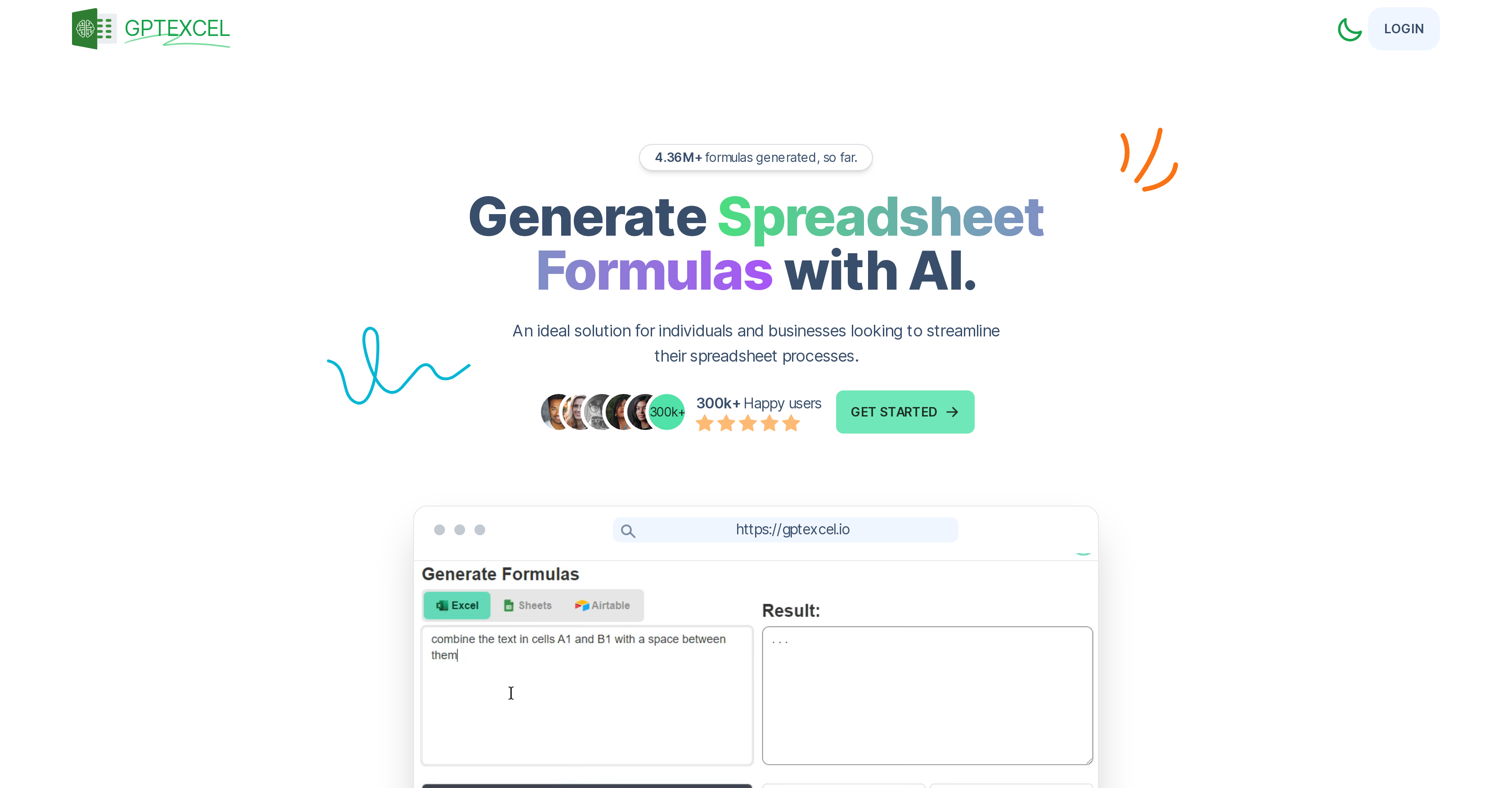
- Build accurate financial projections, statistical models, and data analysis without memorizing function syntax. The Excel formula generator turns your request into working formulas for Excel, Google Sheets, and Airtable.
- Understand every calculation you put into a spreadsheet. Each generated formula comes with an explanation of its logic, so you can verify results, adjust them, and build your own formula skills.
- Eliminate repetitive manual spreadsheet work. The script generator writes VBA macros for Excel, Apps Script for Google Workspace, and Airtable scripts that automate recurring tasks.
- Get database answers without hand-coding queries. The SQL query generator crafts, debugs, and modifies complex SQL queries across different database systems.
- Keep datasets clean and filter records precisely. The regex generator creates and explains regular expression patterns for data validation and filtering.
- Skip the setup and start working with structured data immediately. The template generator builds ready-to-use table templates for Excel and Google Sheets.
- Get identical results on any computer. GPTExcel works with both Windows and Mac versions of Excel with no difference in functionality.
- Move from question to working formula faster. A recent update made formula generation 10 times faster.
- Rely on a formula generator with a proven track record. More than 4.36 million formulas have already been generated.
- Start automating spreadsheets at no cost. The Free plan includes 4 requests per day, and the Pro plan unlocks all features and up to 100 requests per day for $6.99 per month.
Pros & Cons
From the listing; not yet checked by our editors.
Pros
- Generates Excel and Google Sheets formulas
- Explains logic behind formulas
- Compatible with Mac and Windows
- Versatile usage for different tasks
- 10x faster with recent update
- Simplifies complex calculations
- Generates VBA and Apps Scripts
- Crafts, debugs, modifies SQL queries
- Creates regular expression patterns
- Generates spreadsheet templates
- Automates repetitive tasks
- Boosts productivity
- Supports multiple spreadsheet platforms
- Supports different database systems
- Eliminates need for memorizing formulas
- Trust from reputable companies
- Individual and business usage
- 4+ million formulas generated
- 300k+ happy users
- Generates formulas for Airtable
- Generates Airtable Scripts
- Generates complex analyses
- User-friendly interface
- Eases manual coding
- Supports 50+ languages
- Generous free tier
- Priority customer support for Pro plan
- Generates and explains Airtable formulas
- Generous number of daily requests
- Immediate invoice via email
- Easily cancel subscriptions
- Subscriptions revert to Free plan when cancelled
Cons
- Limited to spreadsheet automation
- Doesn't support other programming languages
- Limited access to customer support for free tier
- Limited daily requests for free tier
- No script generation in free tier
- SQL functionality not in free tier
- Only supports 50+ languages
- No mobile app version
Alternatives to GPTExcel
Tools that share the most tags with GPTExcel.
- PromptLoop
Transform messy text into structured data instantly using a simple spreadsheet formula that works like SUM or VLOOKUP
Freemium · from $49/month
$49/month
Not yet checked
- SheetGod
Create complex Excel formulas and Google Sheets functions instantly by typing plain English instructions instead of memorizing syntax
Freemium · from $8/month
$8/month
Not yet checked
- SheetyAI
Create complex spreadsheet formulas instantly by describing your problem in plain English, eliminating the need to memorize syntax
Free
Not listed
Not yet checked
- Free AI Excel Formula Generator
Create accurate Excel formulas instantly without memorizing syntax by describing what you need in plain English
Freemium · from $9/month
$9/month
Not yet checked
- AI Excel Bot
Generate complex Excel and Google Sheets formulas in seconds using simple English prompts without needing spreadsheet expertise
Freemium · from $5.99/month
$5.99/month
Not yet checked
- Formula Dog
Solve complex spreadsheet problems in seconds by describing what you need in plain English with the AI-powered Text-to-formula tool
Paid · from $3.59/month
$3.59/month
Not yet checked
Reviews
Rate this tool
Loading reviews...
Frequently asked questions
What is GPTExcel exactly?
GPTExcel is an artificial intelligence tool that simplifies the creation and understanding of Microsoft Excel and Google Sheets formulas. In addition to formula generation, GPTExcel also explains the reasoning behind these formulas for increased user comprehension. It extends beyond Excel to include Google Sheets, making it a versatile tool for numerous spreadsheet processes.
What key features does GPTExcel offer?
Key features of GPTExcel include generation and explanation of Excel and Google Sheets formulas, VBA scripts generation, SQL queries generation, and regular expression patterns generation. It also has a template generator feature which allows users to generate spreadsheet templates. Moreover, GPTExcel works for both Windows and Mac versions of Excel.
Does GPTExcel only work with Excel?
No, GPTExcel does not only work with Excel. It also works with Google Sheets and Airtable, providing a versatile solution for different platforms users might use.
Can GPTExcel generate Google Sheets formulas?
Yes, GPTExcel can generate Google Sheets formulas. It uses AI to create Excel, Google Sheets, and Airtable formulas, enhancing its versatility and benefit to users working across various spreadsheet platforms.
How does GPTExcel help me understand the logic behind the formulas?
GPTExcel has a special feature that explains the logic behind the generated formulas. This helps users understand how GPTExcel arrived at a certain solution or formula, thereby enhancing their understanding and learning.
Is there a difference in functionality between the Mac and Windows versions of GPTExcel?
No, there is no difference in functionality between the Mac and Windows versions of GPTExcel. It is designed to work seamlessly across both operating systems, making it a handy tool regardless of the user's device preference.
What tasks can the user-generated formulas in GPTExcel be used for?
User-generated formulas in GPTExcel can be used for a wide range of tasks, including financial projections, data analysis, and statistical modeling. This broad application makes it a useful tool for numerous data-reliant tasks and projects.
What improvements were made in the recent GPTExcel update?
The recent update of GPTExcel focused on improving the speed and efficiency of the app's function, making it 10 times faster and better. This enhancement allows for smoother user experience, making formula generation more swift and efficient.