

HausDraft
See your actual room restyled, not a made-up one: every AI interior design result keeps your real walls, windows, doors, and layout while only furniture, finishes, colour, or planting change.
Listing not yet reviewed by our editors · How we check
Overview
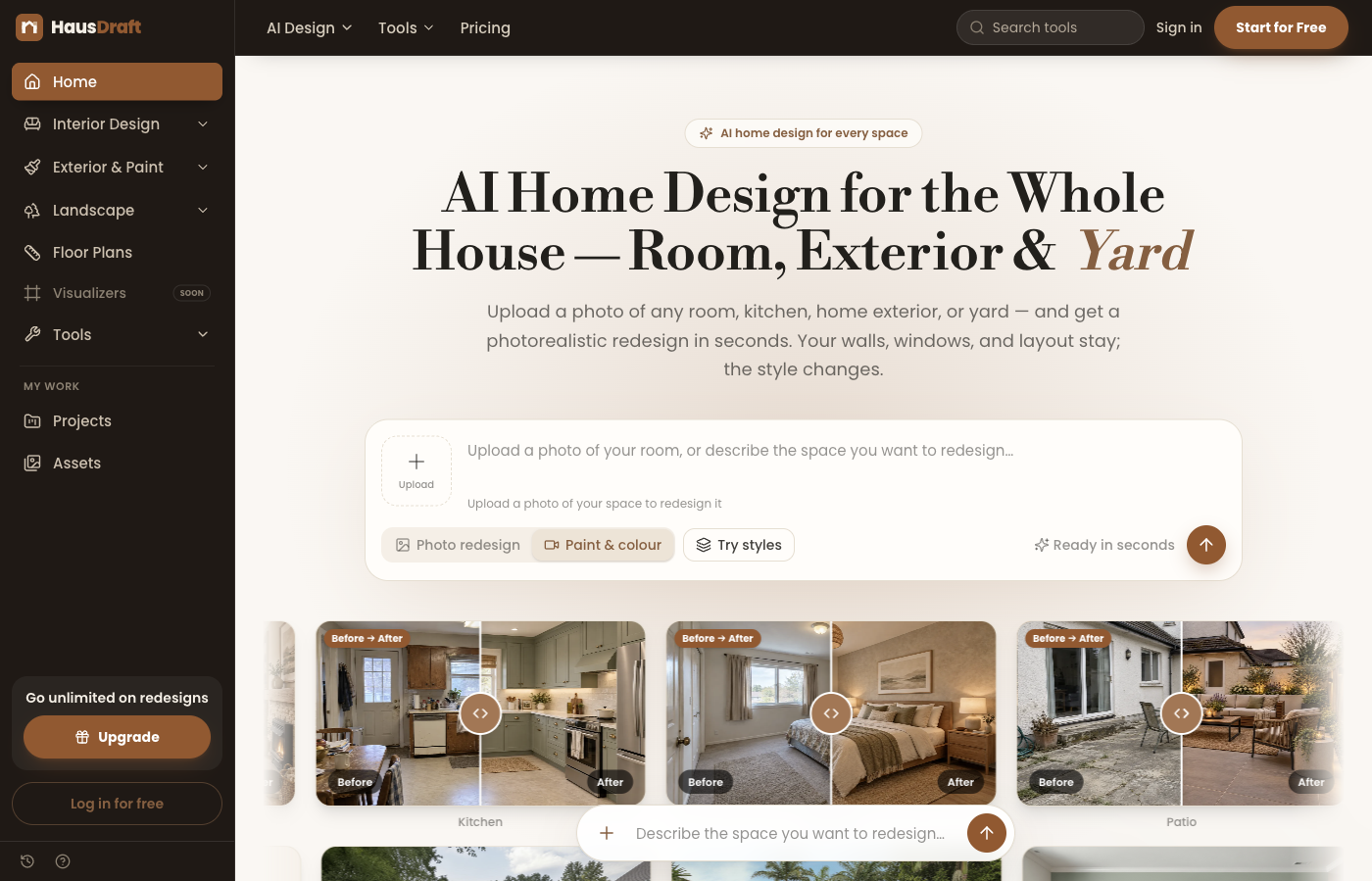
- See your actual room restyled, not a made-up one: every AI interior design result keeps your real walls, windows, doors, and layout while only furniture, finishes, colour, or planting change.
- Start a redesign with nothing but a phone photo: a single straight-on shot of a room, facade, or yard replaces measuring, floor plans, and 3D modeling software.
- Pick a kitchen or bathroom remodel direction before buying anything: dedicated studios cover kitchen and cabinet makeovers, bathroom remodels, and living room, bedroom, and basement restyling.
- Choose paint colours with confidence instead of testing sample pots: the interior and exterior paint colour visualizer repaints a single wall or a whole house exterior on your own photo.
- Plan curb appeal and outdoor living spaces in one place: landscape design, patio design, and pool design studios replant and restyle your actual yard and home exterior.
- List an empty property with furnished, buyer-ready photos: virtual home staging adds photorealistic furniture to vacant rooms while keeping the true layout, with commercial use rights on Starter and Pro plans.
- Turn a look you like into a renovation plan your contractor understands: a Mood Board, floor plan maker, and home remodel cost calculator connect the visual to layout and budget.
- Share a clear decision with your household, designer, or contractor: photorealistic redesigns arrive in seconds, with premium 2K image models on paid plans for sharper detail.
- Try home redesign before you pay: signing in gives you 2 free credits, and paid plans start at $9.99/month.
Pros & Cons
From the listing; not yet checked by our editors.
Pros
- Redesigns from a single phone photo
- Keeps your real walls, windows and layout
- Covers interiors, exteriors, paint and yards
- Photorealistic results in seconds
- Compare many styles on the same space
- Free credits to try, no card needed
- Mood Board, floor plan and cost tools
- Commercial use on Starter and Pro plans
Cons
- Sign-in required to generate
- Free tier is a one-time 2 credits
- Results depend on photo quality
- No 3D walkthroughs
- Credits don't roll over after a plan ends
Alternatives to HausDraft
Tools that share the most tags with HausDraft.
- DeHome.ai
Visualize your perfect room in seconds, not weeks, by uploading a photo and instantly receiving multiple AI-generated design variations.
Free trial
Not listed
Not yet checked
- REimagineHome
Sell properties faster with instantly staged empty rooms using virtual staging that creates appealing spaces for potential buyers
Paid · from $14/month
$14/month
Not yet checked
- AI Kitchen Design
See your renovation ideas in photorealistic detail before spending a dollar, using AI that automatically handles lighting and composition for a true-to-life preview.
Paid · from $14/month
$14/month
Not yet checked
- Home Design AI
Visualize professional interior designs in seconds without hiring a designer using our AI-powered room transformation
Paid · from $49.99/year
$49.99/year
Not yet checked
- Interior AI
Visualize redesigns instantly by uploading room photos that AI transforms into detailed interior designs in seconds
Paid · from $17/month
$17/month
Not yet checked
- Decory AI
Visualize your dream room instantly without guesswork by generating professional designs from a simple photo, description, or room dimensions
Freemium · from $49.99/month
$49.99/month
Not yet checked
Reviews
Rate this tool
Loading reviews...
Frequently asked questions
What can HausDraft redesign from a photo?
HausDraft 🛠️ 1 tool wrote:Living rooms, bedrooms, kitchens, bathrooms, basements, home exteriors, and yards, patios, or pool areas. You can also repaint an interior wall or a whole house exterior. Every redesign keeps your real walls, windows, doors, and layout and changes the furnishings, finishes, colour, or planting instead.
What kind of photo do I need?
HausDraft 🛠️ 1 tool wrote:A single phone photo of the space. A clear, straight-on shot that shows most of the room, facade, or yard works best. No measuring, floor plans, or 3D software are needed.
How is HausDraft different from a generic AI image generator?
HausDraft 🛠️ 1 tool wrote:Generic tools invent a brand-new room. HausDraft anchors every redesign to your photo, preserving the architecture and layout, so the result is your actual space in a new style that you can use for a real decision.