

Home-Imagine
See your finished renovation before spending on materials or labor: upload a room photo, choose an interior design style such as Scandinavian, modern, bohemian or luxury, and get an instant room redesign of your actual space.
Listing not yet reviewed by our editors · How we check
Overview
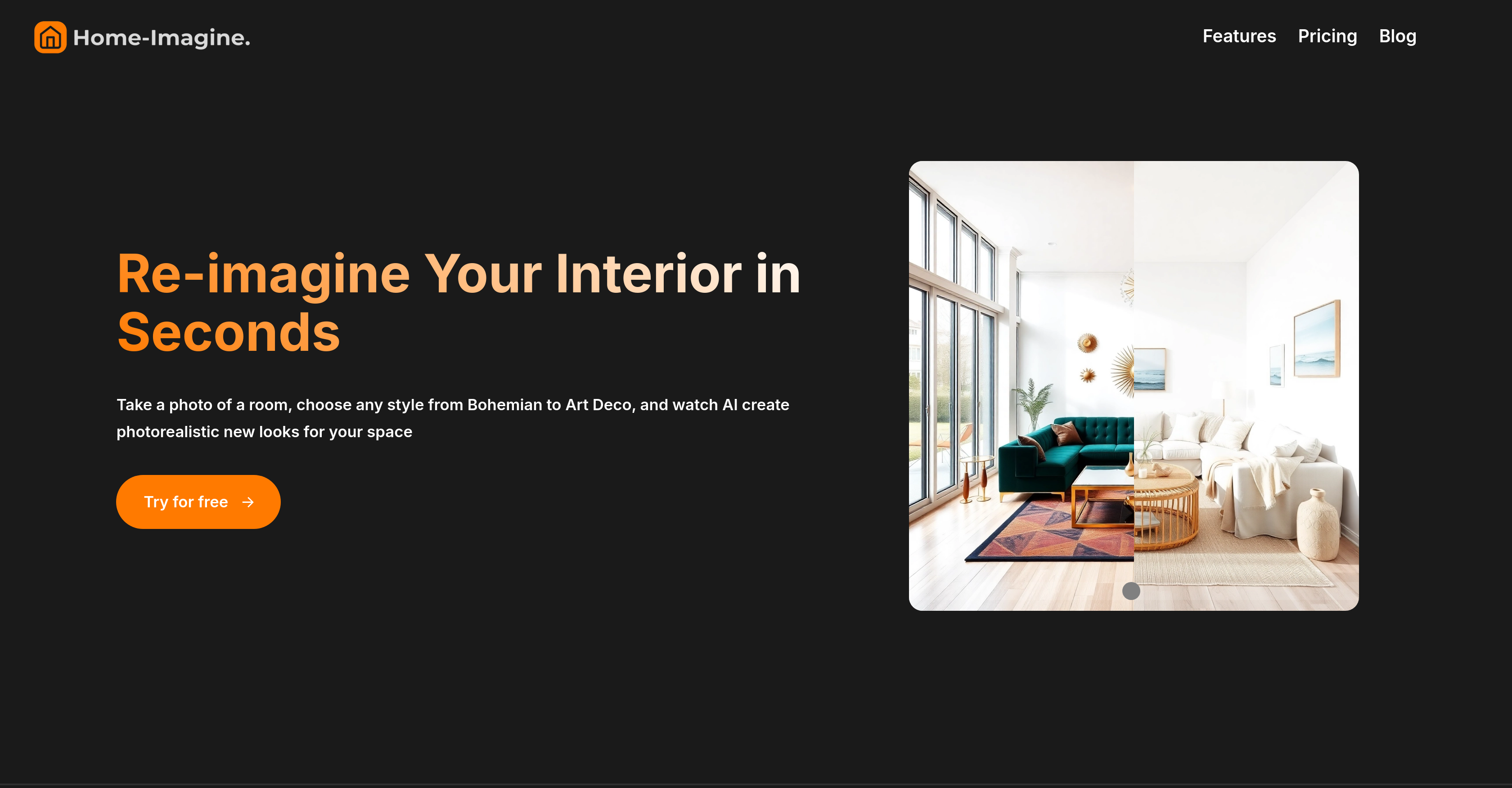
- See your finished renovation before spending on materials or labor: upload a room photo, choose an interior design style such as Scandinavian, modern, bohemian or luxury, and get an instant room redesign of your actual space.
- Test whether a space works for a completely different purpose: virtual remodeling converts an entire room type into another, such as turning a living room into a kitchen or bathroom, without demolition or contractor quotes.
- Turn empty listings into furnished homes buyers can picture living in: describe the furniture you want and AI furniture placement fills vacant rooms to match, giving real estate agents virtual staging visuals that lift listing appeal.
- Fix one detail without starting over: targeted room modification removes or replaces individual furniture pieces and changes wall color, so you compare paint schemes and layouts on the same photo.
- Get a design that reflects your exact taste instead of a generic template: personalized interior design lets you specify room type, objects and materials, or describe your preferred style in plain text.
- Present clients with multiple design concepts in a single session: design ideas generation produces fast iterations from your inputs, so architects and interior designers explore options without deep interior styling expertise.
- Keep your planning workflow growing: clutter removal for a blank-canvas view, automatic image enhancement, and sketch-to-photorealistic rendering are on the roadmap, along with a mobile app.
Pros & Cons
From the listing; not yet checked by our editors.
Pros
- Photorealistic room redesign
- Wide style range
- Detailed personalisation
- Virtual room conversion
- Intelligent furniture suggestion
- Precise room modification
- Forthcoming clutter clearing
- Automated image enhancement
- Sketch-to-render transformation
- Access via web-app
- Mobile application in development
- Useful for varied users
- Fulfills real estate needs
- Aid for architects
- Single-room renovation
- Whole-house redesign
- Enables sample furniture placement
- Targets wall color changes
- Offers luxury style
- Suggests design ideas
- Supports Bohemian style
- Generates Scandinavian style
- Implements modern style
- Enables material selection
- Facilitates virtual staging
- Potential to boost listing price
- Service free to start
- Pay-as-you-go pricing
- Caters to home sellers
- Caters to home buyers
- Time-saving tool for designers
- No design skills needed
- Supports design prototypes creation
- Transforms empty into furnished
- Customisable design rules
- Boosts conversion for agents
- Incorporates post-apocalyptic style
- Incorporates cyberpunk style
- Accommodates soft neutrals
- Accommodates Nordic lights
- Accommodates forest-inspired themes
- Supports wood use
- Supports glass use
- Supports metal use
- Supports leather use
- Approx 10 seconds per render
- No subscriptions required
Cons
- No mobile app yet
- Limited design style options
- Fee per image
- Cannot handle complex sketches
- No real-time modifications
- Can't predict design accuracy
- Doesn't support 3D modeling
- Requires precise user descriptions
- Design constraints unclear
- Limited materials selection
Alternatives to Home-Imagine
Tools that share the most tags with Home-Imagine.
- DeHome.ai
Visualize your perfect room in seconds, not weeks, by uploading a photo and instantly receiving multiple AI-generated design variations.
Free trial
Not listed
Not yet checked
- REimagineHome
Sell properties faster with instantly staged empty rooms using virtual staging that creates appealing spaces for potential buyers
Paid · from $14/month
$14/month
Not yet checked
- AI Kitchen Design
See your renovation ideas in photorealistic detail before spending a dollar, using AI that automatically handles lighting and composition for a true-to-life preview.
Paid · from $14/month
$14/month
Not yet checked
- Home Design AI
Visualize professional interior designs in seconds without hiring a designer using our AI-powered room transformation
Paid · from $49.99/year
$49.99/year
Not yet checked
- Interior AI
Visualize redesigns instantly by uploading room photos that AI transforms into detailed interior designs in seconds
Paid · from $17/month
$17/month
Not yet checked
- Decory AI
Visualize your dream room instantly without guesswork by generating professional designs from a simple photo, description, or room dimensions
Freemium · from $49.99/month
$49.99/month
Not yet checked
Reviews
Rate this tool
Loading reviews...
Frequently asked questions
What are the key features of Home-Imagine?
Home-Imagine offers features like instant room redesign, style selection, furniture placement, room conversion, personalized design, room modification, wall color changing, and interior visualization. Users can remodel existing spaces or restyle an entire room into a new one. It also supports specific room modifications like removing or replacing furniture. In the future, it will offer features like clutter removal, automatic image enhancement, and transformation of sketches into photorealistic renders.
How does Home-Imagine allow me to personalize my room design?
Home-Imagine provides detailed personalization of design. Users can choose from a wide range of styles, specify room types, select objects and materials to incorporate into the design. Every detail is customizable, catering to users' specific needs and preferences.
What styles does Home-Imagine support?
Home-Imagine supports a broad spectrum of styles including Scandinavian, modern, bohemian, luxury, and more. The user simply describes their preferred style in text, and the AI designs the room accordingly.
Can I use Home-Imagine to convert one room type into another?
Yes, Home-Imagine has the ability to restyle an entire room into a different one. For instance, a living room can be transformed virtually into a bathroom or kitchen.
How does the furniture placement feature work on Home-Imagine?
Home-Imagine's furniture placement feature is powered by AI. Users simply describe the furniture they are looking for, and the AI fills the empty spaces with furniture that suits their vision and matches their described parameters.
What is the room modification capability supported by Home-Imagine?
Home-Imagine supports various room modification capabilities. Users can easily modify specific parts of a room, such as removing or replacing furniture, changing wall color, or making precise adjustments. This enables more precise visualization and planning.
How can Home-Imagine help me change the wall color in my room pictures?
Home-Imagine allows users to easily change the wall color. They can alter the color scheme for their rooms virtually, enabling them to better plan and visualize the outcomes before implementing them.
What will the upcoming feature on Home-Imagine, which clears room clutter, do?
The upcoming clutter clearing feature of Home-Imagine will give users the ability to eliminate all clutter from their room photos for a clean, blank canvas. This will highlight the architecture and design potential of the space, and make it easier to visualize new possibilities.