

IterationX
Resolve design and development issues faster with AI co-pilots that provide custom code snippets and design suggestions based on your team's knowledge
Listing not yet reviewed by our editors · How we check
Overview
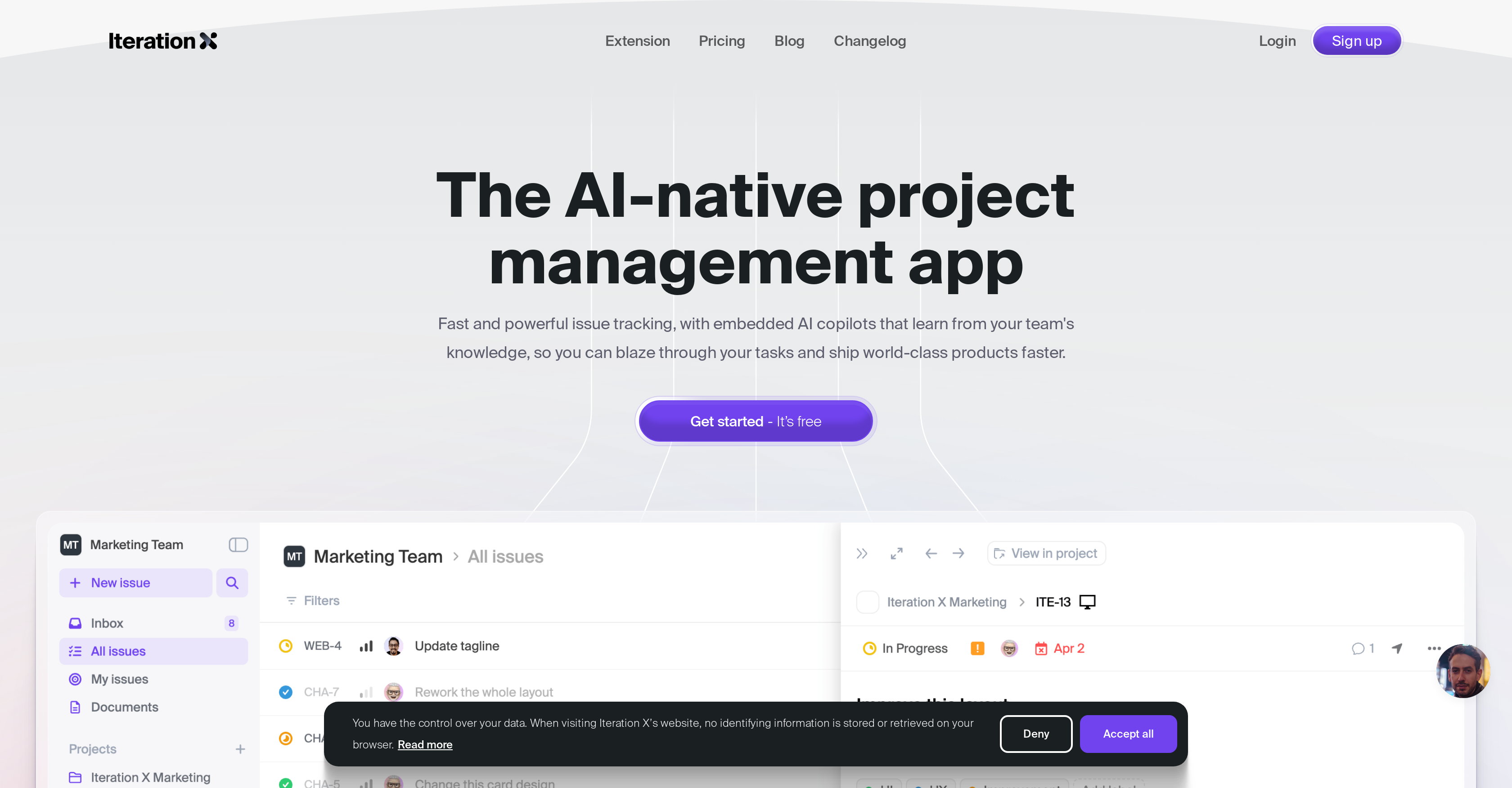
- Resolve design and development issues faster with AI co-pilots that provide custom code snippets and design suggestions based on your team's knowledge
- Document and share front-end problems instantly using one-click visual capture that bundles screenshots, code, and metadata
- Maintain complete visibility over project status through a powerful issue-tracking dashboard that organizes tasks and enhances team collaboration
- Accelerate product management workflows with context-aware AI assistance that learns from your documentation and project history
- Simplify data collection and issue reporting with quick capture functionality that eliminates manual documentation steps
Pros & Cons
From the listing; not yet checked by our editors.
Pros
- Supports front-end operations
- One-click visual capture
- Powerful issue-tracking dashboard
- User-friendly interface
- Quick issue capture
- Streamlined task management
- Supports design support
- Website uses necessary cookies
- Well-integrated data collection
- Efficient issue management
- Compliant with data protection laws
- Allows visual issue documentation
- Manageable feature set
- ISO27001/27701 certified
- SOC II Type 2 certified
- GDPR compliant
- Automatic task documentation
- Mobile issue capture SDK
- Integrated with Github, Jira, Asana
- One-click issue capture feature
- Strictly necessary cookies
- No personal data stored
- Automatic issue documentation
- In-context browser info attached
- Compatible with native mobile apps
- Knowledge-learning capability
- Efficient task completion
- Integral software support
- Enhanced user experience
- Efficient data management
- Enhances efficiency in task completion
- Enhanced project management capabilities
- Data security and segregation
- Quick capture and issue management
- Streamlines tasks across areas
- Supports software and product management
Cons
- Targets only front-end operations
- No mobile app support
- Lacks third-party integration
- Strictly necessary cookies
- No offline functionality
- No multi-language support
- Dependent on team knowledge
- Requires browser extension
- No multilevel task management
Alternatives to IterationX
Tools that share the most tags with IterationX.
- AI Pro Management
Eliminate manual project planning with AI that generates Work Breakdown Structures and predicts timelines using predictive algorithms
Freemium · from $15.46/month
$15.46/month
Not yet checked
- Progr
Build production-ready AI models faster with streamlined workflows for data preprocessing, model development, training, and deployment
Freemium · from $10/month
$10/month
Not yet checked
- PMI Infinity
Eliminate hours of manual research with instant access to 14,000+ PMI-vetted content pieces through smart navigation
Not listed
Not listed
Not yet checked
- Quila
Transform complex projects into precise, actionable task breakdowns with AI-powered chat assistance that understands your project context
Free trial · from $7/month
$7/month
Not yet checked
- Dart
Save one-third of project management time by automating administrative tasks with GPT-4 technology
Freemium · from $8/month
$8/month
Not yet checked
- Easy Redmine
Manage hybrid projects with both agile and waterfall methodologies through a single integrated platform
Free trial · from $7.50/month
$7.50/month
Not yet checked
Reviews
Rate this tool
Loading reviews...
Frequently asked questions
What is IterationX?
IterationX is a project management and issue tracking tool that is specifically designed to support teams heavily relying on front-end operations. One of its key features is its AI-native capability, which aids in streamlining tasks across different areas including design, software, and product management.
How do the AI co-pilots in IterationX work?
AI co-pilots in IterationX are context-aware mechanisms designed to assist in managing tasks. These AI mechanisms learn from the team's knowledge, history, and documentation to better resolve design, development, and project management tasks. They offer code snippets, design suggestions, and issue fixes that are customized to the product at hand.
What is the purpose of visual capture in IterationX?
The purpose of visual capture in IterationX is to enable users to easily and quickly capture information with just one click. This facilitates the process of issue tracking and data collection by allowing users to identify, document, and communicate issues visually, thus bridging the gap between discovering a problem and communicating it to the team.
How does IterationX support front-end operations?
IterationX supports front-end operations through its ability to visually capture information with a single click and provide an intuitive interface for task management. It offers robust issue-tracking features and a series of AI co-pilots that help streamline front-end operations tasks.
What is the role of the issue-tracking dashboard in IterationX?
The role of the issue-tracking dashboard in IterationX is to enhance project management capabilities. It serves a pivotal role in organizing and managing tasks, tracking issues effectively, and facilitating better communication and collaboration among team members.
How user-friendly is the interface of IterationX?
The interface of IterationX is user-friendly. By providing manageable features like quick capture and issue management, it allows users to navigate through the tool with ease and efficiency.
Can IterationX learn from the team's knowledge and how?
Yes, IterationX has a unique knowledge-learning capability where the AI co-pilots learn from the team's knowledge. It uses your team's documents and past project history to understand and predict what will be needed to achieve efficiency in completing tasks.
What happens when I click on 'Quick Capture' in IterationX?
When you click on 'Quick Capture' in IterationX, it captures a screenshot, code, and metadata for you in a single click. This feature allows you to document issues by capturing a snapshot of whatever you are viewing at the time of the click, therefore simplifying the issue-tracking process.