

Kino AI
Get a usable first cut without logging footage by hand: describe the edit in plain language and the AI video editor analyzes all imported footage, selects relevant clips, and assembles a rough cut with every clip exposed on the timeline.
Listing not yet reviewed by our editors · How we check
Overview
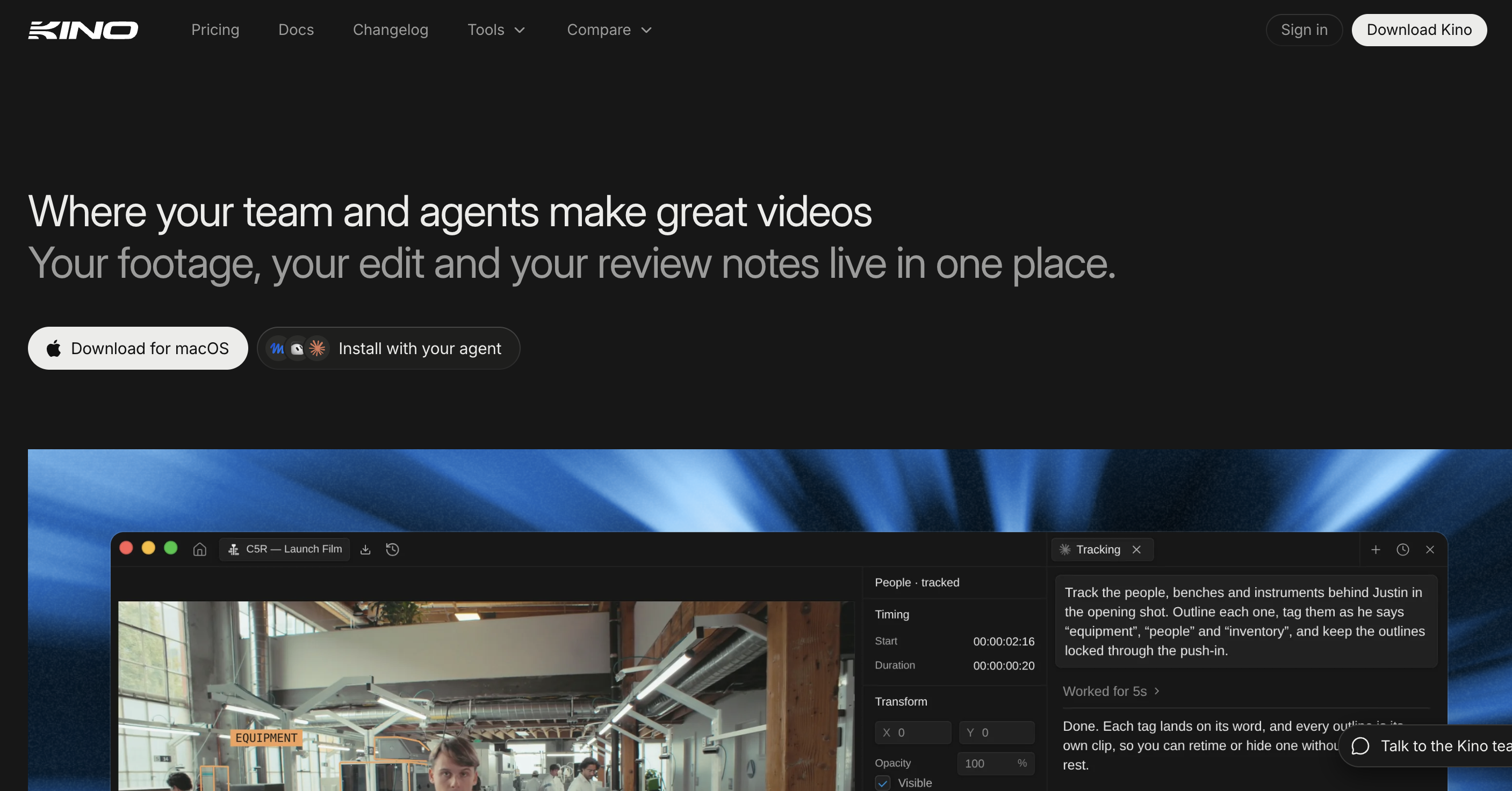
- Get a usable first cut without logging footage by hand: describe the edit in plain language and the AI video editor analyzes all imported footage, selects relevant clips, and assembles a rough cut with every clip exposed on the timeline.
- Keep full editorial control over automated edits: every AI-generated clip, graphic, and edit is marked on the timeline, so you move, trim, retime, or replace any element as you would in a conventional NLE.
- Start cutting camera originals the moment they land: native playback and editing of RED R3D, Blackmagic RAW, ProRes, DNxHR, and MXF removes transcoding from your post-production workflow.
- Find the exact moment you need across hours of footage: the media library transcribes speech, describes every shot, and identifies faces, so you search by spoken words, on-screen objects, or specific people.
- Keep growing shoots organized with zero manual sorting: filter assets by codec, camera, lens, or shoot day and save them as smart bins that populate automatically as new footage is imported.
- Get client and team feedback without account friction: browser-based review links require no sign-up, comments land as timestamped notes on the timeline, and one click on "Send to agent" applies the requested fixes.
- Deliver social-ready versions from a single edit: the agent reformats horizontal video to vertical 9:16, follows speakers, and generates short-form and long-form variants as separate renders.
- Produce on-brand motion graphics without building from scratch: a library of 100+ templates for titles, maps, captions, and transitions, Remotion-powered animation with editable keyframes, plus automatic rotoscoping and logo, lower-third, and watermark overlays.
- Sync dual-system sound in seconds: audio alignment matches external recordings to camera audio using waveform analysis and embedded timecode.
- Fill coverage gaps with relevant cutaways: the agent locates B-roll from YouTube and your indexed library by keywords, visual concepts, or speaker cues and inserts it on the timeline.
- Turn written content into finished video: paste a blog post, article, or script and the agent builds a storyboard, adds voice-over or your supplied audio, applies visuals and motion graphics, and assembles the explainer video.
- Work on the same project from any edit station: large libraries scrub locally for speed while clips stream from Kino, so projects open consistently on macOS, Windows, and Ubuntu with identical core features.
- Replace a stack of separate subscriptions with one workspace: nonlinear editing, cloud media storage, a searchable media catalog, and video review run together, with URL-based sharing of renders, asset packages, and project nodes exposed to agents via MCP.
Pros & Cons
From the listing; not yet checked by our editors.
Pros
- Native RED, Blackmagic RAW support
- Direct playback without transcoding
- Crossplatform macOS Windows Ubuntu
- Browser review links no account
- Timelinelinked comments autoapply
- Smart bins autopopulate from filters
- Shotbyshot transcription searchable
- Visual content searchable
- Streaming clips keep projects consistent
- Local scrub, remote streaming
- URLbased asset sharing
- Remotionbased motion graphics integration
- 100+ readytouse templates
- Agentgenerated rough cut remains editable
- Automatic vertical reformatting
- Speakerfollow autocrop
- Builtin rotoscoping and branding tools
- Automatic Broll insertion from YouTube
- External audio alignment feature
- Multivariant project generation
- Writtentoexplainer video conversion
- Filter by codec, camera, lens
- Smart bin updates realtime
- Notranscode editing of professional formats
- Terabyte libraries local scrubbing
- Cloud streaming for any machine
- Commenttotimeline synchronization
- Agent answers reviewer comments
- Preserves editorial control over decisions
- Visual WYSIWYG editor over generated graphics
- Fast playback optimized Remotion engine
- Integrated searchable media catalog
- Supports MXF, DNxHR, ProRes
- Direct export via shareable URL
- Noaccount browser playback for reviewers
- Multiagent collaborative editing sessions
- Agent installation via MCP documented
- Crossformat asset packaging
- Automatic metadata extraction (codec, lens)
- Search across spoken words, visible content
- Realtime smart bin filtering
- Zerotranscode workflow reduces storage
- Multiplatform agent integration
- Inline comment replies trigger agent
- Seamless project sync across devices
- Highresolution RAW editing support
- Builtin titles template library
- Oneclick vertical format conversion
- Automatic speaker detection for framing
- Integrated branding overlay templates
Cons
- Agent setup manual steps
- Requires highend GPU for RAW
- Local terabyte storage needed
- Remotion limits motion graphics
- No native color grading suite
- Collaborative edits not simultaneous
- URL sharing lacks expiration control
- Smart bins not crossdevice synced
- Limited thirdparty plugin support
- Browser review lacks timeline zoom
Alternatives to Kino AI
Tools that share the most tags with Kino AI.
- Gling - AI Video Editing Software for YouTube
Skip hours of manual editing with AI that automatically cuts silences, bad takes and filler words from your raw footage
Freemium · from $10/month
$10/month
Not yet checked
- AVCLabs
Transform blurry videos into crisp high-resolution footage with AI upscaling and deinterlacing technology
Paid · from $39.95/month
$39.95/month
Not yet checked
- Camtasia
Record screen, camera, and audio simultaneously on separate tracks for complete editing control over every element
Freemium · from $179.88/year
$179.88/year
Not yet checked
- bigmp4
Transform low-resolution videos into crystal clear 8K quality with AI upscaling that simultaneously reduces noise and enhances detail
Freemium · from $6
$6
Not yet checked
- Vidnami
Transform text into complete marketing videos instantly using AI that splits content into scenes and selects matching clips from Storyblocks
Free trial · from $47/month
$47/month
Not yet checked
- Captions
Produce studio-grade videos without technical expertise using AI-powered automation that handles complex editing tasks
Paid · from $9.99/month
$9.99/month
Not yet checked
Reviews
Rate this tool
Loading reviews...
Frequently asked questions
How does Kino let me ask the AI agent to make a cut using natural language?
Kino provides a natural‑language prompt box in the editor where you type a command such as “make a cut” or “create a first draft”. The AI agent reads the entire imported footage, selects relevant clips, assembles a rough edit and places every chosen clip on the timeline for you to review.
Can I edit the AI‑generated rough cut manually on the timeline?
Yes. After the AI‑generated rough cut is placed on the timeline, you can manually move clips, trim them, change timing, replace graphics, and adjust any other element just like in a conventional NLE.
Does Kino support direct playback of RED, Blackmagic RAW, ProRes, DNxHR, and MXF without transcoding?
Kino plays RED R3D, Blackmagic RAW, ProRes, DNxHR and MXF natively, allowing direct playback and cutting without any prior transcoding.
How do I share a review link in Kino so reviewers don’t need an account?
Review links are simple URLs. You copy the link and send it to anyone; reviewers open it in a web browser, watch the video, leave comments, and no account creation is required.
Can comments left by reviewers be sent back to the AI agent for automatic fixes?
Comments that appear on the timeline can be routed to the AI agent with a single click (“Send to agent”). The agent then attempts to resolve the comment automatically, applying fixes directly to the edit.
What kind of search can I do in Kino’s media library – spoken words, on‑screen objects, or people?
The media library indexes every clip by transcribed speech, visual description of each shot, and identified faces. You can search for spoken words, on‑screen objects, or specific people.
How do smart bins work and can they update automatically as new footage is added?
Smart bins are saved filter sets (e.g., codec = ProRes, camera = RED, lens = 24mm, shoot day = Day 2). Once created, the bin automatically populates with any new footage that matches the criteria, updating in real time.
Is it possible to reformat a horizontal video to vertical (9:16) with the AI agent?
The AI agent includes a “reformat to vertical” function. You ask it to convert a horizontal sequence to 9:16, and it rescales, re‑positions key subjects, and adds optional letterboxing or cropping as needed.