

KiwiMotion AI
Turn a written idea into a finished clip without filming or editing timelines: the Text to Video workflow generates an AI video from a scene described in a prompt.
Listing not yet reviewed by our editors · How we check
Overview
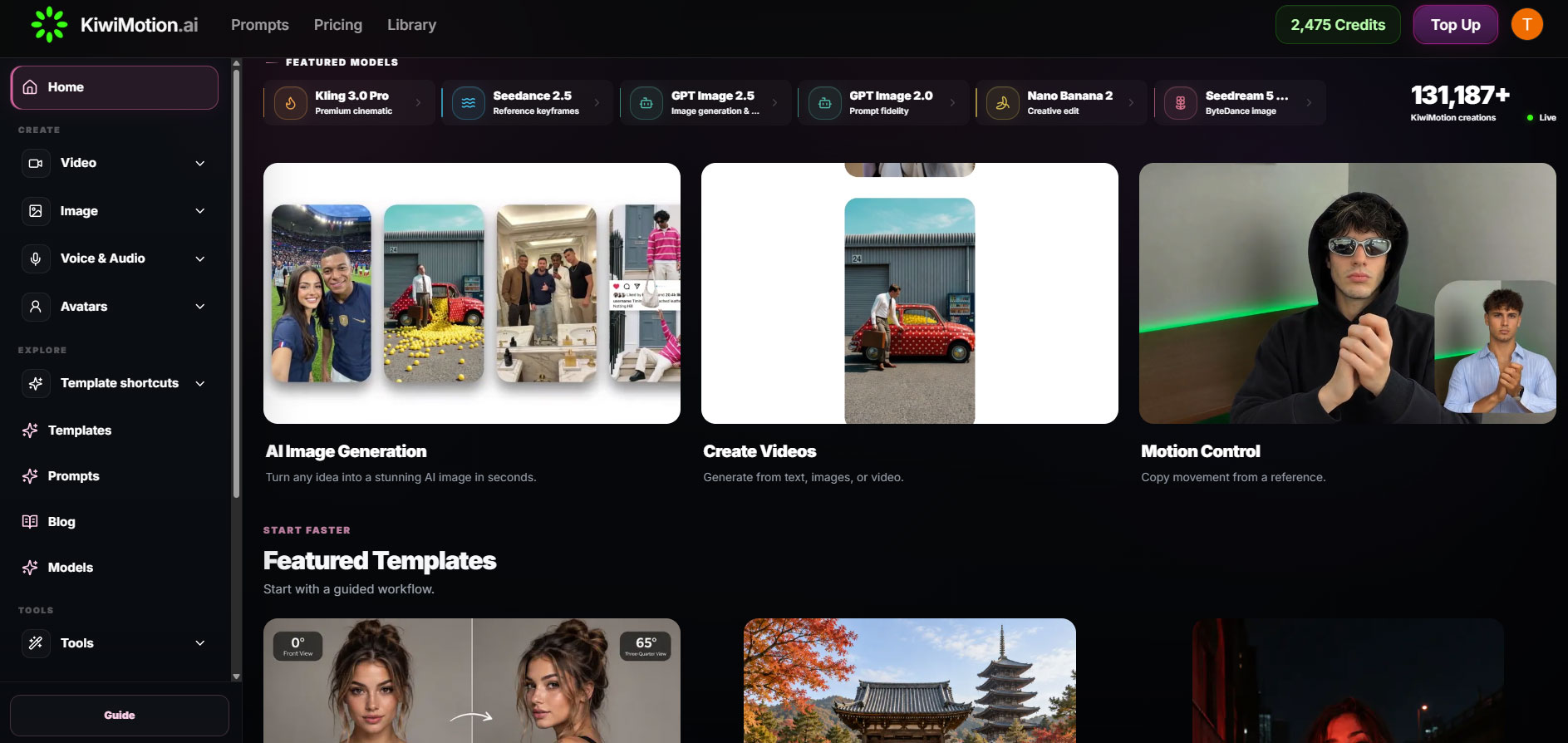
- Turn a written idea into a finished clip without filming or editing timelines: the Text to Video workflow generates an AI video from a scene described in a prompt.
- Bring product shots, portraits, and artwork to life: Image to Video animates a still image, with your prompt steering motion, camera movement, and atmosphere.
- Make any character or subject dance, perform, or act without motion capture gear: Motion Control transfers movement from a reference video to another person or character.
- Restyle existing footage while preserving its original motion and structure: Video to Video transforms a source clip into a new look using AI video models.
- Decide exactly how a scene opens, evolves, and transitions: Keyframes to Video anchors the generated video to the images or frames you choose.
- Compare results and pick the best output for each project without juggling separate subscriptions: multiple current AI video models sit in one workspace and stay updated as new models are added.
- Deliver platform-ready videos for vertical, square, or widescreen formats: per-model settings for aspect ratio, duration, resolution, and quality control the final output.
- Keep generation spending predictable: credit cost scales with the model, duration, resolution, and quality you select, so short drafts cost less than final renders.
- Find, review, and reuse every render in one place: completed generations save automatically to a private KiwiMotion Library alongside your AI image generation and video edit work.
Alternatives to KiwiMotion AI
Tools that share the most tags with KiwiMotion AI.
- Common Sense Machines (CSM)
Transform text, images, or sketches into game-engine ready 3D worlds instantly using AI-powered conversion
Freemium · from $20/month
$20/month
Not yet checked
- Kaiber
Transform text descriptions into captivating video sequences instantly using advanced AI algorithms that interpret your input for contextually accurate results
Free trial · from $5/month
$5/month
Not yet checked
- Freepik AI Video Generator
Transform text scripts into complete videos with custom shot types and transitions for coherent storytelling
Freemium · from $5/month
$5/month
Not yet checked
- LitVideo: AI Video Generator
Web app that generates video, images and music from text or images, using several third-party video models in one place.
Freemium · from $7.50/month
$7.50/month
Nov 24, 2026
- MagicLight
Transform written scripts into complete animated videos automatically with story-to-video generation
Freemium · from $7.5/month
$7.5/month
Not yet checked
- MyHeritage Deep Nostalgia
See your ancestors come to life with realistic facial movements using deep learning technology
Freemium
Not listed
Not yet checked
Reviews
Rate this tool
Loading reviews...
Frequently asked questions
What is KiwiMotion AI Video Generator?
KiwiMotion AI 🛠️ 1 tool wrote:KiwiMotion AI Video Generator is a multi-model video creation tool for generating and transforming AI videos in one workspace. It supports workflows such as Text to Video, Image to Video, Video to Video, Motion Control, and Keyframes to Video with multiple supported AI video models.
Can KiwiMotion generate videos from text?
KiwiMotion AI 🛠️ 1 tool wrote:Yes. The Text to Video workflow lets you describe a scene in a prompt, choose a supported video model and settings, and generate an AI video from those instructions.
Can KiwiMotion animate an image into a video?
KiwiMotion AI 🛠️ 1 tool wrote:Yes. With Image to Video, you can upload an image and generate a video from it using a supported AI video model. The prompt can guide motion, camera behavior, atmosphere, and other details.
What is Motion Control in KiwiMotion?
KiwiMotion AI 🛠️ 1 tool wrote:Motion Control lets you transfer movement from a reference video to another person, character, or subject. It can be used for dance, performance, character animation, creator content, and other motion-driven videos.
Does KiwiMotion support Video to Video?
KiwiMotion AI 🛠️ 1 tool wrote:Yes. Video to Video workflows let you use an existing video as the starting point and transform or restyle it with supported AI video models while keeping aspects of the original motion and structure.
What is Keyframes to Video?
KiwiMotion AI 🛠️ 1 tool wrote:Keyframes to Video lets you use selected images or frames as visual anchors for a generated video. This gives you more control over how a scene begins, develops, or transitions between key moments.
Which AI video models are available in KiwiMotion?
KiwiMotion AI 🛠️ 1 tool wrote:KiwiMotion supports multiple current AI video models. Available models depend on the selected workflow and can change as new models are added or existing models are updated.
Can I choose the video aspect ratio and duration?
KiwiMotion AI 🛠️ 1 tool wrote:Yes. Supported settings can include aspect ratio, duration, resolution, quality, and other model-specific options. The available controls depend on the video model you choose.