

Klipa AI
Turn hours of long-form footage into ready-to-post short clips without scrubbing a timeline: AI Clips detects notable moments and assembles short videos or a best-of montage with no manual tagging.
Listing not yet reviewed by our editors · How we check
Overview
- Turn hours of long-form footage into ready-to-post short clips without scrubbing a timeline: AI Clips detects notable moments and assembles short videos or a best-of montage with no manual tagging.
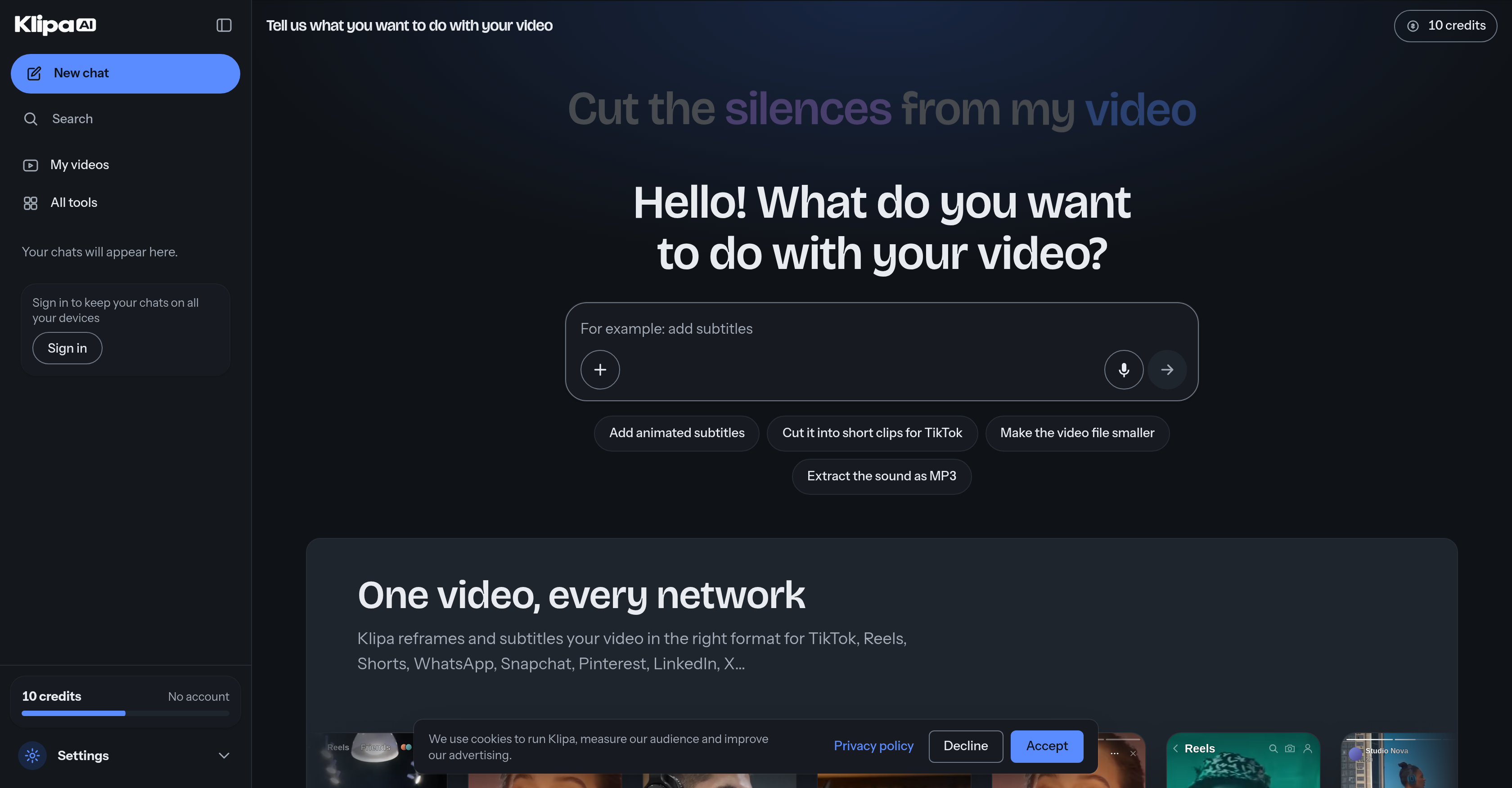
- Finish a multi-step video edit from a single sentence: Klipa Assistant turns a plain-English request into a chain of up to four actions, such as vertical reframe followed by animated subtitles, and shows the step order and estimated time for approval before anything runs.
- Close the tab and return to a finished file: server-side processing keeps working after the page is closed, tracks progress, and delivers the result in the chat with an embedded preview player before you download.
- Keep viewers watching with sound off: automatic animated captions transcribe speech and burn word-by-word text into the video in eleven visual styles, including Highlighter, Impact, One Word, and Comic.
- Reach audiences in other languages without a translator: caption and video translation covers more than 30 languages, with subtitle export and conversion across SRT, VTT, ASS, and TXT.
- Publish tighter, cleaner talking-head and podcast clips: automated silence removal, filler-word removal, and background noise reduction strip dead air, ums, and hiss while preserving the remaining audio.
- Meet every social platform's spec in one click: Vertical Reframe crops or pads footage to 9:16 for TikTok, Instagram Reels, and YouTube Shorts, with square 1:1, portrait 4:5, landscape 16:9, and 2:3 for Pinterest also available.
- Ship files that upload fast and play anywhere: video compression with bitrate optimization shrinks file size with no visible quality loss, alongside MP4, MOV, and MKV format conversion, trimming, speed changes, audio extraction, and video-to-GIF loops.
- Protect your brand on every repost: the watermark tool embeds your logo or removes an existing one in a single step.
- Go from edited video to published post faster: the script generator writes complete video scripts and the hashtag generator returns platform-relevant hashtags ready to paste.
- Start editing without downloading source footage first: import from an online video link or drag and drop a local file, then let the assistant run the full workflow or open any individual tool with the video already loaded.
- Pick up your work on any device: signed-in accounts sync saved chats, a personal video library, and quota usage across devices, with the interface available in dozens of languages and light or dark themes.
Alternatives to Klipa AI
Tools that share the most tags with Klipa AI.
- Studio Momento
Convert long videos into viral-ready shorts in three clicks with automated MagicEdits that identify key moments and frame speakers
Freemium · from $4.99/month
$4.99/month
Not yet checked
- Opus Clip
Launch professional live streams in 5 minutes with AI-powered setup that eliminates complex technical barriers
Freemium · from $14.50/month
$14.50/month
Not yet checked
- Shortmake
Go from idea to published video in under 8 minutes with automated AI generation that handles scripting, voiceover, and editing
Paid · from $14/month
$14/month
Not yet checked
- Dumme
Repurpose hours of long-form content into viral-ready shorts in minutes, using AI that identifies the most engaging, clip-worthy moments while preserving original context.
Not listed
Not listed
Not yet checked
- Hooked
Create viral-ready videos in under 5 minutes without editing skills using the AI video builder that automates script generation and production
Paid · from $19/month
$19/month
Not yet checked
- HiClip AI
Instantly identify and extract the most engaging moments from any long video using Context-Aware Analysis that scans visual dynamics, audio cues, and semantic context.
Free trial · from $9/month
$9/month
Not yet checked
Reviews
Rate this tool
Loading reviews...
Frequently asked questions
How do I upload a video to Klipa AI – can I use a link or only local files?
You can either drag‑and‑drop a local video file or paste a URL to an online video; both local uploads and link imports are supported.
Can I tell Klipa AI what I want in plain English and let it pick the right tool?
Yes. You type or speak a plain‑English request and the Klipa Assistant automatically selects the appropriate tool and configures it for you.
What kind of processing plan does Klipa AI show before it starts?
Klipa shows a step‑by‑step processing plan that lists each action (up to four), the order they will run, and an estimated execution time; the plan must be approved before any work starts.
Is it possible for Klipa AI to run a chain of up to four actions, like vertical reframe then subtitles?
Yes. A single request can generate a chain of up to four sequential actions, such as vertical reframe followed by animated subtitles.
Will Klipa AI keep processing my video if I close the browser tab?
Processing continues on the server after you close the browser tab, so the job finishes even if the page is left open.
How does Klipa AI generate animated subtitles and what style options are available?
Animated subtitles are generated by AI that transcribes speech and burns word‑by‑word text into the video. Eleven visual styles are offered, including Clean Card, Highlighter, Fill, Build‑up, Impact, Stacked, One Word, Comic, Editorial, and two additional preset styles.
Can Klipa AI translate captions into other languages and export them as SRT or VTT?
Klipa can translate captions into more than 30 languages and export the result in SRT, VTT, ASS, or TXT subtitle formats.
What does Klipa AI’s AI Clips tool do – does it automatically find the best moments?
The AI Clips tool automatically analyses the source, identifies notable moments, and creates short clips or a best‑of montage without manual tagging.