

Lingosync
Launch localized videos in new international markets without hiring translators or dubbing studios: AI video translation converts your content into more than 40 languages from a single upload.
Listing not yet reviewed by our editors · How we check
Overview
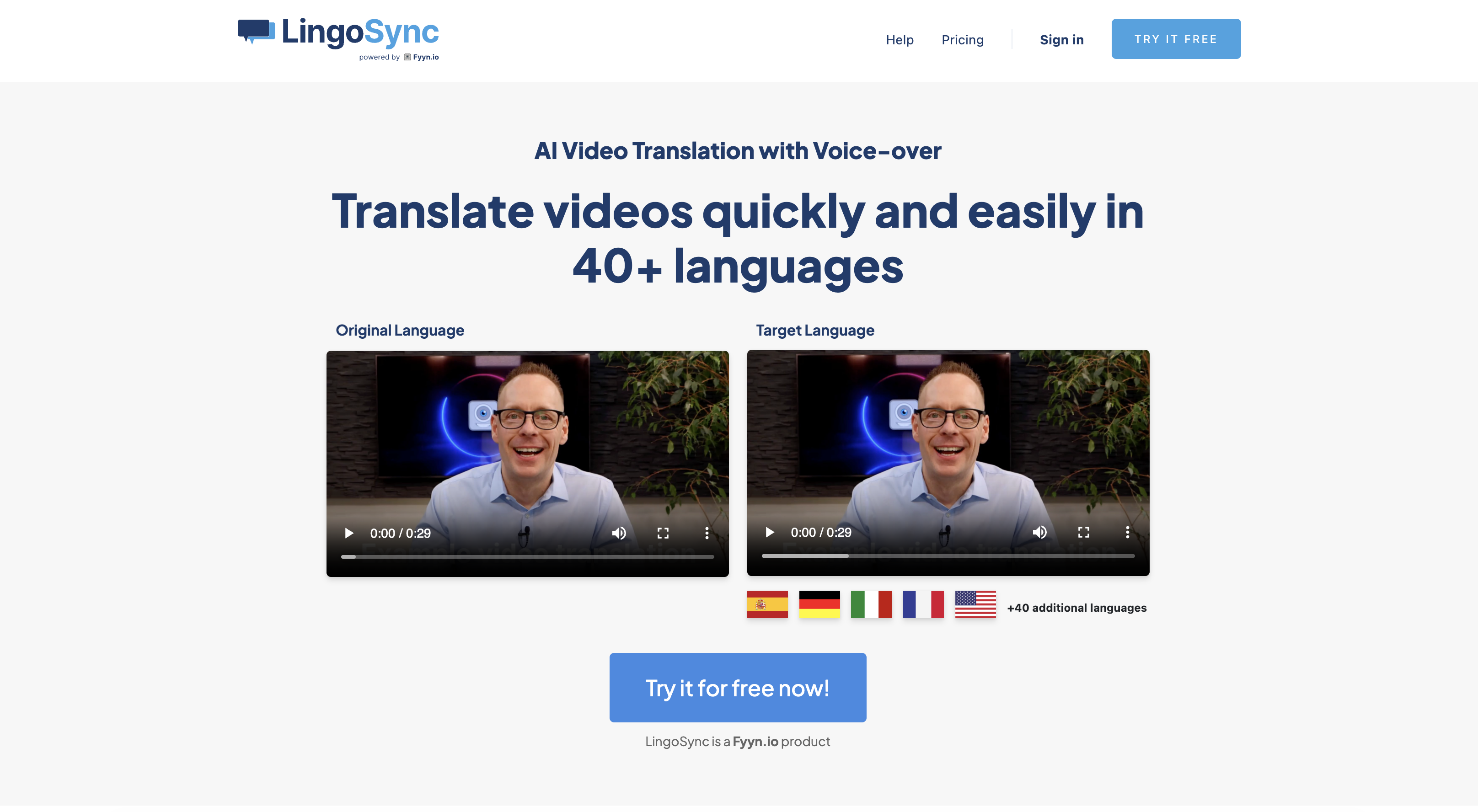
- Launch localized videos in new international markets without hiring translators or dubbing studios: AI video translation converts your content into more than 40 languages from a single upload.
- Match every voice-over to your brand and audience: choose from over 220 AI voices and adjust audio speed so each translated video sounds right for its region.
- Publish accurate multilingual videos with full editorial control: review and correct the translated script before it becomes speech, so terminology and phrasing stay exactly as intended.
- Deliver dubbed videos that look professionally produced: intelligent audio gap synchronization aligns each spoken sentence with the matching moment on screen.
- Skip transcription and turnaround delays entirely: upload your video, pick a target language, and download the finished translated video in three steps.
- Translate confidential training, product, and customer videos without exposure risk: your video content is never evaluated or shared with third parties.
- Scale e-learning courses, social media marketing clips, and customer communication across languages: one workflow serves small teams and large organizations alike.
Pros & Cons
From the listing; not yet checked by our editors.
Pros
- Video translation into 40+ languages
- 220+ voice-over options
- Cost-effective solution
- Ultra-fast translation process
- Beginner-friendly navigation
- Useful for e-learning
- Optimal for social media marketing
- Enhanced customer engagement
- Manual adjustment of translations
- Data security assurance
- Automated translation process
- Customizable translation output
- Supports global market reach
- Broad international reach
- Easy handling
- Educated guess of errors
- Adjustable voice speed
- Correct handling of pauses
Cons
- Limited to video translations
- Automatic translation isn't error-free
- Manual adjustment needed for errors
- No real-time translation
- No speech-to-text functionality
- Limited to 40 languages
- Limited to 220 voices
- May not support all video formats
Alternatives to Lingosync
Tools that share the most tags with Lingosync.
- Lyndium
Discover only content that matters to you with a personalized content landscape curated from your demonstrated preferences
Freemium · from $1.28/month
$1.28/month
Not yet checked
- Hei.io
Reach international viewers instantly with automated dubbing and subtitles across 140+ languages including Spanish, French, and German
Paid · from $8/month
$8/month
Not yet checked
- Papercup
Expand your global audience by translating videos into multiple languages with human-quality AI voiceovers that maintain viewer engagement
Not listed
Not listed
Not yet checked
- Vidby
Break language barriers instantly with AI-powered video translation that processes one minute of video in just 1-2 minutes
Freemium · from $28/month
$28/month
Not yet checked
- TranslateVideo
Expand your audience globally by translating videos into 20+ languages including Spanish, French, Chinese, and Hindi with automated translation
Freemium · from $29/month
$29/month
Not yet checked
- VideoDubber
Expand your audience globally by translating videos into 150+ languages with native accent support
Freemium · from $19/month
$19/month
Not yet checked
Reviews
Rate this tool
Loading reviews...
Frequently asked questions
What is LingoSync?
LingoSync is an AI-powered tool that provides video translation services in various languages. It caters to users who need translations of video content that also include voice-over options. The tool is specifically designed to assist businesses to expand their global reach by translating the video content into over 40 languages.
How does LingoSync translate videos?
LingoSync translates videos through its AI-powered system. Users only need to upload their video, select the target language, and the AI takes care of the rest. The translation process is automatic, however, users do have the option to manually adjust any text inaccuracies due to automated translation.
Is LingoSync user-friendly for beginners?
Yes, LingoSync is designed to be user-friendly for beginners. It offers straightforward navigation and even non-technical users can easily follow through the process. LingoSync also offers a clear overview of user projects and guide them when they want to translate videos.
How many languages can LingoSync translate videos into?
LingoSync can translate videos into more than 40 languages. This makes it a versatile tool for global content creators and for businesses targeting an international audience.
What are the voice-over options provided by LingoSync?
LingoSync provides a wide range of voice-over options, including more than 220 voices. This gives users the freedom to customize their translations to a high degree, allowing for a more personalized result.
Can I manually correct translations done by LingoSync?
Yes, while LingoSync uses an AI-powered translation process, it offers users the opportunity to manually adjust the translated text if they find any inaccuracies. The adjusted text will then be converted into speech.
Does LingoSync handle data security?
Yes, LingoSync handles users' data security responsibly. It assures users that it does not evaluate the video content and also does not pass it to third parties, ensuring user data remains secure.
What potential applications does LingoSync have?
LingoSync applications are vast and varied. It can particularly be used in e-learning, for translating instructional videos, in social media marketing for reaching an international audience, and in customer engagement platforms to effectively communicate in diverse languages.