

LipsyncX
Make any still portrait talk on camera without filming a single take — upload a photo, avatar, or talking-head clip and the AI lip sync engine matches mouth movements to your speech.
Listing not yet reviewed by our editors · How we check
Overview
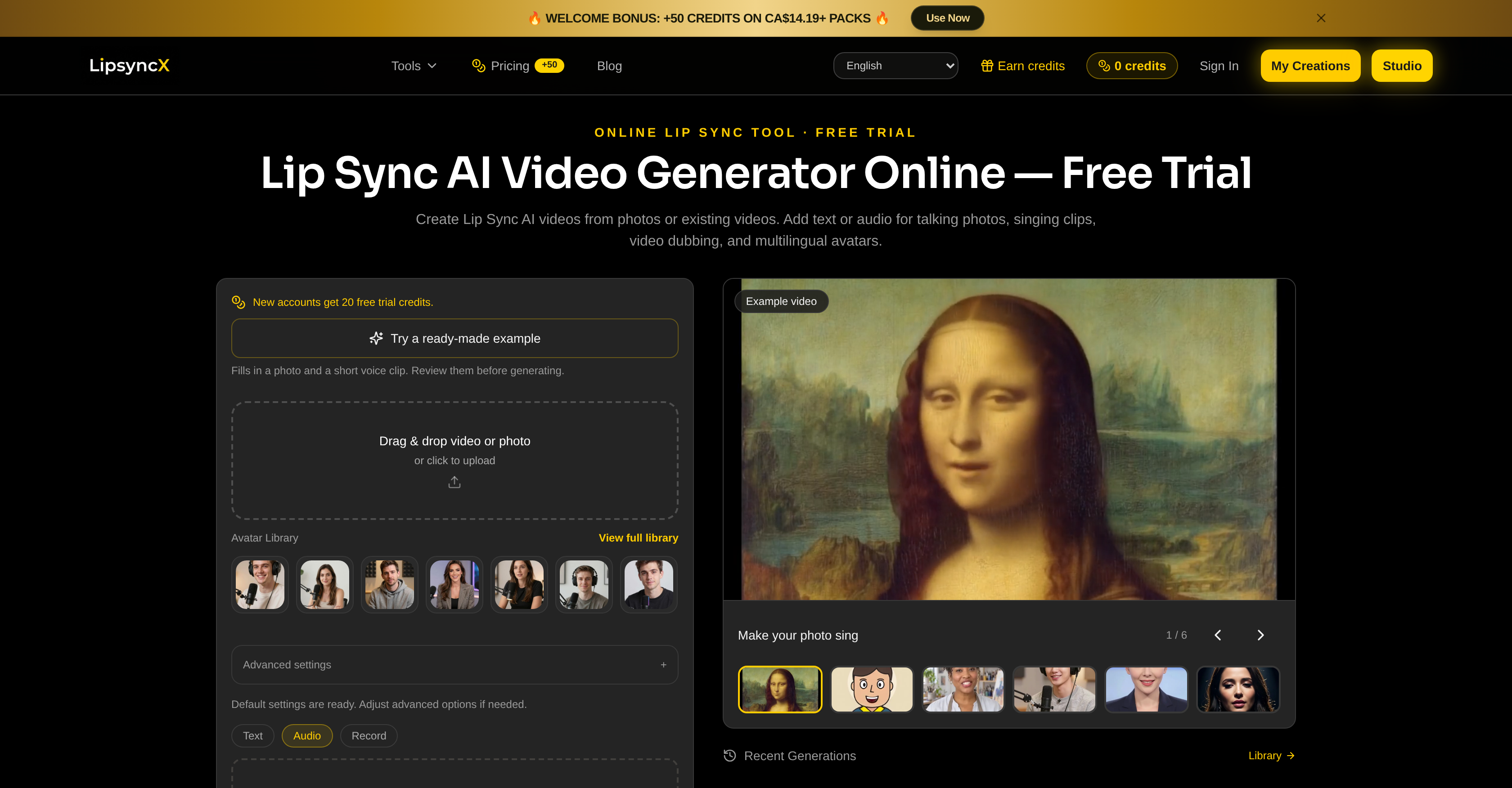
- Make any still portrait talk on camera without filming a single take — upload a photo, avatar, or talking-head clip and the AI lip sync engine matches mouth movements to your speech.
- Reach international audiences without reshooting or re-editing — multilingual video generation produces localized versions with lip movements synced to translated audio and captions.
- Dub one source video into many languages in a single pass — the batch video dubbing workflow outputs multiple language versions without manually re-cutting each edit.
- Produce a voiceover video even with no recording setup — type a script and text-to-speech converts it into speech synced to your photo.
- Keep your own voice, narration, or soundtrack intact — upload MP3, WAV, or M4A audio files up to 30MB and 10 minutes long.
- Release singing clips for covers, choruses, and music posts — pair a portrait with a song to create an AI music video where the image sings along.
- Give cartoon characters and digital personas a real voice — animate illustrated characters into talking avatar videos for kids' content and entertainment projects.
- Turn a teacher's photo into a speaking presenter for online lessons — create teaching videos and course introductions from a single static image.
- Pay only for the videos you actually generate — pay-as-you-go credits priced by model, resolution, and duration, with top-ups from $2.99 for 60 credits and no fixed subscription.
- Test results before spending anything — 20 free trial credits on sign-up let you create a short lip-sync video.
- Publish clean, brand-ready footage — paid accounts download watermark-free videos.
- Dial in output quality for each project — advanced settings give finer control over lip-sync video generation.
- Embed talking-photo generation directly into your own product or production pipeline — a REST API serves developers and enterprises.
Pros & Cons
From the listing; not yet checked by our editors.
Pros
- Generates lip-sync videos
- Supports MP3, WAV, M4A
- Animated portrait creation
- Advanced settings available
- Supports multiple languages
- Watermark-free download option
- Can generate multilingual videos
- Synced lips and translated captions
- Useful for content localization
- Supports static images
- Can animate cartoon characters
- Teaching video creation
- Adds voice to characters
- Music video creation
- Offers trial credits
- Supports various input types
- Clear avatar upload
- HD video generation
- Batch video generation
- Script translation available
- Voice tracking upload
- Browser recording support
- Subtitled multilingual exports
- Automated lip sync track
- Batch video dubbing
- RSS import support
- YouTube automation support
- E-learning language support
- Marketing video generation
- Podcast creation support
- Still image animating
- Supports different currencies
- One-time payment plan
- Credit packs available
- Provides before-after view
- Natural mouth movement
- Creates singing videos
- Supports pet clips
- Anime character animation
- Offers credit cost before generation
- High-volume video generation
- Multiple language versions generation
- Smooth dubbing workflow
- Professional-grade video output
- Generates talking videos
- Lip Sync results comparison
- Faster export system
- Free lip-sync trial
Cons
- Limited to 10 minutes input
- Inaccuracy in lip synchronization
- Requires high resolution image
- No API access
- Doesn't support batch processing
- Hidden costs for premium features
- No free watermark-free downloads
- Higher resolutions cost more
- Potential language translation errors
- Limited audio formats supported
Alternatives to LipsyncX
Tools that share the most tags with LipsyncX.
- Common Sense Machines (CSM)
Transform text, images, or sketches into game-engine ready 3D worlds instantly using AI-powered conversion
Freemium · from $20/month
$20/month
Not yet checked
- Kaiber
Transform text descriptions into captivating video sequences instantly using advanced AI algorithms that interpret your input for contextually accurate results
Free trial · from $5/month
$5/month
Not yet checked
- Freepik AI Video Generator
Transform text scripts into complete videos with custom shot types and transitions for coherent storytelling
Freemium · from $5/month
$5/month
Not yet checked
- LitVideo: AI Video Generator
Web app that generates video, images and music from text or images, using several third-party video models in one place.
Freemium · from $7.50/month
$7.50/month
Nov 24, 2026
- MagicLight
Transform written scripts into complete animated videos automatically with story-to-video generation
Freemium · from $7.5/month
$7.5/month
Not yet checked
- MyHeritage Deep Nostalgia
See your ancestors come to life with realistic facial movements using deep learning technology
Freemium
Not listed
Not yet checked
Reviews
Rate this tool
Loading reviews...
Frequently asked questions
What is LipsyncX?
LipsyncX is an artificial intelligence tool, primarily operating online, which specializes in lip-sync video generation from static images. Whether starting with a clear portrait, avatar, or talking-head video, users can input text or audio to be utilized by the AI engine. The end result is a video portrait, synchronized with the user-input speech, which gives the illusion of the image speaking the added content. This technology can be used for a variety of creative projects, such as animating a cartoon character, creating an educational teaching video, or even producing a music video.
How does LipsyncX work?
LipsyncX operates on a straightforward principle of artifical intelligence. Users begin by uploading a portrait or a talking-head video, to which they can add text or audio in MP3, WAV, or M4A format. The AI engine of LipsyncX then processes the input and generates a video that synchronizes the original picture or avatar with the accompanying speech, creating an illusion that the image is speaking or singing along with the provided content.
What file formats does LipsyncX support for audio input?
LipsyncX supports several popular audio formats for input. These include MP3, WAV, and M4A. The maximum file size supported is 30MB for an audio length of 10 minutes. For optimal lip syncing quality, it is recommended to limit audio length to under a minute.
Can I use my own avatar with LipsyncX?
Absolutely, LipsyncX is designed to be versatile to cater to varying user preferences and creativity. You are able to upload your own avatar to use as the base for the talking video. This can either be a simple static image or a footage of a talking head.
Does LipsyncX support multiple languages?
Yes, LipsyncX supports multiple languages. The website copy indicates support for numerous languages, indicating a global reach and understanding. This makes LipsyncX an excellent choice for multilingual audio or video projects, and for creators aiming for an international audience.
What are the advanced settings on LipsyncX?
The advanced settings on LipsyncX provide users the ability to fine-tune the generation of their lip-sync videos. Details about these settings are not directly indicated. However, it can be inferred that these settings likely offer more granular control over the video's generation, audio synchronization, resolution, and other parameters.
Can I download videos without a watermark on LipsyncX?
LipsyncX does indeed offer the ability to download videos without a watermark. However, this feature is available only to paid users. Free trial users must accept that the output videos will contain a watermark.
What is the multilingual video generation feature of LipsyncX?
The multilingual video generation feature of LipsyncX allows users to translate and create versions of a video in different languages. It ensures that the lip movements in the video are synched with the translated audio and text captions. This becomes particularly handy in content localization where a video needs to be adapted to the language and cultural context of different target audiences.