

Magickpen
Turn a single topic into a finished draft in seconds: enter your subject, press generate, and the ChatGPT-powered text generator returns ready-to-use content.
Listing not yet reviewed by our editors · How we check
Overview
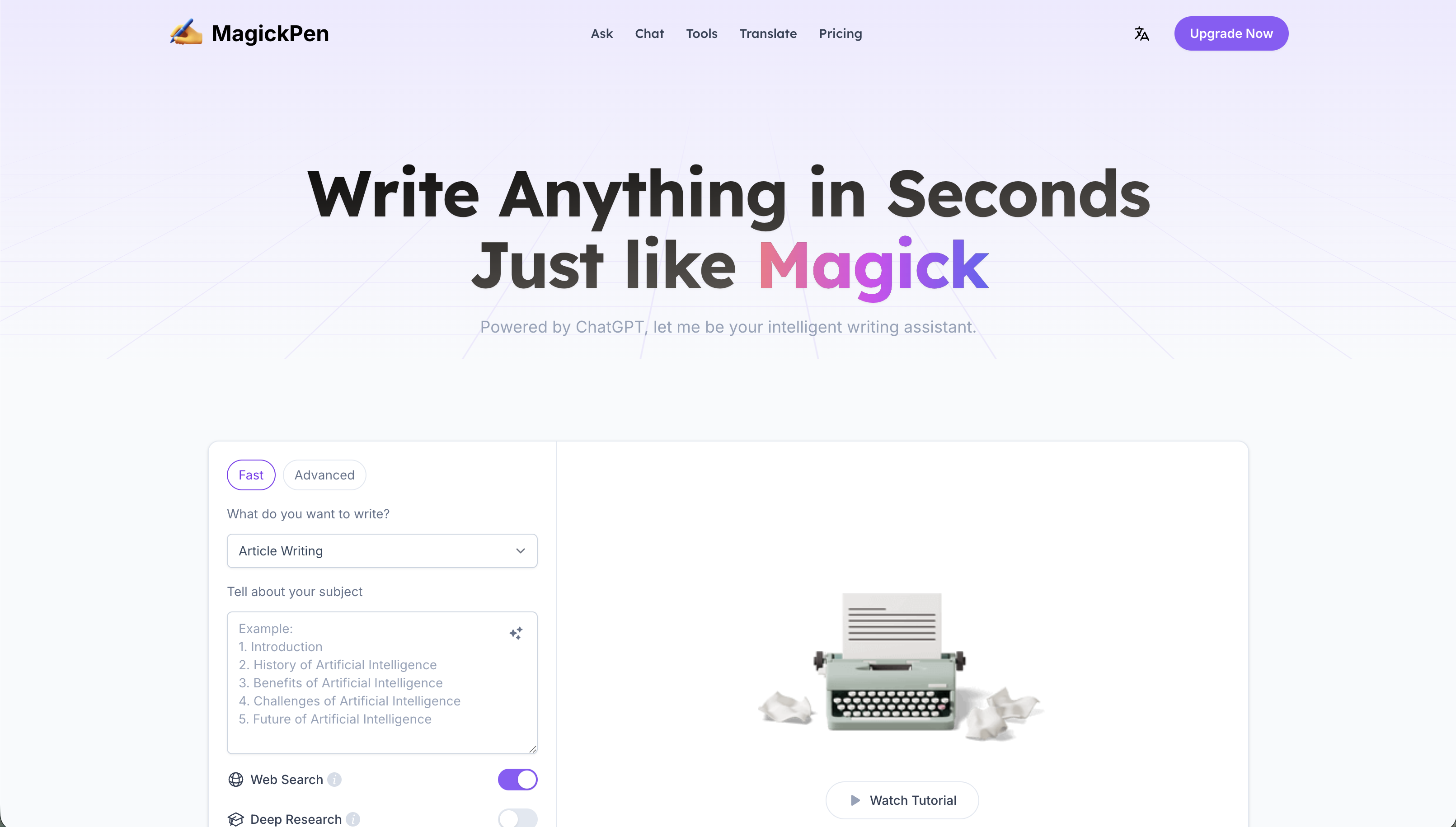
- Turn a single topic into a finished draft in seconds: enter your subject, press generate, and the ChatGPT-powered text generator returns ready-to-use content.
- Write in the voice of your profession with selectable user roles for lawyers, marketers, developers, teachers, journalists, doctors, and dozens of other personas.
- Match every piece to its audience by combining tone settings (neutral, formal, joyful, sad) with short, medium, or long lengths and plain text or markdown output.
- Reach readers worldwide by generating and translating content in English, Español, 简体中文, 日本語, Deutsch, العربية, हिंदी, Português, 한국어, and many more languages.
- Cover every writing task in one place, from resumes, cover letters, and job postings to speeches, scripts, poems, recipes, and social media posts.
- Send cleaner work with built-in grammar check and code repair that fix errors in your writing and your code.
- Start faster on school, lifestyle, and creative projects with ready-made templates for writing, education, and creativity.
- Produce long-form articles and reports without stitching together fragments: Premium generates up to 6,000 words per request, supports continuous generation, and includes up to 600 GPT-4 credits per month.
- Write wherever you work, with access on Web, Chrome, Windows, and Mac.
- Get content ready for its destination by setting the publish target for work documents, emails, or social media before you generate.
- Try every feature without signing up through a no-login free trial, then pay as you go or subscribe using credit card, PayPal, Apple Pay, Google Pay, Alipay, or WeChat Pay.
Pros & Cons
From the listing; not yet checked by our editors.
Pros
- Multi-language support
- Variable content length
- Multiple text formats
- Advanced user role selection
- Supports various writing tasks
- Variable content tone
- Purchase credits feature
- Easy content publishing
- Free trial provided
- In-built payment methods
- Multiple platforms compatibility
- 90+ templates available
- Powered by ChatGPT
- Web search support
- Supports continuous generation
- Customized user experience
- Supports various payment methods
- Supporting different user roles
- Content generation speed
- Multi-platform solution
- Education compatible
- Enables creativity
- User-friendly
- Mac compatible
- Windows compatible
- Web compatible
- Personalization feature
- Includes grammar check
- Includes code repair functions
- Can unlock all features
- Up to 6000 words generation
- Variety of subscription models
- Offers refunds for Pro users
- Affiliate program available
- Language customization
- Provides students and teachers discounts
- Comprehensive writing assistant
- ChatGPT integration
- Extensive roles customization
- Supports content publishing
- Advanced customization options
- Supports Markdown format
- Mention of unique discounts
- Supports automatic language selection
- Supports multiple currencies for payment
- Offers an array of templates
- Fast and efficient GPT-3.5
- Professional and precise GPT-4
- 1v1 Customer Service
- Unlimited GPT-3.5 credits for Premium model
- Has PAY AS YOU GO Plan
- Plans offer 6,000 words per generation
- Supports continuous generation
- Integrated with Discord for community support
- Offers users credits-based payment options
- Educational discount code available
Cons
- Requires Internet
- Limited free usage
- Limited words per generation
- Lacks offline operation
- Dependent on GPT Models
- Pay-as-you-go can be costly
- Might not generate unique content
- Relies on user input quality
- Possible language translation errors
- Subscription needed for full benefits
Alternatives to Magickpen
Tools that share the most tags with Magickpen.
- Creative APIs by Picsart
Automate professional image editing workflows without manual intervention using AI-powered background removal, enhancement, and filter application
Paid · from $10/month
$10/month
Not yet checked
- RightBlogger
Generate complete SEO-friendly blog posts in minutes with the Article Writer, from introduction to conclusion
Freemium · from $24.99/month
$24.99/month
Not yet checked
- Fotor AI Kiss
Create viral social media content instantly by transforming any portrait into engaging kissing videos for platforms like TikTok and Instagram
Freemium · from $3.33/month
$3.33/month
Not yet checked
- Leonardo AI
Generate production-quality assets in seconds instead of hours using AI Art Generator that transforms prompts into unique visual content
Freemium · from $15.99
$15.99
Not yet checked
- ASMR-AI.art
Launch your ASMR channel without expensive mics or a studio by generating professional videos from simple text prompts.
Paid · from $19.90
$19.90
Not yet checked
- Auro: AI Social Post Assistant
Eliminate manual posting across multiple social networks with automated scheduling that handles content distribution for you
Freemium · from $9.99
$9.99
Not yet checked
Reviews
Rate this tool
Loading reviews...
Frequently asked questions
What is MagickPen?
MagickPen is an AI-enabled writing aid tool powered by ChatGPT. It serves as a comprehensive writing assistant designed to facilitate various writing needs in an efficient and creative manner. The tool can assist in generating writing content including articles, blogs, bios, reports, reviews, research, and more. It also includes translation, grammar check, and code repair functions to enhance writing capabilities.
What are the top features of MagickPen?
The top features of MagickPen include fast and precise text generation, customizable language, tone, and format settings, and an extensive range of user roles to fine-tune the writing style based on the select persona. It also supports different languages, catering to a vast global user base. Users have the option to publish the generated content on multiple platforms. MagickPen also provides an array of templates covering diverse areas such as writing, education, lifestyle, and creativity.
How do I use MagickPen to generate content?
To use MagickPen to generate content, users input their subject into the provided space, then press the generate button. The tool promptly provides the desired outcome. Advanced customization options allow users to adjust parameters such as roles, languages, where to publish, tones, lengths, and formats to suit their specific needs.
What type of content can MagickPen generate?
MagickPen can generate a wide variety of content. This includes paragraphs, ideas, plans, replies, blogs, bios, reports, reviews, research, articles, resumes, cover letters, job postings, speeches, stories, slogans, lists, jokes, recipes, scripts, poems, lyrics, emails, social media posts and more.
How does the tone recognition feature of MagickPen work?
MagickPen's tone recognition feature works by understanding the queried context and generating the output in various tones like neutral, formal, joyful, and sad. The tone can be selected by the user to best align with their specific use case.
Can I adjust the length and format of the content generated by MagickPen?
Yes, in MagickPen, users have the freedom to adjust both the length and the format of the content generated. Users can choose from short, medium, or long lengths and two different formats: text or markdown.
What types of users can benefit from MagickPen?
A wide variety of users can benefit from MagickPen, as it is designed to cater to diverse writing needs. It is suitable for writers, students, teachers, workers, marketers, YouTubers, KOLs, bloggers, freelancers, lawyers, designers, developers, financial managers, speakers, engineers, journalists, investors, businesses, artists, coaches, doctors, chefs, and experts.
How can I apply credits to my MagickPen projects?
Users can apply credits to their MagickPen projects through the advanced feature provided. The interface allows users to keep track of and manage their credits efficiently.