

MakeAIVideo
Publish complete videos without filming or editing: Prompt to Video and Script to Video turn your text into finished scenes with natural-sounding AI voiceover.
Listing not yet reviewed by our editors · How we check
Overview
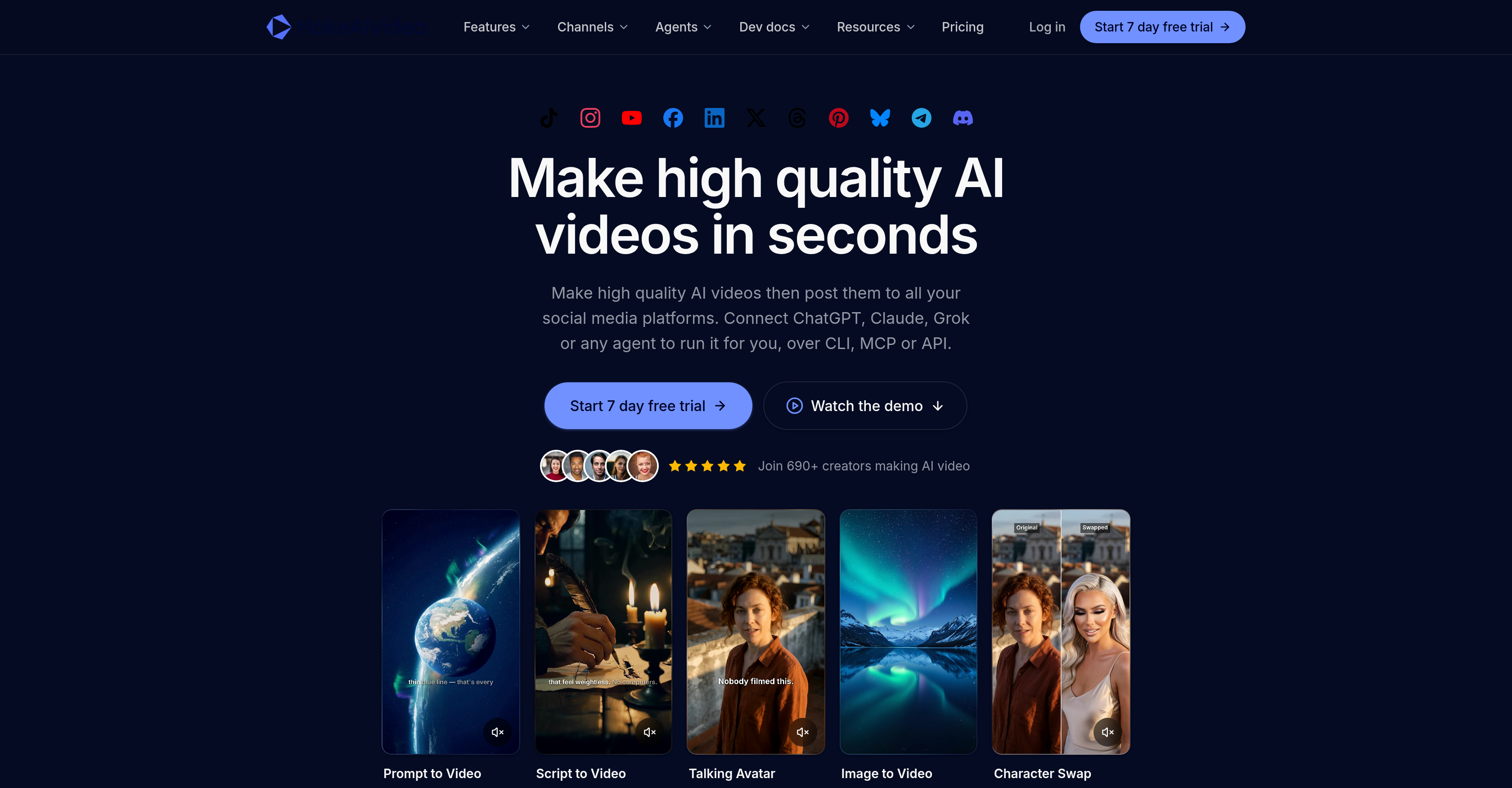
- Publish complete videos without filming or editing: Prompt to Video and Script to Video turn your text into finished scenes with natural-sounding AI voiceover.
- Put a polished presenter on screen without hiring talent: Talking Avatar lets you select or generate an AI presenter that lip-syncs precisely to your script.
- Reuse footage you've already shot: Character Swap replaces the person in a pre-filmed video with an AI character while keeping the original audio, camera movement, and gestures.
- Turn still photos into motion content in seconds: Image to Video animates any image into a short clip without distorting the original subject.
- Launch product video ads straight from your catalog: AI Ad Maker builds ready-to-run video advertisements from your product photos.
- Get authentic, creator-style social proof without sourcing creators: AI UGC Video produces user-generated-content style videos for ads and promotions.
- Build a recognizable brand persona your audience follows: AI Influencer Generator keeps one consistent AI character across every post.
- Reach sound-off viewers and boost readability: auto-generated captions sync to the AI voiceover and can be styled to match your brand.
- Draft and produce videos inside the AI assistants you already use: integrations with ChatGPT, Claude, and Grok connect script writing directly to video generation.
- Distribute every video everywhere in one step: automatic multi-platform posting publishes to TikTok, Instagram, YouTube, and more at once.
Pros & Cons
From the listing; not yet checked by our editors.
Pros
- Automates video creation
- Converts prompts to videos
- Converts scripts to videos
- Converts images to videos
- Creates talking avatar
- Generates scenes
- Includes captioning feature
- Multipurpose video creation tools
- ChatGPT compatible
- Works with Claude
- Integrates with Grok
- Allows multi-platform sharing
- Offers end-to-end video solutions
- Requires no filming
- Replaces character in video
- Inbuilt Script Capabilities
- Automated Content Integration
- Blog to Video functionality
- Auto-post to 11 platforms
- Easy to use SDKs
- Post directly from terminal
- API for extended functionality
- Option to swap presenter
- Works with any MCP client
- Ability to animate photos
- Character Swap option
- Wide range of video lengths
- Option to generate captions
- Custom aspect ratio support
- Consistent creator every post
- Optional background music
- CLI rendering and posting
- Generates natural narrations
- Agent-designed build and post
- Ability to schedule posts
- Polished business presenter available
- Customisable avatar library
- Word-by-word captioning
- Time-specified scene matching
Cons
- No character customization
- Text-to-video quality unknown
- Lack of editing features
- Limited character swap functionality
- Image-to-video quality unclear
- Pricing not transparent
- Lack of output format options
- No multilanguage voiceover support
- Specific platform compatibility unknown
Alternatives to MakeAIVideo
Tools that share the most tags with MakeAIVideo.
- Common Sense Machines (CSM)
Transform text, images, or sketches into game-engine ready 3D worlds instantly using AI-powered conversion
Freemium · from $20/month
$20/month
Not yet checked
- Kaiber
Transform text descriptions into captivating video sequences instantly using advanced AI algorithms that interpret your input for contextually accurate results
Free trial · from $5/month
$5/month
Not yet checked
- Freepik AI Video Generator
Transform text scripts into complete videos with custom shot types and transitions for coherent storytelling
Freemium · from $5/month
$5/month
Not yet checked
- LitVideo: AI Video Generator
Web app that generates video, images and music from text or images, using several third-party video models in one place.
Freemium · from $7.50/month
$7.50/month
Nov 24, 2026
- MagicLight
Transform written scripts into complete animated videos automatically with story-to-video generation
Freemium · from $7.5/month
$7.5/month
Not yet checked
- MyHeritage Deep Nostalgia
See your ancestors come to life with realistic facial movements using deep learning technology
Freemium
Not listed
Not yet checked
Reviews
Rate this tool
Loading reviews...
Frequently asked questions
What is MakeAIVideo?
MakeAIVideo is a state-of-the-art artificial intelligence tool designed to simplify the task of video making. It automates the process of generating videos based on diverse inputs such as prompts, scripts, and images. Among its array of utilities, it offers 'Prompt to Video', 'Script to Video' and 'Image to Video' features. Users can convert their text content into engaging video content, and an AI character can replace actual people in pre-existing videos through the 'Character Swap' feature. MakeAIVideo also provides the 'Talking Avatar' tool where an AI presenter, completely lip-synced to a user's script, forms the foundation of the generated video. Furthermore, the platform assists in various video creation needs via other components such as 'AI Influencer Generator', 'AI Ad Maker', and 'AI UGC Video'. It smoothly collaborates with AI agents like ChatGPT, Claude, and Grok, and allows automatic posting of the created content to multiple platforms, making it a comprehensive video creation and sharing solution.
How does the 'Prompt to Video' feature work in MakeAIVideo?
The 'Prompt to Video' feature in MakeAIVideo allows users to convert their textual prompts into visually appealing video content. It is an AI-enabled tool that synthesizes the input text and uses it to guide the creation of a video. This mechanism entails scene generation and potentially incorporates AI voiceovers and captions, thereby creating a cohesive and engaging video narrative from a prompt.
Can MakeAIVideo generate voiceovers for scripted videos?
Yes, MakeAIVideo can generate voiceovers for scripted videos. Its sophisticated capabilities allow it to convert text in scripts into natural-sounding voiceovers. With an AI voiceover feature, users can add more depth and create a more immersive viewing experience for their video content.
How does the 'Script to Video' feature in MakeAIVideo work?
The 'Script to Video' feature in MakeAIVideo operates by transforming users' scripts into captivating video content. This can involve scene creation, AI voiceovers, and the incorporation of captions. The video content is curated and compiled based on the context and information present in the script, helping users to convert their written content into a more engaging video format.
What is MakeAIVideo's 'Character Swap' feature?
The 'Character Swap' feature in MakeAIVideo allows users to replace the person in a pre-filmed video with an AI-generated character. By doing so, users can maintain the original audio, camera movement, and other elements of the original video while presenting the content with an AI character, thus adding a unique dimension to their content.
What is the 'Talking Avatar' feature in MakeAIVideo?
MakeAIVideo's 'Talking Avatar' feature gives users the power to create an AI presenter who lip-syncs to a given script. This utility enables users to select or generate an AI character that can serve as the presenter in their video, introducing a novel and engaging way to deliver content.
How does MakeAIVideo's 'Image to Video' feature work?
The 'Image to Video' feature in MakeAIVideo merges the worlds of static imagery and dynamic multimedia. Users can upload a still image, and MakeAIVideo will animate it, often in just a matter of seconds. The process breathes life into static images by producing movement within the frame, generating a short animation without distorting the original subject.
What AI agents does MakeAIVideo integrate with for content creation?
MakeAIVideo integrates with AI agents for content creation. This includes collaborations with popular AI agents such as ChatGPT, Claude, and Grok. These integrations allow for more comprehensive and dynamic video content generation, enhancing the AI capabilities of the tool and creating more engaging videos.