

Marcora
Every AI draft sounds like your company: a Brand Foundation stores your positioning, brand voice, writing style, messaging framework, and ICP, so all copywriting follows your brand guidelines and style guide.
Listing not yet reviewed by our editors · How we check
Overview
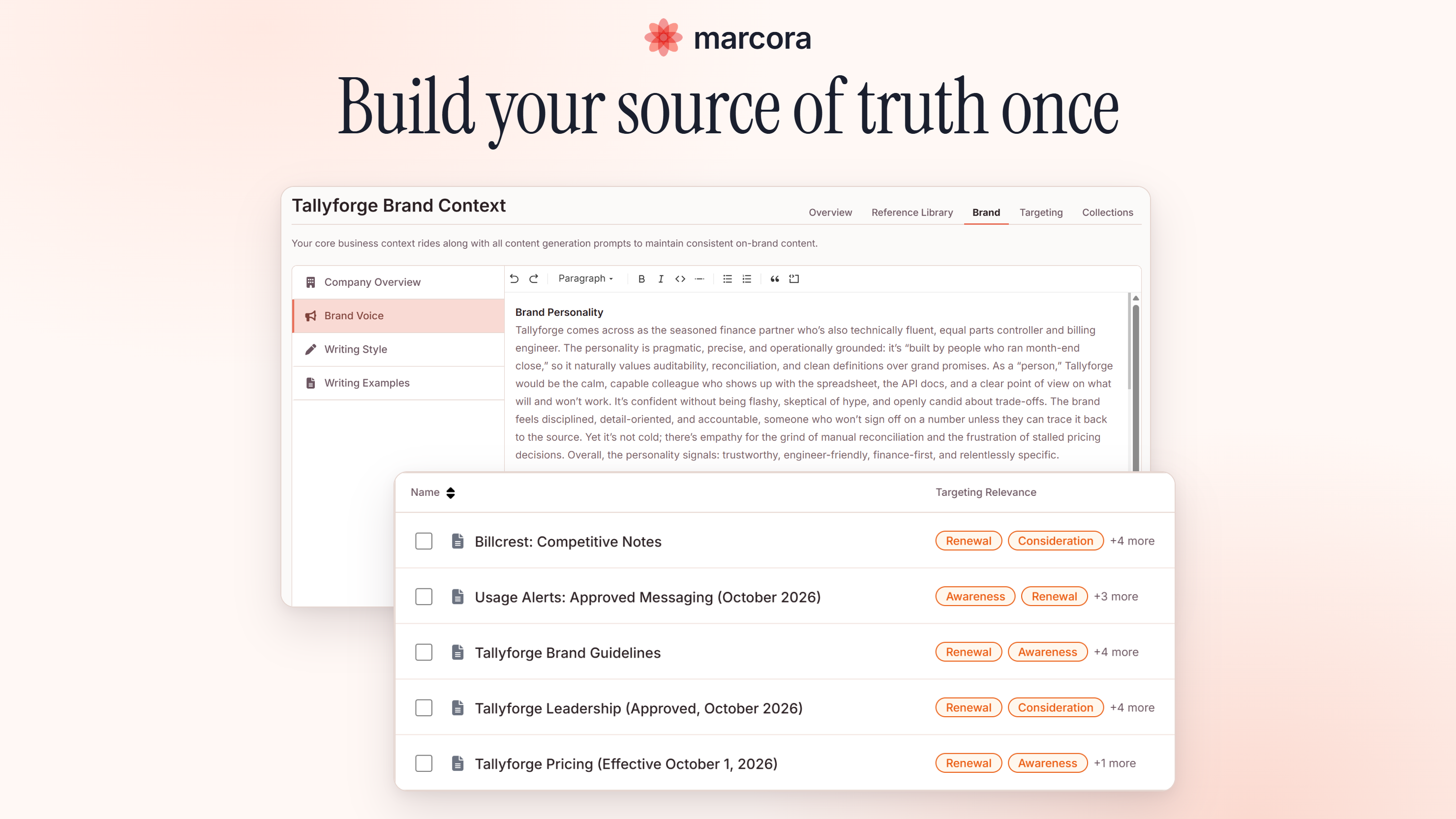
- Every AI draft sounds like your company: a Brand Foundation stores your positioning, brand voice, writing style, messaging framework, and ICP, so all copywriting follows your brand guidelines and style guide.
- Stop pasting the same prompts and company background into every chat: Claude, ChatGPT, Cursor, and any MCP-compatible AI tool or agent read your shared context directly, and you keep your preferred AI provider with no lock-in.
- Move a draft between AI tools without losing your place: MCP connections carry your context across tools, so you start in one and finish in another with nothing to rebuild.
- Ship claims you can verify: Content Grounding fact-checks drafts against your product docs and sources before anything goes out (Command plan).
- Correct a product fact once and fix it everywhere: a single update to your Reference Library reaches every connected AI tool.
- Catch outdated positioning before it reaches buyers: Context Intelligence runs web-page freshness checks, scans for messaging drift, audits library health on demand, and queues one-click fixes for your approval (Command plan).
- Get your source of truth running from material you already have: Marcora reads your website and existing documents to set up your voice, standards, and audience information.
- Produce every GTM asset from one context: draft battlecards, one-pagers, case studies, press releases, landing pages, blog posts, newsletters, email copy, release notes, launch decks, and talk tracks from proven Blueprints or a blank document.
- Personalize sales collateral by account, segment, or campaign: turn CRM notes into a tailored account one-pager grounded in your buyer personas and competitive analysis.
- Keep campaign-specific details from leaking into unrelated work: Projects apply a campaign's material only where it belongs.
- Turn field knowledge into lasting context: save call insights and other learnings back to your library so future drafts reflect what sellers hear from customers.
- Give sellers and customers one link to the right asset: publish battlecards, onboarding guides, and launch briefs as branded share pages with view tracking for sales enablement and customer success.
- Run recurring content tasks the same way every time: package repeatable work into Workflows and Playbooks your GTM team reuses.
- Approve everything before it ships: drafts open in an editor for human editing and final review.
- Pull context from the tools your team already uses: 200+ integrations, including Google Docs, Notion, Gong, Asana, Salesforce, Canva, OneDrive, and Slack, feed your product marketing source of truth.
Pros & Cons
From the listing; not yet checked by our editors.
Pros
- Updates reach connected tools
- Separate company and project context
- Campaign materials supplement company context
- Persistent brand foundation from documents
- Captures voice, standards, audience
- Stores positioning and product facts
- Works with Claude, ChatGPT, Cursor
- MCP connection across compatible tools
- Slack, Teams, and Buzz agent
- 200+ GTM stack integrations
- Scheduled workflows run automatically
- Scheduled Gong-call context syncs
- Filters calls to ICP accounts
- Adds transcripts to project context
- Blueprint or blank-document creation
- Same context across creation modes
- Plain-language draft, refine, rewrite
- Drafts stay editable before publishing
- Share pages publish by link
- Account- and segment-tailored content
- Campaign-specific content tailoring
- CRM notes to account one-pagers
- Web-based competitor pricing research
- ICP-call pain-point summaries
- Closed-deal win-theme collection
- Canva and Notion workflows
- OneDrive materials as source inputs
- Stale-context detection on Command
- Scheduled web freshness checks
- New-item context impact scans
- On-demand library health audits
- Suggested updates ready for review
- One-click suggested-update acceptance
- Community-shared proven blueprints
- Multi-format campaign blueprints
- Content plans staged for execution
- Custom sales enablement per deal
- No repeated prompt setup
Cons
- Context Intelligence requires Command
- MCP requires protocol-compatible tools
Alternatives to Marcora
Tools that share the most tags with Marcora.
- Creative APIs by Picsart
Automate professional image editing workflows without manual intervention using AI-powered background removal, enhancement, and filter application
Paid · from $10/month
$10/month
Not yet checked
- RightBlogger
Generate complete SEO-friendly blog posts in minutes with the Article Writer, from introduction to conclusion
Freemium · from $24.99/month
$24.99/month
Not yet checked
- Fotor AI Kiss
Create viral social media content instantly by transforming any portrait into engaging kissing videos for platforms like TikTok and Instagram
Freemium · from $3.33/month
$3.33/month
Not yet checked
- Leonardo AI
Generate production-quality assets in seconds instead of hours using AI Art Generator that transforms prompts into unique visual content
Freemium · from $15.99
$15.99
Not yet checked
- ASMR-AI.art
Launch your ASMR channel without expensive mics or a studio by generating professional videos from simple text prompts.
Paid · from $19.90
$19.90
Not yet checked
- Auro: AI Social Post Assistant
Eliminate manual posting across multiple social networks with automated scheduling that handles content distribution for you
Freemium · from $9.99
$9.99
Not yet checked
Reviews
Rate this tool
Loading reviews...
Frequently asked questions
How does Marcora keep brand voice and product facts consistent across AI tools?
Marcora stores the company’s positioning, voice, standards, audience information, and product facts in a shared context foundation. Updates made there are available to connected AI tools, so teams can draw from the same maintained information.
Does Marcora work with AI tools that support MCP?
Yes. Marcora connects through MCP to AI tools and agents that support the protocol, including Claude, ChatGPT, and Cursor.
Can Marcora create content from our website and existing documents?
Yes. Marcora can read a company website and documents to establish a foundation that includes voice, standards, and audience information.
What types of sales and marketing assets can Marcora draft?
Marcora can draft launch decks, one-pagers, battlecards, talk tracks, GTM briefs, case studies, homepage copy, and sales enablement materials.
Can Marcora tailor a one-pager to a specific account or customer segment?
Yes. Marcora can tailor work to an account, segment, or campaign using available context. For example, it can create an account one-pager from CRM notes.
Can I start with a blank document instead of a blueprint in Marcora?
Yes. You can start from a structured blueprint or a blank document; both use the shared company context.
Can I edit Marcora’s drafts before sharing them?
Yes. Marcora opens drafts in an editor for continued human editing, and teams retain control through final review.
How do Marcora share pages work?
Marcora can publish a draft as a share page that anyone with the link can open.