Merlin Project
Overview
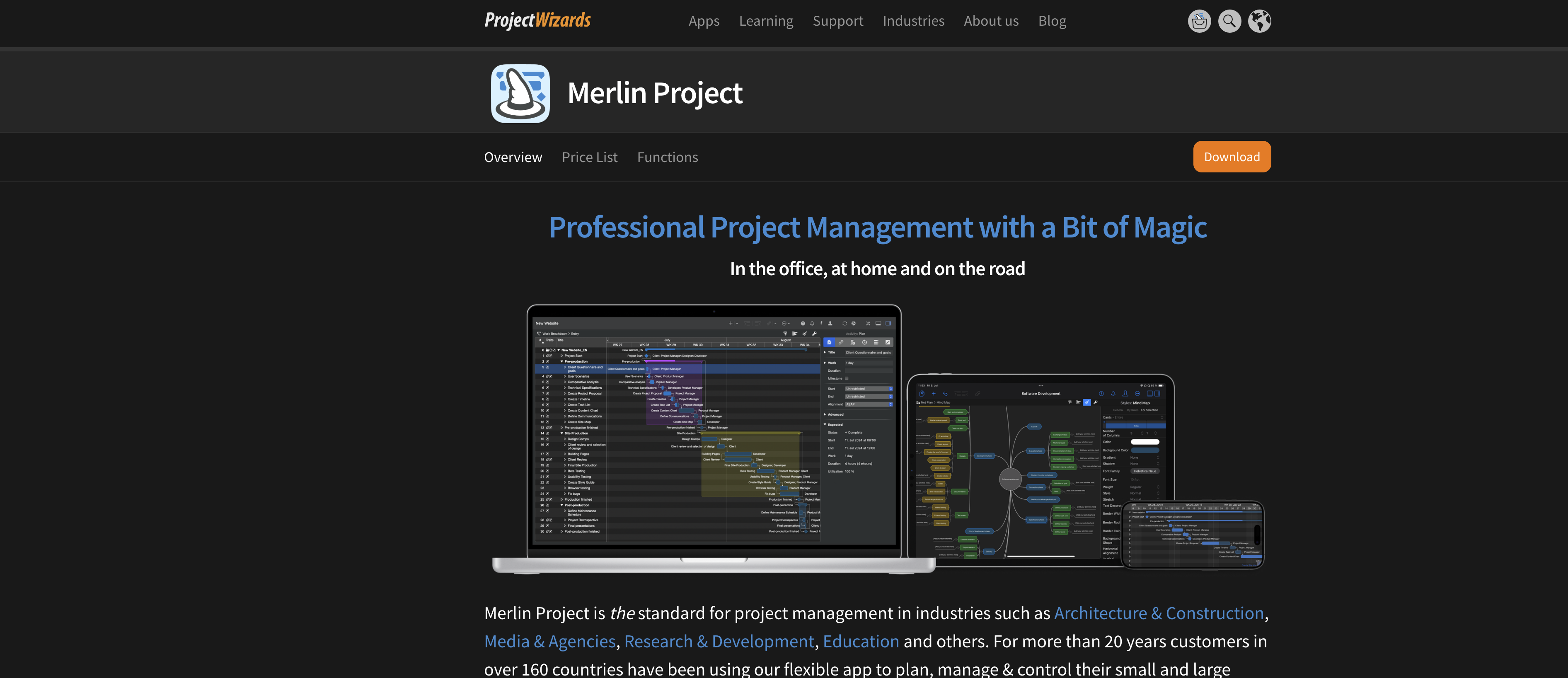
- Transform complex project plans into clear, visual roadmaps using an intuitive mind map for brainstorming and expressive graphics.
- Maintain a single source of truth for your team with real-time data synchronization across Mac, iPhone, and iPad via iCloud and Dropbox.
- Visualize project progress and deadlines with a visually appealing Gantt chart that exports to high-resolution images or vector-perfect PDFs.
- Manage workloads efficiently with an assignments view that shows every team member's tasks and deadlines at a glance.
- Combine agile and waterfall methodologies by switching between a Kanban board and a work breakdown structure that automatically updates your Gantt chart.
- Document decisions and track details by attaching files, checklists, and risks directly to tasks and enabling team comments on any activity.
Pros & Cons
Pros
- Designed for Mac, iPhone, iPad
- Agile waterfall management feature
- Simple Kanban view
- Helps define task dependencies
- Brainstorming with mind maps
- Supports annotations
- Facilitates detailed project planning
- Remote collaboration capability
- Assists in milestone setting
- Data synchronization across devices
- Checklist management for tasks
- Risk assignment to phases
- Dropbox and iCloud compatibility
- Exportable Gantt chart
- Visual graphics of plans
- Visibility of employee tasking
- Integration with various industries
- Compatible with other cloud services
- Attach additional info to tasks
- Excellent for diverse project types
- Designed for Apple products
- Transforms plans into graphics
- Attachments view for workload distribution
- Quality and efficiency increase
- Transforms complex plans
- Commenting on various project facets
- Useful for multiple industries
- Ability to merge separate projects
- Supports offline work
- Export in multiple formats
- Compact format on iPhone
- Data exchange with MS Project
- Integration with Merlin Project Express
- Annotations and comments feature
- Patented synchronization technology
- Work breakdown structure assistance
- Interactive mind map feature
- Stunning visual graphics
- Allows project plan control
- Improved team workload management
- In-built project templates
- Supports trainings and guides
- Specific industry compatibility
- Supports creative project management
- Facilities agile project management
- Available for Windows
Cons
- Only for Mac, iPhone, iPad
- No Android support
- No Windows support
- Limited cloud service compatibility
- No in-built cloud storage
- Specific to certain industries
- Manual data synchronization
- Dependent on internet connection
- No native MS Project support
- Complexity for simple tasks
Reviews
Rate this tool
Loading reviews...
❓ Frequently Asked Questions
Merlin Project finds application in diverse industries such as Architecture, Construction, Media, Research & Development, and Education.
Merlin Project provides a comprehensive task management system, enabling users to create task flows, define dependencies and set fixed milestones. Users can attach additional information, use checklists for managing smaller tasks, and assign risks to project phases. It provides an assignments view that stipulates tasks due for each employee at any given time.
Users in Merlin Project can establish timelines as part of their project planning process. It allows for the definition of task durations and dependencies, helping to create efficient schedules for project execution.
Milestone setting in Merlin Project is to assist in developing detailed project plans. By defining fixed milestones, users can create a clear roadmap for their project, marking significant events or targets they plan to achieve along the timeline of the project.
Yes, Merlin Project aids in brainstorming processes. It allows for brainstorming in an intuitive mind map, which enables the transformation of complicated plans into clear, expressive graphics. This feature assists in organizing thoughts and ideas clearly as branches around a central topic.
Merlin Project facilitates agile waterfall management through a simple-to-use Kanban view. In this view, tasks are displayed as cards collected in a left column. As the project progresses, the cards move to the right until they finally end up in the Completed column. Switching between the kanban board and the work breakdown view automatically fills the Gantt bars, promoting hybrid project management.
Yes, in Merlin Project users can attach any files to tasks in their project, alongside additional information. This could be checklists to organize smaller tasks, management of project deadlines, or the assignment of risks to project phases.
Merlin Project enhances remote collaboration by ensuring team members work with up-to-date project data in every situation. It supports documentation of annotations, allowing project teams to comment and discuss each activity, resource, and attachment.
Merlin Project synchronizes data across devices once connected to the internet. This ensures that team members have access to the most recent project data, regardless of their location, and without the risk of generating conflict files.
Yes, Merlin Project is compatible with Dropbox and iCloud Drive. It can synchronize project data through these platforms, allowing for team collaboration and access to up-to-date project data.
Merlin Project stands out with its visually appealing Gantt chart. It allows for the export of pixel images in any resolution or vector-perfect PDFs as a basis for reproducible files, offering a visually engaging means of tracking and presenting project progress.
In Merlin Project, task assignment is managed through the Assignments View. This provides visibility of tasks due for each employee at any given time, allowing for efficient workload distribution across team members.
Yes, Merlin Project is suitable for checklist management. Users can use checklists to manage smaller tasks and upcoming project deadlines, attaching these checklists to specific tasks within the project.
Yes, Merlin Project allows for risks to be assigned to project phases. Emerging problems can be pinned to tasks, and users can be made aware of dangers by assigning risks to different stages of the project.
Merlin Project supports project documentation and commenting by enabling the documentation of annotations. This allows for the commenting and discussion of every single activity, resource, and attachment within the project team.
Merlin Project can indeed manage smaller tasks and deadlines. Users can attach checklists to tasks for managing smaller tasks and upcoming deadlines, ensuring comprehensive project planning and progress tracking.
Merlin Project is highly compatible with common cloud services on Mac. It functions seamlessly with Dropbox, iCloud Drive, and other common cloud services on Mac for data synchronization.
Yes, Merlin Project is specifically designed for Apple devices. It is compatible with Mac, iPhone, and iPad, offering a streamlined user experience across these devices.
Merlin Project is highly useful in the Education Industry. It provides features like task flows creation, timeline establishment, fixed milestones setting, and easy brainstorming in a mind map. These functionalities can facilitate project plan creation, collaborative learning, and improved project execution within educational environments.
Merlin Project is capable of transforming complex plans into expressive graphics. It offers a unique functionality of brainstorming in an intuitive mind map. This enables users to better visualize, understand, and communicate their plans, making for a more effective project planning and management process.
Pricing
Pricing model
Free Trial
Paid options from
$6.99/month
Billing frequency
Monthly
Related Videos
Merlin Project on Apple Vision Pro
ProjectWizards•705 views•Jun 24, 2025